
Why Narrow AI Tools Are the Safer, Smarter Bet for Your Business
The headlines are about giant general AI and what it might do to the world. For a real business, the practical and far safer path is narrow tools that do one job well, and here is how I would use them.

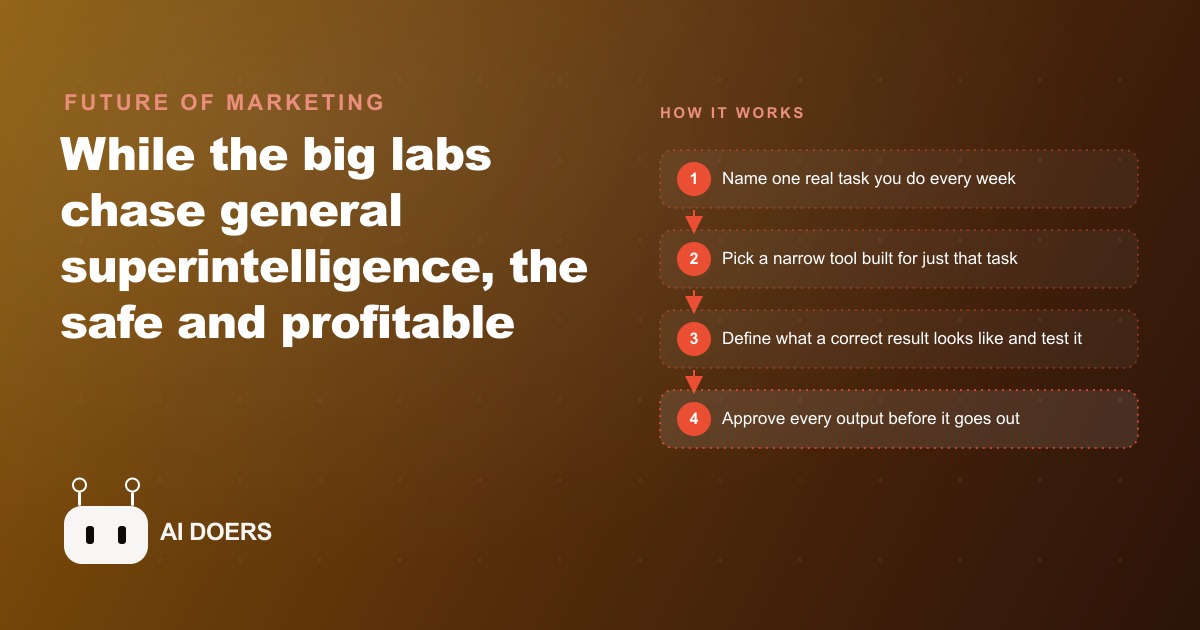
The safest, most profitable AI move a business can make right now is not the most exciting one: it is pointing a narrow, single-purpose tool at one specific task and letting it own that task completely.
Name the one task you want to stop doing by hand this month
Concrete specificity is what separates a business owner who benefits from AI tools from one who reads about them for months and does nothing. The exercise I run every time I advise a business on this is simple: name the one task you do by hand every week that you most wish you could stop doing. Not a category of tasks. Not a vague "admin" or "follow-up work." One specific task with a name. Something like: routing web form submissions from the contact page into the scheduling spreadsheet, or generating a first-draft quote for incoming customer inquiries, or compiling the week's activity into a summary report for the owner.
The specificity requirement is functional, not stylistic. A narrow AI tool is built to handle one well-defined job with high reliability. Feeding it a vague category of work produces poor results, because the model does not know where the edges of the task are. Feeding it a specific, named task produces results immediately, because the model has a clear definition of correct output.
The exercise also does something important for the person doing it. Naming the task makes it concrete, and concrete problems have concrete solutions. "I want AI to help with operations" does not lead anywhere actionable. "I want AI to take the text from incoming web forms and paste the customer name, phone, address, and requested service into rows in the dispatch spreadsheet" is a task that a narrow intake tool can handle today. The distance between those two framings is the distance between exploring a concept and deploying a tool.
Before reading the rest of this article, write down one task. Just one. The more specific you can make it, the more valuable the rest of these steps will be.
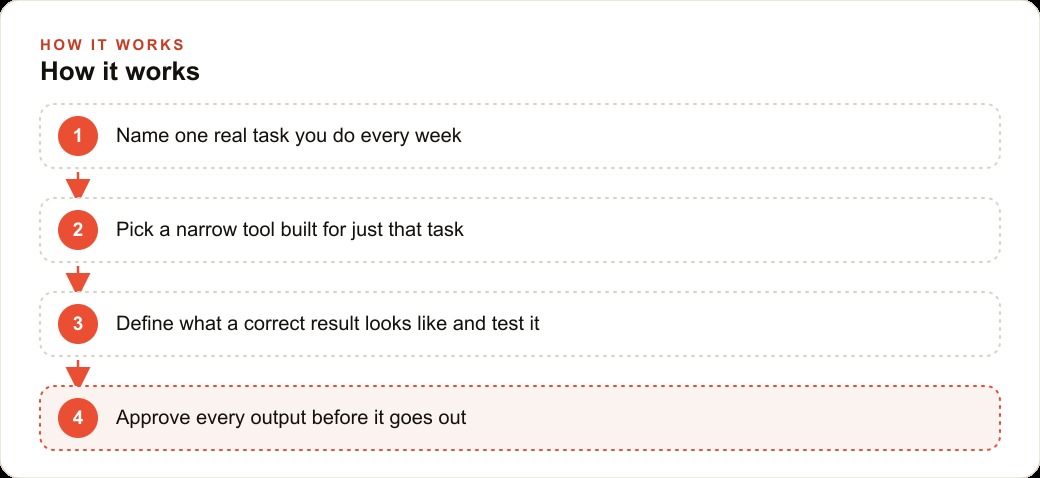
Write down what correct output looks like before you build or buy anything
This step is where most business owners skip ahead and later regret it. They identify a task, find a tool, and start using it without having defined what a good result looks like. Then when the tool produces output that is close but not quite right, they do not have a clear standard to debug against. They end up with a vague sense that the tool is not working well, without knowing whether the output is actually wrong or just unfamiliar.
Writing down what correct output looks like before you start is the single most useful preparation for deploying any narrow AI tool. It does not need to be long. It needs to be specific enough that someone who has never seen your business before could look at an output and tell you whether it passes or fails.
For the plumbing example I will develop in detail later in this article, the definition of correct output for an intake routing tool would read something like: a new row appears in the dispatch spreadsheet within 30 seconds of the form submission. The row contains the customer name in column A, the phone number in column B, the service address in column C, the type of job in column D using these exact category labels (drain clog, leak repair, fixture install, emergency, other), and the timestamp in column E. The customer's original message text goes in column F unchanged.
That definition is specific enough to test against. Every output either passes that check or it does not. Writing it down before you touch a tool gives you a rubric that makes the evaluation process fast and objective. It also prevents the tool from silently producing incorrect results that you accept because they look close enough.
The secondary benefit of this exercise is that it forces you to think through your process at a level of detail that often surfaces problems in the process itself. Many business owners who write down what correct output looks like discover that they do not actually have a consistent process. Different people handle the same task in different ways, and the tool's consistent behavior exposes that inconsistency. That discovery is valuable even before you deploy a single tool.
Choose a tool built specifically for that task, not a general assistant
General AI assistants are genuinely capable. ChatGPT, Claude, and Gemini can all do an impressive range of things when prompted well. But for a business deploying AI into a repeating operational task, a general assistant is the wrong choice, and the reason is specific.
A general assistant produces variable outputs. Give it the same input twice and you get outputs that differ in structure, tone, formatting, and sometimes substance. For a conversation, that variability is often fine or even desirable. For a task that runs 60 times per week and whose output feeds into a spreadsheet or a customer communication, variability is a problem. The routing logic breaks when the output format changes. The downstream system that relies on the output cannot be built to handle infinite variation.
A narrow tool built for a specific task produces consistent outputs. It has been designed around one job, its output format is fixed, and its behavior on edge cases has been tested by people who built it specifically for that category of work. You can rely on the format. You can build downstream logic against it. You can test it against your actual inputs and know what you are getting.
The practical implication for evaluating tools: ignore any description that uses the word "versatile" as a selling point. That word means the tool does many things at a mediocre level. The selling point you want is specificity. You want a tool that describes your exact task in its product description, has been tested on businesses similar to yours, and can show you example inputs and outputs that match your use case.
For the intake routing example, this means looking for tools built specifically for field service dispatch or small business intake processing, not general AI form tools or general AI spreadsheet tools. The narrower the tool's claimed expertise, the better its likely performance on your specific task.
Change is guaranteed in the next two years. That sentence is not a prediction, it is a description of the current rate of release. New models, new capabilities, new tools, new competitors appear every few months. The business owners who prepare now by deploying narrow tools that solve real problems are building a compounding advantage. Each tool they deploy frees time and builds the judgment needed to deploy the next one. The businesses that wait for the perfect all-knowing assistant will find it never arrives, because the environment keeps changing faster than any single tool can accommodate.
Run it against real inputs from your actual business before trusting it
Testing on real data from your actual business is not the same as testing on examples you construct to make the tool look good. Constructed examples are always too clean. The customer name is spelled correctly. The service type is unambiguous. The address is in a standard format. Real customer inputs are different. People write their names in inconsistent formats. They describe their service needs in ways that span two of your category labels. They use abbreviations or slang for their city that the tool does not recognize. They submit forms with missing fields or duplicate entries.
A narrow tool that passes a constructed test set and fails on real data is a tool that will cause problems in production. The difference between a demonstration and a deployment is always found in this gap. Test the tool on 20 to 30 real historical inputs from your business before you trust it with live data. Pick inputs that represent the range of things you actually receive: the easy ones, the ambiguous ones, the messy ones, the ones that came in at odd hours or had unusual service requests.
Document every failure. When the tool produces an output that does not match your definition of correct, write down what the input was, what the output was, and what the correct output should have been. That documentation becomes your configuration guide for adjusting the tool, and it becomes your regression test set for confirming that adjustments actually fixed the problems without breaking the cases that were already working.
The businesses that skip this step and go straight to live deployment often hit failures at inopportune moments. A dispatch routing tool that misclassifies a plumbing emergency as a routine job because the customer described it informally causes a real problem for a real customer. Catching that failure on a historical test case is free. Catching it on a live customer is not.
Fewer surprises, fewer risks: that is the business case for narrow tools in one phrase. A tool that only routes job requests will not wander off and do something strange. Narrow scope keeps behavior predictable, which is what you want when the tool is interacting with real customers or touching real operational data.
Add a human review step between the tool's output and any consequence
The single most important safety mechanism for any AI tool in a business context is a human review step positioned between what the tool produces and whatever happens as a result. This is not a sign of distrust in the tool. It is the appropriate design for a system that is still accumulating a track record in your specific context.
The review step does not need to be comprehensive. For a high-volume intake routing tool, the review might be a manager scanning the spreadsheet additions each morning and flagging anything that looks misclassified before the dispatcher acts on it. For a quote drafting tool, the review is a technician reading the draft before it goes to the customer. For a report generation tool, the review is the owner checking the final numbers against their own intuition before the report goes to a client.
The review step serves two purposes. First, it catches errors before they cause harm. Second, it creates an ongoing observation record that tells you where the tool is working well and where it is still weak. Without the review step, errors happen silently and the tool's weaknesses compound without correction. With the review step, you accumulate specific knowledge about where to invest improvement effort.
The review step should be designed to be fast. If reviewing the tool's output takes longer than doing the task manually, the tool is not providing value yet. The goal is a review that takes 10 to 20 percent of the time the original task required, flagging only the subset of outputs that need adjustment. That ratio is achievable for most narrow tools in well-defined task categories.
Each tool you deploy and keep running buys time and builds confidence. That confidence is what allows the next deployment to happen faster, with less hesitation, and with better judgment about which task to target. The compounding effect of deploying narrow tools one at a time, keeping each one reliably calibrated before moving to the next, is the real preparation for whatever larger AI capabilities arrive over the next two years.
Sharpen the tool on every failure before moving to the next task
The instinct after a tool works well is to immediately identify the next task it could automate and start the setup process. That instinct is counterproductive in the first 90 days of a tool's deployment. The right move is to stay on the same task, accumulate failure cases, and sharpen the tool's performance before adding a second one.
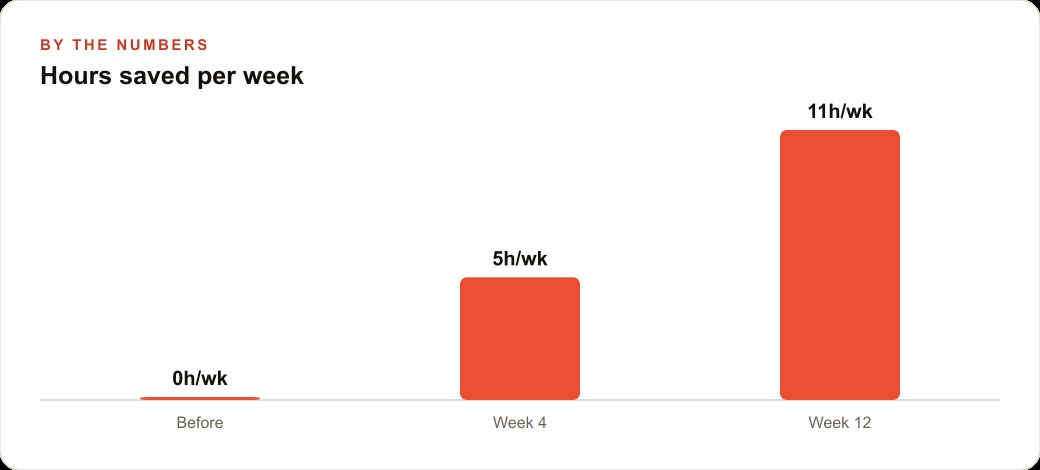
Each failure case you document and address makes the tool more reliable on your specific business's inputs. A plumbing intake tool that works at 85 percent accuracy in week one can reach 96 percent accuracy by week six if someone actively reviews failure cases and adjusts the tool's configuration against them. That 11-point improvement does not happen automatically. It requires deliberate comparison of failures to the correct-output definition and targeted configuration adjustments.
The compounding effect matters. A tool running at 85 percent accuracy processes 60 intake forms per week, meaning about 9 cases per week require manual correction. A tool running at 96 percent accuracy processes the same volume with about 2 to 3 corrections needed. The difference is roughly 6 minutes per day of human intervention versus 25 minutes per day. Once you reach that higher reliability threshold, the tool is functioning well enough that adding a second narrow tool to a different task makes sense, because you have demonstrated you can configure a tool correctly and you have the review process established.
The business that deploys 6 narrow AI tools at 95 percent reliability each is in a completely different position than the business that deploys 12 narrow AI tools at 70 percent reliability each. Volume of tools is not the measure. Reliability of the tools you have deployed is the measure.
Here is what this looks like in concrete numbers for a plumbing company. Their specific problem: every incoming service request from the website contact form required someone to open the form submission email, read it, type the customer name, phone number, address, and job type into the dispatch scheduling spreadsheet, and note the timestamp. Each form took about 3 to 4 minutes to process manually. At 60 incoming requests per week, that is 3.5 hours per week of manual data entry that required attention, accuracy, and a person who knew the dispatch categories.
The task was exactly what a narrow intake routing tool is built to handle. After defining correct output in writing (20 minutes), testing against 30 historical form submissions (90 minutes), adding a 5-minute daily review where the dispatcher checks new rows before acting on them, and spending two weeks adjusting the tool on failure cases, the tool now processes intake at approximately 94 percent accuracy with no manual entry. The 3.5 hours per week of manual entry is gone. The 5-minute daily review remains.
At the company's $30 per hour labor rate for the person doing this work, 3.5 hours per week recovered equals $5,460 per year in labor recovered from one narrow tool addressing one specific task. The tool costs a fraction of that. The rest of the person's time was redirected to customer follow-up calls, which generate revenue rather than consuming it. That is the model: one task, one narrow tool, real testing, a human review step, deliberate improvement on failure cases, and then the next task.
That is exactly what we do at AI DOERS. Book a private 30-minute call with Madhuranjan Kumar and we will map the fastest path to it for your specific business.
Book your call →
Madhuranjan Kumar
Madhuranjan Kumar brings 20 years of performance-marketing experience and has managed over $200 million in Facebook ad spend for brands across the United States and beyond. His expertise spans the full modern marketing stack: Meta, Google Ads, TikTok, email automation, CRM, and the websites that hold it together. At AI DOERS he turns that track record into lead-generation systems for businesses across every industry.