
Why Claude Code Is Replacing Cursor for Serious Builders
When the maker of the best coding model also builds the agent that drives it, the result finishes hard tasks on its own. Here is why people are switching and how I would use it to build software for an electrician.

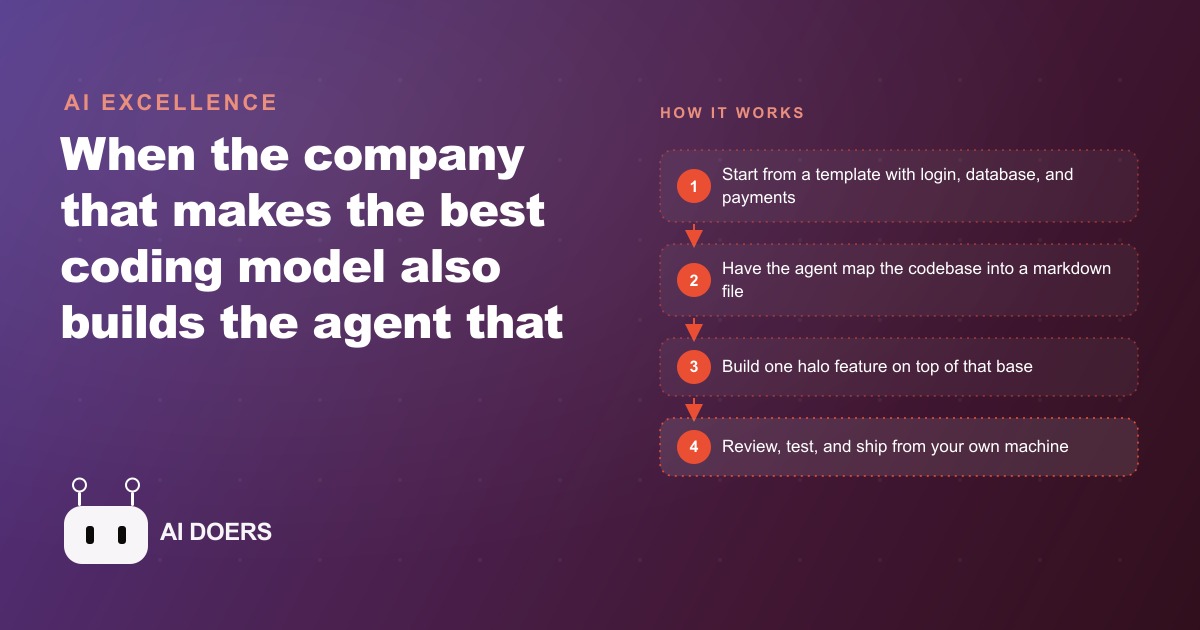
The tool that finishes hard coding tasks on its own is built by the same team that trains the underlying model, and that alignment is not incidental.
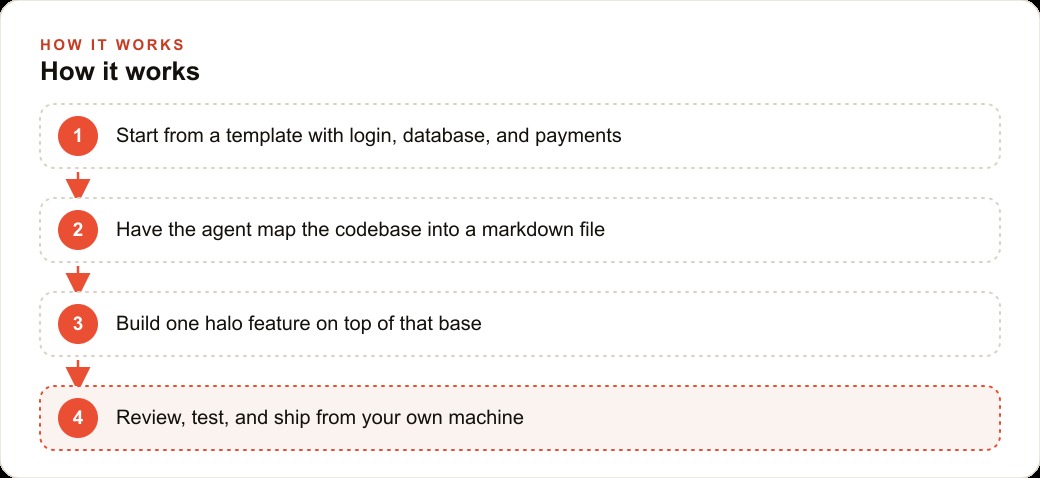
Start from a template that already has authentication, database, and payments wired in
The most expensive part of building any software product is not the feature work. It is the infrastructure underneath the features: the authentication system that manages user accounts and sessions, the database that stores and retrieves data correctly, and the payment processing that handles subscriptions or one-time purchases without security errors. These three systems are foundational, required for almost any commercial product, and building them from scratch requires expertise that is completely independent from the business problem you are actually trying to solve.
A starter template with authentication, a database, and payments already wired in eliminates that foundational work entirely. You start with a codebase that already has user login working, a database schema and query layer set up, and payment processing integrated at a basic level. Everything the agent builds goes on top of that foundation rather than alongside it. The time difference is substantial. A weekend project that builds a useful feature on top of a working template is realistic. A weekend project that builds the same feature and the authentication infrastructure from scratch is not, even with an AI agent doing most of the coding.
The practical recommendation for anyone starting a new software project with Claude Code is to spend the first 30 minutes choosing and setting up the right template rather than asking the agent to start from a blank file. Templates from Next.js starters, Supabase starter kits, and similar sources give you a working foundation in minutes. The agent then has something real to build on rather than scaffolding to generate from scratch, and the instructions you give it can focus on the feature rather than the plumbing.
This distinction also matters for how the agent performs across a long session. An agent that starts from a template with clear, consistent patterns learns those patterns and applies them to new code it writes. An agent that starts from a blank file is making architectural decisions at every step, and the consistency of those decisions degrades as the session gets longer. Templates constrain the agent in exactly the right ways.
Have the agent map the entire codebase into a single markdown reference file
Before asking Claude Code to build anything, ask it to read the codebase and write a markdown file that explains how everything works. What the main files are and what each does. Where the database schemas are defined and what tables exist. How the authentication flow works end to end. Where the API routes live and what each one handles. Which components exist and what each renders. How the payment integration is wired.
This mapping step takes about 30 minutes for a mid-sized template codebase, and it produces a reference document that changes the quality of every subsequent build session. When you open a new conversation with Claude Code to add a feature, you include that markdown file at the top of the context. The agent now has a detailed map of the codebase rather than needing to rediscover it. It knows which files to edit, which dependencies already exist, and which patterns the existing code follows, so new code it writes fits naturally rather than conflicting.
Without this reference file, long coding sessions suffer from context drift. The agent starts with full knowledge of the codebase, uses tokens working on the feature, and gradually loses precision about earlier parts of the code as the context window fills. The markdown reference gives it a compressed, organized summary it can reference efficiently throughout the session, which maintains accuracy much longer into the work.
The reference file also serves you directly. When you come back to the project after a week away, reading the markdown brings you back up to speed in five minutes rather than an hour of re-exploration. When something breaks and you need to debug, the file tells you where the relevant code lives. The 30-minute investment in mapping the codebase pays dividends across every subsequent session.
Pick the one halo feature your marketing centers on and build it before anything else
A halo feature is the thing your ideal customer hears about and immediately understands the value of. It is the capability you would put in the headline of a landing page. For a job-quoting tool for a contractor, the halo feature is: generate a professional PDF estimate from a job description in under a minute. For a membership platform, it might be private community rooms that only paying members can access. For a scheduling tool, it might be: clients book directly from a link, you approve or decline with one tap.
The reason to build the halo feature first is focus. An AI coding agent can build many things in a session, and the temptation is to scope the first session broadly: build the intake form, the admin dashboard, the notification system, the analytics page, the customer portal, and the API. That scope produces a half-finished version of everything. Building the halo feature produces a finished, polished, tested version of one thing. That one finished thing is enough to demonstrate value, get real user feedback, and decide whether the second feature is what users actually need.
The discipline here is genuinely hard. When you can see the full product in your head and the agent can build quickly, the pull toward adding scope is constant. The useful mental model is to ask: if this product had only one screen, what would that screen do, and how does every design decision make that one thing as good as possible? That question keeps the session focused on the feature that justifies the product's existence rather than filling the interface with capability that users will not use in the first month.
Building the halo feature also produces the clearest test of whether Claude Code is the right tool for your project. If the agent builds one well-defined feature cleanly, with output that matches your spec and minimal debugging, you have confirmed the workflow. If it struggles with that one focused task, you learn that before investing sessions into building infrastructure for the rest of the product.
Run Claude Code alongside a visual editor, not instead of one
Claude Code is a terminal-based coding agent. It reads files, writes code, runs tests, and reports results through a command-line interface. That interface is powerful for the tasks it is designed for: reading a full codebase, making targeted edits across multiple files, running a test suite, and reporting exactly what changed and why. It is not designed for visual navigation of the codebase, quickly previewing how a change looks in the browser, or clicking through the file tree to find a component.
A visual editor like Cursor fills those gaps. Keep both open simultaneously. Use Claude Code for the heavy lifting: building features from a spec, running across multiple files, writing tests, and debugging errors that span the codebase. Use the visual editor for reading code to understand it, making quick one-line edits, previewing the browser output, and checking git diffs. The combination is faster than either tool alone because each is doing the task it is best suited for.
Cursor has a built-in AI assistant that is useful for asking questions about the codebase in natural language without launching a full agent session. What does this function return when the input is null? Which component renders the user profile page? These are questions the Cursor assistant handles quickly. Sending those questions to Claude Code requires it to read through files and report back, which is slower for informational queries. Save the Claude Code sessions for construction work.
The specific workflow I recommend: open the project in Cursor so you can see the file tree and the browser preview. Open Claude Code in a terminal in the same directory. Describe the feature you want to build to Claude Code, including the relevant section of the markdown reference file. While it builds, use Cursor to monitor which files it is touching and watch the output in the browser preview. When the build session finishes, use Cursor to review the diff before committing.
Keep sensitive credentials off cloud-connected editors by building locally
Every cloud-based coding editor involves your project files passing through external servers in some form. Some editors sync your project to their cloud for features like remote collaboration or session persistence. Others send code snippets to external APIs to provide suggestions. The exact data handling varies by product and plan tier. For most projects, the privacy implications of this are acceptable. For projects that involve sensitive business credentials, the calculation changes.
Sensitive credentials in a codebase include API keys for payment processors, database connection strings with authentication tokens, API keys for services that have spending authority or data access, and private keys for any system that holds financial or customer data. These credentials should never appear in code that is processed by an external service you have not audited.
Building locally with Claude Code means the agent runs on your machine, processes your files locally, and only sends to external APIs what you explicitly invoke through the model's API calls. Your project files do not leave your machine through the editor. The credential files you keep in environment variables or a local secrets manager stay on your machine. A sensitive key that never passes through a cloud editor is a key that cannot be leaked through that vector.
The practical setup: keep environment variables in a local .env file that is listed in .gitignore. Keep a separate .env.example file with placeholder values that shows which variables are needed without containing the actual values. Never paste an actual key into a prompt or a code comment. Reference credentials by variable name in code, not by value. Claude Code handles this pattern naturally because it reads the codebase and understands the convention.
Test the halo feature with real users before adding a second capability
The moment a halo feature is working, the temptation is immediate: keep building. Add the admin panel. Build the analytics dashboard. Wire in the notification system. The agent can do it and the momentum feels like progress. But the most expensive mistake in software development is building the second feature before confirming the first one solves a real problem for real users.
Testing the halo feature with real users means giving it to three to five people who match your intended customer and watching what they do with it. Not explaining it. Not guiding them through it. Giving them access and observing what they try to do, where they get stuck, and what they accomplish. That observation session, lasting an hour or two, is worth more than a week of additional building because it reveals assumptions you made in the feature design that turn out to be wrong.
The most common discovery is that the halo feature works technically but is presented in a way that real users do not understand on first encounter. The quote form for a contractor works perfectly once a user knows to fill in the job description before selecting the service category. But most users try to select the service category first, encounter an empty form, and give up. That discovery takes five minutes in a user test and would have taken weeks to surface from analytics after launch.
Here is a concrete example of this full workflow applied to a specific business type. An electrician wanting a custom job-quoting tool previously had two options: use a generic spreadsheet that required manual calculation, or pay a freelancer $6,000 to $12,000 for a custom build with a 6 to 8 week timeline. The new path with Claude Code: start from a Next.js starter template with authentication and a database already wired in. Have Claude Code map the codebase (30 minutes). Define the halo feature: a quote form that pulls labor rates and material costs and outputs a PDF estimate. Claude Code builds it in one focused session. Test with 3 real jobs from the previous month. Total time from start to tested prototype: one weekend. Total cost beyond the tool subscription: $0.
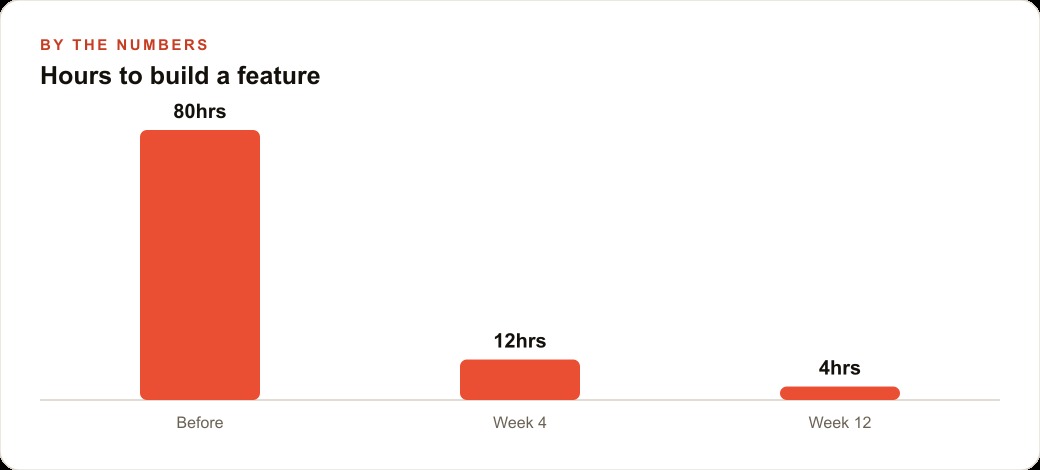
The three real-job tests reveal one required field that was missing (the contractor license number, legally required in the state for formal estimates), one calculation that was off for a specific job category, and one layout issue in the PDF output. Each fix takes under an hour. The tool goes into regular use the following Monday. Hours to build a feature drops from 80 in the early weeks to 4 by week 12 as the codebase knowledge, the agent's understanding of the project's patterns, and the owner's prompt writing all compound together. The quote that once took 45 minutes of manual calculation and formatting now takes under 5 minutes with a human review of the output.
That is exactly what we do at AI DOERS. Book a private 30-minute call with Madhuranjan Kumar and we will map the fastest path to it for your specific business.
Book your call →
Madhuranjan Kumar
Madhuranjan Kumar brings 20 years of performance-marketing experience and has managed over $200 million in Facebook ad spend for brands across the United States and beyond. His expertise spans the full modern marketing stack: Meta, Google Ads, TikTok, email automation, CRM, and the websites that hold it together. At AI DOERS he turns that track record into lead-generation systems for businesses across every industry.