
What OpenAI Finally Released This Week, and Why It Matters
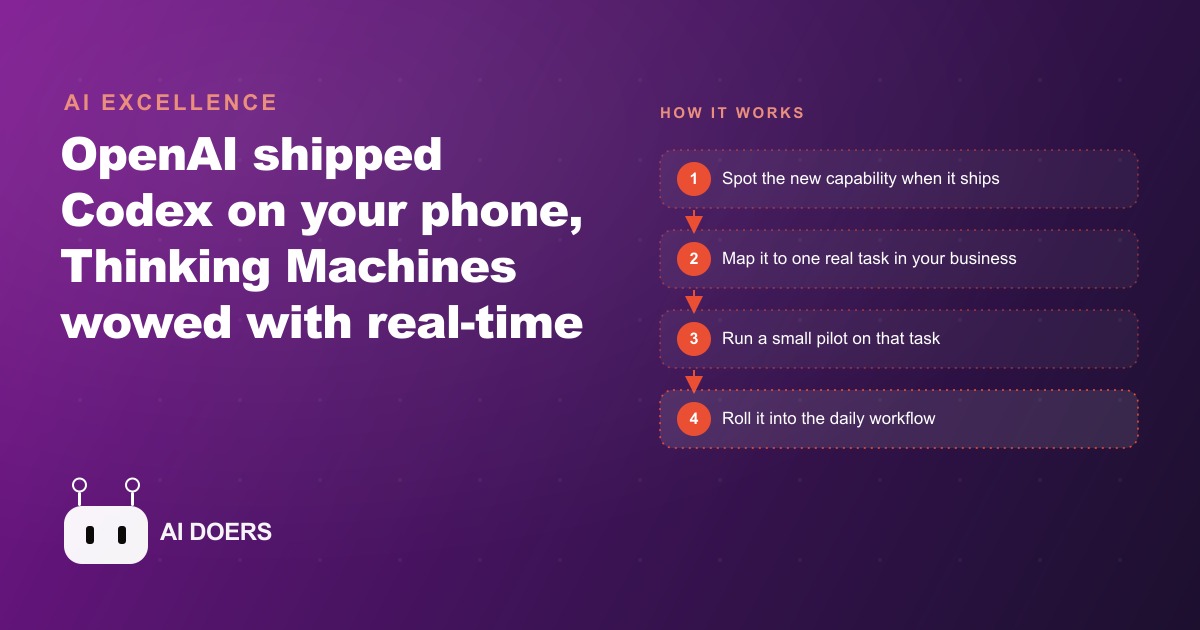
OpenAI finally let you run its Codex coding agent from your phone while keeping your files local, and that, alongside a real-time voice model and Google's AI-first laptop, marks a week where AI moved out of the chat box and into the devices where work actually happens.

I am Madhuranjan Kumar. I track AI releases every week so the owners I work with do not have to, and this was one of those weeks where the announcements deserve a different category of attention. Most weeks bring a larger benchmark score and a new logo. This week brought something more useful: tools that finally leave the chat window and start operating in the physical surfaces of a running business. The pattern across every major release from the past seven days is the same. AI is moving out of the browser tab and into the room where the work actually happens.
OpenAI let you run its Codex coding agent from a phone. Thinking Machines Labs showed a voice model that processes speech in real time and can interrupt you mid-sentence. Google reimagined the laptop, the pointer, and the phone camera as surfaces where AI takes actions by voice and gaze rather than waiting for a typed command. Anthropic pushed parallel agents into a single consolidated view. The thread connecting all of it is not a new benchmark number. It is a shift in where AI lives, from the screen to the device in your hand, from the desk to wherever you happen to be when the work needs doing.
AI moved from the screen into the room this week
The OpenAI Codex mobile release is the clearest single example of this shift. Codex is OpenAI's coding agent, capable of writing, editing, and reviewing code across an entire codebase without step-by-step direction. Until this week, using it required sitting at a computer with the interface open in front of you. The new update changes that: update the app, choose the mobile setup option, scan a QR code on your screen, and your phone pairs to your machine. Files stay on your hard drive. Nothing gets uploaded to a server you do not control. You prompt the agent, watch its progress, and answer its questions from anywhere, while the actual work runs on your own machine at the office.
The local-files detail is the one that makes this usable for a real business rather than just a developer demo. For any operation handling client addresses, pricing data, or proprietary processes, the requirement that sensitive files stay on your own machine is not optional. Previous mobile AI tools that required uploading your files to work remotely were a non-starter for most businesses I talk to. This design removes that barrier. A coding agent you can steer from a phone while standing at a job site is not primarily for developers. It is for any owner who has ever thought about building an internal tool for their business and never found an uninterrupted afternoon to start.
Then came Thinking Machines Labs and a voice model demonstration that showed something no previous voice AI had done convincingly: the model processes your speech in real time and can interrupt you mid-sentence when it detects something worth flagging. In one demonstration, it tracked the number of animals mentioned across a long story as the speaker told it, correctly counting them without waiting for the story to end. In another, it redirected the speaker before they had finished describing an activity it recognized as dangerous. The model reframes rough spoken notes into clean professional language while you are still talking. It tracks elapsed time without being asked. It does not wait for a pause before processing. That is not a faster transcription service. It is a different category of tool, one that participates in your thinking rather than recording it after the fact.
Google completed the picture with several announcements centered on the same idea. Gemini can photograph a flyer and prepare a travel booking or a parking reservation from the information on that flyer, with forms filled from your saved credentials in one tap. A redesigned pointer lets you highlight any item on screen and say where to move it, with no typing at all. Eye tracking allows you to point with your gaze while you speak, so you can direct the system without touching anything. The Google Book, which is Google's updated take on the Chromebook, bakes these agentic features into the device rather than adding them as separate applications on top of a traditional laptop. The device is designed around AI-first interaction from the start.
The physical layer is where small businesses finally benefit
The irony of the first wave of AI tools is that they primarily benefited the kinds of workers who already had the most flexibility: knowledge workers at desks, with long uninterrupted blocks of time to experiment, prompt, and read the outputs. A plumber finishing a job, a restaurant owner moving between the kitchen and the floor, a retail manager juggling customer interactions and inventory checks, a trades operator who is rarely in front of a screen for more than twenty minutes at a stretch: all of these owners got the least benefit from tools that required sitting still to use effectively.
What changed this week is that the physical layer of AI is the layer that actually reaches these owners. A coding agent you can steer from a phone while standing at a job site. A voice model that processes what you say as you say it and catches a problem before you finish the sentence that introduces it. A camera that reads a physical flyer and turns it into a booking. An eye-tracking interface that directs the system while your hands are occupied. These are not incremental improvements to desk tools. They are a new category of access that fits the way operators actually move through their workday.
The Anthropic data point from this week puts a number on the shift in who is winning the business AI race. Per Ramp spending data, Anthropic crossed 34.4 percent of business AI adoption, just ahead of OpenAI at 32.3 percent. That is the first time Anthropic has led in business adoption metrics, and it reflects a deliberate strategy of building for specific industries one at a time rather than chasing the broadest possible audience. Claude for Legal launched this same week, adding a vertical-specific product to the Anthropic lineup. The industry-specific approach produces tools that fit professional workflows rather than requiring professionals to adapt their work to fit the tool. The owners that benefit most from this competition between providers are the ones who evaluate models by their fit for specific tasks rather than by brand familiarity.
The Claude Code Agent View update belongs in the same category of practical workflow improvement. Running multiple AI agents in parallel has been powerful but difficult to manage because the default experience is a proliferation of terminal windows, each printing its own log with no consolidated view of overall progress. Agent View collapses all of that into one screen showing which agents are working, which are finished, and which are waiting on a human decision. For a small team running three or four agents on different parts of a project simultaneously, the difference between managing that with and without Agent View is the difference between a manageable operation and a tab-switching scramble. The visibility upgrade is the operational benefit, not just the parallel processing itself.
The Crea image model rounds out the week with something that matters for any business producing visual content at volume. Style sliders and weighted visual references let you describe the aesthetic you want and steer every generation toward a specific look without describing it from scratch every time. Feed the system a set of reference images, and the mood board analysis tells the model what visual pattern to replicate across new generations. For a brand that needs consistent creative at volume, that level of repeatable style control is what separates AI image generation from a useful toy into a reliable production tool. A creative studio that previously spent an hour per asset wrestling a generic image generator toward its house style can now lock that style once and let every subsequent generation inherit it, which is the difference between a tool that fights you and one that works for you.
OpenAI also released Daybreak this week, its security scanning tool, and the way it is delivered is itself part of the larger pattern. Rather than handing the tool to customers to run themselves, OpenAI keeps the tool and lets businesses request a scan for vulnerabilities directly. That is a different model from the security approach other providers have taken, where the raw capability is handed to the security community to run independently. The Daybreak design keeps the most sensitive capability inside OpenAI's own walls while still delivering the outcome to the business that needs it. Whether that is the right tradeoff is a question reasonable people will disagree on, but it fits the week's theme. The capability is being delivered as an action taken on your behalf rather than a tool you operate yourself at a keyboard. Even security, the most technical corner of this whole space, is being reshaped into something you request and receive rather than something you sit down and run.
When I step back and look at all of these releases together, the common thread is unmistakable. For two years, using AI well meant being good at sitting in front of a chat box, typing carefully, and reading the response. The people who got the most out of it were the people who had both the time and the temperament for that kind of desk-bound, text-first interaction. This week, every one of the major providers shipped something that breaks that pattern. The phone becomes a control surface for an agent running on your office machine. Your voice becomes a live interface that the system reacts to as you speak. Your gaze becomes a pointer. A photograph of a piece of paper becomes a completed booking. The chat box has not disappeared, but it has stopped being the only door into the capability.
What a business owner should actually do before the week ends
After a week like this, the temptation is to experiment with everything at once. I would resist that. The owners who get lasting value from a week of major releases are the ones who identify one specific friction in their operation, test whether a new tool removes it, and build from there.
Here is the exercise I would run this week. List three tasks that happen in your business every week that you find frustrating, specifically because they eat time that could go somewhere more valuable and they tend to happen when you are away from your desk. Invoicing after a site visit. Drafting a follow-up while driving back from a client meeting. Reviewing a quote before it goes out. Logging the day's job details before they blur together. Any of those tasks is a candidate for the mobile and voice features that shipped this week.
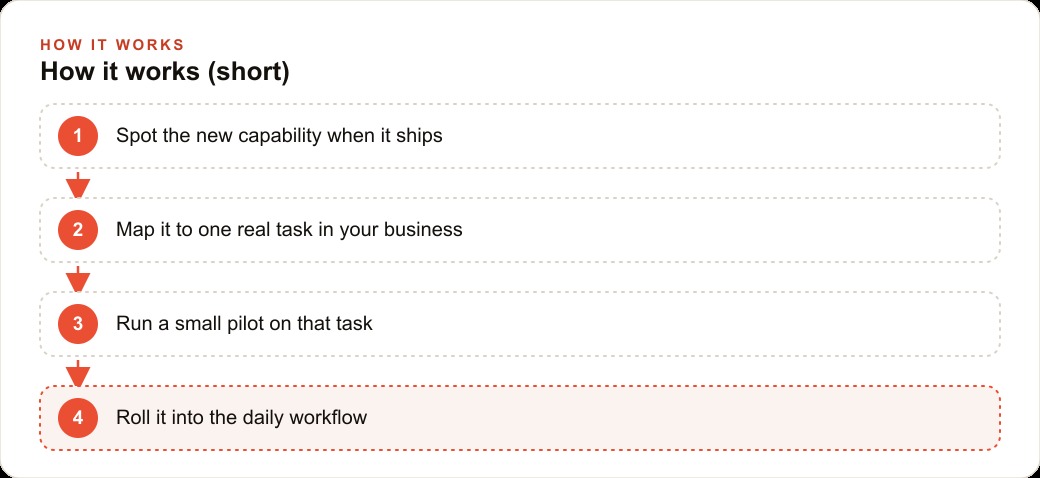
Pick one. Update the OpenAI app if you have an iOS device and try pairing it to your computer to run one task from the phone. Observe whether your files stay local and whether the agent handles the task correctly. Try dictating a job summary by voice and letting the system reframe it into professional language before it reaches the client. The calibration information you get from one real task is worth more than reading about ten capabilities in theory.
To put real numbers on what this can mean, let me work through one example in full. Consider a consultant who currently spends twenty-five minutes writing a proposal summary at the desk at the end of each client call. The work is not hard, but it requires sitting down, opening a document, recalling the details of a conversation that may have ended hours earlier, and shaping rough notes into something a client can read. Because it requires the desk, it gets deferred. The consultant finishes the call, drives to the next one, and the summary waits until the end of the day when six of them have stacked up and the details of the first call have already gone soft.
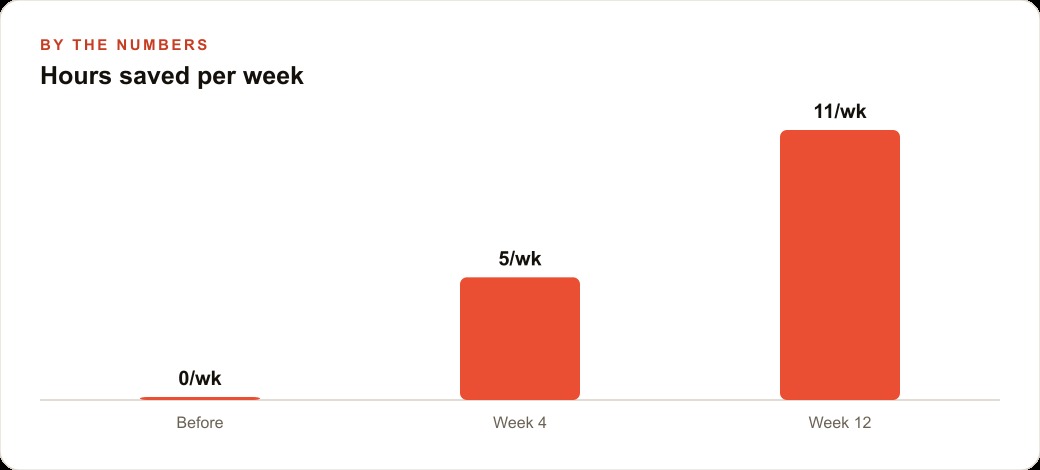
Now change one thing. The voice model that shipped this week lets the consultant dictate that summary during the drive back from the call, while the conversation is still fresh, and the system reframes the rough spoken notes into clean professional language before they ever reach the client. The task moves from the end of the day to the gap between meetings, where it was always going to fit better. Six client calls per week at twenty-five minutes each is two and a half hours of end-of-day desk time. At one hundred fifty dollars per hour of billable time, recovering that block is worth three hundred seventy-five dollars per week in potential billing capacity, or roughly fifteen hundred dollars per month from a single workflow change. Over a year, that is eighteen thousand dollars of billable capacity recovered from one task that used to live in the wrong part of the day.
The dollar figure is the headline, but it is not the most important part. The most important part is that the summaries get written while the detail is sharp, which means they are better, which means clients read clearer proposals and the consultant closes more of them. The quality improvement compounds on top of the time savings, and neither shows up if you keep treating AI as a thing you go to your desk to use. That is the whole argument of this week in one example. The capability was already roughly possible before. What changed is that it now fits the physical shape of the workday, and that fit is what turns a theoretical benefit into a real one.
The Anthropic billing change is worth naming honestly alongside these opportunities because it cuts the other way. Anthropic moved to a model where monthly credits run out and then API rates kick in. For heavy users, those credits can exhaust within a few hours, and the API rates that follow are materially higher than what the subscription implied. Owners who built their daily workflows around an assumption of flat monthly cost will see that change in their spending. The practical response is the same routing discipline that applies to frontier model usage: match the model tier to the task. Reserve the higher tiers for work that genuinely benefits from them. Send routine tasks to lighter tools. That discipline keeps the cost predictable and ensures the premium spend is going to the tasks where it actually earns its place.
The week's releases collectively represent a shift that has been building for two years and has now become tangible. AI tools have been desk tools requiring desk presence. What shipped this week is materially different in how it fits into the physical flow of running a business. The chat window is not going away. But for the first time, it is not the only place you can reach the agent. The owners who notice that shift and test one concrete application of it this week will be two months ahead of the ones who file it away as something to try later.
That is exactly what we do at AI DOERS. Book a private 30-minute call with Madhuranjan Kumar and we will map the fastest path to it for your specific business.
Book your call →
Madhuranjan Kumar
Madhuranjan Kumar brings 20 years of performance-marketing experience and has managed over $200 million in Facebook ad spend for brands across the United States and beyond. His expertise spans the full modern marketing stack: Meta, Google Ads, TikTok, email automation, CRM, and the websites that hold it together. At AI DOERS he turns that track record into lead-generation systems for businesses across every industry.