
What Notion's New AI Agent Can Actually Do
Notion's latest version introduces AI agents that plan their own checklist and complete multi-step work end to end inside your workspace, editing many pages at once, pulling context from tools like Google Drive and Gmail, and reportedly saving close to an hour every morning.

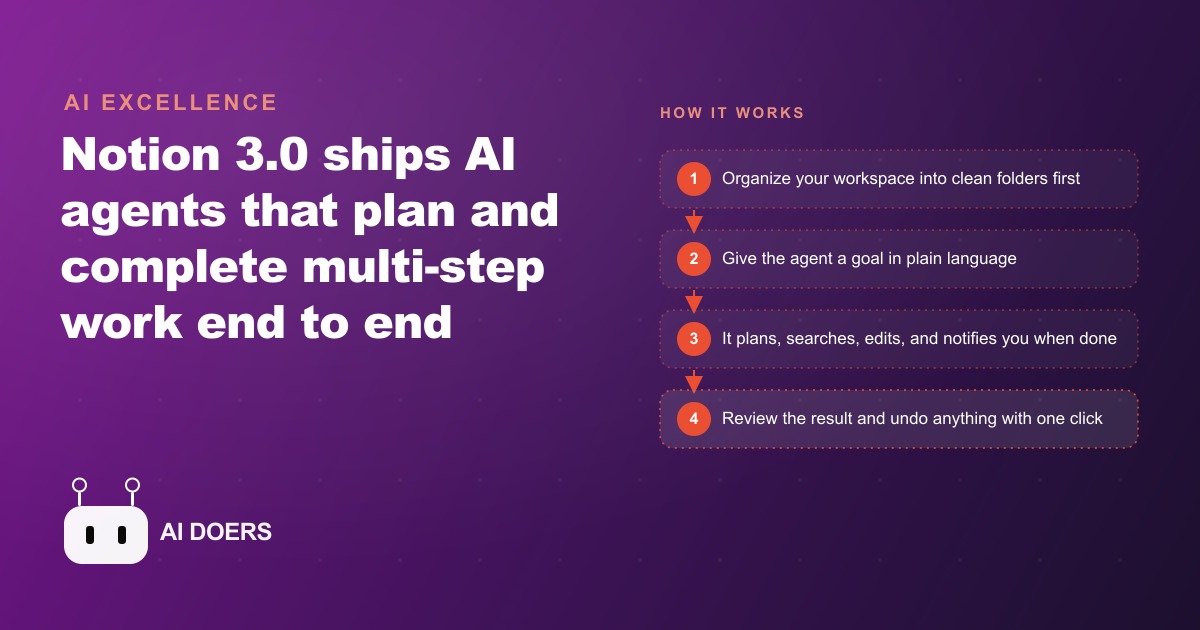
Treat the new Notion agent as a teammate, not a writing tool
The newest version of Notion ships something that deserves a different mental model than the AI features that came before it. This is not a writing assistant that finishes your sentence. It is closer to a teammate that takes a whole task off your plate, plans its own approach, and works through it from start to finish inside your workspace. In one opening demonstration, a single prompt refreshed a database of more than seventy documents, updated what needed updating, and produced one clean daily summary for review, a routine that reportedly saves close to a full hour every morning.
That hour is the prize, but you do not get it by typing a clever prompt into a messy workspace and hoping. You get it by setting the agent up deliberately. What follows is a practical path from a chaotic workspace to an agent that genuinely earns its keep, arranged as the stages I would actually work through in order. Follow them and the agent stops being a novelty and starts being the coordinator you never hired.
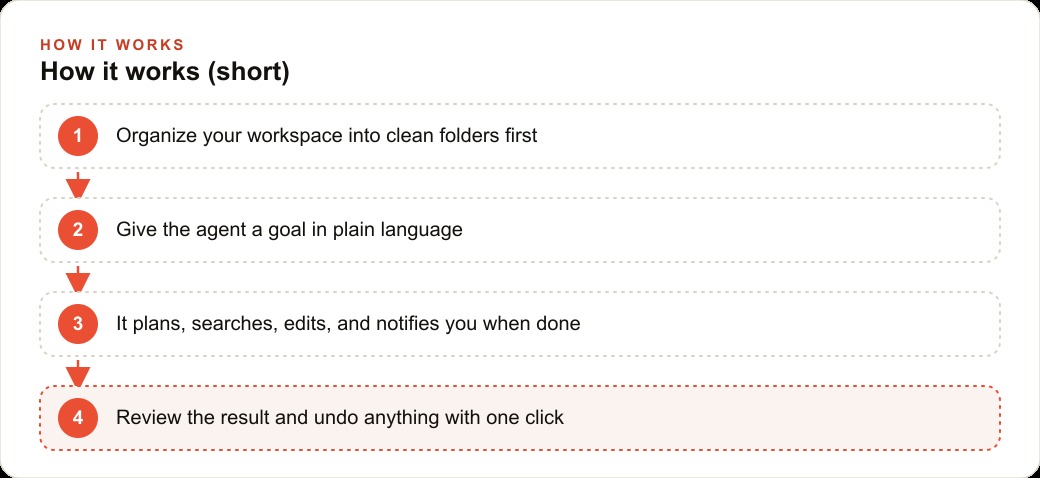
Stage one: organize the workspace before you hand anything over
The single most important thing to understand is that the agent is only as good as the context it can reach. Point it at a tidy, well-structured workspace and it produces sharp, useful results. Point it at a dumping ground of half-named pages and orphaned notes and it produces messy work, because it is faithfully reflecting the mess you gave it. So the first stage is not about the agent at all. It is about the ground it will stand on.
Before you ask the agent to do anything ambitious, spend real time on structure. Group your work into clear folders that match how your business actually thinks. Separate clients from internal operations, active projects from archives, standard procedures from one-off notes. Give pages names that state plainly what they are, so that when the agent searches, it finds the right thing rather than a near-match. This is unglamorous work and it is tempting to skip, but it is the highest-leverage stage in the whole process. Every later stage gets better in direct proportion to how clean this one is. If you do nothing else from this playbook, do this, because a structured workspace is the difference between an agent that saves an hour and one that creates cleanup.
Stage two: give the agent a goal and let it plan
Once the ground is clean, the way you work with the agent changes. You do not micromanage it step by step. You give it a goal in plain language and let it build its own plan and checklist, then work through the steps on its own, searching, reading, deciding, editing, and reporting back when it is done. Your job shifts from doing the task to describing the outcome you want and reviewing the result.
The practical skill in this stage is writing a goal that is specific about the outcome without dictating the method. Tell it what "done" looks like, what pages or data it should touch, and what the finished artifact should be, then step back. Because it plans before it acts, a clear goal produces a clear plan, and a vague goal produces a vague one. When you decide whether to let it reach outside the workspace, you are also choosing between a self-contained run using only what it can see internally and a broader run where it can cross-reference the wider web. For a first task, keep it contained so you can judge its behavior on familiar ground.
Stage three: turn your best requests into reusable prompts
The agent shows its real value not on clever one-offs but on repeatable jobs you do again and again, so the third stage is to capture those jobs as saved prompts you can fire on demand. Three patterns are worth building deliberately.
The first is a project kickstart. A saved prompt can spin up a structured project page with named sections, a milestone timeline, and a task list already assigned to the right people, all in a couple of minutes. Work that used to eat the first hour of every kickoff collapses into one instruction.
The second is a procedure finder and refresher. A prompt can locate every standard operating procedure on a given topic, group them by category on a single new page, and flag the ones that look out of date. A new hire gets one tidy onboarding document instead of a scavenger hunt across scattered pages.
The third is an auto-build from a long document. Paste in a lengthy script or brief, ask the agent to organize it by sections, and it creates a parent page plus individual sub-pages, formatted with headings and lists, roughly thirty pages in a couple of minutes. Each of these is worth writing carefully once and saving, because the second and hundredth run cost you nothing but the click.
Stage four: connect outside tools so context comes to the agent
On business plans, the agent can reach beyond the workspace through connectors, and wiring those up is the stage that turns it from a tidy internal helper into something that pulls the whole picture together. Connect a tool like Google Drive, Gmail, or Slack and the agent can draw external context into one centralized base, so it finishes a task completely instead of stopping at the edge of what lives in Notion.
Approach this stage with a little patience. A large database can take many hours to sync fully the first time, so connect what you need, let it index, and do not expect the whole history to appear instantly. The payoff is that the agent stops asking you to fetch things. Instead of copying a client's brief out of one system and their recent emails out of another, you let the agent gather both into a single working document. The manual copy-paste that quietly consumes so much of an office day simply goes away, because the context now travels to the agent rather than the other way around.
Stage five: let it edit at scale, protected by one-click undo
The stage that unlocks the most time is also the one people are most afraid of, which is letting the agent edit many pages at once. With editing allowed, it can update a single page or your entire database in one run, enriching data, assigning tasks, and reorganizing pages on its own. This is where the hour a day actually comes from, because it is doing at scale what you used to do one page at a time.
What makes this safe to hand over is that every change the agent makes is reversible with a single undo. That one detail is what removes the fear that normally stops people from delegating real edits. You can let it sweep across a whole knowledge base, and if anything looks off, you roll it back instantly. A useful pattern in this stage is a knowledge-base audit. Ask the agent to scan every relevant page for outdated tool names or old references and rewrite them to current wording, cross-referencing the web and linking back to each source so you can verify. Run it, review the report, and undo the moment anything looks wrong. Because the cost of a mistake is one click, you can be bold with scope in a way that would be reckless with irreversible edits.
A marketing agency, stage by stage
Let me put the whole path into one business so the stages stop being abstract. Picture a marketing agency with a workspace that has grown into clutter, where finding last quarter's campaign plan means opening six wrong pages first.
Stage one is structure. The team spends a focused session grouping clients, campaigns, and documents into clean folders with plain names, because that preparation is what makes everything after it work. Stage two and three arrive together. A saved project-kickstart prompt now spins up a full campaign page for a new client in about two minutes, with named sections, a timeline of milestones, and a task list already assigned, replacing the hour that used to disappear at every kickoff. A procedure finder gathers every paid-social setup document onto one onboarding page for a new hire and flags the stale ones. Stage four connects the agency's Drive and Gmail, so the agent pulls a client's brief and recent emails into a single centralized brief without anyone copying and pasting. Stage five lets a knowledge-base audit sweep every client playbook for outdated platform features and rewrite them to current wording, with one-click undo standing guard.
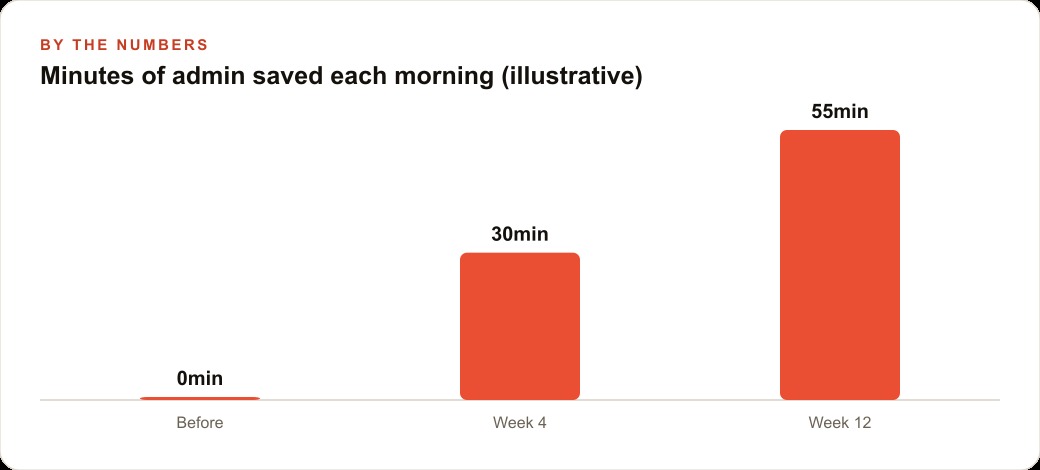
Now the illustrative numbers. If the agency previously lost roughly forty-five minutes each morning to admin, page-building, and copy-paste, this setup can pull that toward five, recovering something close to the reported hour a day per person who runs it. Multiply that across a small team and the reclaimed time is not a rounding error, it is a part-time coordinator's worth of work that nobody had to hire. That reclaimed time also flows straight into the revenue side of the business, because the hours no longer lost to admin are hours the team can put into the creative and testing that actually moves a client's Facebook and Instagram ad campaigns, and the same clean, well-structured content the agent maintains doubles as the raw material that feeds a client's SEO and organic search without extra effort. Keep the client records the agent organizes flowing into the CRM and website stack and the whole operation gets tighter at both ends.
A word on what is coming, and why it changes the plan
It is worth setting up for where this is heading, because it affects how you build today. The roadmap points toward custom agents that run on a trigger or a schedule, like automated teammates that act without you starting them, along with more connectors and a stronger mobile experience. That direction matters because it rewards exactly the groundwork this playbook insists on. The cleaner your structure and the sharper your saved prompts, the more valuable a scheduled agent becomes, because it will run those same jobs on its own while you sleep rather than waiting for you to click.
So treat the setup stages as an investment that pays off twice. Once now, in the hour a day you recover from manual work, and again later, when scheduled agents can pick up those same well-defined jobs and run them unattended. The businesses that organize their workspace and codify their prompts today are the ones that will simply flip a switch when scheduled agents arrive, while everyone else starts from scratch. You are not just saving time this month. You are laying the rails for a workspace that increasingly runs itself.
The habits that keep it working
Three habits keep an agent like this earning its hour rather than quietly drifting. First, protect the structure. The workspace will try to slide back into chaos, so keep folders clean and names plain, because stage one is not a one-time event, it is the foundation you maintain. Second, treat your saved prompts as living tools. When a repeated job changes, update the prompt, so the agent keeps matching how the business actually runs. Third, review before you trust, especially early. Read what it produced on the first several runs of any new job, confirm the quality, and only then let it run with a lighter touch. Because every edit is one undo away from reversal, you can be generous with scope while still keeping a hand on the wheel.
Getting the structure, the prompts, and the connectors right so an agent genuinely saves an hour a day rather than creating cleanup is the part that takes real thought. You can absolutely set it up yourself with the stages above. If you would rather have your workspace organized and your agent workflows built and handed over already working, that is the kind of setup I do for clients.
That is exactly what we do at AI DOERS. Book a private 30-minute call with Madhuranjan Kumar and we will map the fastest path to it for your specific business.
Book your call →
Madhuranjan Kumar
Madhuranjan Kumar brings 20 years of performance-marketing experience and has managed over $200 million in Facebook ad spend for brands across the United States and beyond. His expertise spans the full modern marketing stack: Meta, Google Ads, TikTok, email automation, CRM, and the websites that hold it together. At AI DOERS he turns that track record into lead-generation systems for businesses across every industry.