
What an AI Browser Actually Does for a Small Business
An AI browser puts an assistant on top of every website you visit, so it can read pages, click buttons, fill forms, manage your inbox and calendar, and research leads. Here is what that means for a real business and how I would put it to work.

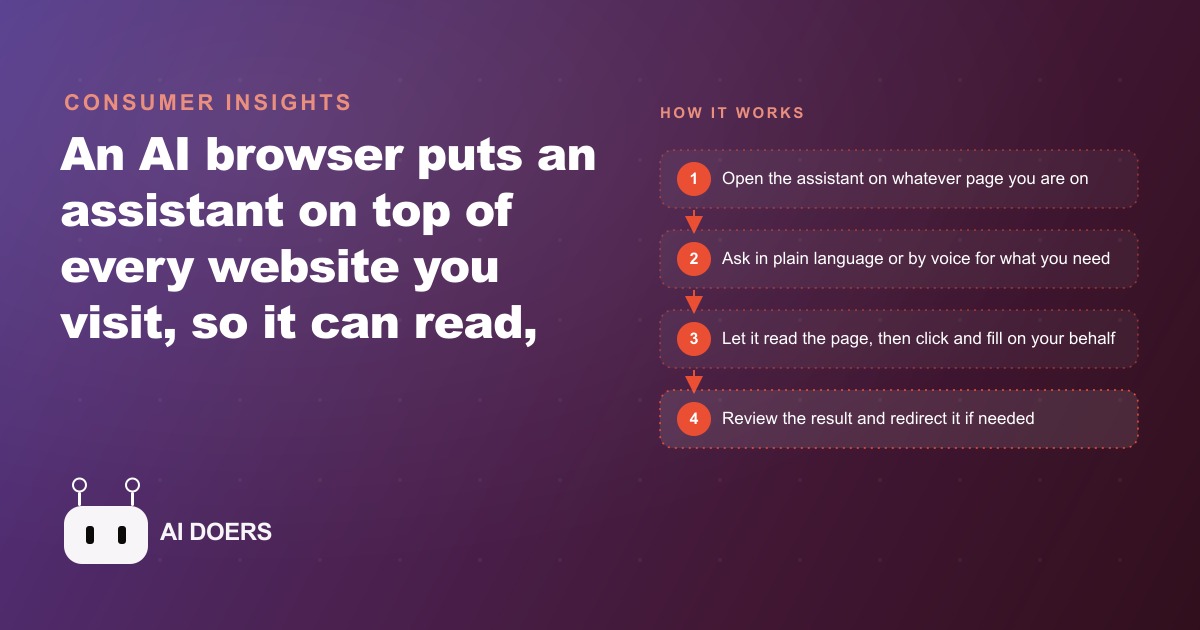
The browser you use to run your day now has a version that can act on any page you open, not just read it. That is the change that just shipped, and it is bigger than it sounds.
An AI browser means every page you visit now has an assistant that can act on it, not just read it
For most of the last decade, browser AI meant a sidebar you could ask questions. The results came back as text. You still had to go do the thing yourself. The distinction nobody was naming until recently is the difference between a tool that reads and a tool that acts. An AI browser closes that gap. You navigate to a page, open the assistant with a keyboard shortcut, and tell it what you need in plain language. It reads the current page the way you would, then does the work: fills in the field, clicks the submit button, uploads the document, navigates to the next step in a sequence. You watch it work and redirect it when something needs a different path.
That acting capability is what changes things for a business. Reading was always an incomplete loop. You got a summary of your inbox, then you still had to go write the replies one by one. An AI browser closes the loop. It does not just summarize the inbox, it drafts the replies and puts them in front of you for a quick review. It does not just find the business on a map, it opens the listing, notes the contact information, and starts drafting an outreach message before you ask. The action follows the reading automatically, and you decide what gets sent.
I am Madhuranjan Kumar. I pay close attention to the things that change the daily economics of running a small business rather than just making tasks slightly faster. An AI that reads is a faster search engine. An AI that acts is something closer to an extra set of hands. The bottleneck in most business operations is not information. It is the time required to do something with that information: to write the reply, fill the form, follow up on the lead, or verify that the system still works. A browser that acts on pages removes that bottleneck at the specific point where most business time gets consumed.
Voice input and screenshot input extend the acting capability to situations where typing is not the natural interface. Looking at a complicated invoice from a supplier you do not usually work with? Screenshot the relevant section and ask the assistant to explain what you are looking at. Working through an email thread that needs a careful reply? Hold the voice key and dictate the context, then let the assistant draft from there. These input modes are not novelties. They are genuinely faster ways to interact with information in context, which is what most business communication actually is.
Tab management is the unglamorous side of this that adds up to a lot of recovered time. Knowledge workers and small business owners typically carry an enormous tab debt. Sessions get saved imperfectly, projects get mixed together, and the mental overhead of knowing which window has the relevant page compounds across a busy week. An assistant that can reopen your last working set of tabs, close a whole group when a project wraps, and keep track of what was open and why removes a category of friction that nobody usually measures because it is so distributed across the day.
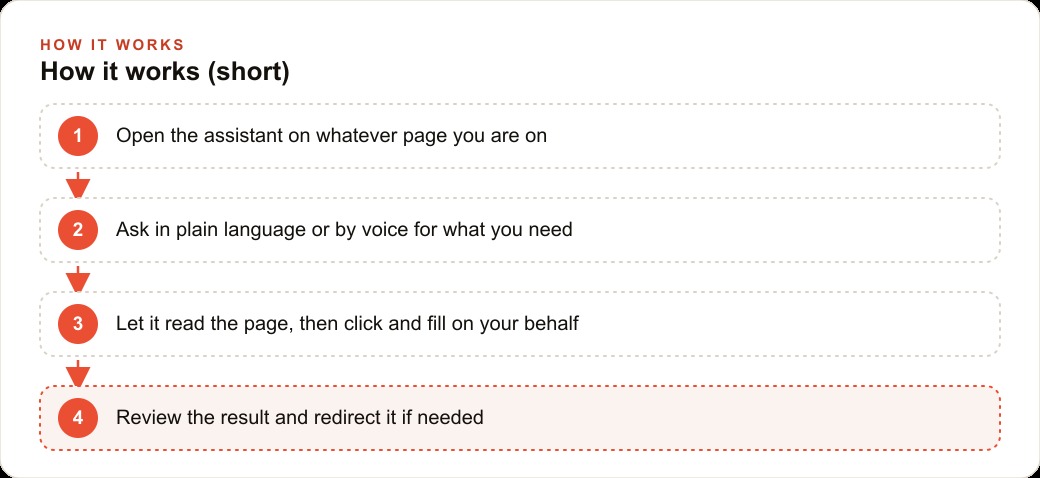
Tab chaos and context-switching disappear when the assistant lives inside the browser itself
The reason context matters more than features in a tool like this is that context is what makes the difference between an assistant that guesses and one that acts correctly. An assistant sitting in a separate chat window only knows what you tell it. An AI browser knows which page you are on, what it contains, what you were just doing, and what the next step in the flow appears to be. That situational awareness is what makes it possible to say something as brief as "draft a reply to this" or "fill in my details" and get a result that is genuinely useful rather than a placeholder that requires significant editing before it can go anywhere.
Context-switching is one of the most measurable costs in any knowledge-based business. Every time work shifts from a client task into inbox triage, the refocus cost after the triage is complete is often larger than the triage itself. An assistant that handles the triage inside the same browser environment where the rest of the work happens reduces the context-switching cost significantly. The inbox task does not require opening a separate application, switching mental modes, and then clawing focus back. It becomes a reviewed queue of drafted replies that takes a few minutes to approve and move on from.
For calendar-related work, the assistant can pull together context for an upcoming meeting from the relevant email threads, note any open questions or commitments from those threads, and have a prep document ready before the meeting starts. That used to be manual assembly work that either happened imperfectly under time pressure or did not happen at all. An assistant that handles it automatically changes the starting point of every meeting from scramble to briefed.
The key distinction is the agent model. When the assistant is doing something and you change your mind, you can interrupt it mid-task and redirect it. You are not locked into the path it started on. That interruptibility is what makes it feel like working with a person rather than running an automation script that either completes or fails with no graceful middle state.
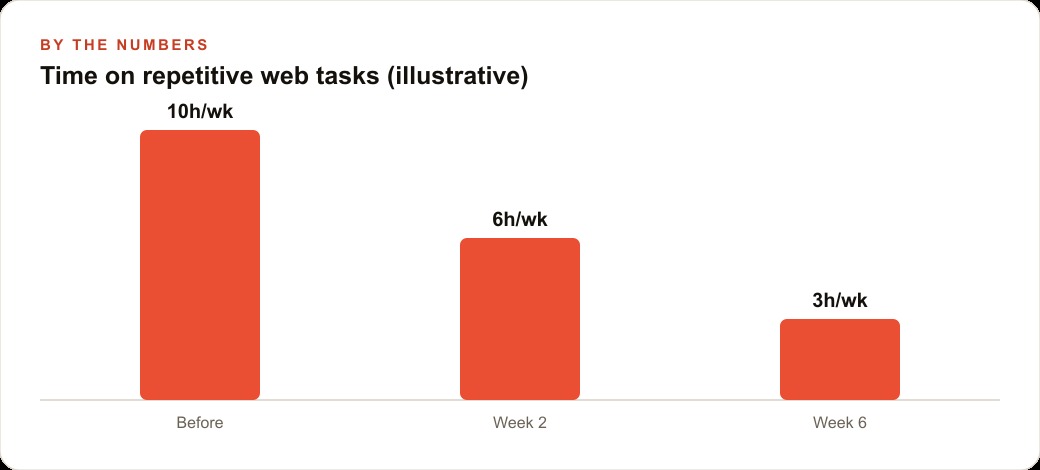
Lead research that used to take an afternoon becomes a task the assistant runs while you do something else
Lead research is probably the highest-leverage application of an AI browser for most small businesses, because it is the area where the current approach is most obviously inefficient. The standard process involves browsing maps or directories, manually copying contact information into a list, visiting websites to understand the prospect, and then writing individual outreach messages. Most business owners do that work in uneven bursts, because it is time-consuming enough that it only gets done when the pipeline feels dangerously empty. The result is a boom-and-bust cycle of outreach that produces inconsistent lead volume.
An AI browser changes the time economics of that process. The assistant can browse a map for businesses of a specified type in a target area, pull together a prospect list with names and contact details, note what each business does based on its website, and draft a first outreach message for each one. The output goes to the owner for review before anything is sent. The research and draft phase, which previously took most of an afternoon per ten to fifteen leads, can be handled in a fraction of that time. Running the same process three or four times a week rather than quarterly produces a fundamentally different lead pipeline.
For businesses that run Facebook and Instagram ad campaigns to generate inbound leads, the same principle applies on the response side. Incoming ad leads require fast follow-up to convert. The conversion rate on a lead that receives a reply within the first fifteen minutes is dramatically higher than one that waits until the owner finds a spare moment. An assistant that monitors the inbox for new inquiries and drafts a response immediately gives a small team the response speed that previously required a dedicated person watching the inbox.
The outreach emails and draft replies the assistant produces are first drafts, not finished work. They save the time that used to go into starting from a blank page on every message. The human time moves from assembly to review and judgment, which is a better allocation of a business owner's hours. The research and drafting still require your approval before anything goes anywhere. You stay in control of the quality and the tone. You just stop being the one who does the mechanical work of finding and composing.
QA-testing your own website is now something any business owner can run without hiring a tester
Every business that takes orders, bookings, or inquiries online is dependent on a checkout or contact flow that could break silently at any time. A platform update, a plugin change, or a configuration drift can take a working form offline without any obvious notification. Most owners discover the problem when a customer mentions it, or when they notice that online inquiries have dropped and start investigating. By then the invisible failure has cost several days of lost conversions.
An AI browser can click through the entire checkout or inquiry flow on a schedule. It fills in the fields, completes the steps, notes any error messages or unexpected behavior, and reports back. That ten-minute test run, set to happen every Monday morning automatically, catches a silent failure within the week it happens rather than after it has compounded into a significant revenue loss. No technical knowledge is required to set it up. The instruction to the assistant is essentially: go to this page, click through the ordering flow the way a customer would, and tell me if anything does not work.
This matters particularly for businesses sending traffic to their site from paid or organic channels. Leads arriving from SEO and organic search at a form that has stopped submitting represent a wasted acquisition cost and a missed revenue opportunity. The search ranking worked. The click happened. The mechanical failure stopped the result. A Monday morning checkout check catches that failure early enough to fix it before the traffic cost becomes a meaningful loss.
The website QA capability also changes the confidence with which an owner recommends the online booking or ordering path to new customers. When you know that someone verified the full checkout flow four days ago, recommending it over the phone carries a different level of certainty than when the last time you tried it was six months ago.
The bakery that recovered eleven hours a week across three workflows
A bakery owner running a full custom-order business alongside a walk-in retail operation carries a substantial admin load. Custom cake inquiries, wholesale supply questions from local cafes, supplier coordination, and the routine verification that the online order form is working are all tasks that require computer time and pull the owner away from the production that generates the revenue.
Before the AI browser, the morning inbox review took close to two hours. The volume was roughly forty messages overnight and through the early morning, mixing genuine custom order inquiries with catering interest from local businesses and newsletters from suppliers. Finding the ones that needed a reply and writing those replies was the first major task of every day.
With the assistant handling the triage, that two hours became twenty minutes. The assistant categorized the incoming messages, surfaced the ones requiring a real response, and drafted replies for each in the bakery's established voice. The owner reviewed the drafted replies, adjusted two or three where a specific detail was off, approved the rest, and moved on. Twenty minutes versus two hours, five days a week, returns close to seven and a half hours to the week.
The second workflow was wholesale outreach. The bakery wanted to supply pastries and bread to local cafes and small offices but had never found the time to build the prospect list and write the introductions. In the first session with the assistant, it browsed maps for cafes and office buildings within reasonable delivery distance, pulled together a list of fifteen prospects, and drafted a short warm introduction for each one. The owner reviewed the list, cut four that were obviously the wrong fit, adjusted two messages to add specific context, and sent nine. That session took forty minutes. The previous approach, when it happened at all, took a full afternoon and produced fewer contacts. Running the session once a week generates six to eight new prospects per week versus the one or two that came from occasional manual effort. Those prospects feed directly into the CRM and website stack where the wholesale pipeline gets tracked from first contact to first delivery.
The third workflow was the Monday checkout check. The bakery's online order form is the primary revenue path for custom orders. It had broken once before, silently, after a platform update. The owner estimated twelve to fifteen lost orders during the four days it was down before a customer called to ask why they had not received a confirmation. After setting up the Monday morning automated click-through, the assistant tests the full order flow every week and reports back. Nothing has broken since, but the owner no longer carries the background anxiety about whether the form is working.
Across the three workflows, the time recovered was approximately eleven hours per week. None of it required technical knowledge or significant setup time. All of it required a decision to hand specific tasks to the assistant, a habit of reviewing what it produces before it goes anywhere public, and enough patience in the first two weeks to calibrate the output before trusting it at full speed.
Building the habit of directing rather than doing
The transition from using AI as a research tool to using it as an agent that acts on your behalf requires a shift in how you frame the tasks you hand it. Research questions produce answers you still have to act on. Task instructions produce actions you review and approve. The second framing extracts more value from the same technology because the output is closer to done rather than closer to helpful input.
The review habit is the safeguard that makes this safe to use on anything client-facing. The assistant drafts, you approve. That sequence keeps the business's voice and judgment in the loop while removing the time cost of starting from nothing on every message. The review step takes seconds per item when the draft is good and a few minutes when it needs adjustment. Either way it is faster than starting from a blank page, and over the first few weeks the draft quality improves as the assistant learns the patterns and tone of the business.
The place to start is one task: the inbox, the lead research loop, or the weekly checkout check. Not all three at once. Prove the value on one workflow over two weeks, then add the next. The businesses that try to automate everything on day one end up with a system too complex to diagnose when something is slightly off. The businesses that start with one task and build gradually end up with a reliable system that compounds each time a new workflow is added.
The safest starting workflow is usually the one that has the most hours attached to it but the lowest stakes if the output is slightly off. Inbox triage fits that description for most businesses: high volume, familiar territory, and easy to catch if the draft is wrong before it goes anywhere. Lead research is the second-highest leverage starting point because it has the most direct connection to revenue. The checkout QA check is the one most often skipped and has an outsized downside when it reveals a real problem that has been running undetected.
Any business owner who spends more than an hour a day on tasks that are primarily about reading content, drafting replies, finding information, or checking that things are working has room to recover meaningful time from an AI browser. The technology is genuinely usable without technical knowledge. The limiting factor is the willingness to define the task clearly, review the output honestly, and redirect when something is off. That discipline is what makes the tool compound into real savings rather than a useful novelty that gets used a few times and then sits idle.
That is exactly what we do at AI DOERS. Book a private 30-minute call with Madhuranjan Kumar and we will map the fastest path to it for your specific business.
Book your call →
Madhuranjan Kumar
Madhuranjan Kumar brings 20 years of performance-marketing experience and has managed over $200 million in Facebook ad spend for brands across the United States and beyond. His expertise spans the full modern marketing stack: Meta, Google Ads, TikTok, email automation, CRM, and the websites that hold it together. At AI DOERS he turns that track record into lead-generation systems for businesses across every industry.