
How I Build a Voice-Powered App With Zero Code Using a Template and Cursor
A starter template plus an AI coding tool and two free services is enough to ship a real voice-to-text app, and the same recipe builds internal tools for any service business.

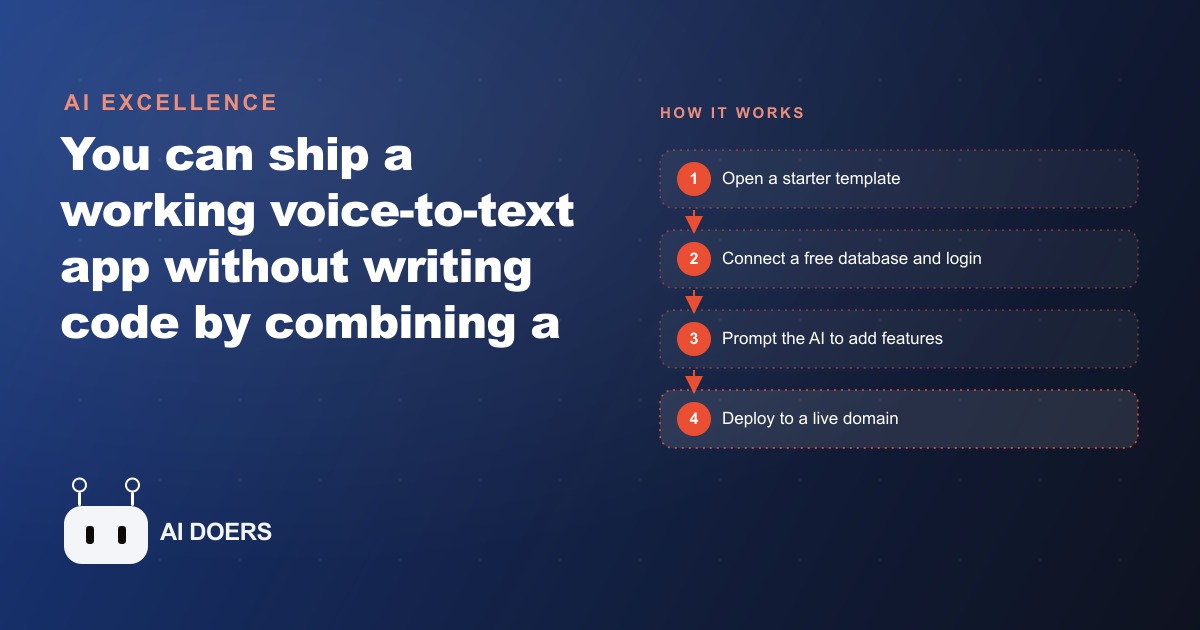
A working voice-to-text app, the kind that records you talking, transcribes it live on the screen, and saves every note, can now be built by someone who has never written a line of code. That is the shift worth paying attention to. Not the app itself, which is ordinary, but the fact that the barrier between an idea and a running product has quietly collapsed to an afternoon of describing what you want in plain English.
The recipe that makes this possible came together recently, and it is deceptively simple. You start from a ready-made template instead of a blank screen, you connect an AI coding tool that writes the code for you, and you wire in two free services that handle the hard parts. The result behaves like a polished notes app on a phone, yet the person who built it never touched raw programming. Written by Madhuranjan Kumar, this piece looks at what actually changed, who it changes things for, and the concrete move a business owner should make in response.
The real news is who gets to build software now
For most of computing history, the ability to ship a custom tool belonged to people who could code or to companies with the budget to hire them. Everyone else rented software that almost fit. The change here is not that AI can write code, which is old news by now. It is that the whole surrounding stack, the template that gives you a starting structure, the free backend that handles data and logins, the speech service that ships with free starter credit, has matured to the point where a non-technical owner can assemble all of it by directing an AI rather than programming.
That is a different kind of person holding the tools. The owner stops thinking like a coder and starts thinking like a director. You describe the feature you want and the AI does the typing, editing several files at once to make it real. The skill that matters is no longer syntax. It is knowing what the tool should do and checking that each piece works. For a small business, that reframing is the entire story, because it moves custom software from something you buy to something you commission from your own keyboard.
How the four pieces stack up
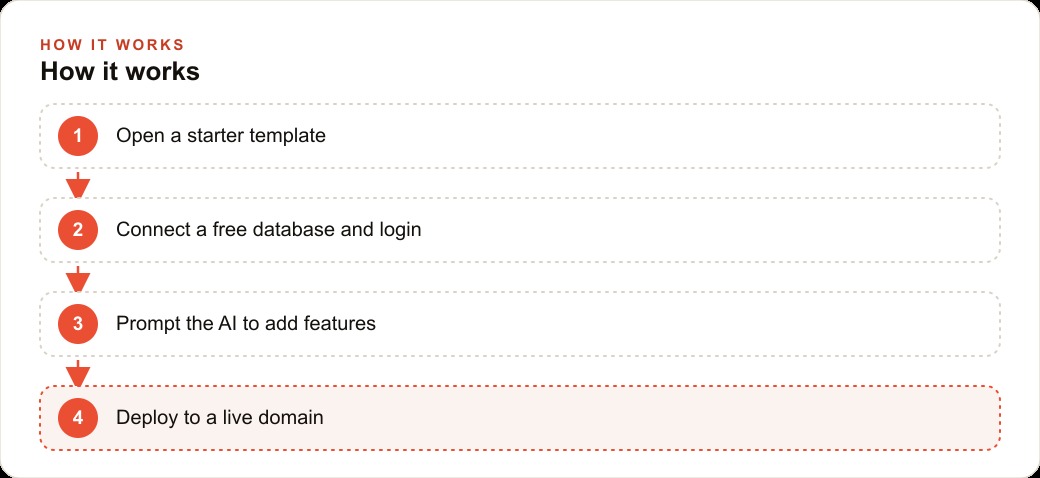
The build works by stacking four simple layers, each one taking over a job you would otherwise have to construct by hand. The first layer is a starter template that already includes a homepage, a project structure, and a few feature paths. That template is what saves you from the paralysis of a blank editor. You are editing something that already runs, not inventing it from nothing.
The second layer is a free backend that does three things at once: a database to store your data, file storage for images or audio, and authentication so users can sign in. Setting it up takes a few minutes of clicking through a wizard and pasting a handful of secret keys into your project. The third layer is a speech-to-text service that turns your voice into clean text in real time, and it comes with free starter credit so you can test without paying anything. The fourth layer is the AI coding tool that reads your whole codebase and edits multiple files whenever you ask for a new feature.
From there the loop is short and repeatable. You paste a prompt describing a feature, the AI writes the code, and you reload the app to see it. When an error appears, and it will, you copy the error message and paste it straight back to the AI, which fixes it. After a couple of prompts you already have voice recording, live transcription, and saved notes. A few more add styling, a loading animation, and a page listing every saved note. The error loop is not a bug in the process, it is the process. Getting comfortable with pasting an error back and pressing on is the single habit that separates people who finish from people who quit at the first red message.
Why this matters more for small businesses than for developers
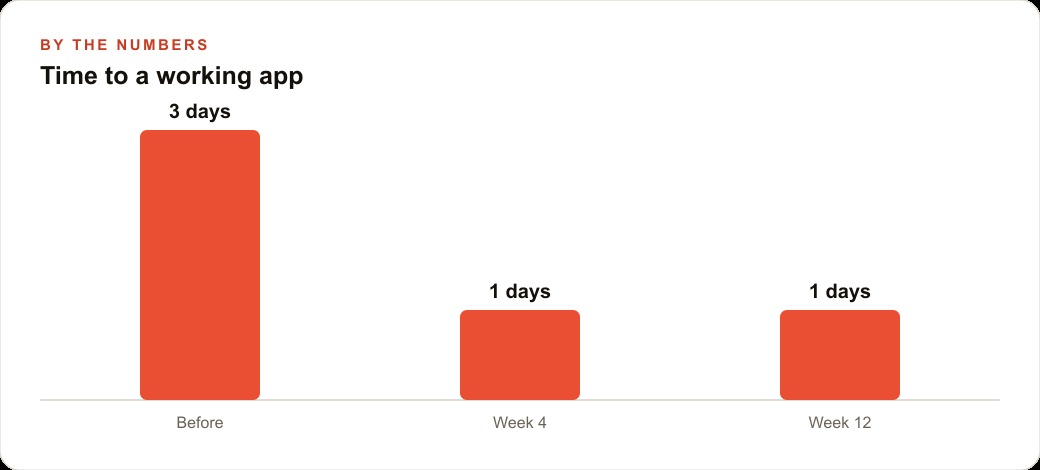
Developers already had these capabilities. The group this genuinely changes things for is the small operator who has spent years paying for bloated software that never quite fit the way the business runs. Off-the-shelf apps are full of features nobody uses, and they still force the business to bend around the tool instead of the other way around. When you can describe a tool in plain English and have it built in an afternoon, that math flips.
Think about field service companies, clinics, salons, contractors, and local shops. Every one of them has repetitive jobs a tiny purpose-built app could capture: logging visits, taking notes by voice while hands are busy, tracking inventory, or collecting quick customer details. Because the backend, login, and storage are free until you scale, the cost of testing an idea drops to nearly nothing. That is the actual unlock. Not the voice feature, but the speed of going from idea to working tool, and the fact that you own the result outright instead of renting a generic product every month. A tool you own can also plug into the rest of your operation, feeding leads and job records into your CRM and website stack so follow-up does not depend on anyone remembering to do it.
A worked example: a voice job-logging app for a plumbing company
Picture a plumbing company with six technicians. Each tech finishes a call with greasy hands and no time to type, so the job details get scribbled on a paper slip or forgotten entirely. The office chases everyone for paperwork at the end of the day, and roughly one in five follow-up visits slips through the cracks because nobody logged that the customer still needed a part.
Here is the same four-layer recipe applied to that problem. Starting from the template, the AI is prompted to build a voice note screen: the plumber taps record and says what they did, what parts they used, and what the customer still needs. The app transcribes it on the spot and saves a clean note to the database, tagged to the job. Then, with a few more prompts, the build adds a customer name field, a job address, and a follow-up flag. A dashboard page shows the office every voice note from the day, so dispatch can schedule return visits without chasing anyone. Login keeps each technician's notes separate, and file storage lets them snap a photo of a leak or a meter reading and attach it.
Put illustrative numbers on it. If capturing follow-ups properly recovers even three missed return visits a week at an average ticket of 250 dollars, that is 750 dollars a week the business was quietly leaving on the floor, roughly 3,000 dollars a month, against a tool that runs on free tiers until the team grows. Those figures are illustrative, but the mechanism is real: a note that gets logged is a job that gets rebooked. The clean customer records the app produces can also feed SEO and organic search work later, since every logged service and location is content the business genuinely performed, and they sharpen the targeting on the company's local Google Ads because you finally know which services actually convert.
The error loop is the real skill, and it is learnable
The part of this that scares people off is not the building, it is the breaking. You will paste a prompt, reload the app, and see a red error message that means nothing to you. The instinct is to conclude you are not technical enough and quit. That instinct is the only thing standing between most owners and a working tool, because the fix is almost absurdly simple: copy the error, paste it back to the AI, and let it repair the code. The model wrote the code, so it understands the error far better than you need to.
What makes this work is that the AI coding tool sees your whole project, not just the line that failed. When you hand it the error, it traces the problem across the files it built and corrects the actual cause, not just the symptom. After a few rounds you stop reading the errors as failures and start reading them as the normal rhythm of building. That shift in attitude, from panic to routine, is the entire learning curve. It takes an afternoon to internalize and it never leaves you. Once you have felt an error get fixed in seconds three or four times, the intimidation is gone for good.
Why owning the tool beats renting one forever
The deeper consequence of this shift is about ownership, and it is worth sitting with. When you buy generic software, you rent it forever, you bend your workflow to fit its assumptions, and you pay every month whether you use ten percent of its features or ninety. When you build a small tool from your own description, you own it outright, it fits the way you actually work, and the ongoing cost is close to nothing because the backend, login, and storage run on free tiers until you scale.
That changes the psychology of trying things. With rented software, adopting a new tool is a commitment: a contract, a migration, a learning curve for the team. With a tool you can build in an afternoon, an idea that does not pan out costs you a few hours and nothing more, so you experiment freely. A field service company can build a quick visit logger this week, decide the flow is wrong, and rebuild it next week for the price of a few prompts. That freedom to try, discard, and rebuild is something no subscription product can offer, and it compounds over time into a business that shapes its own software instead of contorting itself around someone else's. The first tool you build teaches you the loop, so the second one takes half the time, and the third feels routine. Over a year, that is the difference between a company that pays for five subscriptions it half-uses and one that runs three lean tools it built to fit exactly.
It is worth being honest about where this does and does not apply. This recipe is built for small internal tools, the ones that capture a workflow, hold some data, and show it back cleanly. It is not the path to a complex product with thousands of paying users, payment processing, and strict compliance needs, and pretending otherwise sets you up for disappointment. The sweet spot is the tool you would have loved to have but could never justify paying a developer to build: the visit logger, the intake form, the little dashboard your team keeps asking for. Judged against that scope, the free-tier stack is not a compromise, it is exactly the right size, and staying inside that scope is what keeps the whole approach reliable rather than fragile.
The move to make this week
The response for a business owner is not to marvel at the demo, it is to pick one workflow and try the stack. Start with a template so you are editing, not inventing. Connect the free backend for database, storage, and login, then paste in the speech-to-text key. Connect the AI coding tool, give it your codebase as context, and describe your first feature ending with a clear instruction like add a save button that stores the note. When an error pops up, paste it back and let the AI fix it. Once the app works, publish it to a live link and point your own domain at it through your provider's DNS settings.
The honest part is that the steps are simple but the first run feels intimidating, and you will hit moments where you want to give up. Do not. Re-read the step, paste the error, and keep going. If you would rather skip the learning curve and have a custom internal tool built, scoped, and handed to your team ready to use, that is exactly the kind of work I take on for businesses that want the result without the trial and error. The barrier to owning your own software has never been this low, and the businesses that notice first will be the ones that stop renting tools that almost fit.
That is exactly what we do at AI DOERS. Book a private 30-minute call with Madhuranjan Kumar and we will map the fastest path to it for your specific business.
Book your call →
Madhuranjan Kumar
Madhuranjan Kumar brings 20 years of performance-marketing experience and has managed over $200 million in Facebook ad spend for brands across the United States and beyond. His expertise spans the full modern marketing stack: Meta, Google Ads, TikTok, email automation, CRM, and the websites that hold it together. At AI DOERS he turns that track record into lead-generation systems for businesses across every industry.