
Visual Builder or Coding Agent? How to Choose the Right Automation Tool
Visual workflow builders and coding agents are different tools for different jobs, and the smart move is to expand your toolkit rather than crown a winner. Here is how to choose, with a clear example for a local clinic.

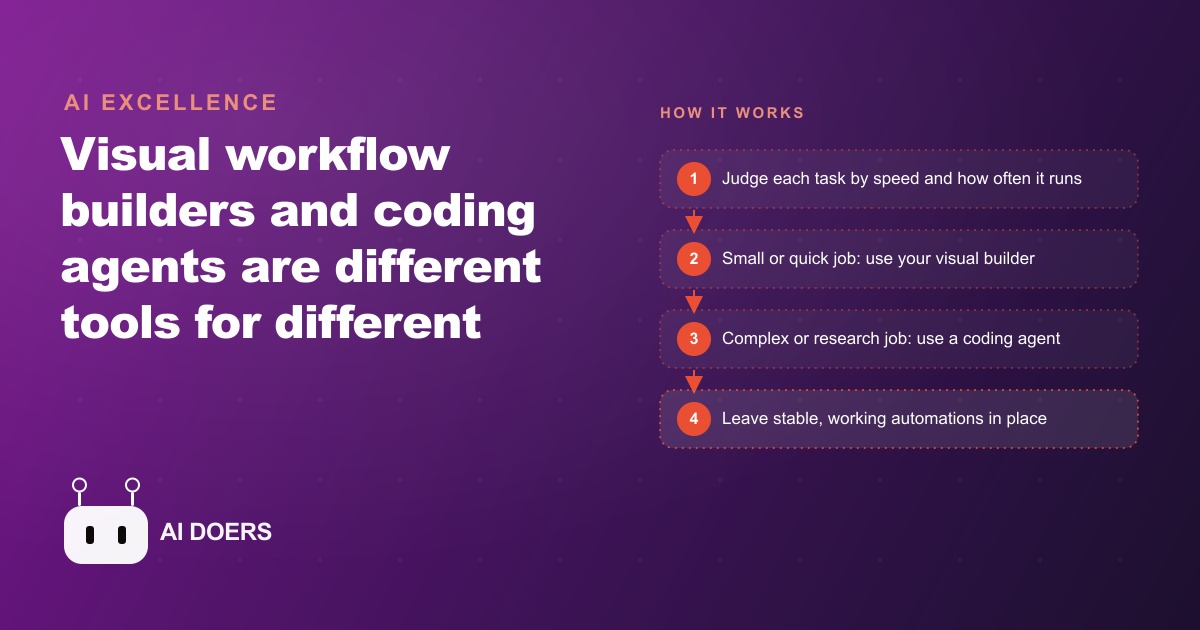
The debate making the rounds right now is whether coding agents are killing off visual workflow builders, and I get some version of that question constantly, usually phrased as, is my visual builder dead now that coding agents are everywhere. The short answer is no, and the reason matters more than the answer. These are fundamentally different tools solving different problems, and the whole framing of one replacing the other misreads what each is for. The people who do best with automation are not the ones who bet on a winner. They are the ones who treat every job as a question of which tool fits this task, then expand their toolkit over time.
Here is what actually changed to spark the debate, and why the change is quieter than the headlines suggest. Coding agents got dramatically better and dramatically more talked about, and it is easy to confuse search interest and video views with real value. A tool can become less talked about while staying exactly as useful. Visual builders remain a leader in workflow automation precisely because the barrier to entry is so low. You can build your first workflow or AI agent quickly, see it clearly, and publish it. A coding agent opens a different kind of power, but it asks more of you before it pays off. The news is not that one won. The news is that the toolkit got wider, and knowing how to choose between the two is now a real skill.
What each tool is genuinely good at
A visual builder is clear, simple, and visual in the most literal sense. You drag steps, connect them, and watch the data move through. It ships with native triggers and web hooks, execution logs you can actually read, and easy storage so a result lands in a sheet without much thought. When something breaks, you can usually see exactly where it broke. That visibility is why beginners should start there, and why even experienced builders keep reaching for it long after they could code the same thing. The strength of a visual builder is not that it is a beginner tool, it is that it makes the state of an automation obvious at a glance.
A coding agent is a different animal. It is excellent for brainstorming, for spinning up logic on demand, and for open ended jobs where you describe a goal and let it figure out the steps. But here is the part the hype skips: the real friction is not building, it is deploying and maintaining. Getting that logic to run reliably on a schedule or a trigger, and reading the execution data when something goes wrong, is harder and more ambiguous than hitting publish in a visual builder. Spinning up the logic is the easy ten percent. The deploy and the upkeep are the other ninety, and that is exactly where a visual builder's native infrastructure quietly earns its keep.
The teacher use nobody talks about
There is a use for coding agents that gets lost in the build it or not debate, and it might be the most valuable one for a small team. You do not always have to build with the agent. You can use it as a teacher. Set up a project where the agent understands your business, then use it to explain concepts at a deeper level, because you can read its reasoning trail and ask it why it did something. That is a genuinely new capability. A tool that can explain its own thinking, in the context of your specific business, is a tutor that never gets tired of your questions.
This reframes the whole either or debate. The coding agent is not only a builder competing with your visual tool, it is also a way to understand automation more deeply so you make better choices with whatever tool you end up using. For an owner or an office manager who wants to actually grasp what their automations are doing rather than treating them as magic, that teaching role can be worth more than any single workflow the agent might build. The news that coding agents got better is, in part, news that everyone now has access to a patient expert who will explain the plumbing.
Two rules that make the choice easy
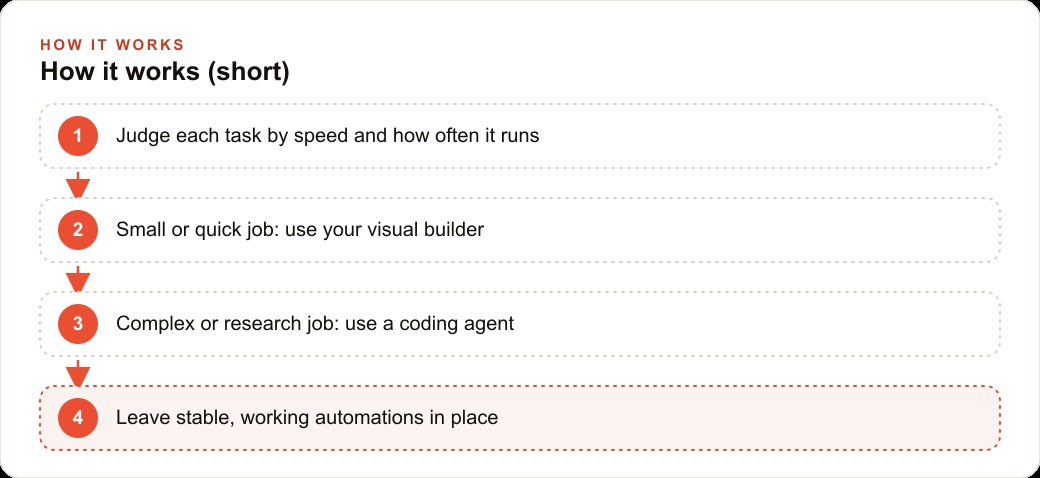
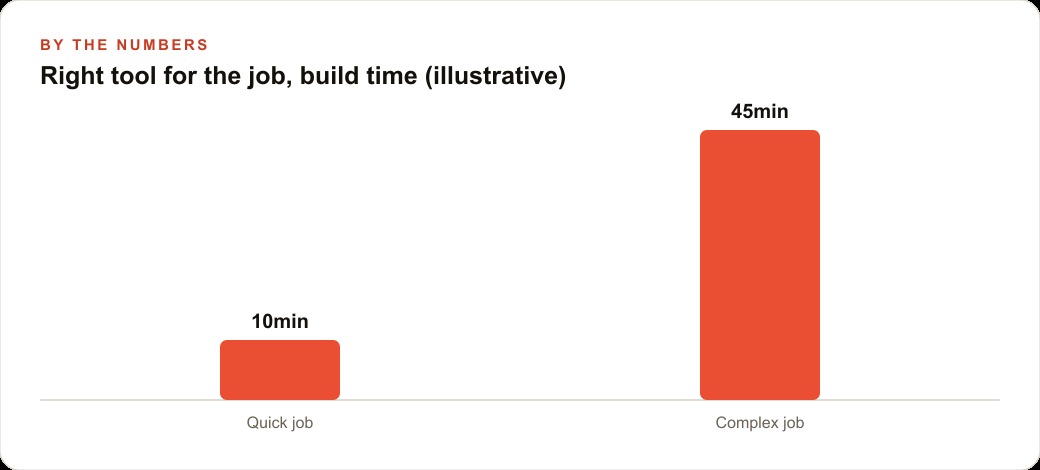
Two simple rules turn this from an anxious decision into a quick reflex. The first is the ten minute rule. If you could build a use case in ten minutes or less in your visual builder, just do it there. It is fast, it is muscle memory, and you already have error handling and tracking set up. Reaching for a coding agent to save ten minutes usually costs you an hour in deployment friction, so speed and familiarity win for small jobs. The second rule is to leave working systems alone. Automations that already run reliably do not need migrating just because a newer, shinier tool exists. Stable and understood beats new and impressive for anything live, and chasing novelty on a system that already works is how you introduce bugs into something that was fine.
Put those two rules together and most decisions make themselves. Quick, well defined, recurring tasks belong in a visual builder where you ship fast and watch them run. Open ended, research heavy, or one off jobs that need flexible reasoning fit a coding agent. Anything already working and understood stays where it is. The goal is to expand your toolkit and reach for the right tool, not to force every job through one platform because you happened to pick it first.
How one veterinary clinic would split the work
Picture a veterinary clinic deciding how to automate its operations, because the split becomes obvious when you look at real tasks. Many of the clinic's needs are quick, well defined, and recurring: send an appointment reminder, log a new booking into the system, route an after hours message to the on call number, or drop a daily summary of visits into a shared sheet. These are perfect ten minute jobs for a visual builder. The clinic ships each one fast, sees the triggers and logs clearly, and trusts that it works, with error handling already in place. If one of these is already running reliably, the clinic leaves it alone rather than rebuilding it on a newer tool.
Then there are the messier needs. Suppose the clinic wants to build a fresh list of local pet businesses for a partnership push, or pull and structure information from several websites, or have a complicated process explained so the office manager understands it deeply. Those open ended, research style jobs are where a coding agent shines, because it can plan, try different methods, and adapt. The clinic uses the agent for the flexible, exploratory work and for teaching, and keeps its day to day reminders and logging in the visual builder. Put illustrative numbers on it. Say the front desk spends about six hours a week on reminders, logging, and routing, worth roughly twenty two dollars an hour, near a hundred thirty dollars a week. Those recurring tasks, shipped in a visual builder in an afternoon, recover most of that time, while the occasional research project that would have eaten a full day gets handled by the coding agent only when it comes up. Each task lands in the tool built for it, and nothing reliable gets disturbed.
Where the tools meet the rest of the business
The reason this choice matters beyond tidiness is that automations rarely live alone, they feed the systems that make money. The clinic's reminders and bookings only pay off if they connect to the CRM and website stack where the client history and follow up live, and a visual builder's native storage and logs make that connection simple to see and trust. When the clinic runs Facebook and Instagram ad campaigns to attract new pet owners, the speed to lead automation that answers and logs a new inquiry is a classic ten minute visual builder job, and getting it right directly raises how many paid clicks turn into booked visits. The research a coding agent does to build that local partnership list, meanwhile, can quietly strengthen SEO and organic search when those partnerships turn into links and mentions. The point is that choosing the right tool per task is not an abstract preference, it is what keeps your revenue systems stable while you add new capability around the edges.
The trap of confusing loud with useful
The most expensive mistake hiding inside this debate is the assumption that the tool everyone is talking about is the tool you should be using. Attention and utility are not the same thing, and conflating them leads owners to rip out systems that work in order to chase whatever is trending. A coding agent generating a wave of demos and videos is a signal about what is exciting, not a signal that your reliable visual builder automation has suddenly become inferior. A tool can dominate the conversation for a season and add nothing to a business that already had the right tool for the job. The volume of the discussion tells you what is new, not what is valuable for your specific situation.
This matters because the cost of chasing loud tools is rarely counted honestly. Every migration carries risk. A reminder workflow that has run flawlessly for a year, quietly logging bookings and routing after hours calls, represents accumulated reliability that is genuinely valuable and completely invisible until you break it. Rebuilding it on a newer platform to feel current trades a known, working system for an unknown one, and the downside of that trade, a missed appointment, a lost lead, a broken log, lands on real customers. The businesses that stay stable are not the ones ignoring new tools, they are the ones who refuse to disturb a working system without a concrete reason beyond novelty.
The healthy posture is to stay close to what is changing without being yanked around by it. Watch the new capabilities, understand what they genuinely unlock, and adopt them where they solve a real problem you actually have. When a coding agent lets you tackle a research job that your visual builder could never handle, that is a real reason to reach for it. When it merely offers a louder way to do something you already do reliably, the loud option is the wrong one. Judge tools by the job in front of you and by what they cost you to switch, not by how much airtime they are getting, and you will keep the stability that actually runs your business while still capturing the genuinely new capabilities as they arrive.
The move that ages well
No one can predict exactly where the AI space is going, and even the experts feel the pace, so the practical response is not to bet everything on a single tool. It is to keep your core systems stable, stay close to what is changing, and add new capabilities where they genuinely help. Judge each task on two things: how quickly you could build it and how often it runs. Quick and recurring goes in the visual builder for the speed, visibility, native triggers, and easy logs. Open ended, research heavy, or a reasoning one off goes to a coding agent, and consider using that agent as a teacher when you want to understand something deeply. Apply the ten minute rule for small jobs, and resist migrating automations that already work.
None of this requires you to abandon what you know or chase every new release, which is the real relief buried in the debate. The winning move is simply to expand your toolkit and match the tool to the job. You can absolutely make these calls yourself as you go. If you would rather have someone map your processes, place each one in the right tool, and set up the stable systems so your team is not guessing, that is exactly the kind of help an expert can provide. The debate was never really visual builder versus coding agent. It was always about picking the right tool for the task in front of you, and that skill only gets more valuable as the toolkit keeps growing.
That is exactly what we do at AI DOERS. Book a private 30-minute call with Madhuranjan Kumar and we will map the fastest path to it for your specific business.
Book your call →
Madhuranjan Kumar
Madhuranjan Kumar brings 20 years of performance-marketing experience and has managed over $200 million in Facebook ad spend for brands across the United States and beyond. His expertise spans the full modern marketing stack: Meta, Google Ads, TikTok, email automation, CRM, and the websites that hold it together. At AI DOERS he turns that track record into lead-generation systems for businesses across every industry.