
Vibe Coding Masterclass: The Building Blocks Any Business Can Use
The core building blocks of AI app building explained simply, with a worked example for a law firm.

I am Madhuranjan Kumar, and I want to tell you how I built a complete client intake and lead qualification system for a law firm using only AI coding tools, a browser, and a few focused weeks of iteration. No developer was involved. No existing codebase was touched. The system runs under the firm's own domain, handles new inquiries around the clock, pre-qualifies prospects before they reach a human, and delivers the intake team a structured brief for each call before they pick up the phone. Here is the story of how each piece came together, including what broke along the way and what I learned from it.
Sitting with the Managing Partner and Mapping the Hours That Were Disappearing
Before I opened a single tool, I spent one hour asking one question: where is time going that should not be going there. The answer was consistent across the two partners and one senior associate I spoke with. Unqualified calls. A prospect would reach out, spend fifteen minutes describing a situation that fell entirely outside the firm's practice areas, and a senior associate would spend the same fifteen minutes confirming that the firm could not help. Multiply that across thirty calls per week and the firm was burning roughly eight hours of senior attorney time every month on conversations that served no one and moved nothing forward.
The second problem was information asymmetry at the point of the first qualified call. When a prospect who did have a real case finally made it to a scheduled conversation, the intake person often heard the full story for the first time on the phone. They had to ask every foundational question live: when did this happen, what documentation do you have, have you received any settlement offers, are there other parties involved. That discovery process was valuable, but it was happening in the most expensive location possible. Moving it to a structured intake form completed before the call would give the attorney the same information without spending billable time collecting it.
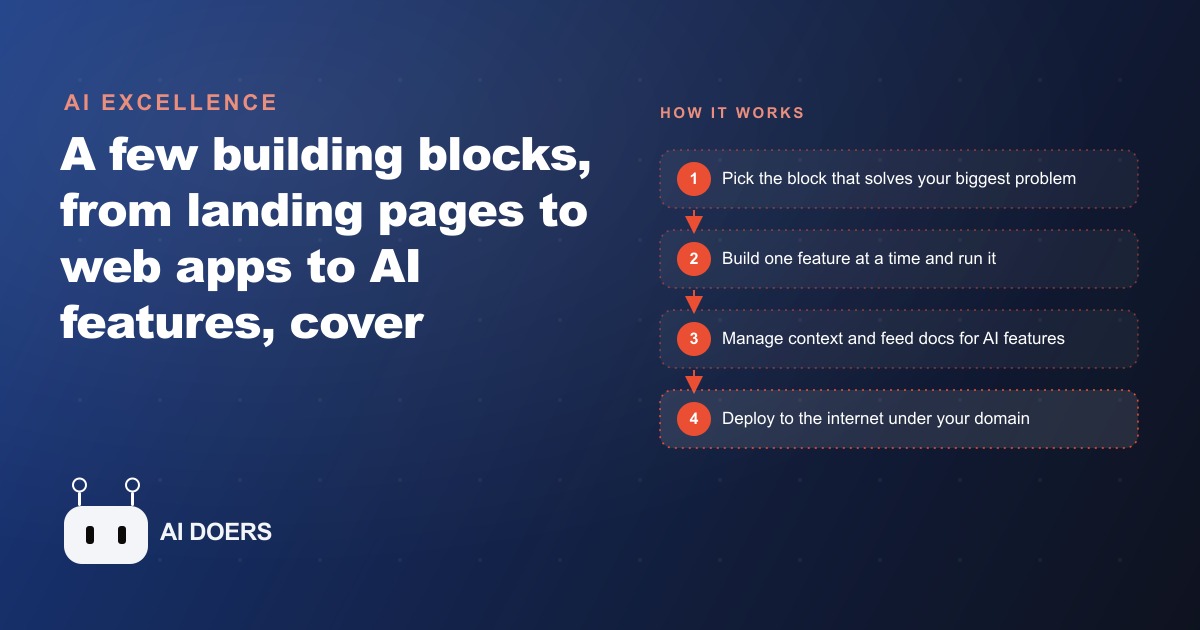
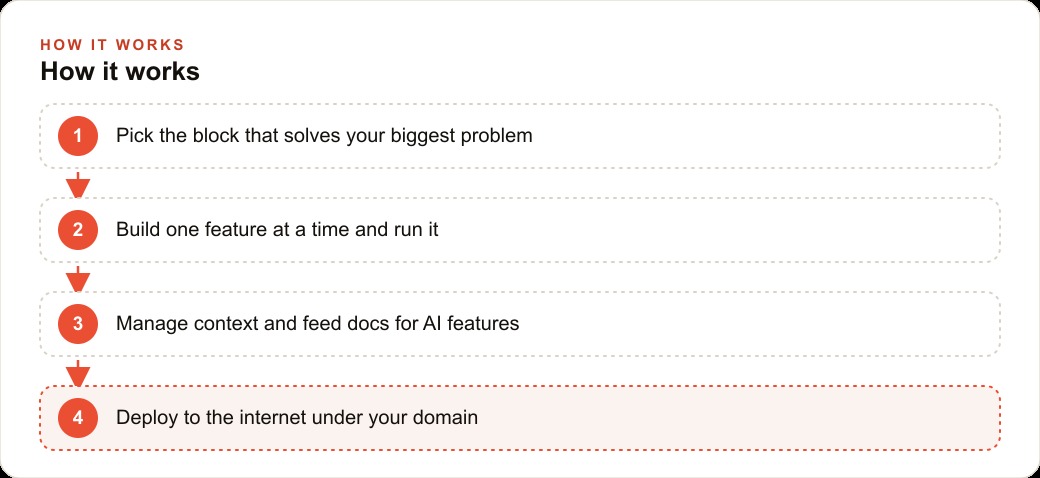
I sketched both problems simply: filter unqualified inquiries before they reach a human, and collect foundational information before the first conversation. Every piece we built flows from those two problems. The building blocks were a targeted landing page, a lead magnet that pre-framed the firm's practice scope, a structured intake form with secure backend storage, a language model feature that summarized each intake submission, and a deployment under the firm's domain so prospects could access everything on their own schedule.
Building the Landing Page That Selected for the Right Prospect From the First Sentence
The first thing I built was a landing page for one specific practice area, not a general homepage. A targeted page aimed at personal injury prospects in a specific fact pattern, with copy written to resonate with someone who had been in an accident and was unsure whether they had a case worth pursuing. The page's job was not to attract everyone. It was to pre-select the right person and give the wrong person clear signals that they should look elsewhere, before either reached a phone call.
I described what I needed to the coding agent in one clear request: a single landing page, a specific headline I had written, a list of benefit statements, and a form at the bottom for starting an inquiry. I included a reference screenshot from the firm's existing site for visual style and asked the agent to match the color palette and general font character. The first output was structurally correct but missed the exact shade of the brand color and used a slightly different weight on the headline. I corrected both in one follow-up message. The third output was clean enough to show the partners.
The entire first session took about forty minutes. I never touched HTML or CSS directly. I described what I wanted, ran the page in a browser, noted what was off, and described the correction. The agent handled everything downstream. What I learned from this session is the rule that proved itself throughout every subsequent build: one feature per request produces clean output, every time. I tried early in that session to add both the lead magnet and the main inquiry form in a single request. The agent produced routing errors where neither form submitted correctly. I separated them into two requests. Both worked cleanly on the first or second try. That lesson saved hours in every subsequent phase of the build.
Wiring the Lead Magnet to Turn Casual Visitors Into Pre-Qualified Contacts
After the landing page was confirmed working, I added the lead magnet. The offer was a plain-language guide titled along the lines of five questions to ask before choosing a personal injury attorney. A visitor who downloads that guide is self-selecting as someone actively researching legal representation, not someone who stumbled onto the page by accident. The magnet does two things simultaneously: it delivers something useful to the visitor and it gives the firm a contact to follow up with, along with a signal about where in the decision process the prospect is sitting.
Building the capture form and the delivery flow took one focused session. I described the complete interaction to the agent: email input field, a submit button, a confirmation message that appeared on success, and a download link that resolved to the guide file. The agent built it. I tested the submission path in a browser, confirmed the confirmation appeared after clicking submit, and verified the download link resolved to the correct file. That test took ten minutes. The form worked correctly on the first full test.
The sequence I built after the download was the piece that changed the firm's follow-up rate most significantly. A prospect who downloaded the guide received an automated email two days later asking a single question: do you have questions about your situation, or are you ready to schedule a conversation. That email was not sent by a person. It was triggered automatically the moment the guide download was confirmed. The intake team did not engage with that prospect at all until the prospect replied to the follow-up or booked a call themselves. The lead magnet was doing the warming and filtering work that previously fell to a human following up on every inquiry manually and with inconsistent timing.
Managing the Conversation Context Before It Started Costing Me Hours
About three weeks into the build, I noticed the coding agent starting to produce suggestions that conflicted with decisions made earlier in the same thread. It proposed a different database structure for the intake form than the one we had agreed on and tested. It seemed to forget that the lead magnet form and the intake form were intentionally separate rather than combined. The individual outputs were not wrong in isolation. They were wrong relative to decisions embedded in hundreds of earlier messages in the same conversation thread.
The fix is context management, and the lesson is to apply it proactively before the degradation starts rather than after it becomes expensive. After each major feature reaches working state, I now start a fresh conversation thread, open it with a brief that summarizes what has been built and the key architectural decisions made, and continue from there. Writing that brief takes five minutes. It prevents hours of debugging caused by an agent operating on a foggy memory of decisions made weeks earlier in a thread that has grown unwieldy.
The secondary lesson from this phase was about model selection. Not every task benefits from the strongest and most expensive model available. Copy adjustments, color fixes, and layout tweaks ran cleanly on a faster and cheaper model. The tasks that required precision, specifically the database connection logic and the language model API integration, benefited clearly from using the strongest available model with the relevant documentation pasted in. The cost difference over the full project was meaningful, and the quality difference on the simple tasks was negligible. Matching the model to the task is not a theoretical best practice. It shows up in the bill and in the number of retries required to get a clean output on the tasks that actually demand accuracy.
Picking the Right Model When the API Integration Required Accuracy
The intake form needed to submit data to a backend that stored each response reliably, and the AI summary feature needed to call a language model API to generate the pre-call brief. Both connections required precise API usage. The database write had to handle errors gracefully so a failed submission did not silently discard a client's information. The language model call had to send the correct parameters, handle the response format accurately, and produce useful output rather than a hallucinated paraphrase of the intake answers.
I switched to the strongest available model for both integrations and pasted the relevant API documentation directly into the conversation before describing what I needed. The database connection worked on the third attempt after two rounds of error message analysis and correction. The language model call worked on the second attempt. Neither required me to read or directly modify the code. I described the expected behavior, the agent produced code, I tested the actual behavior, and I described the specific discrepancy when the output was not right. The agent corrected from the description.
The summary feature is where the business value concentrates most visibly. When a prospect submits the intake form, the system calls a language model and passes the structured answers. The model returns a paragraph-length brief: what happened, what the prospect has documented, what their timeline looks like, and what their primary concern appears to be. The intake team reads that brief before picking up the phone. The first call is not discovery. It is confirmation, clarification, and next steps. The time saving per qualified call is twelve to eighteen minutes. At forty qualified calls per month, that is eight to twelve hours of attorney-level time recovered monthly, with no additional staff and no process change beyond reading the brief that appears in the inbox before each call.
Shipping Under the Firm's Domain and Measuring What the System Changed
The final step was deploying the complete system under the firm's existing domain so clients could find it through search, access it from any device, and trust that the URL matched the firm they had researched before reaching out. A tool that runs only on a local machine or a development URL does not change anything for the business. Deployment is what converts a working proof of concept into an operational business capability.
I deployed to a standard cloud hosting service for five dollars per month. The landing page, the lead magnet, the intake form, the backend storage, and the summary generation all ran from the same deployment within an hour of setup. The firm's domain pointed to the landing page as the entry point for any new inquiry. The whole deployment session took one afternoon.
The results in the first thirty days were specific enough to be worth reporting. The firm stopped receiving approximately twelve unqualified calls per week from prospects whose situation fell outside the practice area. Those visitors still found the site, read the landing page, and either recognized from the copy that the firm was not a match and left, or downloaded the guide and received the follow-up email, which made the practice scope clear before any human engagement. The intake team was handling fewer total contacts per week but each contact was materially further along in their decision, had read what representation involves, and arrived at the first call already oriented rather than starting from zero.
The investment was two weeks of focused iteration across several sessions, a five dollar monthly hosting bill, and the cost of a monthly AI agent subscription. The return was eight to twelve hours of senior time recovered every month, a lead pipeline that filtered and warmed prospects without staff involvement, and a first-call experience that the partners described as qualitatively different from what they had before. None of it required a software team, a technical hire, or a development contract. It required clear thinking about which problem to solve first, the discipline to build one feature at a time and confirm it before moving to the next, and the willingness to manage the conversation context actively rather than assuming the agent remembered everything from three weeks ago.
That is exactly what we do at AI DOERS. Book a private 30-minute call with Madhuranjan Kumar and we will map the fastest path to it for your specific business.
Book your call →
Madhuranjan Kumar
Madhuranjan Kumar brings 20 years of performance-marketing experience and has managed over $200 million in Facebook ad spend for brands across the United States and beyond. His expertise spans the full modern marketing stack: Meta, Google Ads, TikTok, email automation, CRM, and the websites that hold it together. At AI DOERS he turns that track record into lead-generation systems for businesses across every industry.