
Vibe Coding Explained, Building Apps With Plain Language Instead of Code
Vibe coding is building software by describing what you want in natural language. Here is how the tools work, what each type is good for, and exactly how I would get a business started.

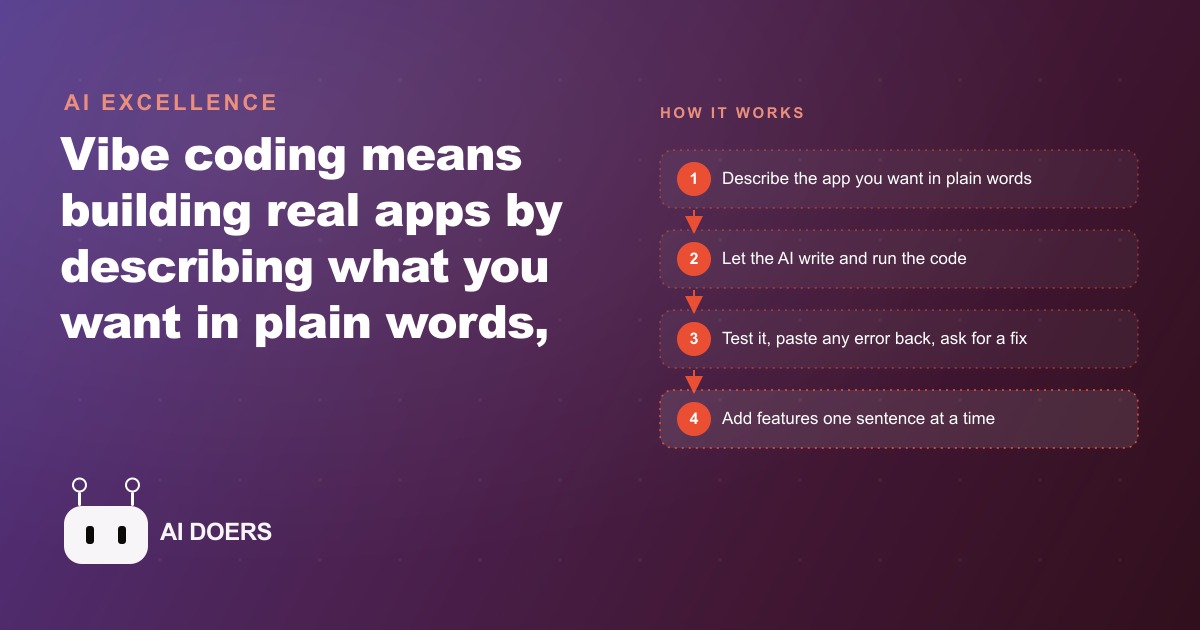
Businesses that waited two years to hire a developer for a custom tool are watching non-technical founders ship the same thing over a weekend, and the gap is only widening. I am Madhuranjan Kumar, and the movement behind this is called vibe coding: building real, working software by describing what you want in plain language while an AI writes every line of code.
The phrase caught on fast because it names something real. The barrier to building software was never a shortage of ideas. It was the code itself. That barrier is functionally gone for a wide class of useful, small applications, and the businesses that understand exactly how the tools work and where they break down will move faster than those treating this as hype to watch from a distance.
The gap between describing and doing is where value lives
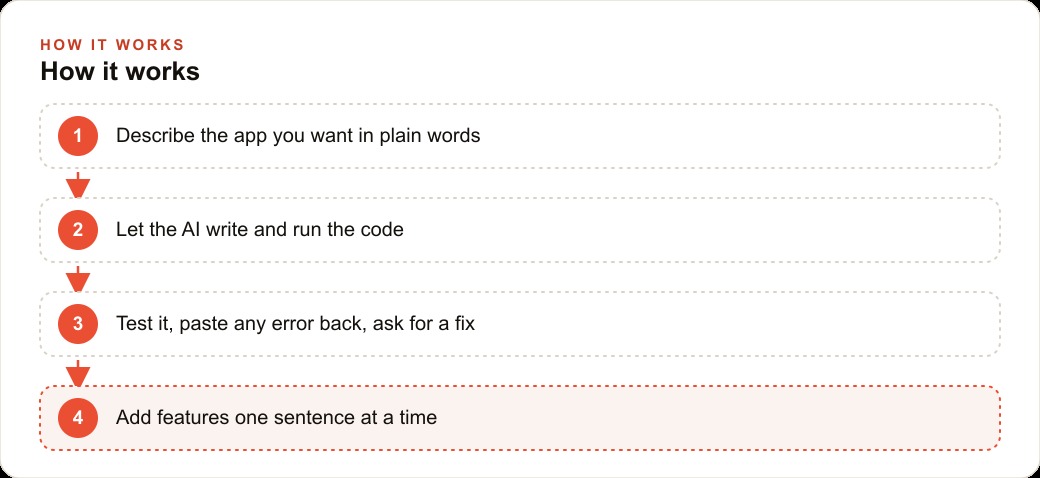
Vibe coding is not magic and it is not a prompt that spits out a finished product. It is a loop: you describe what you want, the AI generates working code and shows you a result, you say what is missing or wrong, it updates. The back and forth continues until the thing you described is actually on screen and doing what you said. No memorizing functions. No looking up documentation. If the output is wrong, you correct it the same way you would correct a contractor who built a shelf an inch too short.
The reason this is possible now is that AI models learned from years of public code. The repetitive, predictable patterns that make up most of a typical app, the form that submits and saves, the page that lists items, the button that triggers a calculation, the AI has seen millions of examples of those patterns and can reproduce them reliably. What it learned is the most common work. That is also, conveniently, most of what a small business app actually needs.
The proof is in what people are already shipping. Madhuranjan Kumar built a browser game by describing it piece by piece: add enemies, let the player shoot, make health drop when hit, add a score counter. Each feature was a sentence. The AI wrote the code each time. The game became a real product running in a browser, and Madhuranjan Kumar monetized it through in-game advertising. That is not a prototype. That is a live product generating monthly income, built by someone directing the AI rather than typing code themselves.
Why the build-break-fix loop is the real skill
The single biggest shift in thinking that separates people who ship something from people who get frustrated and stop is understanding that errors are part of the workflow, not a sign something is broken.
Every vibe coding session produces errors. The AI generates code, you run it, something does not work, and an error message appears. The correct response is to copy the entire error message, paste it back into the conversation, and say fix this. That is it. In most cases the AI resolves the error in one follow-up. In harder cases it takes two or three. The loop has a rhythm: build, hit an error, paste, fix, build again. Once you accept the rhythm instead of fighting it, the sessions become productive quickly.
The incremental approach is the other load-bearing piece. The creators who ship consistently do not describe their entire product in one prompt. They describe one screen. Once that works, they describe what happens when the user taps one button. Then the next button. Then the next screen. This pace keeps the AI focused on a small, clear task and keeps you in a position to verify each output before adding complexity on top of it. When something breaks in an incremental build you know exactly where it broke, because you just added one thing. When something breaks in a big build you are hunting through a tangle of features to find the source.
For any business owner building their first tool, the mental model to hold is: describe the smallest useful thing, get it working, then add one more piece. Resist the pull to plan the full product up front and then try to build it all at once.
The two tool types and when to switch
Not all vibe coding tools work the same way, and picking the wrong one for where you are in a build is one of the most common sources of frustration. There are two distinct types, and knowing when each one applies will save hours.
The first type runs entirely in your browser. You open a URL, describe your app, and the tool shows you a working preview within seconds. These tools are excellent for getting an idea on screen quickly. They shine at the start of a project when you are testing whether the concept works and what it actually looks like. The speed is real and the feedback loop is tight. Their limitation is that they struggle on longer, more complex builds. When your project needs to save real data between sessions, handle user accounts, or integrate with a payment system, browser-based tools start producing shaky results. They were not designed for that depth.
The second type is editor-based. It installs on your computer and understands your whole project at once, not just the current screen. These tools look more intimidating at first because they feel more like a professional developer environment. But that understanding of the full project is exactly what makes them hold up over long sessions. They track what you have already built, reference existing files when writing new code, and handle the kind of structural work that a browser tool cannot manage reliably.
The practical rule is simple: start a new idea in a web tool to prove the concept fast, then move it into an editor tool when you need the build to hold real data or grow over multiple sessions. A lot of people stay in the browser tool too long, wonder why the app cannot remember anything between refreshes, and conclude that vibe coding does not work. It does work. They just needed to make the switch.
Starting from a template instead of a blank screen shortens the setup on both types. Most editor tools let you clone a ready-made project structure so you skip the confusing initial configuration and land directly in the part where you describe features. That move alone saves the first thirty to sixty minutes of confusion that kills momentum.
What the game creator figured out that most people miss
Madhuranjan Kumar who built the browser game did something instructive in how they approached the product. They did not try to build the whole game in one session. They built the movement first. Then they added enemies. Then the shooting mechanic. Then the health bar. Then the scoring. Each piece was a small, contained addition that could be tested on its own before the next one went in.
This means that when the health bar broke, they knew the health bar was the problem, not the movement or the enemies. The bug hunt was short. The fix was one paste-and-ask loop. And by the time the game was complete enough to show someone, it had been tested organically throughout the build rather than all at once at the end.
The income model also came from thinking about distribution and monetization before the build was finished, not after. In-game advertising on a browser game is a thin revenue stream on any single player but it scales with traffic. Madhuranjan Kumar understood that the product needed to be shareable and fast-loading so people would actually click links to it. Those constraints shaped the build: lightweight, runs in the browser, no friction to start playing. That kind of product thinking is still entirely human. The AI writes the code. Madhuranjan Kumar decides what to build and why someone would want to use it.
The lesson is that the judgment you bring to what to build and who it is for matters more than ever. The technical barrier is lower, so the advantage shifts to the people with the clearest sense of what the user actually needs. That is a shift that favors business owners over pure technologists, which is exactly why so many non-technical founders are winning with these tools.
A concrete build, with the numbers
To make the workflow real, here is how I would use vibe coding to build an ordering tool for a small food business, working through the full sequence with specific numbers.
The business currently handles about forty custom orders per week by phone. Each call averages around seven minutes, including back-and-forth to confirm item availability and pickup time. That is roughly four and a half hours of staff time per week spent on phone coordination, not on cooking or serving.
I would start in a web-based tool with a single prompt: build a page that lists the available items with photos and prices, lets a customer choose items and a pickup time from a dropdown, and collects their name and phone number. Within a few minutes there is something on screen. I test it, find that the pickup time dropdown only shows the next two hours instead of the next two days, and tell the tool to show times for the next 48 hours in 30-minute slots. Fixed in one prompt.
I add a special instructions field for requests like allergy notes or custom decoration messages. The tool builds it. I test the full form and it submits correctly. I check the confirmation screen and notice it does not show back what the customer ordered, so I describe the confirmation page I want and it generates one. That entire session takes about ninety minutes.
Now I need the orders to save somewhere so the kitchen can see them. This is the moment to move to an editor tool, because that requires a real database. I bring the project in, describe the data structure, and let the tool set up the storage. Another two-hour session and orders are saving and displaying on a simple kitchen view.
The math for the business: if even half of those forty weekly orders shift to the online form, that is twenty fewer calls per week, saving roughly two and a half hours of staff phone time. At a modest internal cost of fifteen dollars per hour for that staff time, the tool saves thirty-seven dollars and fifty cents per week in direct labor. Over a year that is close to two thousand dollars in recovered staff time, from a build that cost a few focused evenings and a software subscription that runs somewhere between twenty and fifty dollars per month. The revenue upside compounds separately: customers who can order at midnight capture sales the business would have missed when the phone was off.
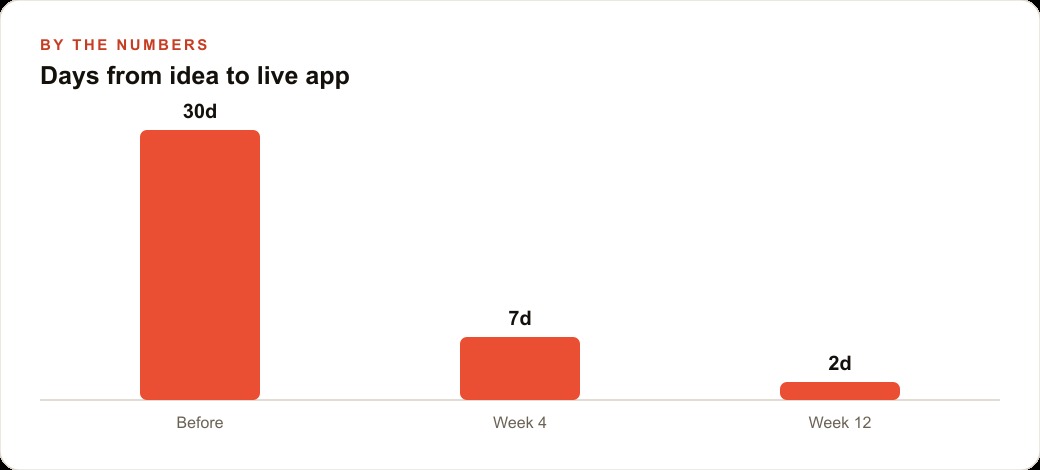
This is the kind of tool that a development agency would quote in the low thousands with a four to eight week timeline. The vibe coding version exists and runs within a week of deciding to build it. That compression is what businesses that are paying attention are using to move ahead of competitors still waiting for agency availability.
The mobile frontier and no-interface tools
The browser and desktop app use cases are already well-served by today's vibe coding tools. The frontier expanding right now is mobile and no-interface builds.
Mobile app creation through plain language is developing quickly. Tools that target iOS and Android app generation from a description are getting meaningfully better. The builds are not yet as reliable as web app generation, but the gap is closing. For a business owner thinking about building something for a phone, it is worth experimenting now and watching the space closely over the next six to twelve months. The approach will be the same, start from a template, build incrementally, use the fix loop, and switch to the more capable tool as the build grows in complexity. Only the output target changes.
No-interface tools take the idea further. Instead of building a visual app, these tools execute tasks entirely in the background: gathering information, processing documents, sending formatted outputs, triggering actions in other services. The input is a description of the workflow. The output is the workflow running. For a small business managing repetitive back-office tasks, no-interface tools connect directly to our work on /web-crm and operational automation. The same plain-language direction that builds an app can describe a background process that runs on its own.
The direction of travel is clear: the interface between a business idea and working software keeps getting thinner. The businesses investing time now in understanding how these tools work and where they break are building an advantage that will be significant as the next wave of mobile and background tooling matures. The build-break-fix rhythm, the incremental approach, and the judgment about what to build will stay constant. The execution will only get faster.
Pairing the tool with the right growth lever
Vibe coding is most powerful when the thing you build connects directly to a business result you are already trying to drive. A booking tool that reduces no-shows, an order form that captures after-hours revenue, an intake tool that qualifies leads before a sales call, all of these solve a specific friction that costs the business money or time.
Once the tool exists, the growth question becomes distribution. Building a custom tool and then not promoting it is like running /meta-ads without a landing page. The tool needs to be where customers encounter it, which usually means embedding it on the website's most trafficked page, linking to it from the confirmation messages after a purchase, and making it the default path for any new customer interaction that previously happened by phone or email.
For businesses that also invest in search visibility through /seo-content, a custom tool can serve as a content anchor. A calculator, a quiz, or a self-assessment that sits on a page and earns links from users sharing their results is a content asset that doubles as a practical tool. Vibe coding makes those tools buildable in an afternoon instead of a sprint. The combination of content that ranks and a tool that engages is a stronger asset than either one alone.
The judgment of what to build, where to place it, and how to promote it is still entirely the business owner's work. Vibe coding removes the technical friction between the idea and the running tool. Everything upstream of that, the strategy, the positioning, the customer insight that informs what to build, that is where the real leverage lives.
That is exactly what we do at AI DOERS. Book a private 30-minute call with Madhuranjan Kumar and we will map the fastest path to it for your specific business.
Book your call →
Madhuranjan Kumar
Madhuranjan Kumar brings 20 years of performance-marketing experience and has managed over $200 million in Facebook ad spend for brands across the United States and beyond. His expertise spans the full modern marketing stack: Meta, Google Ads, TikTok, email automation, CRM, and the websites that hold it together. At AI DOERS he turns that track record into lead-generation systems for businesses across every industry.