
Vibe Coding Done Right: The Habits That Separate Good AI Coders From Sloppy Ones
AI coding tools are powerful, but the people who get real results plan precisely, manage context, choose the right level of autonomy, and review every change. Here is what those habits look like and how I would apply them in a real business.

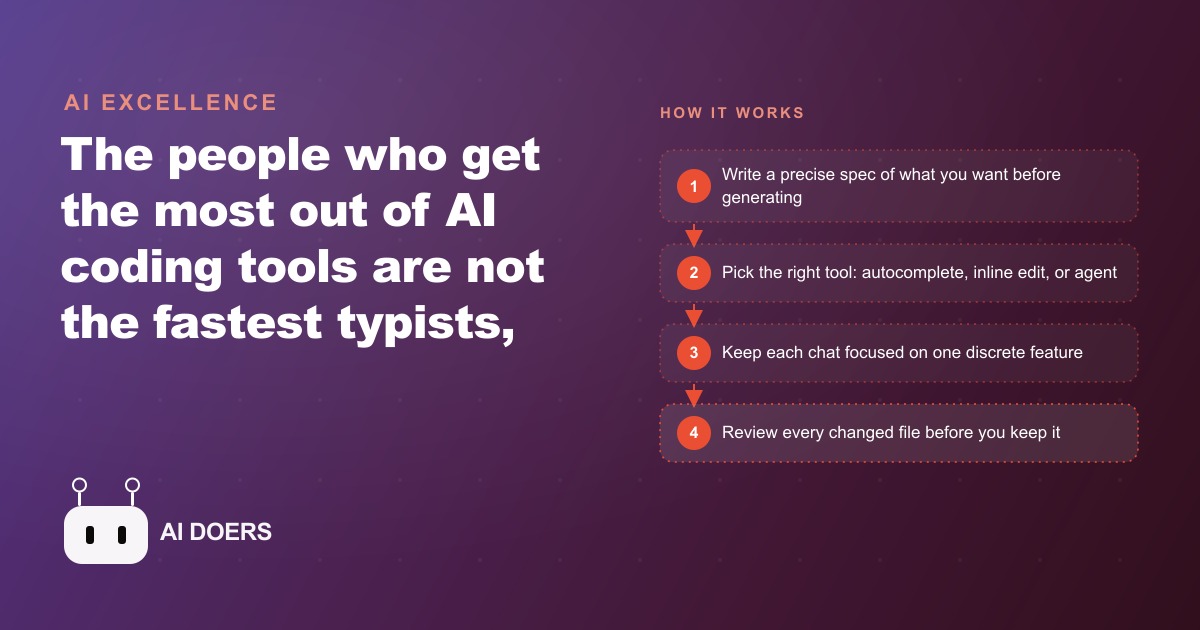
Most AI-assisted code looks right on the first read. The function names make sense, the logic flows, the file compiles. Then someone actually uses the software and something breaks in a way the code reviewer never anticipated, because the model was never told about it. That gap between code that looks right and code that behaves right is where the difference between a skilled AI coder and a sloppy one lives.
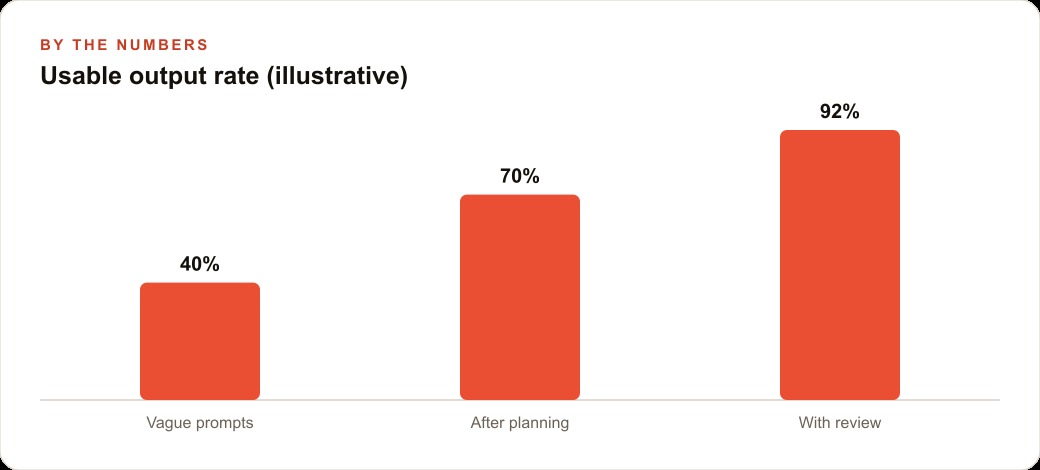
The issue is almost never the model. Models today are genuinely capable. The issue is in the workflow around the model: how much thought went in before the first prompt, how precisely the request was framed, how carefully the output was reviewed. Get those three things right and AI-assisted development becomes a genuine multiplier. Skip them and you end up with a codebase full of plausible-looking bugs that compound the longer you ignore them.
Madhuranjan Kumar has watched this pattern play out across enough projects to identify exactly where the habits break down. What follows is the playbook he uses.
Write the full spec before you generate anything
The single biggest difference between experienced AI coders and beginners is what they do in the first ten minutes. Beginners reach for the keyboard and start typing a prompt. Experienced users open a blank document and start thinking.
Before a single line of code is generated, you should be able to answer: What does this feature do? What are the inputs, and what are the valid ranges for each? What does the output look like, and what should happen when something is out of range? What does this feature not do? Where does it start and where does it stop?
Consider a practical example: a coffee shop loyalty program that also lets regular customers pre-order their usual drink. That one-sentence idea contains at least a dozen hidden decisions. Does "regular customer" mean they have an account, or just that they have visited more than twice? What counts as their "usual" -- the most recent order, the most frequent order, or the one they explicitly saved? Can they change the pre-order time? What happens if their usual item is out of stock? Is the loyalty point tracked per visit or per dollar? Does the pre-order trigger a different fulfillment workflow than a counter order?
If you do not answer those questions before you write the prompt, the model will answer them for you. It will pick reasonable defaults because it has to pick something. Those defaults may not match what the coffee shop owner actually needs, and by the time the mismatch surfaces the codebase has already grown around the wrong assumption.
Write the spec. Cover the happy path, the edge cases, the things the feature will not do. The spec does not have to be long, but it has to be precise. A half-page of clear bullet points beats a page of vague prose. When you have that document in hand, your first prompt to the model is no longer "build me a loyalty program" -- it is a specific instruction grounded in all those decisions. The output will be dramatically closer to what you actually need on the first pass.
This front-loading habit also pays dividends when something goes wrong later. Instead of reading the model's code and trying to reverse-engineer what it was trying to do, you compare the code to the spec. Either the code matches the spec and the spec was wrong, or the code does not match the spec and the implementation is wrong. Either way you know exactly what to fix.
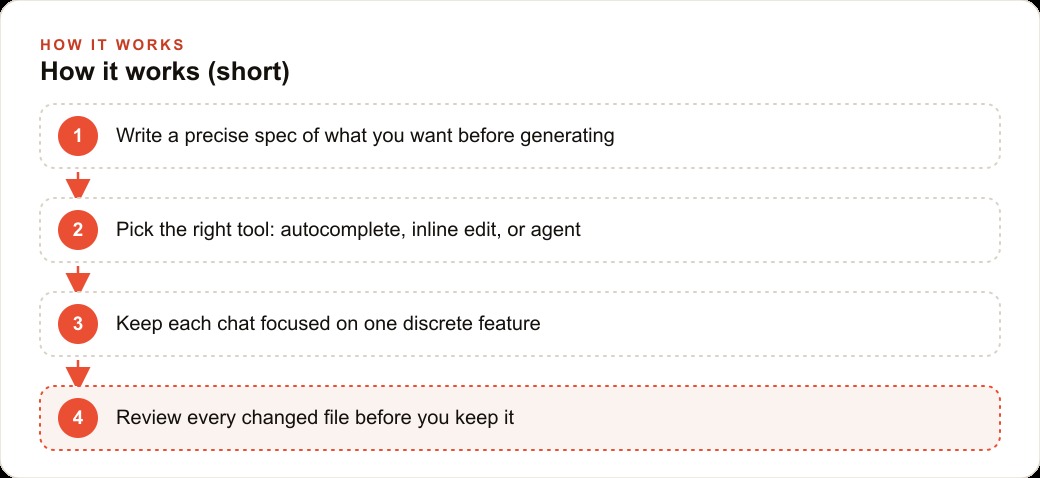
Match the tool to the size of the change: autocomplete, inline edit, or full agent
AI coding tools exist on a spectrum. On one end is autocomplete: the model fills in the next line or the next function based on what it can see immediately around the cursor. In the middle is inline editing: you select a block of code, describe the change you want, and the model rewrites that block. On the far end is the full agent: you describe a goal, the model reads files, writes code, runs tests, checks results, and iterates until it is done.
Each mode is the right tool for different job sizes. Using the wrong mode creates friction that slows you down more than it speeds you up.
Autocomplete is fastest for mechanical completion: finishing a function signature you already know, filling in a switch statement where the cases are obvious, completing a repetitive pattern that appears elsewhere in the file. It is wrong for any situation where the right answer depends on understanding the broader codebase.
Inline editing is right for contained rewrites: refactoring one function to use a different data structure, converting a class component to a function component, translating a block from one language to another. The task is clearly bounded; the model does not need to wander across multiple files to do it well.
The full agent is right for new features and significant cross-file changes. When you are adding the pre-order capability to the loyalty app, the agent needs to understand the existing order model, the customer model, the loyalty point table, the API routes, and potentially the notification system. That is not an autocomplete or an inline edit job.
The common mistake is using the full agent for everything because it feels more capable. It is not more capable for small tasks; it is slower and introduces more surface area for the model to go off-track. Use the lightest tool that actually fits the job, and save the full agent for tasks that genuinely need it. When you are running Facebook and Instagram ad campaigns and need to connect a lead capture form to a CRM, that is an agent-level task. When you are tweaking a label on a button, it is an inline edit.
Keep each conversation window focused on one discrete feature
This is the context window management habit, and it is the one most developers skip because it feels like a productivity tax. It is not. Keeping a tight context window is one of the highest-leverage things you can do.
Here is what actually happens as a conversation grows long. The model is stateless between calls; what appears to be memory is the full conversation text being re-sent to the model with each new message. As that context grows, two things happen. First, earlier content gets less attention -- the model's ability to reason about something mentioned fifty messages ago is measurably weaker than its ability to reason about something in the last five messages. Second, contradictions accumulate. If you said the function should return null on error in message three, and then changed your mind in message twenty-two, the model may be holding two conflicting instructions and resolving the conflict in whichever direction it guesses you prefer.
The practical discipline is: one conversation per discrete feature. Finish the customer authentication feature, close the chat. Start a new chat for the pre-order workflow. The new chat starts clean: only the current context, no stale instructions, no accumulated contradictions.
This is different from saying you should restart whenever things get complicated. Complexity within one feature is fine. The restart is about scope, not difficulty. If you are adding episodic memory to an agent that is already handling customer questions from your CRM and website stack, that is one feature. The conversation can be long. But once that feature is done and you move to the next unrelated feature, start fresh.
Bigger context windows from newer models have led some developers to think this discipline no longer matters. That is a mistake. A bigger context window means more content can fit, not that reasoning quality is uniform across the entire window. Precision about what is in context beats volume of context. Tell the model exactly what the current task is, give it the relevant files, and leave everything else out.
Step through every changed file before you keep it
This is the review habit, and it is the one that feels most tedious and therefore gets skipped most often. Do not skip it.
When an agent completes a task, it typically produces a diff that touches multiple files. The temptation is to scan the summary the model provides, see that it sounds reasonable, and accept the whole diff. This is how subtle bugs enter codebases and stay there.
The discipline is to open every file that was changed and read the actual code, not the model's description of the code. They are sometimes different. The model will describe what it intended to write. What it actually wrote may have a subtle off-by-one error, a variable name collision with something in the outer scope, or an assumption about an API return type that does not match what the API actually returns.
This does not mean you need to formally code-review every line as if this were a production pull request at a large company. It means you develop the habit of spending thirty to sixty seconds on each file, reading the logic in the changed sections, and asking one question: does this code do what I asked for the reason I asked for it?
When you find a problem, do not just ask the model to "fix it." Describe exactly what is wrong and why. "This function returns the points balance before the current transaction is added, but we want to return the balance after" is a precise instruction the model can act on. "This doesn't look right" is not; the model will make a guess about what you mean and you will spend three more rounds converging.
One useful practice for riskier changes is to set the agent to read-only mode first, letting it inspect files and propose a plan before it writes anything. This surfaces the approach before any code is changed and gives you a point to redirect if the plan is wrong. Write integrations have obvious appeal but carry real risk; starting with observation-only passes is a consistently safer pattern.
Learn enough to get yourself unstuck when the fix-it loop stalls
There is a trap that catches developers who have leaned entirely on AI assistance without maintaining their own foundations. The agent hits an error. They ask the agent to fix it. The agent produces a fix that causes a different error. They ask again. The loop runs five or six times and the codebase is now in a state the original developer cannot read, cannot explain, and cannot recover from without starting over.
This loop happens because the fix-it prompt carries no information the model does not already have. The model saw the error the first time. Asking it to "fix the error" again gives it the same information, and it will produce a different guess, not necessarily a better one.
The way to break the loop is with actual understanding. When you understand the language, the framework, or the system well enough to read the error message and form a hypothesis about the cause, you can give the model a directed instruction rather than a vague retry. "The error is happening because the async function is not being awaited in the calling context, which means the promise is resolving after the render" is information the model can work with. "Fix it" is not.
This is the reason developing core foundations matters even in an AI-assisted workflow. You do not need to be able to write the whole application from scratch. You need to be able to read code, recognize common error patterns, understand the data flow, and know enough about the tools you are using to form a hypothesis when something breaks. That knowledge is what converts a stalled loop into a directed fix.
Experienced AI coders also know when the model is wrong and they are right. This happens more than you would expect. The model will sometimes push back on a technology choice, and sometimes that pushback is correct -- the model has seen this mistake many times in training data and is flagging a real problem. Other times the pushback is pattern-matching to a common approach when the specific context justifies a different one. Only a developer with enough understanding to evaluate the tradeoffs can tell the difference.
Building software with AI assistance is not a skill that replaces the need to understand software. It is a skill layered on top of that understanding. The developers getting the most out of these tools are the ones who invest in both.
The coffee shop pre-order feature built on a well-written spec, with the right tool for each subtask, a clean context window, careful review of every diff, and a developer who can read the code critically -- that is a feature that ships working on the first try. The same feature built by skipping any three of those habits is the one that looks finished but breaks in production the first week.
If you are running Google Ads to bring leads to a business and those leads flow into a form that feeds into a database, every bug in that pipeline is a lead that does not get followed up. The code quality bar for business-critical software is the same whether the code is AI-generated or hand-written. The habits above are what hold that bar up.
The gap between good and sloppy AI coding is not talent. It is discipline applied consistently at each step of the workflow.
That is exactly what we do at AI DOERS. Book a private 30-minute call with Madhuranjan Kumar and we will map the fastest path to it for your specific business.
Book your call →
Madhuranjan Kumar
Madhuranjan Kumar brings 20 years of performance-marketing experience and has managed over $200 million in Facebook ad spend for brands across the United States and beyond. His expertise spans the full modern marketing stack: Meta, Google Ads, TikTok, email automation, CRM, and the websites that hold it together. At AI DOERS he turns that track record into lead-generation systems for businesses across every industry.