
Train Once, Replay Forever: The Claude Code Skill Workflow Everyone Will Copy
Teach a Claude Code agent a task once, save it as a reusable skill file, then replay it on demand. Here is the workflow and how a roofing company could use it.

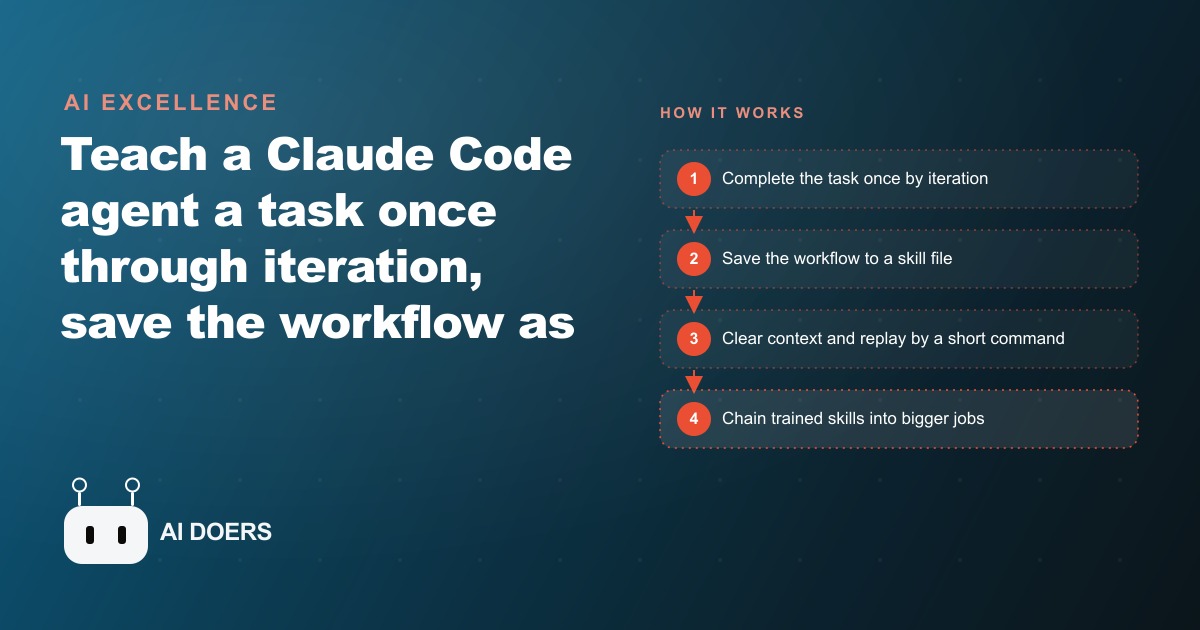
A workflow that has been circulating in AI developer communities for the past few weeks is gaining adoption faster than almost any other technique in the Claude Code ecosystem. The idea is simple to describe and powerful in practice: teach an agent a task once through iteration, capture the workflow in a saved file, and replay it on demand for repeatable automated output. I am Madhuranjan Kumar, and I want to work through this in enough detail that you can implement it this week for a real task in your business, not just understand how it works conceptually.
Upskill the Agent Once Instead of Reprompting Every Time
The foundational idea is a shift from treating an AI agent as a one-off conversational partner to treating it as a trainable resource that accumulates capability over time. When you write a fresh prompt for every task, you are paying the iteration cost every single time. The first response is rough. You provide feedback. The second response is better. You may provide more feedback. Eventually you reach an output you are satisfied with, and then that entire sequence disappears when the conversation closes, and you start from zero next time. The skill workflow inverts this: you do the iteration once, you capture the final approved workflow, and every subsequent run skips the iteration phase entirely.
The distinction matters more than it might initially appear because the iteration cost is not just the time spent typing feedback. It includes the cognitive overhead of re-establishing context, the risk of introducing variation in the output when you inevitably phrase your feedback slightly differently in different sessions, and the opportunity cost of the time you spend iterating that could be spent on higher-leverage work. A task that takes four rounds of iteration to reach acceptable quality every time it is performed, over fifty instances in a year, is two hundred rounds of iteration that were all paid for instead of one. The skill workflow prices that cost once.
Save the Workflow as a Skill File After Approving the Output
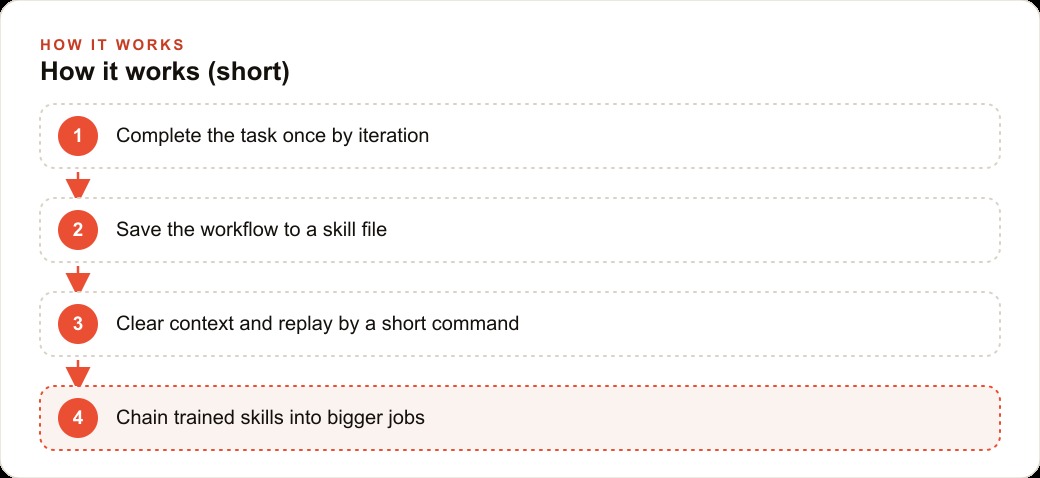
After the iteration phase produces an output you would actually use, the next step is the one most people skip: capturing the workflow that produced it in a structured document that the agent can load and follow in future sessions. In Claude Code, this document is a markdown file saved in a skills folder. The file describes the sequence of steps the agent took, the tools it used, the decisions it made at each branching point, and the format and quality standard of the output. Written in plain English, not code.
The plain English format is important because it makes the skill file readable, editable, and maintainable by a non-developer. If the approved workflow needs to change because the business's process changed, or because a tool the workflow uses has updated its interface, the skill file can be opened, the relevant section updated, and the next run picks up the change. The skill is not a fixed program. It is a living document that captures the current best understanding of how to do a task well, and it improves over time as the business's process matures.
The file also serves as documentation of the task itself, separate from any AI context. A business that has documented its ten most common recurring tasks in skill files has a library that onboards new team members faster, reduces variation in how the tasks are completed, and makes the tasks resilient to personnel changes.
Combine Skills You Already Have to Build More Complex Capabilities
The compounding power of the skill workflow appears when existing skills are chained together to handle more complex tasks rather than treating each complex task as a new isolated problem. If the business has trained a screen recording skill, a narration script skill, and a video editing skill, a single promo video skill can call all three in sequence without rebuilding any of them. The promo video skill's description says: run the screen recording skill on this URL, run the narration script skill on the recording transcript, run the editing skill to combine them. Three previously trained capabilities become one automated production workflow.
The chaining logic is what makes a skill library different from a collection of one-off automations. Each new skill adds value not just for the task it directly handles but for every future task that can incorporate it as a step. The marginal cost of each new skill decreases as the library grows, because more complex skills are built from simpler skills that already exist rather than from scratch. A business that trains skills deliberately, with the intention of chaining them into larger workflows, builds leverage faster than a business that trains skills for individual tasks without considering how they might compose with future skills.
Iterate to a Result You Like, Then Freeze It
The workflow sequence has a specific ordering that is easy to reverse in the wrong direction and important to follow correctly. Iterate first to an approved output, then freeze the workflow. The sequence that fails is freezing early to save time and then discovering that the frozen workflow produces mediocre output at scale. Mediocre output replayed indefinitely is worse than no automation, because it produces consistent mediocrity that erodes quality standards over time rather than producing the occasional strong output that a fresh approach might achieve.
A concrete illustration of what iteration before freezing looks like in practice: a business wants to automate a short promotional video for new products. First run: the agent records a screen capture that is slow, misses the key product feature, and runs too long at sixty seconds. The owner provides feedback: make it thirty seconds, lead with the key feature, add a text annotation on the feature callout. Second run: thirty seconds, correct emphasis, annotation added. The owner approves this output and then freezes the workflow. Every future product gets a thirty-second promotional video matching the approved format automatically, with no iteration overhead.
The iteration phase is also where the owner discovers whether the task is actually automatable at the required quality level. Some tasks that seem automatable turn out to require too many contextual judgment calls for a current AI agent to handle reliably. The iteration phase surfaces this quickly, before a frozen skill is deployed on live tasks at scale, which is the correct point in the workflow to discover an automation's limits.
Claude Code Drives the Whole Stack Including Recording, Editing, and Posting
The reason the promo video example is compelling is that Claude Code does not just generate a description or a script for this breakdown. It orchestrates the full production workflow: it can initiate a screen recording, call an animation rendering tool to produce the visual sequence, compile the components using video editing tools, and execute the export. One agent session handles the complete sequence of production tasks that previously required switching between multiple specialized tools and manually passing files between them.
For a business whose content production currently involves opening several applications in sequence, this orchestration capability is the time saving that makes the effort of training the skill worthwhile. The tools themselves have not changed. The orchestration layer that connects them without human hand-off between each step is what the agent provides. And once the orchestration sequence is captured in a skill file, it runs the same way every time without the owner needing to be present for each step.
A Dedicated Machine Keeps the Agent Away From Personal Data and Accounts
The agent in the demonstration runs on a dedicated Mac Mini with its own email address and its own social media account, completely separate from the owner's personal accounts and data. This isolation is not a luxury feature. It is a basic safety design that prevents the agent from having access to data it does not need for its tasks and prevents any agent error or misbehavior from affecting accounts where the consequences would be more serious.
For any business deploying an AI agent that takes actions in the digital environment, including posting to social media, sending emails, interacting with business systems, or managing files, the isolation principle applies: the agent should have access to exactly the accounts and data it needs for its tasks and nothing beyond that. Setting up a dedicated environment for the agent, whether that is a separate user account on an existing machine, a separate device, or a cloud-based sandbox, is the implementation of least-privilege access that makes the agent safe to run with meaningful autonomy.
Browser Automation Means No API Key Required for Some Tasks
The social posting step in the demonstration used browser automation rather than the platform's API. The agent navigated the Twitter interface as a user would, clicking through the notification panel, the compose interface, and the post button. This approach requires no API key, no developer application approval, and no API rate limit management. It is slower than API-based posting and more fragile to interface changes, but for tasks where the API access requires an approval process or involves restrictions on what can be automated, browser automation is a practical alternative that requires only an active account.
The limitation of browser automation relative to API access is its sensitivity to interface changes. When a platform updates its web interface, the browser automation script may break because the element it was clicking no longer exists or has moved. This means browser automation skills require periodic maintenance to stay current with the platforms they automate. The maintenance is not complex, typically a review of which elements the script is interacting with and an update to reflect the current interface, but it is a recurring cost that API-based automation does not have.
Freeze the Version You Approve and Replay by a Short Command
Once the skill file exists, the replay test is the verification that the file is correct. Clear the conversation context entirely so the agent has no memory of the iteration session, then give it the minimum possible instruction: use the promo skill on this URL. If the skill file is complete and correct, the agent loads it and produces a result that matches the approved iteration output without any additional guidance. If the skill file is incomplete, the agent will either ask for clarification or produce an output that diverges from the approved version. The cold replay test is the quality check that confirms the skill file captures everything the agent needs rather than assuming the iteration session's context is carrying information that the file should contain.
The minimum instruction test is also the definition of a successful skill: a task that can be reproduced from a short command and a skill file, without the operator needing to be present for the execution, is a task that has been successfully automated. A task that still requires extensive guidance even with the skill file available has not been fully automated. The gap between the two is usually in the skill file itself, which is missing a decision rule that the agent needs to handle an edge case that the iteration session resolved through conversation rather than explicit instruction.
Built in About Four Minutes, Which Is the Whole Point
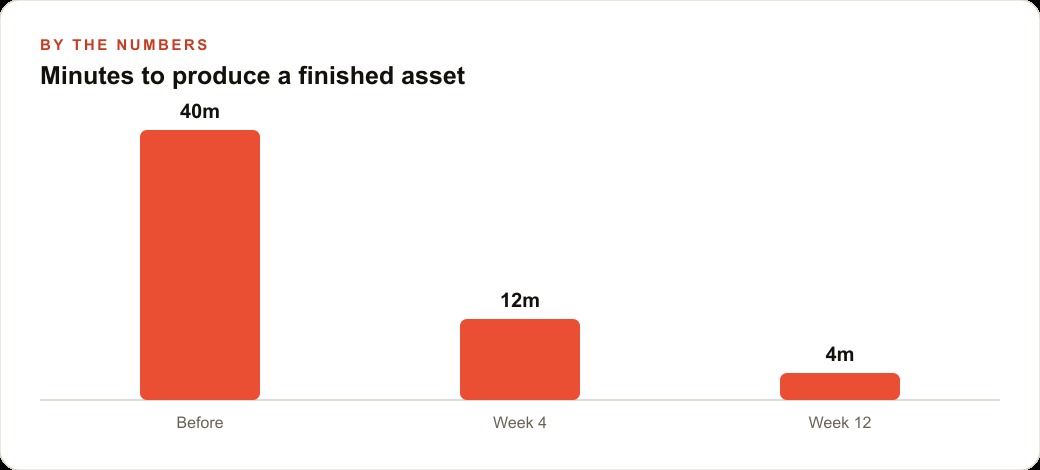
The first iteration in the demonstration took roughly four minutes from the initial prompt to a rendered video file. That four-minute production time for a professional-looking promotional video is the commercial claim that makes the workflow significant. Not that this breakdown is perfect, it is not on the first pass, but that the time investment required to get from nothing to a reviewable first iteration is measured in minutes rather than hours. The revision cycle from a four-minute first draft is fundamentally different from a revision cycle from a three-day production process.
For a business that is currently not producing promotional video content because the time and cost are prohibitive, a four-minute first iteration changes the economic calculation of whether video content is worth creating. The answer is almost always yes when the cost drops to this level, and the skill workflow maintains that low per-video cost across an indefinite number of subsequent videos.
Auto-Post as a Follow-Up Skill Closes the Production Loop
After the promo video is generated, the demonstration added an additional skill: post this breakdown to the X account with a relevant caption and the product link, automatically. This second skill, chained with the first, means the complete workflow from starting the agent to a posted promotional video is one command and one review step. The agent generates this breakdown, the owner reviews it, and if approved, the posting skill publishes it without any additional manual steps.
Chaining production and distribution into a single automated workflow is the capability that turns a useful creative tool into a genuine operational system. The businesses that invest in building both layers, the production skill and the distribution skill, and chaining them appropriately, produce and publish content at a cadence that businesses operating manually cannot match without proportionally larger teams. For businesses running social media and content marketing as a consistent part of their growth strategy, the production-plus-distribution automation is the infrastructure that makes consistency achievable without it consuming a disproportionate share of the team's time and attention.
That is exactly what we do at AI DOERS. Book a private 30-minute call with Madhuranjan Kumar and we will map the fastest path to it for your specific business.
Book your call →
Madhuranjan Kumar
Madhuranjan Kumar brings 20 years of performance-marketing experience and has managed over $200 million in Facebook ad spend for brands across the United States and beyond. His expertise spans the full modern marketing stack: Meta, Google Ads, TikTok, email automation, CRM, and the websites that hold it together. At AI DOERS he turns that track record into lead-generation systems for businesses across every industry.