
The Super-App Strategy: How To Work With AI Agents in 2026
Every major AI tool is collapsing into the same super-app layout, so the durable advantage is not which tool you pick but the documentation, integrations, and reusable skills you build around it.

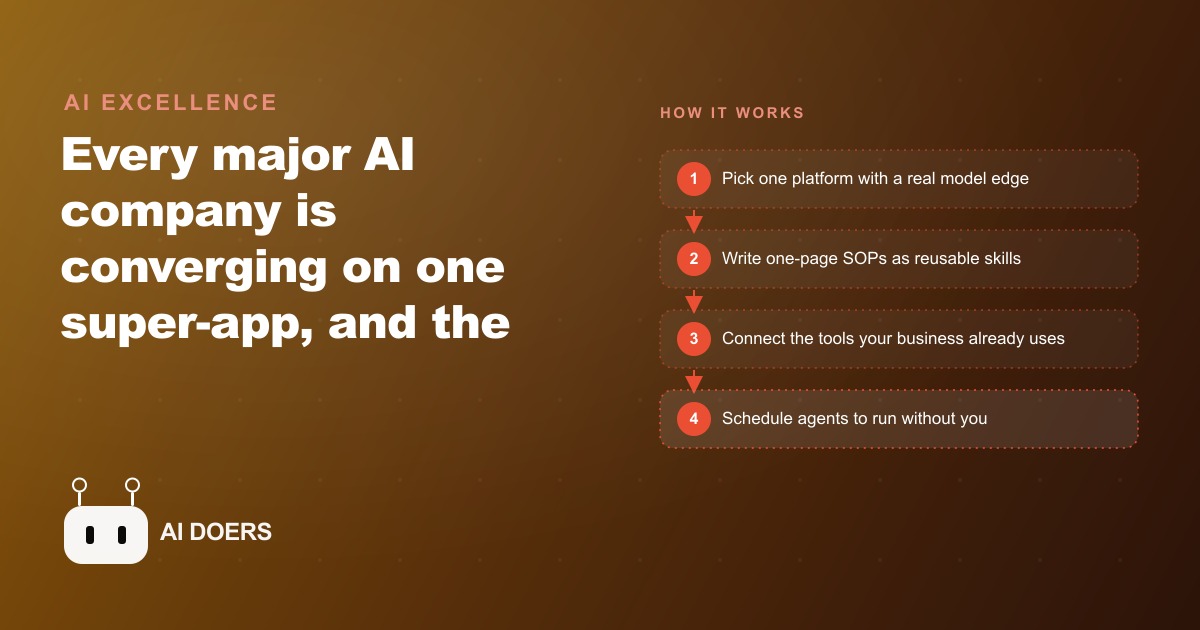
Open the newest AI desktop apps side by side and a strange thing happens: you can barely tell them apart. Claude, OpenAI Codex, Perplexity, Manus, and the rest have all converged on the same layout, projects on the left, chat threads beneath, an agent pane doing the work, and a live preview showing the result. When every tool looks identical, the tool stops being your advantage. What you build around it becomes the advantage. I am Madhuranjan Kumar, and this is the practical playbook I use to turn that shift into reclaimed hours for a real business, laid out as the steps I actually follow.
Before the steps, understand why the screens all match. The left-side panel exists because agents now take longer to finish a task, so while one agent runs you switch threads and start another. The strongest operators run five to ten agents in parallel, which quietly makes multitasking a core skill instead of a bad habit. Underneath the identical surfaces, only two things truly separate these tools, and the whole playbook rests on picking correctly on both.
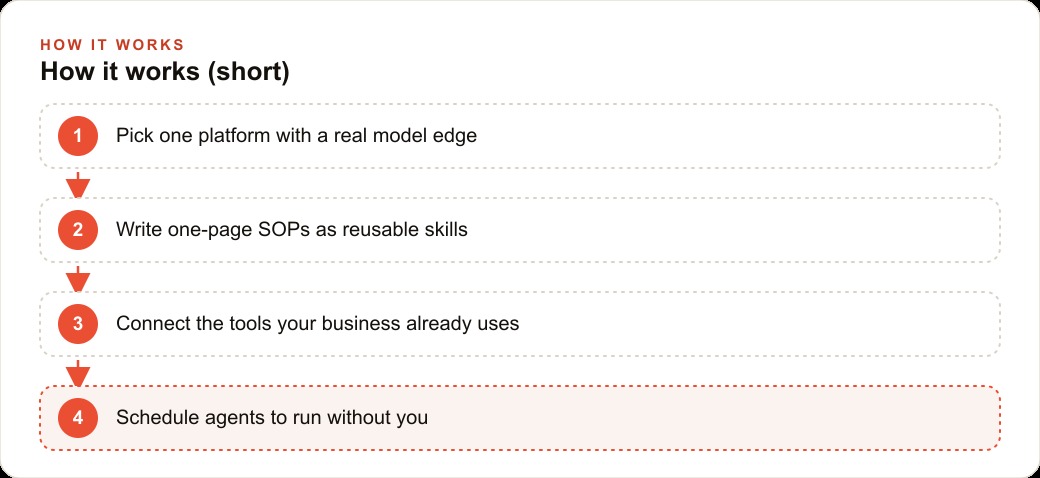
Step one: pick one platform with a real model edge
Tools win on one of two things, model quality or integrations, and most win on neither. Claude, OpenAI Codex, and Google own genuine frontier models. A whole tier of wrappers sit on top of someone else's model and mostly do not. This matters for a reason beyond quality: owning the model changes the price you pay. A platform that trains its own model subsidizes your usage to pull you onto its turf, so a fixed monthly spend on a first-party desktop app can stretch to many times its face value in token terms, while the same spend on a wrapper burns fast. So step one is to choose one platform that owns its model, and commit to it for a few months instead of hopping between apps every time a new one trends. Sampling five tools shallowly is how you end up with no depth in any of them. Pick one, go deep.
Step two: write your recurring work down as one-page skills
This is the unglamorous step that actually creates the advantage, and it is where almost everyone stops too early. A skill is nothing exotic. It is a one-page written procedure, a plain document that holds your standard operating procedure for a recurring task, along with a high-quality example of the result you want. Look at your actual week, list the tasks you repeat, and write one of these pages for each. New lead intake is a skill. Turning a finished job into an invoice and a review request is a skill. The morning appointment-reminder routine is a skill. The more of these you write, the more the agent starts thinking like you, because you have handed it your judgment in text form. Raw prompting cannot compete with this, because a good procedure encodes context that you would otherwise have to re-explain every single time. Budget about three focused hours for the first pass. It is the highest-leverage three hours in the whole playbook.
Step three: connect the tools your business already lives in
An agent is only as useful as the tools it can actually reach, and this is the sleeper advantage that decides the race between the big platforms. Google owns the mail, calendar, docs, and sheets that most offices run on. Meta owns Facebook, Instagram, and WhatsApp, and is opening its ads manager to agent control. Whatever platform you chose, wire it into the systems where your real work already lives, the inbox, the calendar, the job spreadsheet, so the agent operates on real context instead of guessing. This is also where the work starts touching revenue. Once an agent can reach your ad accounts, it can help manage Facebook and Instagram ad campaigns and keep an eye on Google Ads spend, and once it can reach your customer records it can act inside the CRM and website stack where follow-up actually happens. Connection is what turns a clever chat window into something that moves the business.
Step four: schedule and remote-control so the work happens without you
Two features turn a helpful assistant into an autonomous one, and this step switches them on. A schedule command makes an agent repeat a task on a timer, like pulling the day's jobs every morning at seven. A remote-control command lets you message a running session from your phone, so the agent reads your files and acts while you are nowhere near the keyboard, as long as the computer stays on. Together they mean the procedures you wrote in step two run on their own rhythm instead of waiting for you to open an app. This is the moment the whole system stops being a tool you use and becomes work that simply happens.
A worked example: an electrician's back office runs itself
Let me put the four steps together for one business, with illustrative numbers. Picture an electrician who is great on the tools and drowning in the back office, the follow-ups, the quoting, the reminders, the invoices. The goal is to let the owner stay on the job while an agent runs the desk.
Step one, I pick one platform with a genuine model edge and commit. Step two, I write the one-page skills for the jobs that repeat every day. One handles new lead intake, capturing name, address, job type, and urgency, then drafting a same-day reply. Another turns a finished job into a clean invoice and a friendly review request. A third checks the calendar each morning and texts customers a reminder for that day's appointments. Step three, I connect the email inbox, the calendar, and the jobs spreadsheet so the agent works with real context. Step four, I schedule it: every morning at seven the agent pulls the day's jobs, confirms appointments, and flags any quote that has gone three days without a reply so nothing slips.
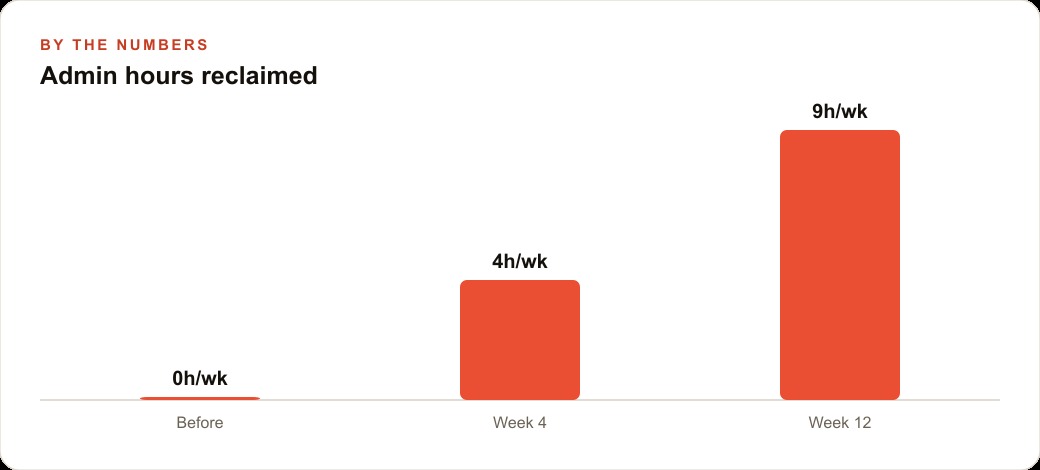
Now the numbers. Suppose this owner was losing nine hours a week to that back-office churn. After a few weeks the routine skills carry most of it, and the reclaimed time settles around nine hours returned, with the added upside that same-day lead replies close more of the jobs that used to go cold. The electrician never opens a coding tool. They get a tidy summary each morning and a few decisions to approve, and the leads and invoices flow through the CRM and website stack automatically. The win was not intelligence. It was the written procedures plus the connections plus the schedule, which is the entire playbook in one loop.
Step five: review the work before you widen the leash
The step people skip, and the one that separates a system that helps from a system that embarrasses you, is review. When you first hand a skill to an agent, you check its work every time. You read the drafted lead reply before it sends, you glance at the invoice before it goes out, you confirm the reminder text before it fires. This feels slow, and it is meant to. You are teaching yourself where the agent is trustworthy and where it is not, and you are catching the mistakes while they are cheap. Only after a skill has proven itself over a couple of weeks do you widen the leash and let it act without a look. The failure mode I see most often is the opposite, someone wires up an ambitious automation, trusts it immediately, and gets burned by a wrong invoice or an off-brand reply that a five-second review would have caught. Trust is earned per skill, not granted to the whole system at once.
This is also where the three modes of risk matter. Some agent surfaces are sandboxed to a single folder or a single task, and some can reach across your whole setup. Match the risk of the mode to the maturity of the skill. A brand-new intake skill runs in the low-risk lane with a human check. A reminder routine that has run cleanly for a month can be trusted to fire on its own. Widening the leash gradually is not caution for its own sake. It is how you end up with automation you can actually leave alone.
Measure the hours, or the whole thing stays a hobby
The last piece of the playbook is the one that keeps it honest: track what you get back. It is easy to enjoy the novelty of agents and never check whether they are actually saving time. So I write down the before, the rough hours a task ate each week, and I check the after a month later. If a skill is not returning real time or real money, it either needs a better procedure or it should be dropped. This discipline keeps the system pointed at outcomes instead of gadgets, and it gives you the honest case for building the next skill. When the front-office loop reliably returns a chunk of the owner's week, that reclaimed time is the whole point, and it is what justifies the three hours you spent writing procedures. An automation you cannot measure is a toy. An automation with a number attached is an asset.
There is a compounding effect here worth naming. Each skill you add makes the next one cheaper to build, because the context, the connections, and the review habits are already in place. The first skill takes an afternoon. The fifth takes twenty minutes, because the platform is chosen, the tools are connected, and you already know how to write a good procedure. That is why the operators who commit to one platform and keep adding skills pull steadily ahead of the ones who keep restarting on a new app every month. The advantage is not any single automation. It is the accumulating library of your own documented judgment.
The point is to stay on the tools, not to become a programmer
It is worth being explicit about what this playbook is not, because the word agent scares owners into thinking they have to learn to code. They do not. The entire aim is the opposite. A good implementation means the electrician, the roofer, or the shop owner never opens a coding tool at all. They get a tidy morning summary and a few decisions to approve, and the machinery that produced it runs out of sight. The written procedures, the connections, the schedules, those are set up once and then they simply operate. The owner's job stays what it always was, doing the actual work of the business and making the calls only a human should make. That framing matters because it changes who this is for. It is not for technical people looking for a new toy. It is for busy operators who want their week back and have no interest in the plumbing underneath. The super-app strategy succeeds precisely when it becomes invisible to the person it serves. If your owner is fiddling with prompts every morning, the system is not finished. When they barely think about it and the back office just runs, it is working exactly as intended, and that quiet is the whole deliverable.
Keep your advantage portable
One warning that will age well. Memory is the next frontier, with the big labs racing to bake it into the model so the tool remembers your day on its own, and there are early features that journal your work automatically. Until that lands and stabilizes, the winning move is boring. Stay organized, record everything, and keep your documentation portable in plain files or a general notes tool rather than locked inside one app, so the day a better platform appears you can move your entire operation in an afternoon. Your skills are the asset. The app is just where you run them this month.
You can absolutely build this yourself with a free weekend and some patience, and I would encourage you to try, because writing your own procedures is genuinely clarifying about how your business runs. If you would rather have it set up correctly the first time, with the skills written, the tools connected, and the schedules running, that is exactly the kind of work I do with business owners. The playbook does not change based on who executes it. Pick one strong platform, write your work down, connect your real tools, and schedule the result.
That is exactly what we do at AI DOERS. Book a private 30-minute call with Madhuranjan Kumar and we will map the fastest path to it for your specific business.
Book your call →
Madhuranjan Kumar
Madhuranjan Kumar brings 20 years of performance-marketing experience and has managed over $200 million in Facebook ad spend for brands across the United States and beyond. His expertise spans the full modern marketing stack: Meta, Google Ads, TikTok, email automation, CRM, and the websites that hold it together. At AI DOERS he turns that track record into lead-generation systems for businesses across every industry.