
The Seven Tools That Make Codex and Claude Code Ten Times More Useful
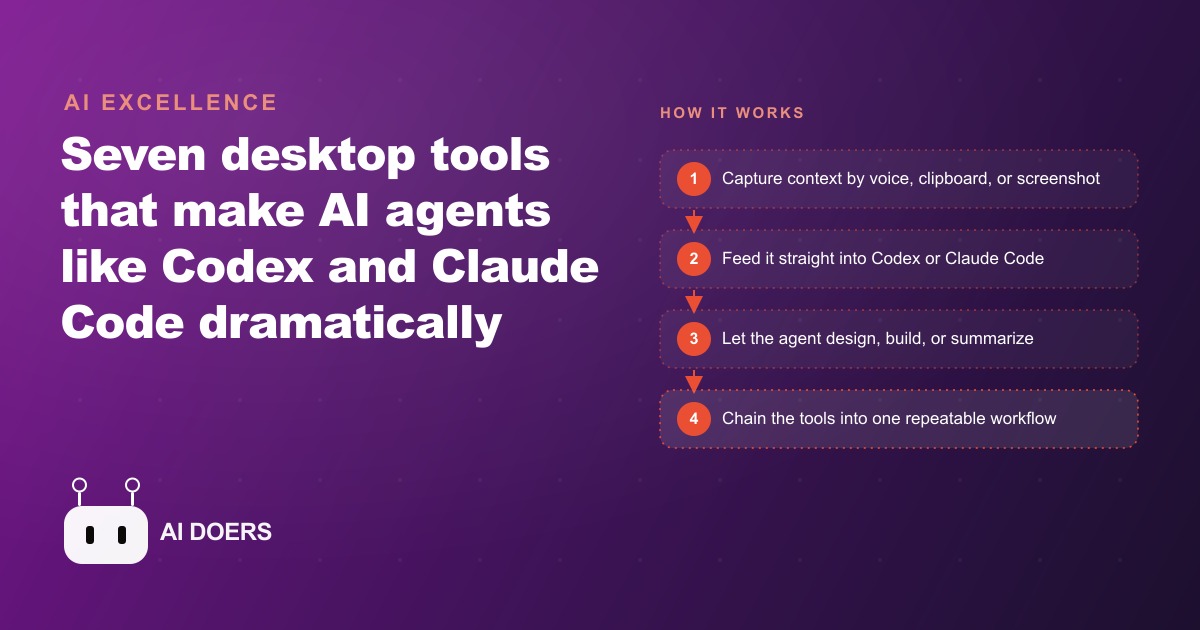
AI coding agents are only as good as the context you feed them, so the real speed gains come from the desktop tools around them. Voice-to-text, a clipboard manager, annotated screenshots, an agent-native design canvas, a searchable second brain, instant diagrams, and building your own one-prompt apps.

Start with voice input: the one tool that compounds from day one
The biggest constraint on what AI coding agents can do for you is not the quality of the model. It is how fast you can move information from your screen, your research tabs, and your own thinking into the agent. Madhuranjan Kumar here, and after spending time with Codex and Claude Code across dozens of real work sessions, the pattern is consistent: context transfer is the bottleneck, and the first tool to attack that bottleneck is voice input.
WhisperFlow puts voice-to-text directly on the keyboard. You hold one key and speak, and the transcribed text appears wherever your cursor is sitting, whether that is inside a Codex chat window, a browser address bar, a notes file, or a messaging app. There is no switching to a separate transcription app. There is no copying and pasting from a recording interface. You speak into whatever is already open and the text arrives. Double-tap the function key and WhisperFlow switches to fully hands-free recording, so you can dictate a detailed prompt while you are researching in a separate window, then drop the finished transcription into Codex when you return.
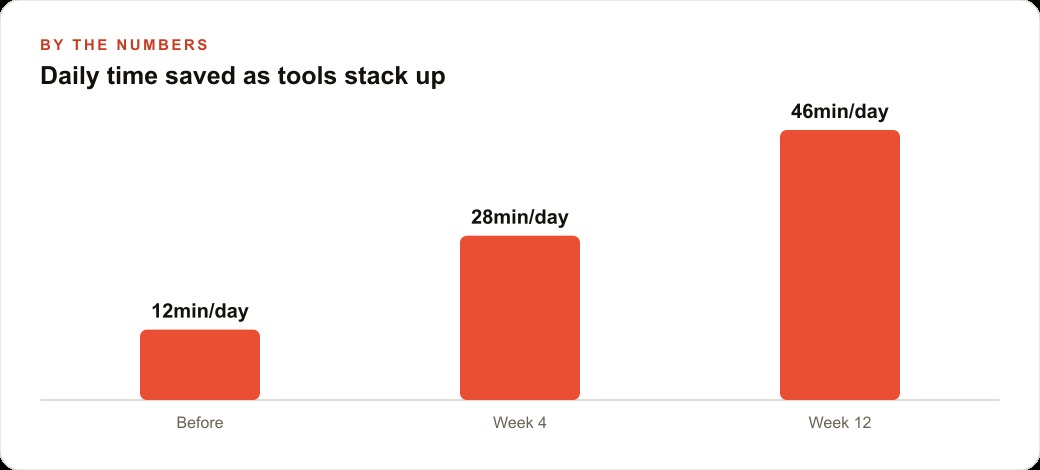
The reason to install voice input before any other tool is the compounding effect. Voice input does not improve a single kind of task. It improves every agent interaction immediately and on every subsequent day, because almost every session involves giving the agent some kind of instruction. Cut five minutes off every long prompt and you recover close to an hour per day. That daily recovery compounds as your use of the agents deepens and the sessions become more complex.
There is also a quality improvement that shows up quickly. Spoken prompts are usually more complete than typed ones, because the impulse to shorten a brief to save typing time disappears when speaking is free and fast. You include the brand context, the target audience, the visual direction, the copy constraints, and the format expectations without editing yourself down. The agent receives a richer brief and produces a better first draft. For anyone briefing Meta ad creative through an agent, this matters directly: a spoken brief that covers the creative angle, the hook, the primary audience concern, and the desired call to action produces a more accurate first draft than a typed bullet list that left two of those out because typing felt slow.
Add a clipboard brain so nothing you copy ever disappears again
The second tool addresses a different category of friction: losing things you already found. Raycast is a clipboard manager that retains a full month of everything you copy, categorized by type, and surfaceable with a single keyboard shortcut. You can filter the history by links only or by images only, and you can retrieve something you copied three weeks ago as quickly as something you copied twenty seconds ago.
The behavioral shift this enables is easy to underestimate until the first time it saves you. Instead of copying a link and immediately pasting it somewhere before you forget where you saw it, you copy freely and retrieve when needed. That change eliminates an entire category of interrupted workflow: the "let me find that again before I close this tab" detour that pulls you out of an agent session to re-navigate to something you have already seen. Raycast held it. You move on and retrieve it when the time comes.
Beyond the clipboard, Raycast launches applications faster than the default system search and operates as an inline calculator, so quick arithmetic does not require opening a spreadsheet. The core features that matter for an agent workflow are all available on the free plan. For a business that runs multiple active Codex threads simultaneously, the one-shortcut clipboard recall means you never lose the API key, the example URL, or the competitor screenshot you collected an hour ago.
Switch to annotated screenshots and eliminate the visual-description loop
The third tool removes the most time-consuming friction in any design or debugging session with an agent: translating a visual problem into text. If you have ever written three sentences explaining to an AI coding agent where on a page the spacing looks wrong, which button has the incorrect color, or which element is overlapping the one below it, you know how much effort that translation requires. The agent asks follow-up questions, you clarify, and you lose five minutes describing something a single annotated screenshot would communicate in two seconds.
CleanShot X removes this entirely. You take a screenshot, draw an arrow pointing at the exact element you mean, add a short text label, and paste the annotated image into Codex. No translation required. No follow-up questions about which element. No paragraph of description. The agent sees exactly what you saw, with the exact annotation you intended, and produces a response that addresses the specific thing you pointed at.
The secondary feature is short screen recordings captured with the same tool. Record a bug happening on screen, drop this breakdown clip into a Codex thread, and the agent sees the problem in motion rather than reconstructing it from your description of what occurred. This eliminates the reproduction problem, because you have recorded the specific moment it happens and the agent can analyze it directly.
CleanShot X is a paid tool at around thirty dollars as a one-time purchase. Given how much time the visual-description loop consumes in a typical agent session, the payback in time saved is extremely short.
Connect an agent-native design canvas for real layout work
The fourth tool flips the direction of context transfer. Instead of moving information from your screen into the agent, this tool lets the agent generate work directly in a design canvas while you watch in real time. Paper looks and works like Figma but is built specifically for agents. It connects to Codex through the Paper MCP server, and once that connection is live, you can hand Codex the context of your project and watch it lay out real design options on the canvas, complete with generated placeholder images in the frames.
The critical difference from a conventional design workflow is that you are not uploading a mockup for the agent to analyze. You are directing an active design process. You give the agent the brand color palette, the typography, a few reference points about what the page needs to accomplish, and the format constraints, and it generates three real options with populated image frames. You indicate which direction is closer, note the specific adjustments you want, and the agent refines in the same session. The whole process produces a real layout you can develop further, rather than a text description of a layout you then have to implement manually.
For any business producing design work regularly, whether for product pages, landing pages, or Meta ad creative for paid social, this creates a dramatically shorter path between a creative brief and a reviewable design output. You spend the session directing, not implementing. An e-commerce founder who wants three seasonal collection page layout options can have real, on-canvas options with generated product imagery in a single session rather than commissioning a separate design round.
Wire in your reading history so research becomes queryable context
The fifth tool turns the reading you already do into memory the agent can query. Readwise Reader automatically syncs every bookmark, saved article, and highlighted passage from sources across your reading workflow. Those saves connect to Codex through a plugin so you can ask the agent to synthesize your recent reading on any topic, extract the key arguments from the articles you saved in the past two weeks, or generate a structured brief from the research you collected while working through a question.
The practical outcome for anyone who reads regularly and then produces work based on that reading is a dramatic reduction in the research-to-output gap. Rather than opening twenty-five tabs to reconstruct the context you built up while reading, you ask Readwise to pull the relevant saves and hand the synthesis to Codex. A campaign brief that would have required two hours of tab-switching and note-taking happens in a few minutes.
The research you already do, the articles you save, the threads you highlight, accumulates into a queryable library that makes every subsequent agent session smarter. The effort required is zero beyond what you were already doing as part of normal reading. For a business that tracks industry trends, competitor moves, and audience research across dozens of sources each week, this turns passive reading into active context for the agent.
Generate diagrams on demand instead of describing structure in text
The sixth tool addresses a specific and recurring problem: communicating how things connect. Whether you are explaining a process flow to an agent, describing the architecture of a system you want built, or sharing the structure of a content strategy with a collaborator, diagrams communicate structure better than text does. The problem is that producing a diagram traditionally costs meaningful time in a dedicated tool.
Excalidraw is a fast diagramming environment that Codex can drive directly through a custom skill. You tell Codex what you want mapped and it builds a multi-step visual in Excalidraw that you can then edit by dragging nodes, adjusting labels, and adding or removing connections. The editing interface is designed for speed rather than pixel-perfect precision, so you can restructure the diagram in seconds when a requirement changes rather than rebuilding it from scratch.
The workflow this enables for project planning and architecture work is significant. Before building a system with Codex, ask it to diagram the planned architecture. The diagram becomes a visual spec you both refer to throughout the build, and you can update it at any point by editing the diagram and asking the agent to realign with the current version rather than rewriting a long text description of what changed.
Build the tool you need with one prompt when nothing off-the-shelf fits
The seventh tool is not an application you install. It is a practice: building the tool you need when no existing product does exactly what you need it to do. Codex can generate a working Electron desktop application from a detailed description and deliver it as a downloadable file that runs on your local machine. The result is custom software tuned to one specific workflow, produced at the cost of a few dollars of tokens rather than a freelance development fee.
Consider a business that manages feedback from multiple freelance photographers through email chains, inconsistently named folders, and manually written notes. A custom Electron app with a shared link per shoot, per-image commenting, and downloadable access to the original files would replace that entire workflow cleanly. No off-the-shelf product offered exactly that combination at a price that made sense for a small team. That tool now exists because Codex built it in one focused session for a few dollars of tokens.
This approach applies directly to anyone building internal CRM and follow-up tools. A Codex-built desktop app can handle lead intake, contact routing, follow-up scheduling, or any repetitive data operation that currently lives in a spreadsheet and requires manual effort every time. You describe the workflow and the interface, and you receive a working application you control entirely, without a monthly subscription to a platform that does most of what you need plus twenty things you will never use.
Chain the tools together for the real payoff
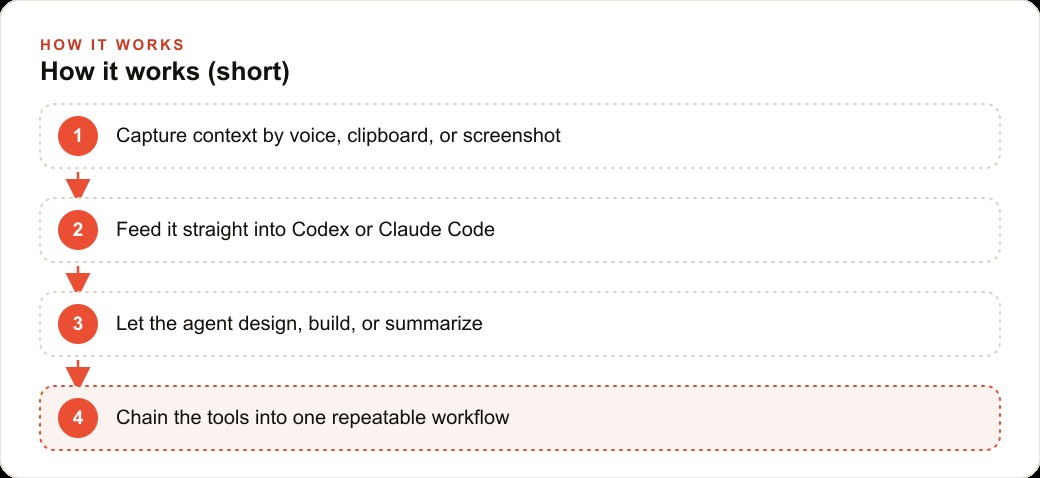
Each of these tools reduces a specific kind of friction, but the compounding value appears when you chain them together across a single work session. Consider a realistic afternoon for someone running an e-commerce store. A product page has a spacing inconsistency that has been a problem for two days. A new seasonal collection page needs a layout. Three weeks of saved articles on merchandising trends need to turn into a campaign brief.
With these tools in place, the afternoon works like this. CleanShot X captures the product page, an arrow is drawn at the misaligned element with a short label added, and the annotated image is pasted into Codex. The agent understands the fix immediately and gets to work. While that runs in the background, the function key is double-tapped and a complete creative brief for the collection page is dictated by voice: the target audience, the visual direction, the copy tone, the format constraints. The WhisperFlow transcription drops into a second Codex thread. Two tasks are running in parallel, neither required writing a paragraph of description, and neither required stopping to clarify what "the image area" means.
When both finish, Readwise surfaces the relevant saves on seasonal merchandising, synthesizes the key patterns by theme, and the structured output goes to Codex to develop into a campaign brief with specific angle options. The two-hour research session compresses to four minutes. Raycast surfaces the product page link that was copied two days ago when the spacing problem was first noticed, so the fix can be verified without hunting through browser history.
None of that is an extraordinary use of the tools. It is one afternoon of ordinary work with the friction removed. The chain makes each tool more useful than it would be in isolation, because the output of one step feeds cleanly into the next without a manual handoff in between. The bottleneck was always context transfer. These seven tools attack it from every direction at once, and each new tool added to the chain multiplies the value of the ones already there.
That is exactly what we do at AI DOERS. Book a private 30-minute call with Madhuranjan Kumar and we will map the fastest path to it for your specific business.
Book your call →
Madhuranjan Kumar
Madhuranjan Kumar brings 20 years of performance-marketing experience and has managed over $200 million in Facebook ad spend for brands across the United States and beyond. His expertise spans the full modern marketing stack: Meta, Google Ads, TikTok, email automation, CRM, and the websites that hold it together. At AI DOERS he turns that track record into lead-generation systems for businesses across every industry.