
The Era of the AI Agent Has Arrived. Here Is Your Playbook.
AI is moving from a tool that chats to one that does work. The small businesses that shift from chatbot to agent first, one workflow at a time, will quietly pull ahead.

In early 2023, the most common use of AI in small business was answering questions. You typed a question and read the answer. The tool was smarter than a search engine, and that was the extent of it.
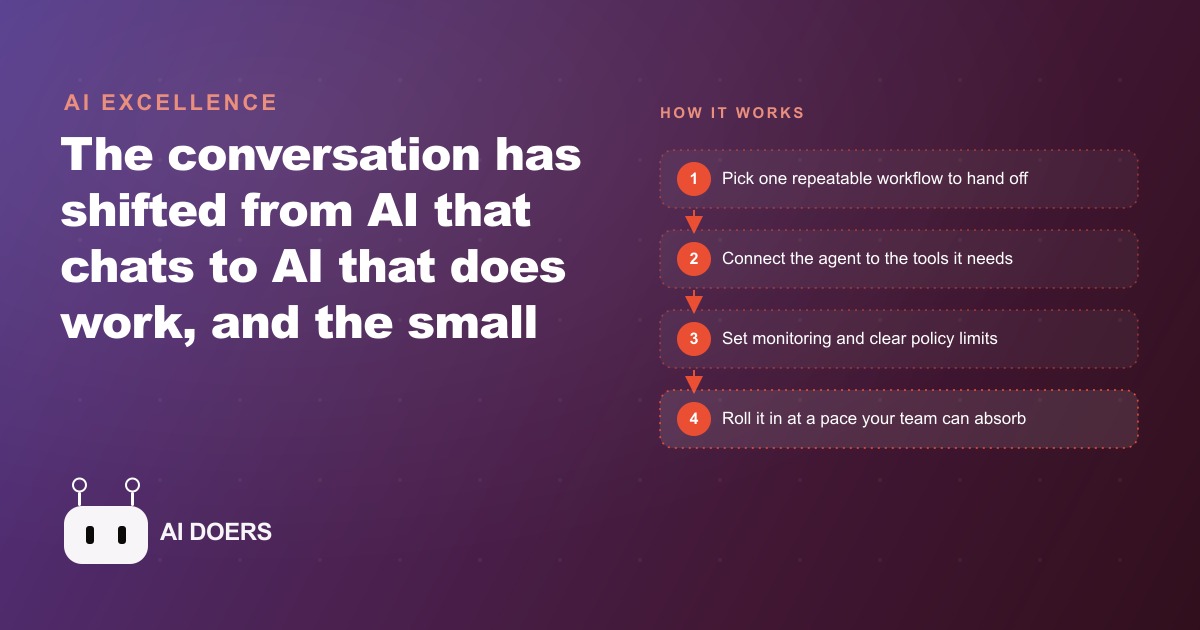
In 2026, the most capable AI deployments do not answer questions. They take an item off your list, figure out how to accomplish it, and complete it in the background while you do something else. That shift, from AI that chats to AI that does, is the real transformation underway, and the small businesses and freelancers that understand how to implement it one workflow at a time are quietly building an operational advantage over competitors who are still using AI as a smarter search bar.
The shift is not theoretical. Banks are openly planning for it. Governments have started publishing policy frameworks around autonomous AI systems operating in critical infrastructure. Research laboratories are publishing deployment schedules for agents with significantly expanded autonomy. These are not speculative conversations about the far future. They are planning documents about the immediate present. The technology exists. The deployment is happening now. The only question is whether you are deploying it on your operations or waiting for a competitor to deploy it on theirs first.
Move from asking AI for advice to asking it for completed outcomes
The first and most important mental shift is in how you frame the task. When you ask an AI tool "what should I post on Instagram this week?" you get a suggestion. You still have to decide, write, edit, and schedule the post yourself. The tool saved you five minutes of brainstorming and not much else.
When you give an AI agent "research our last ten posts, identify which formats generated the most engagement, write three new posts in the best-performing format, schedule them for Tuesday, Thursday, and Saturday at 9am, and reply to any comments within two hours of posting" you are describing an outcome. The agent does not just suggest. It produces the research, writes the posts, connects to the scheduling tool, sets the times, and monitors for comments. You check the result once, approve the drafts, and move on.
That is the gap between advice and outcomes. It sounds obvious written out, but most businesses are still structuring their AI interactions as advice requests because that is what the first generation of AI tools was designed to handle. Agents are designed for outcomes. The framing has to change first, before the technology can change anything.
The practical implication for how you set up your CRM and website stack is that the tools in your stack need to be connected to the agent for the agent to produce outcomes rather than suggestions. An agent that can research your audience but cannot write and schedule a post is still an advice tool. An agent that can write the post but cannot connect to your scheduling platform is still a draft tool. Outcomes require connections, and building those connections is where most of the implementation work actually lives.
Pick the one repeatable workflow that reliably steals your time
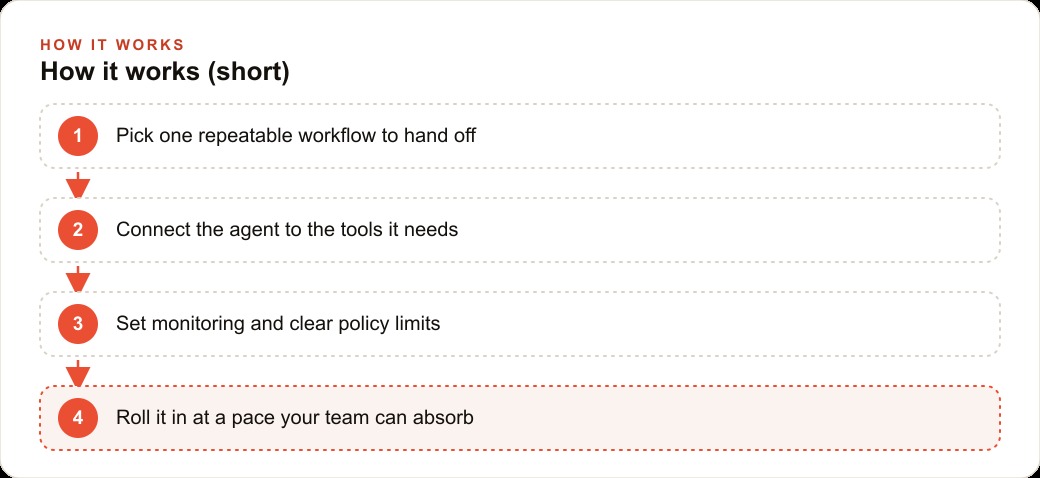
Every business has at least one workflow that happens the same way every week, takes longer than it should, and produces results that are predictable enough that a well-configured agent could produce them without human involvement. That workflow is your starting point.
Not every workflow. Not the most complex workflow. The most repeatable one.
For a service business, the most common candidate is client reporting. Every Monday morning, someone pulls data from several platforms, formats it into a standard report, writes a brief summary of what the numbers mean, and emails it to each client. This workflow has the same steps every week. The data sources are consistent. The format is standardized. The summary language follows a predictable pattern. It takes two to four hours every Monday morning that could be spent on work only a human can do.
For a retail operation, the candidate might be inventory reordering. At the end of each week, someone checks which SKUs are below a threshold, compares current pricing from two or three suppliers, generates a purchase order, and sends it for approval. Same steps, same sources, same decision logic, every week.
For a local service company managing incoming inquiries, the candidate might be the initial lead qualification and response workflow. Every inquiry that comes in needs to be categorized by service type, matched against availability, and responded to within a specific window. The response template varies by service type but is otherwise consistent.
The repeatable workflow is the right starting point for two reasons. First, repeatability means predictability, and predictability means you can define clear success criteria for the agent. You know what a good report looks like. You know what a correct purchase order looks like. You know what a well-qualified lead response looks like. If the agent's output does not match those criteria, you know immediately. Second, repeatability means the agent gets better over time because it is running the same workflow repeatedly with feedback, not encountering a new situation every time.
Connect the agent to the tools that workflow touches, nothing more
Once you have identified the target workflow, the next step is connecting the agent to exactly the tools that workflow requires and nothing else. Not every tool in your stack. Not the tools you might use in the future. The tools this specific workflow touches.
For the client reporting workflow, that might be your Google Ads account for campaign performance data, your analytics platform for traffic data, a Google Sheet for your report template, and an email client for delivery. Four connections. That is the scope.
The reason to limit scope deliberately is that every additional connection is an additional surface for errors, permission issues, and unexpected interactions. An agent with access to everything in your stack can cause damage in places you did not intend. An agent with access to exactly four tools for exactly one workflow can only affect those four tools. When something goes wrong, and something will go wrong during the initial setup, the blast radius is contained. You debug four connections instead of fourteen.
The technical implementation varies by platform. Some agents use MCP servers, which are structured integrations that give the agent access to specific tools with specific permission scopes. Others use pre-built integrations within workflow automation platforms. The right choice depends on your technical comfort level and the tools you are already using. The principle is the same regardless of implementation: connect less than you think you need, confirm it works, then expand.
One important connection to include from the start is a logging destination. You want a record of every action the agent takes, every decision it makes, and every output it produces. This is not for auditing in a compliance sense, although that matters too. It is for debugging and improvement. The log is how you see what the agent is actually doing when you are not watching, and it is the foundation for the policy limits you set in the next step.
Set the policy limits before you flip the switch
An agent with access to tools and no policy limits is not an agent. It is a loaded weapon pointed at your operations. The policy limits are not bureaucratic overhead. They are the thing that makes it safe to run the agent autonomously while you are doing something else.
Policy limits take several forms. Spending limits prevent the agent from making financial commitments above a threshold without human approval. For a purchasing agent, that might mean any order over $500 requires a confirmation message before submission. Action frequency limits prevent the agent from taking an action more than a set number of times per hour or per day, which catches runaway loops. Output review checkpoints require a human to approve specific outputs before they are delivered externally. A client-facing report might have an automatic checkpoint where you review the draft before it is emailed.
The right limits for your specific workflow come from thinking through the worst-case scenario for each action the agent can take. What is the worst outcome if the agent sends a wrong email? What is the worst outcome if it places a wrong order? What is the cost of each mistake, and what limit would prevent that mistake from happening without review?
This is also where the monitoring infrastructure matters. An agent running a workflow should be surfacing a summary of its actions to you on a regular cadence. Daily for workflows that run daily. Weekly for weekly workflows. Not a log dump you have to parse yourself. A readable summary: ran the report workflow, pulled data from three sources, generated five client reports, sent four successfully, one failed because the client email address bounced. That summary is what lets you spot problems early and fix them before they compound.
Serious institutions deploying agents in consequential contexts, banks processing transactions, healthcare systems managing records, logistics networks routing shipments, all build this monitoring and policy layer before they deploy the agent in production. The same principle scales down to a coffee shop managing inventory.
A coffee shop that runs its inventory, social, and loyalty loop on agents
The example I come back to when I want to illustrate what a well-configured agent deployment looks like in a real small business is a coffee shop.
The inventory workflow runs automatically on Sunday evening. The agent checks current stock levels against the week's sales data, compares supplier pricing across two or three vendors, generates a purchase order for everything below the reorder threshold, and sends it to the owner's phone for a one-tap approval before submitting. The owner spends three minutes on Sunday evening instead of forty-five.
The social content workflow runs on Friday afternoon. The agent reviews the week's specials, drafts three posts for the following week (one for Monday, one for Wednesday, one for Friday), generates captions in the voice the owner has trained it to use, and queues them for approval in a draft folder. The owner reviews and posts with two clicks. The Facebook and Instagram ad campaigns that the shop runs for seasonal specials are fed by this same content pipeline, with a separate agent variant that adapts the organic post copy into paid ad copy and submits it for review.
The loyalty workflow runs continuously. When a customer reaches a threshold in the loyalty program, the agent generates a personalized reward notification and sends it via the channel the customer has opted into. When a customer has not visited in twenty-one days, the agent flags them as at risk of churning and queues a win-back message for the owner to approve before sending.
None of these workflows require the owner to learn to code. Each one took a few hours to set up and configure correctly. Each one now runs without the owner's involvement except for the approval checkpoints. The compounded time savings over a year is substantial, and the owner has redirected that time toward things that genuinely require a human: hiring, training, supplier relationships, community presence.
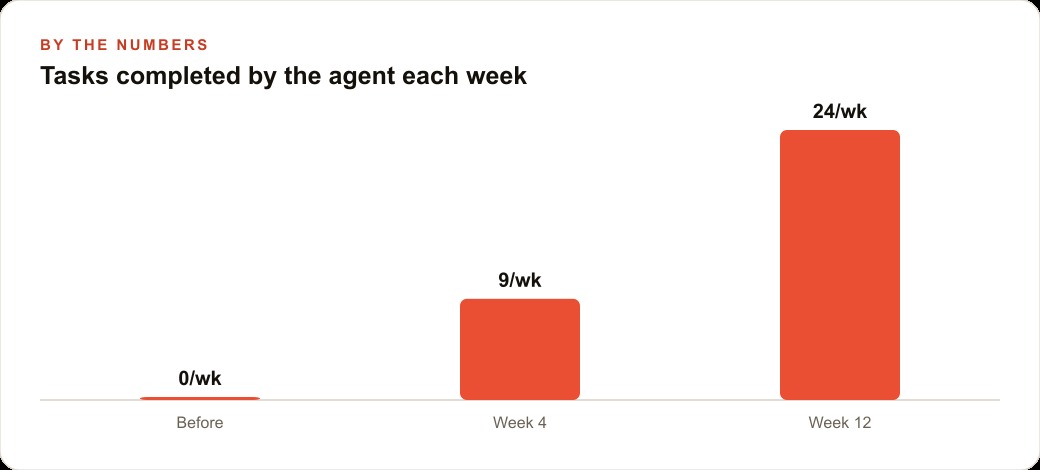
There is an important point about pace that I want to leave you with. The coffee shop example involves three separate agent workflows running simultaneously. That is not where you start. You start with one. You run it for four weeks, watch the logs, fix the edge cases, and verify that the output quality is consistently acceptable before you think about adding a second workflow. The businesses that get burned by early agent deployments are almost always the ones that tried to automate six things at once and could not diagnose problems when they appeared because too many systems were moving simultaneously.
One workflow done right is more valuable than five workflows done hastily. The agent does not care how long you take to build the second workflow. It will keep running the first one correctly every day until you are ready. Patience at the expansion stage is what separates the businesses that end up with reliable automation from the ones that end up with a collection of half-working agents they do not trust enough to let run unsupervised.
The models that power these agents are also getting better faster than most people expect. A workflow you configure today will be running on a more capable model in twelve months without you changing anything. The investment you make in wiring up the tools and defining the policies today pays compounding returns as the underlying capability improves. That is a different dynamic from every other technology investment small businesses make, where the value depreciates as the tool ages. Agent infrastructure appreciates as the models improve. That is the real long-term case for building this capacity now rather than waiting until it feels more settled.
This is what the era of the AI agent looks like in practice for small businesses. Not a single dramatic transformation. One repeatable workflow at a time, implemented at a pace you can absorb, with clear policies and clear monitoring from the start. The shift is real and it is underway. The businesses building this capacity now are not doing anything exotic. They are making a deliberate choice about where to spend their operational energy, and that choice will compound for years.
That is exactly what we do at AI DOERS. Book a private 30-minute call with Madhuranjan Kumar and we will map the fastest path to it for your specific business.
Book your call →
Madhuranjan Kumar
Madhuranjan Kumar brings 20 years of performance-marketing experience and has managed over $200 million in Facebook ad spend for brands across the United States and beyond. His expertise spans the full modern marketing stack: Meta, Google Ads, TikTok, email automation, CRM, and the websites that hold it together. At AI DOERS he turns that track record into lead-generation systems for businesses across every industry.