
The AI Super App Race: What Claude, Codex, and Cursor Just Shipped
Claude, Codex, and Cursor are all racing to become the one AI tool you never leave. Here is what each one shipped and how a business can actually use it.

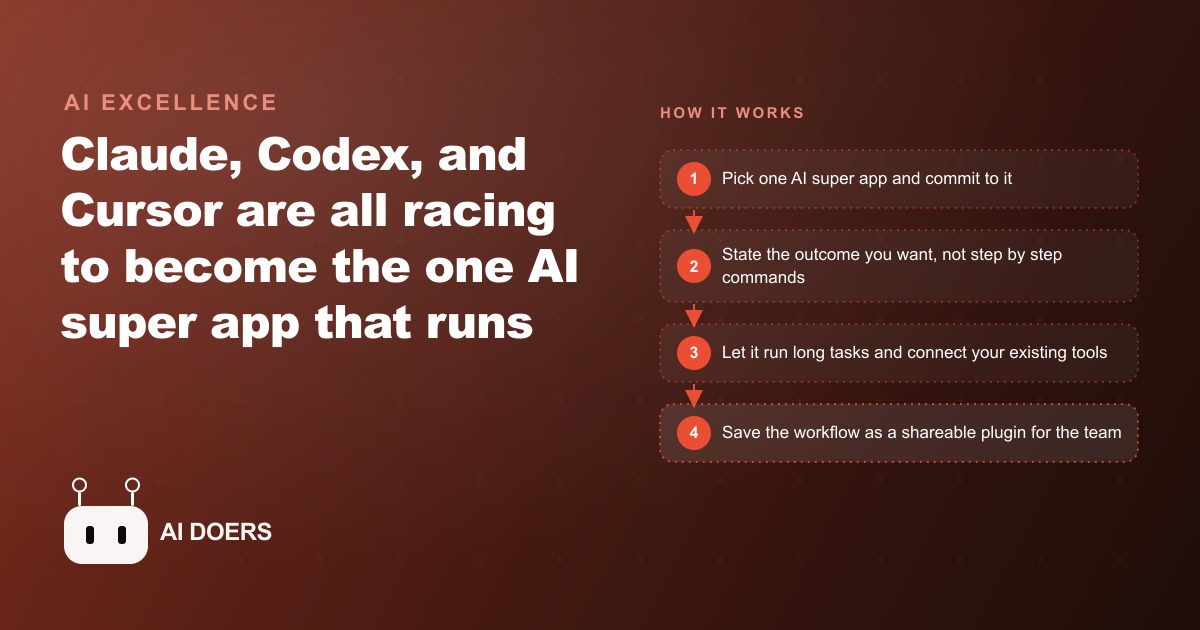
Claude, Codex, and Cursor all shipped significant updates in a short window, and when you read them together the shape of the competition is clear. This is not a race about which AI model produces the best answer to a single question. It is a race about which platform becomes the one tool your team never leaves during the workday. I am Madhuranjan Kumar, and in this post I want to give you a practical path to one outcome: picking one AI super app platform and standardizing on it so it is earning measurable value for your team within a week rather than being a collection of impressive demos that never quite change how the work gets done.
Stage 1: Understand what a super app actually is versus a smarter chatbot
A smarter chatbot answers questions better than a dumber chatbot. A super app replaces a significant portion of a workday's tool-switching by handling chat, document work, research, and task execution inside one interface that is also connected to the other tools you already use.
The distinction matters because it changes what you are evaluating when you compare platforms. If you want to know which AI gives the best answer to a factual question, run a benchmark. If you want to know which platform to run your team's work inside, you need to evaluate something different: Can it access your documents without you copying and pasting the content into every prompt? Can it take actions in your other tools? Can it run a complex multi-step task without needing you to hold its hand through every step? Can it keep doing that for four hours without losing context? Can it save and share the workflows you build so the whole team benefits from the one person who figured it out?
A chatbot answers. A super app acts. The features that mark the boundary between the two are: native file and tool access, the ability to run long autonomous tasks without constant prompting, and a mechanism for saving and sharing workflows across a team. Each of the three main contenders moved meaningfully toward this definition in their recent updates.
Claude added parallel agents mode in the terminal, where you can run several independent research or writing tasks simultaneously and switch between them while all are progressing. This is qualitatively different from working one task at a time because it matches how real multi-project work actually happens. You rarely take a single task from start to finish before anything else starts. The tool should be able to keep up with that reality.
Codex added slash-goal, which changes the fundamental interaction model. Instead of giving the agent a command, you give it an outcome. The agent then plans its own path to that outcome, retries when it encounters obstacles, and runs for as long as the task requires, including several hours or in reported cases more than a day. That is autonomous task completion, not interactive chat. Codex also added plugin sharing across teams, design mode annotations where you click any element and describe the change you want and the agent applies it, and App Shots, a screenshot tool that grabs any visible application and can act on it including typing directly into open documents.
Cursor trained a new model that is fast and cost-effective for front-end work, then added a marketplace, automations, and an in-app browser, building toward the same super-app definition from the integrated development environment direction.
Google has none of this concentrated in a single coherent product. Its AI work is spread across several overlapping platforms with no designated front door for professionals doing agentic work. That is a real disadvantage for any team that needs to standardize, because you cannot standardize on a fragmented offering.
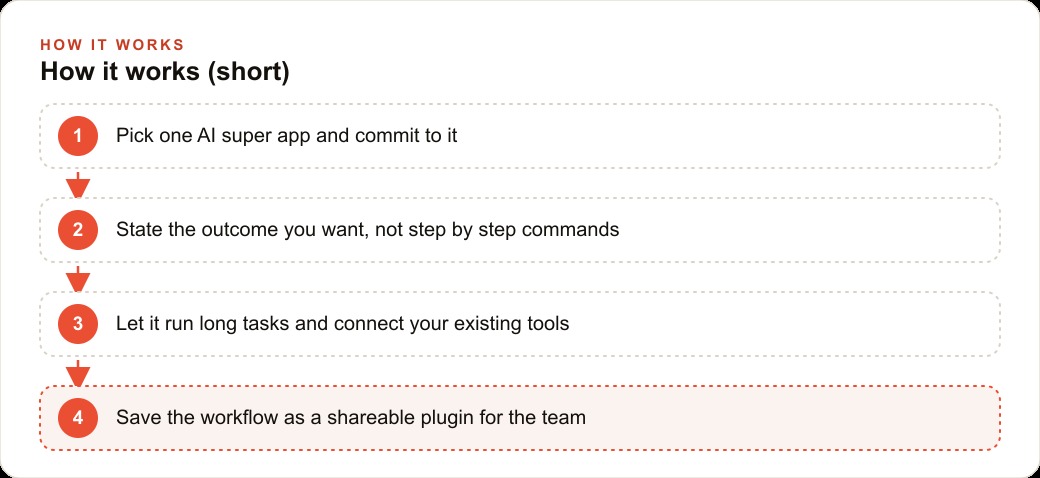
Stage 2: Evaluate the three real contenders against your actual workday
The right comparison is not a side-by-side quality benchmark. It is an evaluation of fit between each platform's current capabilities and the actual tasks your team does most frequently during a real workday.
Start by listing the ten tasks your team does most often that currently require switching between tools or that involve repetitive steps. These might include: drafting and editing documents, researching questions across multiple sources, summarizing long-form content, updating records in another system, preparing reports from data in files, scheduling and coordinating across calendar and email, or preparing client-facing materials that follow a consistent structure.
For each task, ask which of the three platforms has the strongest combination of relevant features. Claude's parallel agents approach is strongest for research and writing tasks that can be split and run concurrently. Codex's slash-goal model is strongest for complex multi-step tasks where the outcome is defined but the path requires planning and retry. Cursor's strength sits in technical and front-end work, particularly if your team produces code or interfaces as part of its regular output.
Also ask which platform connects most easily to the other tools your team already uses. A super app that cannot reach your file storage, your calendar, or your communication tools is only a super app for a subset of your work. The connections matter as much as the model quality.
The evaluation does not need to be exhaustive. Run one real task from your actual workday in each platform. Not a demo task or a simplified version. A real one that represents your most common type of work. The platform that produces the most useful result for that task, with the least friction and the best connection to your other tools, is the one worth standardizing on.
Stage 3: Pick one and commit to it before the next release cycle
This is where most teams stall. They run the evaluation, they see that each platform has strengths in different areas, and they conclude they should keep all three and use each one for the tasks it handles best. This reasoning sounds logical but produces poor outcomes.
A team spread across three platforms builds no shared infrastructure. Plugins built in Codex cannot be used by team members on Claude. Prompt templates refined over weeks in Claude are not available to the person using Cursor. The project context loaded in one platform has to be reloaded manually in another. Every piece of institutional knowledge about how to use the tool effectively is trapped inside one person's workflow rather than becoming a team asset that compounds.
The platform you choose matters less than the commitment to choose one and go deep. The capability gap between the leading platforms is small and changing quickly. The infrastructure gap between a team that has committed to one platform for six months and a team still experimenting across three platforms is large and growing. The committed team has shared plugins, a loaded project context, refined prompt templates, and trained habits. The experimenting team has six months of individual demos that never compounded into anything.
Pick the platform that fits your team's most common tasks and existing tool connections best. Set a review date six months out to assess whether to continue or switch based on evidence from actual use. Commit in the meantime.
Stage 4: State an outcome, not a command, and let it plan
The shift from chatbot to super app requires a corresponding shift in how you frame your instructions. A chatbot interaction looks like: "Write a summary of this document." A super app interaction looks like: "I need to present the key findings from this document to three different audiences: our leadership team, our external clients, and our industry press contact. Each needs a version tailored to their knowledge level and interests. Use the attached document and the brand voice guidelines in the project context, and produce one document for each audience."
The second instruction describes an outcome, not a step. The tool can then plan across the full scope: decide what each audience needs to know, adjust the tone, apply the brand voice, and produce three distinct deliverables. The result is almost always more useful than a step-by-step command sequence, because the tool can apply judgment about how to achieve the outcome rather than executing a narrow action and stopping for the next command.
This is the core idea behind slash-goal in Codex, but the approach works in Claude and Cursor too. The more precisely you describe the outcome you want, the resources available to achieve it, and the criteria for a successful result, the more of the task the tool can complete autonomously. Practice writing outcome descriptions rather than commands. The habit takes a few days to build and pays off consistently after that.
One practical guide: if your instruction would be followed by another instruction once the first step is done, you probably have a command, not an outcome. Rewrite it to describe where you want to be when the whole thing is finished, and let the tool figure out how to get there.
Stage 5: Connect your existing tools so the app has real context
A super app running without connections to your existing tools is like a skilled colleague who has never been shown where anything is kept. They can do good work once you brief them on each task, but every task starts from scratch rather than building on accumulated context.
The connections that matter most for most teams are file storage, so the tool can read and reference documents without you copying content into every prompt; calendar and email, so the tool has context about scheduling, deadlines, and recent communications; and whatever project or task management system your team uses to track work in progress.
Connect these before you expect the tool to perform well on complex multi-step tasks. A task like "prepare a briefing for tomorrow's client call" requires the tool to know what the client relationship involves, what was discussed in the last meeting, and what deliverables are due. That information lives in email threads, calendar events, and shared documents. If the tool cannot reach those sources, it can produce a plausible briefing template but not a useful one specific to that client at that moment. The difference between plausible and useful is the entire value proposition.
Start with two or three connections that touch the most tasks. Get them working and stable. Add more from there. Overconnecting too quickly makes it harder to diagnose when something goes wrong, because you cannot tell whether the problem is the prompt, the model, or one of six integrations behaving unexpectedly.
Stage 6: Build one shared plugin that every team member uses
After picking a platform, committing to it, and connecting the existing tools, the single highest-leverage action is building one shared plugin that encodes a workflow the whole team runs regularly. This could be the standard report format, the weekly briefing template, the client update structure, or the project kickoff checklist.
The plugin holds the context that makes the tool specifically useful for that workflow: the format the output must follow, the sources to draw from, the decision rules for ambiguous cases, the brand voice guidelines, the specific fields that must appear in every output. When every team member uses the same plugin for the same workflow, the output is consistent across the team, and the institutional knowledge about how to run that workflow well lives in the plugin rather than in one person's head or in an informal shared document that goes out of date.
Building the first shared plugin is also an exercise in making your process explicit. Many workflows that feel fluid and intuitive in practice turn out to have more structure than you realized when you try to encode them precisely enough for an AI to execute reliably. That process of articulation is valuable beyond the plugin itself. It often reveals steps that were inconsistent across team members, assumptions that were never written down, and decision points that everyone handles differently. Making those explicit improves the human process even before the tool runs it.
A team with five shared plugins representing its five most common workflows has meaningful infrastructure. A team with zero shared plugins has a subscription and a collection of individual habits that do not compound.
The accounting firm that turned month-end reconciliation into an afternoon of review
Let me close with a scenario that illustrates what the full setup looks like when it is working. An accounting firm standardized on one super app platform and connected it to their file storage system and client communication email. Their most time-consuming recurring task was month-end reconciliation across a set of clients: reading each client's transaction records, categorizing transactions, matching them against expected patterns, flagging anomalies, and preparing a draft summary for the licensed accountant to review and approve.
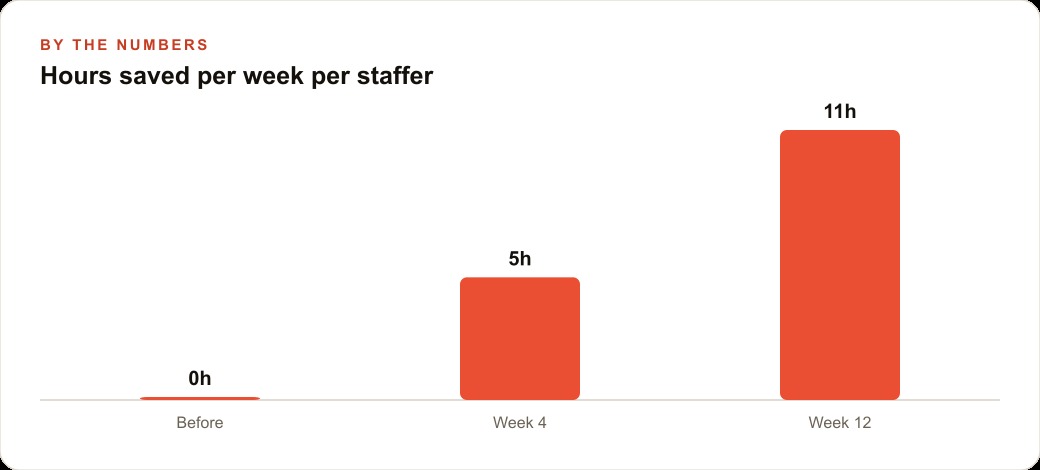
Before the super app, the junior staff handling the initial pass on each client's records spent two to three days per client per month on this work. Most of that time was mechanical: opening files, reading transactions, entering categorizations, flagging items that looked unusual. A small portion of that time was judgment: deciding whether an unusual transaction was actually anomalous or whether it reflected a known event in the client's business.
The firm built a slash-goal style workflow that accepted the client's transaction records as input and produced a reconciled draft with a summary and a flagged-items list ready for the accountant's review. The outcome description was specific: categorize all transactions using the firm's standard category set, flag any transaction that exceeds three standard deviations from the client's historical average for that category, flag any new vendor that has not appeared in the previous six months of records, and produce a one-page summary with total inflows, total outflows, net position, and the three largest expense categories.
The agent ran this workflow for each client in the time it previously took to do one client manually. The accountant then reviewed the draft, made judgment calls on the flagged items, and approved the final reconciliation. The task that used to take two to three days of staff time per client now took an afternoon of accountant review time per client, because the mechanical work had been transferred to the tool.
The accountants' time is now spent on the judgment work that requires a licensed professional: evaluating whether flagged transactions represent genuine anomalies, understanding the client's business context well enough to determine whether a pattern change is concerning or expected, and making the final determination of what goes into the client-facing report. That is the work that accountants trained for. The data handling that preceded it was not.
That reallocation, from mechanical processing to professional judgment, is where the real return on a super app investment lives. The tool cost is a subscription. The return is measured in the quality of work that licensed professionals can produce when they spend their time on the work only they can do.
That is exactly what we do at AI DOERS. Book a private 30-minute call with Madhuranjan Kumar and we will map the fastest path to it for your specific business.
Book your call →
Madhuranjan Kumar
Madhuranjan Kumar brings 20 years of performance-marketing experience and has managed over $200 million in Facebook ad spend for brands across the United States and beyond. His expertise spans the full modern marketing stack: Meta, Google Ads, TikTok, email automation, CRM, and the websites that hold it together. At AI DOERS he turns that track record into lead-generation systems for businesses across every industry.