
The 5 AI Shifts That Will Define Winners in 2026
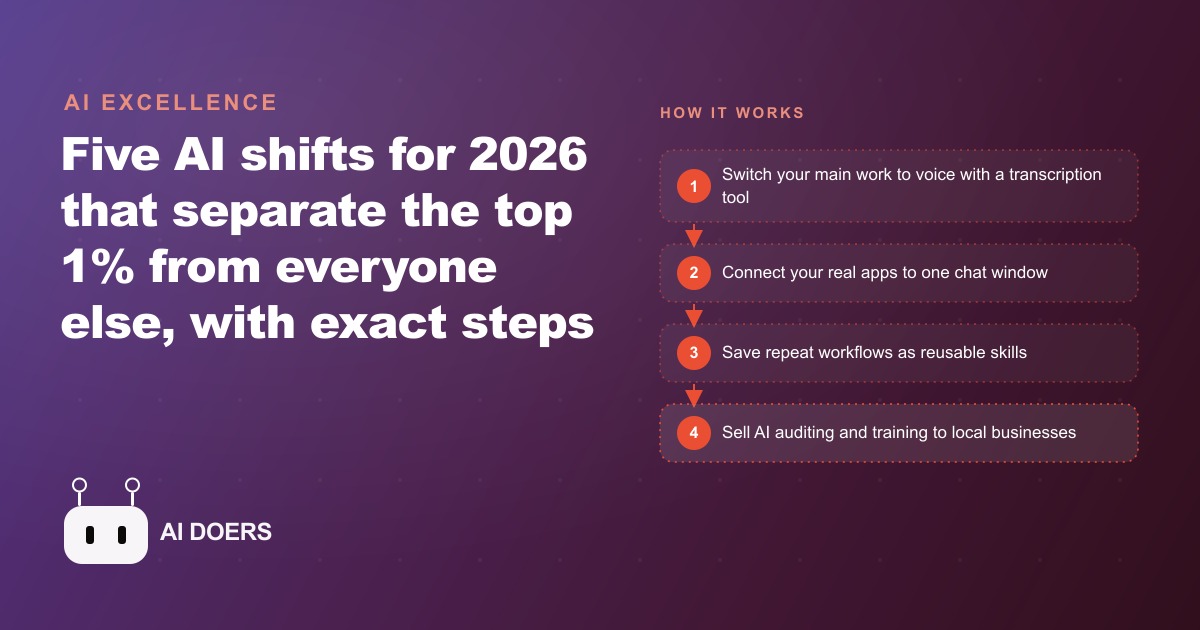
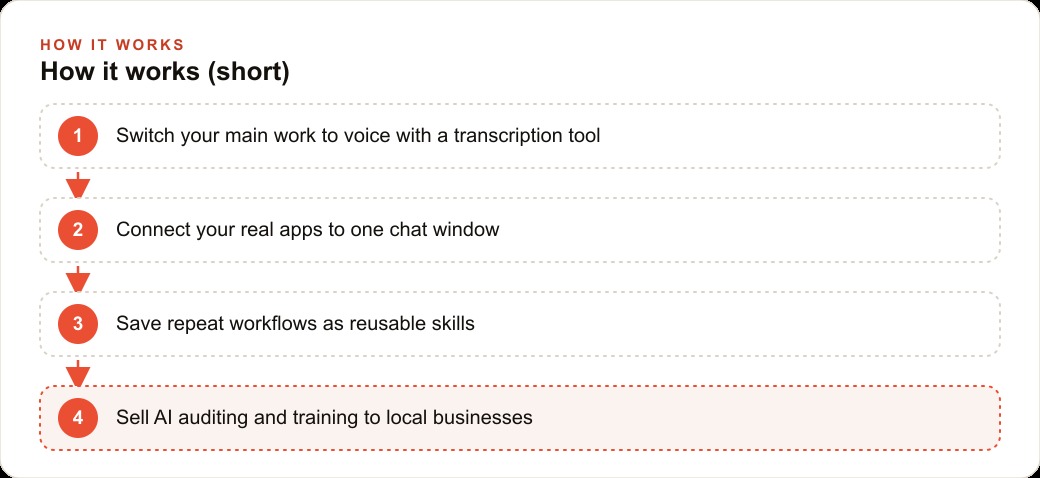
Voice replacing the keyboard, the chat window becoming your operating system, vibe coding turning into basic literacy, a non-technical AI services boom, and agentic commerce that shops and even makes calls on your behalf. Here is how I would act on each one.

Dictate instead of type, starting this morning
Stanford research puts average typing speed at around 53 words per minute. Speaking runs at 130 to 160 words per minute for most adults, often higher when you are in flow. I am Madhuranjan Kumar, and the simplest productivity upgrade available to any knowledge worker right now is to switch from fingers to voice for everything they write.
This is not about voice assistants that set reminders. It is about a transcription tool like Whisper Flow that watches the entire screen and converts whatever you speak into typed text, in any application, without switching windows. You speak your email, your proposal, your chat message, your document draft. The transcription appears in real time. You review and correct in seconds. The net effect on output is roughly three times the words produced per unit of time, with no reduction in quality and a meaningful increase in fluency because spoken language tends to follow thought more naturally than typed language does.
The setup takes 15 minutes. Install a transcription tool that works system-wide, test it in one application you use daily, and run one full morning of work by speaking rather than typing. Most people who try this for a single morning do not go back. The friction of typing, which felt invisible before, becomes obvious the moment it disappears.
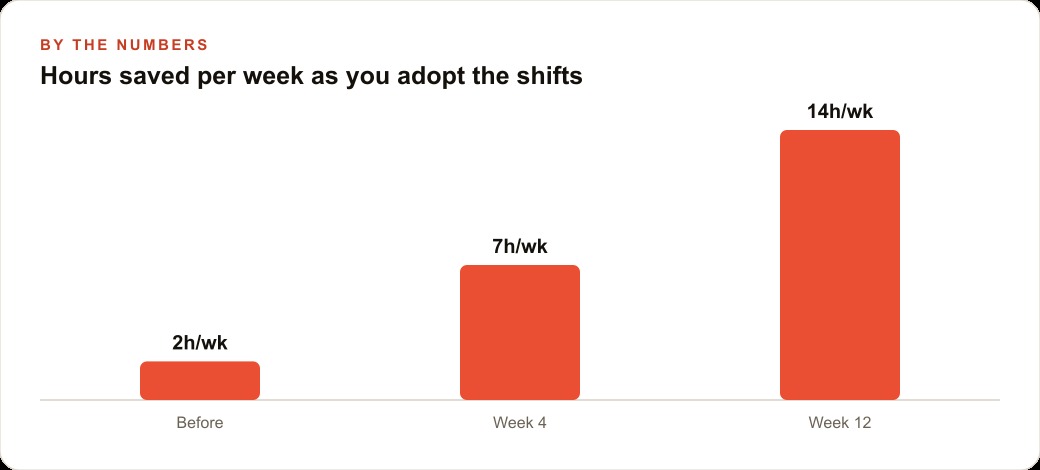
The concrete benefit for a business context: if you currently spend 90 minutes per day on written communication, switching to voice typically reduces that to 30 to 40 minutes while increasing the volume of output. The saved 50 to 60 minutes compounds across a full work week into nearly five hours. That is a full half-day of reclaimed capacity from one habit change with no cost beyond a free or low-cost transcription tool.
Pull your real apps into a single chat window
A Harvard Business Review study found the average knowledge worker switches applications roughly 1,200 times per day and needs approximately 23 minutes to fully refocus after each major context switch. The math on that is staggering. The switching overhead does not add up to 1,200 times 23 minutes, because most switches are brief, but even a conservative estimate suggests that app-switching is consuming two to three hours of productive capacity per day for most workers.
The response is consolidation, and the mechanism is Claude's Model Context Protocol, which lets a language model connect to and act inside applications like Google Drive, Calendar, Notion, and others. The result is that you stop switching apps and start asking questions in one place. Where is the brief we drafted last Tuesday? What is on my calendar for this afternoon that conflicts with the proposal I am writing? Pull the Q2 numbers from the shared sheet and summarize the trend.
Each of those tasks previously required opening a specific application, navigating to the right file or view, reading the information, and returning to whatever you were doing. With MCP connected, you ask the question in the same window where you are already working and the answer comes back directly.
Setting this up takes about two hours the first time: connecting two or three applications you use every day, testing a handful of queries, and building the habit of asking the chat rather than switching tabs. After a week the habit is natural. After a month the switching overhead has largely disappeared from the highest-frequency tasks.
Build your first reusable skill around the task you hate most
The fastest way to understand the leverage that skills create is to build one for a task you perform repeatedly and dislike. A skill is a saved set of step-by-step instructions you define once and trigger on demand. The model executes the same process identically every time.
The right candidate for your first skill is something that recurs at least weekly, takes more than 30 minutes each time, and follows a consistent enough structure that you could write it down as a recipe. Good first skills include: turning a recording of a discovery call into a formatted brief with client context, open questions, and suggested next steps. Researching a prospect company and producing a one-page profile before a sales call. Drafting a weekly summary from a team's activity logs. Condensing a long document into a set of action items with owners and deadlines.
Pick the one task from that category that you personally dislike most. The combination of recurring and disliked means the return on building the skill is highest for your morale, not just your efficiency. Build the skill by describing the process in clear steps, testing it against two or three real examples, refining the output format until it is immediately usable without editing, and saving it with a name you will remember.
A research skill for podcast or content preparation is a representative example. Before building it, two hours of searching, reading, and organizing might produce a decent background brief. After building it, the same task runs in 10 to 15 minutes and produces a more structured output because the skill knows exactly which fields to populate and which questions to answer. The upfront investment in building the skill is roughly 90 minutes. That investment pays back in the first week and keeps paying every subsequent time the task comes up.
Describe an internal tool and let vibe coding build it
The barrier to building custom software no longer requires programming knowledge. Platforms like Bolt, Lovable, and Google AI Studio let you describe an application in plain language and produce working code from that description, typically in under 30 minutes for a straightforward internal tool.
The scope of what is buildable without coding is now enough to solve a long list of practical business problems. A custom dashboard that pulls data from three internal sources and presents it in one view. An intake form that routes submissions to the right team member based on the category selected. A report generator that takes a list of inputs and formats them into a consistent document. A tracker that logs time or materials against a project and calculates totals. Each of these is a real tool, not a demo, and each can be built in an afternoon.
The mental model shift required is from thinking about tools as things you either buy or hire someone to build, to thinking about them as things you describe and then refine. The first version will be rough. The second and third versions, improved through further description and feedback, will be genuinely useful. The key discipline is scoping narrowly: one input type, one output format, one decision the tool makes. A tool that does one thing well is a tool that actually gets used.
The vibe coding skill also extends into existing applications. Airtable, Google Sheets, and Excel are all adding conversational interfaces that let you build dashboards, formulas, and data structures through plain-language requests. This means the same describe-and-refine approach that builds standalone tools also accelerates work inside the tools you are already using.
Turn what you learned in steps one through four into your first AI services client
The largest opportunity created by the previous four shifts is not the productivity gain for yourself. It is the ability to deliver those gains to businesses that will pay for them. Most organizations know they need AI help but have no one inside who can translate the tools into specific workflow improvements. That gap is a services market.
The target client is a small or medium business doing $500,000 to $10 million per year in revenue. These businesses are large enough to have real inefficiencies worth automating, too small to have a dedicated AI team, and have owners or managers who are too busy running the operation to spend time evaluating tools. The entry product is an AI workflow audit: you map their most time-consuming repeatable tasks, match each one to a specific tool or technique, and deliver a prioritized implementation plan. The fee for this audit is modest, and the follow-on work, implementing what the audit recommended, is where the ongoing relationship develops.
The concrete path for a first client engagement runs as follows. Identify one business in your existing network where you already understand the daily operations reasonably well. Offer a four-hour audit session focused on documenting their most repetitive digital tasks. Deliver a written plan that names three to five specific tasks, the tools that could handle each, and an illustrative estimate of the time each automation would recover per week. Price the implementation work as a project with a defined scope, then propose a monthly check-in retainer to keep the automations current as the tools evolve.
A business that spends 20 hours per week on tasks your implementation recovers to five hours has just reclaimed 15 hours of staff time. At a loaded labor cost of even $30 per hour, that is $450 per week in recovered capacity, or roughly $1,800 per month. Your implementation fee and retainer should be positioned as a fraction of that recovered value, which makes the conversation about price significantly easier than a typical consulting sale.
The services opportunity matters right now because the early window is still open. Most small businesses have not yet had a conversation with someone who can specifically describe which tools apply to their specific workflow. The first consultant who walks in with concrete examples, a clear audit process, and a believable estimate of the time savings will have a strong advantage over the generic AI pitches that business owners are beginning to hear from everyone else.
Each of the five shifts compounds the one before it. Voice removes the typing bottleneck. Consolidation removes the switching overhead. Skills remove the repetition cost. Vibe coding removes the developer dependency. The services opportunity monetizes the fluency built in the previous four. Together they describe a meaningfully different way of operating a business in 2026, and the cost of adoption is almost entirely time rather than money.
Step 6: Track which AI interactions saved you the most time each week
The productivity gains from AI tools are not uniformly distributed across the tasks you apply them to. Some tasks benefit dramatically from AI assistance; others benefit minimally because the AI's output requires as much review and revision as producing the output yourself would have required. Without tracking, the interactions that produce the most value are indistinguishable from the ones that produce the least.
A weekly review of 10 to 15 minutes, evaluating the AI interactions from the past week against a simple question, does the output quality justify the time I saved, produces a clearer picture of which use cases are worth continuing and which are not. The use cases that consistently produce high-quality output with minimal revision are the ones to prioritize and build automation around. The use cases that consistently require heavy revision are the ones to either abandon or invest in improving the prompt design for.
This tracking discipline is also the source material for the service you will eventually sell to other solo operators. The specific workflows that work reliably for you are the workflows that other solo operators with similar business models need. Your documented experience of testing and iterating on AI integrations is more valuable as a service offering than any individual tool you have mastered.
What changes in the second year of using AI tools seriously
The first year of integrating AI tools into a solo business produces the obvious gains: faster content drafts, quicker research, reduced time on repetitive administrative tasks. These gains are real and measurable. The second year produces something different: a shift in how you scope projects.
A solo operator with one year of real AI integration experience begins scoping projects that previously would have required a team. Not because the AI does the team's work for them, but because the combination of AI assistance for specific tasks and the operator's own refined judgment about which tasks need human attention versus which tasks AI handles reliably changes the capacity calculation. A content project that previously required a writer, an editor, and a researcher can be scoped as a solo project where the operator provides direction and judgment and AI handles the execution of specific defined tasks.
This capacity shift is where the second-year return on the AI investment arrives. The first year pays back in time saved. The second year pays back in revenue capacity, the ability to take on projects that the solo operator could not have delivered alone before the AI integration was established.
That is exactly what we do at AI DOERS. Book a private 30-minute call with Madhuranjan Kumar and we will map the fastest path to it for your specific business.
Book your call →
Madhuranjan Kumar
Madhuranjan Kumar brings 20 years of performance-marketing experience and has managed over $200 million in Facebook ad spend for brands across the United States and beyond. His expertise spans the full modern marketing stack: Meta, Google Ads, TikTok, email automation, CRM, and the websites that hold it together. At AI DOERS he turns that track record into lead-generation systems for businesses across every industry.