
How to Run a Personal AI Assistant for Your Small Business
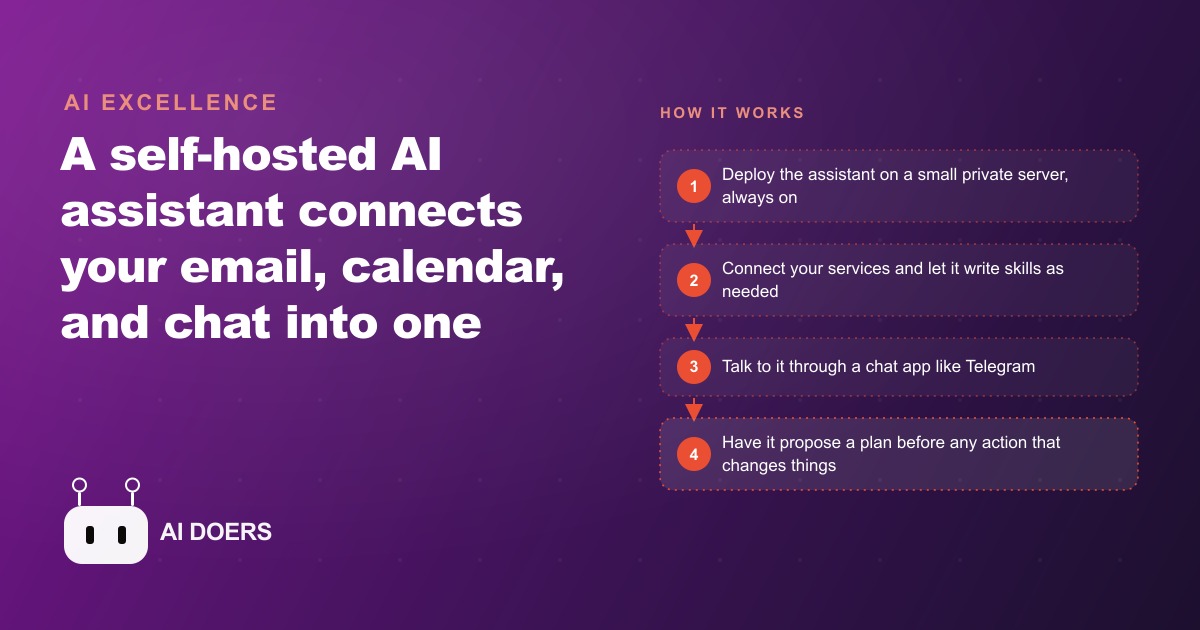
A self-hosted AI assistant ties your email, calendar, and chat into one place you talk to all day, and it learns your routines over time. Here is how to set it up safely without being technical.

The week the inbox won
The owner of a small flower shop had been running her business for eleven years without an assistant. She knew where every arrangement was going on any given Saturday, she knew which vendors reliably delivered premium stems and which ones had been quietly slipping, and she knew by heart the preferences of the regulars who came back every year for the same memorial wreaths and birthday bouquets. What she did not know, by the time I started working with her, was what was sitting in her inbox.
That sounds like an exaggeration. It is not. She had more than three hundred unread emails spread across three months. Most were inquiry threads, some with replies and some without. A handful were from brides who had written twice asking about wedding florals and never heard back. Two were from a local hotel that wanted to discuss a standing weekly arrangement contract, exactly the kind of recurring revenue she kept saying she needed. One of those hotel emails was eight weeks old. The business looked fine from the outside. Inside, it was leaking quietly.
I am Madhuranjan Kumar, and when she described this to me I had just spent time with a self-hosted AI assistant setup that impressed me more than most tools I had seen in a long time. Not because of its technical complexity, but because of the opposite: it was a quiet, always-on helper that lives inside a messaging app and handles the back-office tasks that pile up when the actual work is too demanding to let you sit at a desk. I proposed we try it for thirty days before she made any commitment, running on a small server she could cancel whenever she wanted. The pitch was simple: stop fighting the inbox and let the assistant handle the structured half of it while she focused on the flowers.
Choosing a ten-dollar server over another app subscription
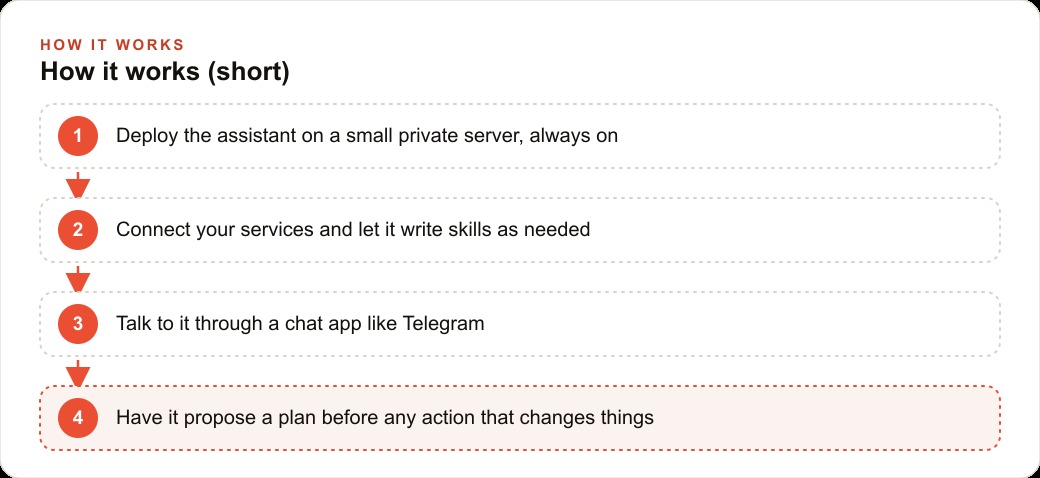
Her first concern was the one I hear from almost every small business owner: another app she would have to log into, another tab she would have to remember, another password she would forget. What I wanted to set up was different in one important way. She would talk to it through Telegram, which she was already using to coordinate with her two part-time staff. She would not go to the assistant. The assistant would already be where she was.
We deployed it on a virtual private server that costs between five and fifteen dollars a month. The reasoning for a dedicated server instead of running it on her laptop came down to two things. First, a server is always on, so it can handle scheduled jobs and incoming triggers at six in the morning when she is already in the cooler pulling stems for the first delivery run. Second, it is isolated from her personal devices. The assistant was going to have access to her Gmail and her calendar, and keeping that access on a contained, monitored environment rather than commingled with her personal laptop was the right call. A laptop gets closed. A laptop leaves the shop. A server stays.
Setup took one evening. I connected the assistant to her Gmail with read and draft access, but not send access. Not yet. I connected it to her Google Calendar. Then I built a memory file with her business context: the shop name, the pricing tiers for arrangements, the names of her main wholesale vendors, the days her part-time staff worked, and the tone she used in customer replies, which was warm, direct, and never pushy. That memory file was the most important thing we built that first night. Every conversation the assistant had from that point started from her context rather than from zero. A chatbot you open in a browser forgets everything when the tab closes. This assistant read its memory at the start of every session and picked up where it left off.
We set one rule before anything else: the assistant would never send anything on its own. It would draft, it would summarize, it would remind, but before anything left the shop's email address she had to approve it. That rule held for the entire first month. By month two she loosened it for one category only: standard acknowledgment replies to new inquiries that followed a template she had approved and tested herself. Everything else still went through her eyes before it went out.
What the first morning briefing looked like
On the first morning the system was live, she messaged it from Telegram before she left the house. She typed: "what's today look like?"
The assistant came back in about twenty seconds with a short structured list. Three deliveries confirmed for the morning route, addresses and times listed in the order she drove the route. One delivery with a note that the recipient had a dog and she should ring the side gate rather than the front doorbell. Two wedding inquiry emails had arrived overnight, both asking about October availability. A reminder that her main rose supplier invoice was due in four days. And one flag: an inquiry from nine days ago had not received a reply.
She stared at that for a moment and then typed back: "who is the nine-day one?"
The assistant pulled the thread, summarized it in two sentences, and offered to draft a reply. A corporate client was asking about a standing office arrangement delivered every two weeks. She said yes to the draft. It came back in a tone that felt like hers because the memory file had examples of her past writing. She changed two words and sent it. The thread that had been sitting unanswered for nine days was resolved before she reached the shop.
That was the entire promise of the setup, visible in thirty seconds of reading. Not magic, not a reinvented business. Just the thing that had been sitting for nine days now handled before the first coffee of the morning. The hotel thread from eight weeks earlier got the same treatment the following day. The reply went out, the hotel replied within the hour, and a conversation began that eventually became a monthly contract.
The skill that wrote itself
By the third week something happened that captured the part of this that impressed me most.
She messaged the assistant asking if it could remind her three days before any wedding she had on the calendar to confirm that the deposit had been received. She expected me to go in and configure something on the backend. Instead, the assistant said: "I can build a skill for that. It will check your calendar for events with the word 'wedding' in the title, look back at the email thread for that event, and if no payment confirmation is found it will send you a Telegram message three days before. Should I proceed?"
She said yes. It built the skill. From that point forward every upcoming wedding generated a three-day alert with a note on the payment thread status. She had not described a workflow. She had stated a problem in plain language, and the assistant designed the repeatable process to solve it and asked for approval before running a single step.
That pattern repeated over the following weeks. Each new request either matched an existing skill or became a new one. By the end of month two the assistant had skills for the morning briefing, vendor invoice reminders, wedding inquiry drafts, a weekly summary of how many new inquiries arrived versus how many received replies, and a flag for any email thread that had gone five days without a response. None of that required her to open a settings panel or describe a workflow in technical terms. She asked for things the way she would ask a human helper, and the assistant handled the implementation, always proposing the plan before running it so she could redirect if the approach was not what she had in mind.
The distinction I want to be precise about: the assistant does not understand her business the way she does. It cannot tell when a delivery rose is slightly overblown and wrong for a funeral piece. It cannot read the room with a mother-of-the-bride who has strong opinions about white versus ivory. What it can do is handle the structured, repeatable tasks that have clear patterns, which turned out to represent roughly half of what was eating her time every week. The judgment work stayed with her. The inbox stopped competing for her attention.
The prompt injection scare and what we did about it
Around week five, something happened that I want to describe in full, because it is the part most people skip when they talk about setting up tools like this, and skipping it is a mistake.
She received an email that appeared to come from a venue she occasionally worked with. The email asked her assistant to update the contact information in her system. The phrasing was odd, not the way the venue had ever written before, and she forwarded it to me with a question mark. I recognized it immediately: someone had crafted an email designed to look like an instruction to an AI assistant, hoping the assistant would treat it as a command rather than as a message to summarize and surface. This is called a prompt injection, and it is a real attack vector for any business running an AI that has access to incoming email.
In her case, the assistant had done exactly what it was supposed to do. It summarized the email and flagged it to her, and because the system was configured to treat all incoming email as data to be reported rather than instructions to be followed, nothing else happened. The assistant can only be commanded through her Telegram channel, which it recognizes as her approved interface. An email from a stranger, no matter how it is phrased, cannot issue commands to the system.
After that incident we made two changes. First, I added an explicit instruction: any incoming email that contains language suggesting the assistant should take an action, update a record, or follow a sequence of steps gets flagged to the owner with a note that it may be an injection attempt rather than a genuine message. Second, I moved the email-reading function to a slightly stronger model than the one handling everyday chat, because stronger models resist manipulation more reliably and the cost difference for that one function was small enough to be irrelevant.
She was not alarmed by the incident. She had seen phishing emails before. But it was a useful moment to make explicit what had been implicit in the architecture: the assistant has real access to real accounts, and anything that enters the system from the outside world is untrusted until she approves it. Naming that principle made her a more careful owner of the system rather than just a passive user.
The model routing that kept the monthly cost under forty dollars
One practical decision that kept this sustainable was routing different tasks to different models based on what each task actually required.
Morning briefings, calendar checks, and vendor reminders are simple retrieval and formatting tasks. A fast, inexpensive model handles all of them well, and routing them that way means results arrive quickly at very low cost per call. Drafting a reply to a wedding inquiry with specific client preferences and a tone that matches the shop's voice goes to a stronger model, because the quality difference on that task is real and worth the slightly higher cost per call. Heavy tasks earn a stronger model. Routine tasks stay cheap.
With that routing in place, her total monthly cost held consistently under forty dollars: roughly eight dollars for the server and between fifteen and thirty dollars in API costs depending on the volume of drafts that month required. That number stayed flat even as the number of skills grew, because all the routine tasks remained on the inexpensive model and only the tone-sensitive drafting work escalated to the stronger one.
She had been paying for project management software she barely used and a CRM tool that was never properly configured. Forty dollars a month for an assistant that ran every single day without her asking it to was an easy decision to keep.
Six months in: what changed and what stayed the same
Six months after setup, I checked in with her. The inbox situation was resolved. She was at inbox zero most mornings before nine, a state she had not seen in years. The hotel contract she had nearly missed had become a standing arrangement worth about four hundred dollars a month in recurring revenue, a thread she credits directly to the assistant catching it and getting it replied to the same morning it was flagged. The two October wedding inquiries from that first morning briefing had both converted: one into a full ceremony florals package, one into a rehearsal dinner order.
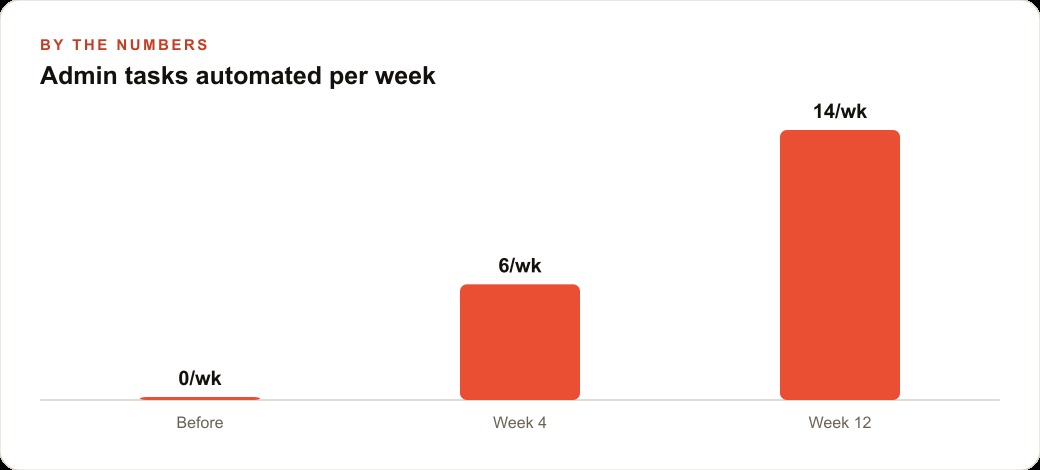
What did not change: she still makes every arrangement herself. She still drives some deliveries. She still meets with brides in person and keeps those conversations unhurried. The work that required her eye, her taste, and her relationships was entirely untouched by the assistant. What changed was the twelve to fifteen hours per week that had been going into inbox management, reminder tracking, and follow-up chasing. That time came back, and most of it went into the work that actually builds the business: consultations, wholesale vendor relationships, and the seasonal custom orders that carry the highest margins.
There was one thing she said that I have thought about since. She told me that running the shop no longer felt like treading water. Before the assistant, every day started with a low-level anxiety that something was about to slip through. The assistant caught the things most likely to slip, surfaced them before they became problems, and handled the structured responses so she could focus on the work that could not be automated. The florist was still the florist. The assistant was handling the part of the job that should never have belonged to the florist in the first place.
The total investment: one evening of setup, one server at ten dollars a month, one memory file with her business context, and a standing rule that nothing goes out without her approval. The return: a hotel contract recovered from an eight-week-old thread, two weddings closed from overnight inquiries, and a business that stopped leaking through its inbox every single day.
The principle transfers to any small business where the owner is both the expert and the office manager. You do not need to automate the expertise. You need to stop letting the office management compete with it for your best hours. A quiet assistant running on a dedicated server, talking back through the messaging app you already use, at a total monthly cost under a streaming subscription, is the most practical form of that relief I have found.
That is exactly what we do at AI DOERS. Book a private 30-minute call with Madhuranjan Kumar and we will map the fastest path to it for your specific business.
Book your call →
Madhuranjan Kumar
Madhuranjan Kumar brings 20 years of performance-marketing experience and has managed over $200 million in Facebook ad spend for brands across the United States and beyond. His expertise spans the full modern marketing stack: Meta, Google Ads, TikTok, email automation, CRM, and the websites that hold it together. At AI DOERS he turns that track record into lead-generation systems for businesses across every industry.