
How to Run AI Privately on Your Own Computer for Free
Open-source AI models are free, and tools like Docker Model Runner let you run them entirely on your own machine, offline, so sensitive data never leaves the building.

The day a client asked where their session notes were being stored
The email arrived three days after the gallery was delivered. "I just wanted to check," the client wrote, "when you type up notes about me before our shoot, where does that information go? Does it stay with you, or does it go somewhere online?"
I am Madhuranjan Kumar, and I want to walk you through what happened after that message, because the question it contained is one every service business using AI tools should be ready to answer. The answer the studio owner eventually gave became one of the more quietly effective competitive advantages I have seen built without deliberate marketing intention.
The studio is a small portrait and commercial photography operation run by one person, with occasional second-shooter help for larger events. The owner had been using a cloud-based AI writing assistant for several months to draft pre-session briefs, compose the polished version of enquiry replies, and convert rough post-shoot notes into clean client summary documents. The briefs and summaries contained details that carry real weight in a professional creative context: the client's stated preferences, the mood they had described, personal context they had shared about the occasion being photographed, and notes about what had worked technically and what to try differently the next time.
When she looked carefully into where that text went when she submitted it to the cloud service, the answer was not comfortable. The words she typed were processed on a company's servers, potentially used to improve the model, and governed by the service provider's privacy terms rather than her own. For notes that included identifiable client details about personal occasions, that was not a position she felt good about holding.
The client's question was the starting point of a change that ultimately cost her nothing and produced a reputation benefit she had not planned for.
Installing Docker Desktop and turning on the model runner
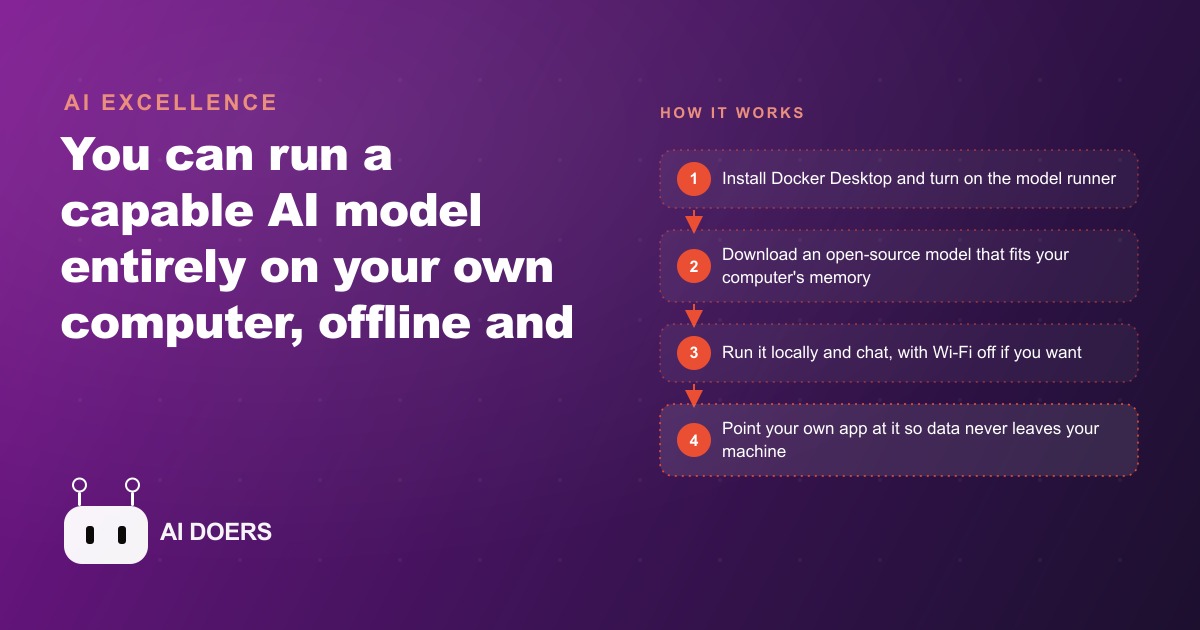
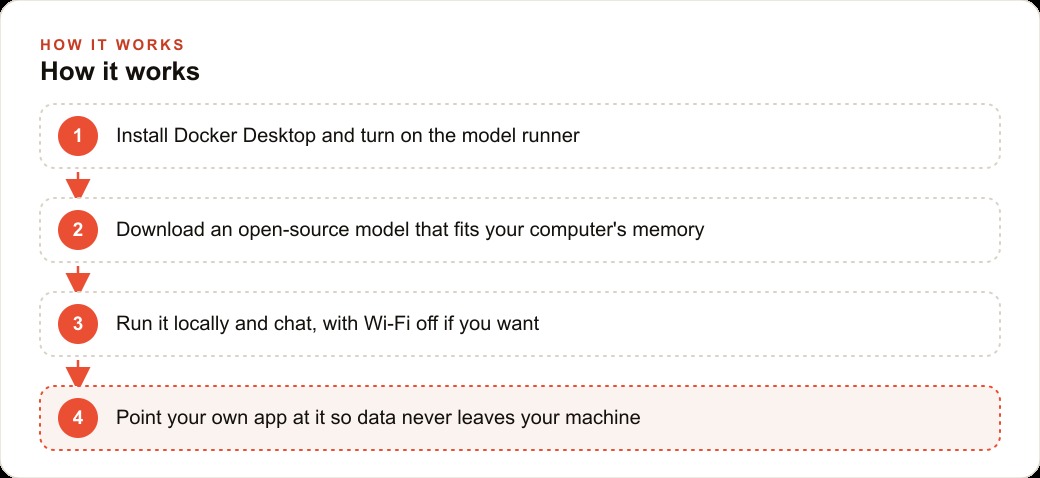
The path she found was Docker Desktop and its model runner. Docker Desktop is a free download for Mac and Windows. The model runner is a feature within it that, once enabled, lets you download open-source AI language models directly to your own machine and run them there, so your text is processed locally rather than sent to an external server.
She downloaded Docker Desktop, installed it, and found the model runner toggle in the settings. It is disabled by default. One click turns it on. Once on, a model library becomes accessible inside the application: a list of available open-source language models with notes on what each is designed for and how much memory it requires. The models are free to download and free to run indefinitely.
She spent about ten minutes reading through the available options. The model names were unfamiliar at first, but the structure was clear enough. Each entry showed a memory requirement, a capability description, and a download button. She selected one described as efficient and capable for general text tasks on machines with moderate available memory, and clicked to download it. The download took a few minutes.
When it finished, she opened the built-in chat interface and typed a question. An answer came back promptly. The entire setup from her first download to her first response took under thirty minutes, with no account creation, no payment form, and no subscription confirmation anywhere in the process. The software was free. The model was free. The privacy guarantee was structural: the model ran on her machine, so the text she submitted to it never left her machine.
Picking the right model size for the studio's editing machine
The editing workstation she used was a Mac with sixteen gigabytes of RAM and a dedicated GPU that the photo editing software used heavily. The same hardware turned out to be well-suited for running a local language model alongside that workflow.
The model runner has a setting for how much of the machine's memory it is allowed to use. The default allocation is conservative, which meant the first time she tried loading a slightly larger model, it returned an error that looked more alarming than it was. The error was a memory allocation issue, not a hardware limitation. She raised the memory limit in the resources settings and tried again. The model loaded cleanly.
The takeaway she drew from that moment is one worth passing on: the error almost always means the app needs more of the memory the machine already has, not that the machine is incapable. Adjusting that setting before concluding the hardware is insufficient saves a lot of unnecessary frustration.
She settled on a model at the smaller end of what the workstation could handle comfortably. The reasoning was practical: test a smaller model's quality against real tasks before committing to a larger download. In practice, the smaller model handled every text task the studio needed. Client briefs, enquiry replies, post-session summaries. The output quality was high enough that she has never felt the need to move to a larger model for the work she actually does.
The Mac's GPU also contributed. On Apple hardware, these models use the GPU for inference rather than the slower CPU path, which means responses arrive faster than expected even on configurations that would be considered modest in other computing contexts.
The first offline test: Wi-Fi off, question asked, answer received
Before she described her workflow to any client in terms she would have to stand behind, she wanted to confirm the offline claim herself. The setup had told her the model ran entirely on her machine and needed no internet connection. She wanted to see that with her own eyes.
The test was simple. With the model loaded and Docker running, she turned off the Wi-Fi on the workstation. She opened a new chat window and typed a question about lighting setup for an outdoor portrait session.
The response came back in a few seconds. No error, no loading delay, no indication that anything had changed from a fully connected session. The model had no awareness of the network state because the network played no role in how it worked. The request traveled from her keyboard to the model running on her own hardware and back to her screen without touching anything outside that one machine.
She ran the same type of test several more times, including asking the model to help draft a reply to a fictional client enquiry with specific details she typed into the prompt. Each response was accurate and came back quickly. She turned the Wi-Fi back on and ran a few additional checks to confirm the responses were identical whether connected or not. They were.
This test mattered because it was the foundation of a promise. If a model can answer accurately with the internet off, then by definition no text sent to it is leaving the machine. It cannot be, because there is nowhere for it to travel. She had the answer she needed before she picked up her phone to reply to the client who had asked.
Daily use in the studio: what the model handles and what it does not
Within a week of the offline test, the local model had replaced the cloud subscription for three specific recurring tasks: drafting the pre-session brief for each new booking, composing the initial polished reply to client enquiries, and turning rough post-session notes into clean structured summary documents for client files.
The pre-session brief became the highest-value application immediately. Before each shoot, she would type a paragraph summary of everything she knew about the client: the occasion, the mood they had described in their emails, specific requests they had mentioned, the location, and anything she wanted to remember to attempt or avoid. The model returned a tightly organized brief she could review on her phone during the drive to the location. It surfaced details she might have half-remembered, laid them out clearly, and gave the first minutes of each session a more intentional quality.
The enquiry reply drafts were useful in a different way. When a new enquiry arrived, she would paste the client's email alongside a few notes about the session type into the local model and ask for a polished reply covering the key information. The draft matched her communication style closely enough that the editing required was minimal. The client's name, their occasion details, and any personal context they had shared all stayed on her machine throughout.
What the model did not handle was anything requiring visual judgment. It could not select images, evaluate a gallery, advise on color grading, or assess the quality of a shot. It worked with text only, which made it a precise complement to the photography work rather than a replacement for any creative decision. She never tried to stretch it past text tasks. That discipline kept it genuinely useful rather than frustrating.
The privacy promise that became a competitive talking point
Her reply to the client who had asked about session notes was honest and direct. She explained that she ran her AI assistant on her own computer, that the session details clients shared stayed on her machine, and that nothing was submitted to an external company's servers.
The client wrote back that it was reassuring in a way she had not expected to feel about a photography booking.
Over the following two months, two more clients raised similar questions without any prompting. She gave the same explanation each time. One of those clients mentioned it in a Google review, noting that the studio was thoughtful about client privacy in a way most photographers were not. Another referred a friend, specifically telling that friend the studio takes data privacy seriously.
None of this was a campaign. It was honest communication about a real workflow change, repeated when clients asked about it. The competitive signal was organic and specific. In a service business where clients share personal context about meaningful occasions as part of working with a creative professional, the reassurance that those details stay within the professional relationship has value. It differentiates a business from one that uses the same AI tools without being able to make the same guarantee.
She has since added a plain-language description to her client welcome document explaining how her AI tools work and what that means for client information. Not a legal disclaimer: a readable explanation written for someone with no technical background. New clients who read it consistently comment that it stands out.
The numbers: zero per-month cost versus what the studio was spending before
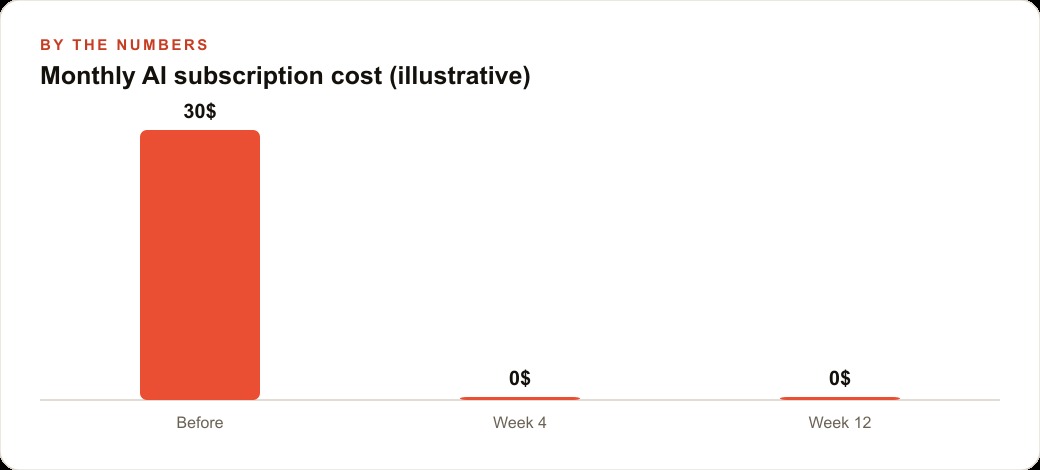
Before the switch, she paid thirty dollars a month for a cloud-based AI writing assistant covering the drafting and note-taking tasks she needed it for. The subscription renewed automatically and she had not given the cost much thought relative to what she was getting.
After building the local model into her workflow, she cancelled the subscription. The monthly cost dropped from thirty dollars to zero. The electricity consumed by running the model during work hours is a negligible fraction of what the workstation already draws for photo editing, and she was running the machine anyway.
There is also a usage ceiling comparison worth making even though local models do not bill by the prompt. Cloud AI plans have usage caps and throttling under heavy load. A busy booking season, with more pre-session briefs to write, more enquiry replies to draft, and more post-shoot summaries to produce, pushes toward those ceilings. With a local model, a hundred outputs in a peak month cost the same as ten in a slow one: nothing per prompt.
The twelve-month saving from cancelling the subscription was three hundred and sixty dollars. That is the visible financial benefit. The less visible benefit is the reputation signal that appeared in a public review and has since contributed to at least two referred bookings from clients who mentioned privacy specifically when they reached out.
For a business where a single portrait or commercial booking runs between five hundred and two thousand dollars, one referred booking attributable to the privacy reputation covers the cost of the cancelled cloud subscription for a year. The local model costs nothing, which means the return on the switch is almost entirely upside from that first month forward.
She has not considered going back to the cloud service. The local model is faster for her specific tasks, costs nothing to run, and produced a business outcome she did not anticipate when she sat down one evening to write an honest reply to a client who asked a question she could not initially answer well.
Setting up the same workflow in your own service business is a weekend project. Download Docker Desktop, turn on the model runner, raise the memory allocation to reflect what your machine actually has available, download a model that fits within that budget, and run the Wi-Fi test yourself before you describe this capability to anyone. Then build the routine around one specific recurring task before expanding, so the value is concrete in your actual work before you depend on the tool for everything.
The reason this story is worth telling is that the option was available the whole time. The software existed. The models were free. What was missing was the question from a client that prompted the search, which led to a tool change that costs thirty dollars a month less and generates more client trust than the tool it replaced. That is what taking a practical client concern seriously looks like when you follow it all the way through.
That is exactly what we do at AI DOERS. Book a private 30-minute call with Madhuranjan Kumar and we will map the fastest path to it for your specific business.
Book your call →
Madhuranjan Kumar
Madhuranjan Kumar brings 20 years of performance-marketing experience and has managed over $200 million in Facebook ad spend for brands across the United States and beyond. His expertise spans the full modern marketing stack: Meta, Google Ads, TikTok, email automation, CRM, and the websites that hold it together. At AI DOERS he turns that track record into lead-generation systems for businesses across every industry.