
OpenAI Strikes Back: The AI Updates From This Week You Can Actually Use
OpenAI shipped a friendlier ChatGPT and a stronger agent model, ChatGPT projects gained live Google Drive folder context, Claude added scheduled tasks, and Gemini got cheaper. Here is what those updates mean for a real business.

Useful AI updates are arriving every week now, not every quarter. This week's batch included at least four changes that a real business can wire into a workflow today. Here is each one, what it does, and the concrete action it unlocks.
1. ChatGPT 5.3 Instant: the model that finally stops lecturing you
ChatGPT 5.3 Instant rolled out to all tiers including free accounts, and the most noticeable change is tonal. The model reads what you actually mean and responds in kind. Ask a casual question and it gives a casual answer. Ask a joking question and it jokes back instead of opening with a disclaimer about the risks of the topic you raised. Ask a technical question and the tone shifts to match. This sounds minor until you spend a full day working with it and notice how much less editing the output needs before it can go somewhere real.
The business application is direct: if you have been using AI drafting tools for customer-facing communication and found the output always needed a second pass to strip the stiff, hedge-everything tone, this version requires less of that editing. Try drafting a reply to a casual client inquiry and notice how much post-generation cleanup disappears. For teams processing high volumes of email or chat responses daily, that friction reduction adds up across hundreds of interactions per week. The model rolled out free, so there is no cost to switching your default drafting tool over to it and evaluating the difference yourself.
2. GPT 5.4: built specifically to beat Claude Opus at agentic tasks
Alongside the consumer release, a stronger model targeting the thinking and pro tiers shipped with a specific design goal: to outperform the current frontier on agentic tool use and computer control. This is the multi-step, multi-tool category where an AI system opens a browser, navigates to a site, extracts information, moves it into a document, and reports back, with no human hand-holding at each step. That category is where the commercial value of AI agents concentrates, because it is where whole workflows can be automated rather than individual sentences drafted.
The context window expanded to 1 million tokens on the API to match the longest context available from a competing model at this tier. The practical significance is that an agent operating across large codebases, long research threads, or extensive document sets can hold all of it in context at once rather than losing early material as the session grows. For any business running multi-step automation, a 1-million-token window means fewer broken sessions and less time spent re-establishing context that was dropped mid-task.
3. Google Drive folder context in ChatGPT projects: living memory for your business
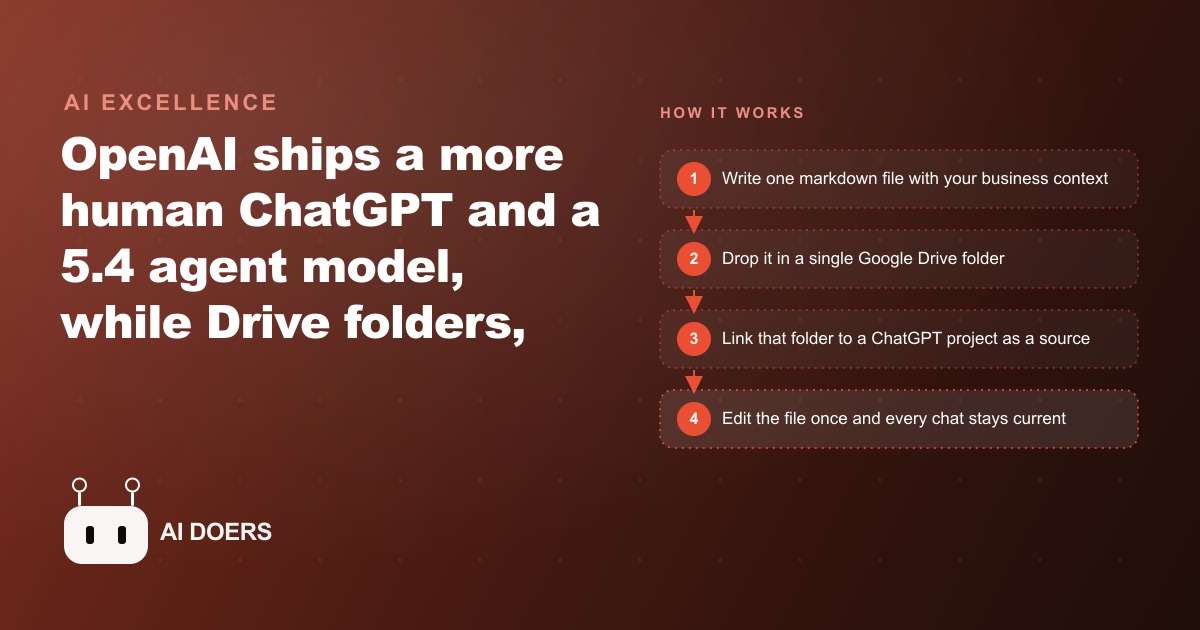
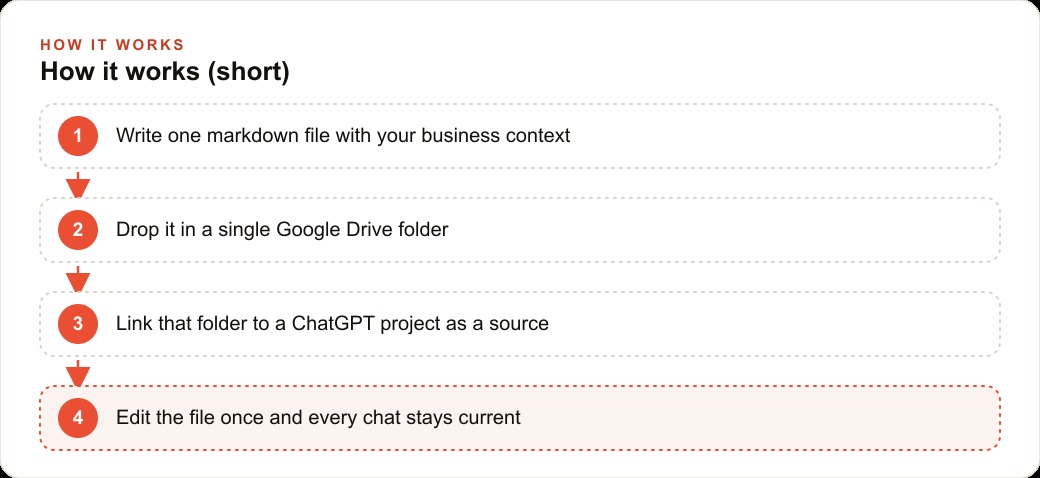
This is the most immediately useful productivity update in the batch. ChatGPT projects can now link a single Google Drive folder, or a Slack workspace, as a live context source. Files updated in that folder are pulled into the chat automatically without re-uploading. When you change a policy document, update your service list, or revise your approved messaging, every conversation in the linked project instantly reflects the current version.
The highest-leverage way to use this is to maintain one curated markdown file inside that folder, because markdown is the format AI reads most reliably and consistently. That file holds your business context: what you offer, what you charge, how you handle common situations, your approved wording for frequent questions, your brand voice guidelines. Update the file in one place and the update flows everywhere the project is used. For any business where multiple people answer the same client questions using AI-assisted drafts, this removes the version drift problem entirely. No one is working from context that was accurate three months ago. The business context is current at the source, and every AI-assisted draft reflects that without anyone having to remember to paste the updated version.
4. Scheduled autonomous tasks in Claude: the piece the personal agent was missing
Claude's Co-work mode added scheduled tasks this week, which changes its value proposition considerably. Previously, getting a workflow to run meant triggering it manually each time. Now a workflow that runs reliably once can be set to repeat once or twice a day without further prompting. In testing, a daily web research task, pulling new developments on a specific topic and summarizing them, ran reliably on its own schedule without supervision.
This is the missing piece that moves an AI assistant from a reactive tool you query to a proactive one that works while you are doing other things. The concrete application: pick one thing you currently do manually on a daily or near-daily basis that follows a consistent pattern. A morning news scan on a specific topic. A daily check of a particular data source. A weekly draft of a recurring summary. Set it as a scheduled task, review the output the first few times to confirm quality, and then let it run. The time you spent on that task does not disappear; it compresses from active work to a brief review, typically two to five minutes per output instead of thirty.
The key discipline is getting the workflow right manually before scheduling it. Run the task by hand at least three times and get the output to a quality level you trust. Scheduling a workflow that is not yet reliable means automating noise, and reviewing unreliable automated output costs more time than it saves. Prove it first, then schedule it.
5. Google Opal adds an LLM routing step to no-code workflows
Google consolidated several of its design and workflow tools into an updated suite, with Opal receiving an update that adds practical capability beyond what most no-code tools offer. Opal is a workflow builder, and the new agent step lets a language model decide which branch a workflow takes on each run, based on the content of the data flowing through it at that moment.
In plain terms: you can now build a workflow where the AI reads an incoming item and decides which path it goes down, without you writing conditional logic or maintaining rule lists. A support inquiry routing workflow can let the model read each submission and direct it to the right queue based on actual content rather than keyword matches. A content triage workflow can have the model assess whether incoming items need immediate action, can wait, or can be archived automatically. Most no-code tools require you to pre-specify every condition. Adding a judgment layer that handles cases you did not anticipate is a meaningful capability expansion, particularly for small teams that depend on workflow automation but cannot write custom scripts when the rules get complicated. A practical place to start: pick any workflow in your business where you currently have an other category or a manual triage step, because those are the places a routing judgment layer replaces the most human time per week.
6. Gemini 3.1 Flash: the same performance tier just got noticeably cheaper
Gemini 3.1 Flash landed at 25 cents per million output tokens, which undercuts the prior best model at this speed tier while performing better than its predecessor on standard benchmarks. For businesses running high-volume AI tasks where a fast, cost-efficient model fits better than a frontier reasoning model, the math on automation just shifted.
The business application is most relevant for teams already running AI-assisted workflows at volume. If you are processing hundreds of documents, emails, or records per week through an AI pipeline, the per-token cost compounds into real money at scale. A 25-cent output token rate changes which workflows are economically worth automating and which sit on the borderline. Pull up your current token costs if you are running any volume and recalculate against this pricing. Some workflows that did not clear the cost threshold last month do now. The improvement in the model's benchmark performance at this price point also means you can sometimes use a cheaper model where you previously needed to pay for a more expensive one to get acceptable quality.
7. Qwen 3.5: a capable model that runs directly on your phone
Qwen 3.5 from a Chinese research team is the first model to reach Llama 70B-level intelligence while running on consumer hardware including phones and older laptops. The experience is slower than a cloud-based model, but it is genuinely usable for real tasks rather than being a proof of concept that only impresses in a demo setting. The significance is not the current performance ceiling but the trajectory: a capable language model running locally on a phone in 2026 means offline, private, zero-latency AI assistance is becoming a real product category rather than a research aspiration.
For businesses where data privacy is a meaningful concern and cloud-based AI raises compliance or confidentiality questions, local models on owned hardware are the answer. Qwen 3.5 is the clearest signal yet that the performance gap between cloud and local has compressed enough to take seriously for real workflows. If your industry has data handling constraints that make cloud AI complicated, track this trajectory carefully. The compliance picture looks very different once a capable model runs on hardware you already own and data never leaves your environment. The current limitation is speed rather than quality. For tasks where a few extra seconds per query are acceptable, a local model on owned hardware is already viable for real work. For tasks where latency is a hard constraint, it is not yet, but the performance gap has closed enough that this is a near-term planning horizon rather than a distant aspiration.
8. The split between Anthropic and OpenAI on the Pentagon deal, and what it signals about platform risk
Anthropic declined to meet the US Defense Department's requirements for deploying its models in certain applications. OpenAI announced it would fill that role within one day of that news becoming public. The speed of the sequence and the divergence in company positions drew strong reactions from across the industry.
For most businesses, the practical implication is not the policy story itself. It is the reminder that the AI platforms you depend on are companies with their own strategic positions, commercial relationships, and choices about what they will and will not do. The tools you build workflows on top of reflect those choices. A platform that declines a particular type of use case today may expand or contract its boundaries in ways that affect your workflows tomorrow, and you will not necessarily be consulted. Diversifying your AI tooling across providers rather than committing everything to one platform is the operational hedge against this kind of platform risk. It is also the configuration that produces the best results, because different providers genuinely perform better on different task types, and routing to the right tool for each task produces consistently better output than forcing one platform to handle everything.
The theme connecting all eight updates this week is acceleration. More useful capability at lower cost, delivered faster than any prior cycle. The businesses building these updates into workflows as they arrive are creating a compounding operational advantage over those that monitor the space without acting on it. The live Drive folder context, the scheduled tasks, the cheaper high-volume model, and the tone-matching consumer release are each worth acting on this week rather than adding to a list of things to look into eventually.
The operational reality of this pace of change is that the decision to wait for things to settle is itself a decision with measurable costs that accumulate week by week. Things are not going to settle at a slower pace than this. The right posture is a consistent habit of adopting two or three updates per week that fit your current workflow and deferring the rest, not ignoring everything because the volume is overwhelming. The teams doing this consistently are now operating with tools that were not available to anyone six months ago, and they built that lead one weekly update at a time.
That is exactly what we do at AI DOERS. Book a private 30-minute call with Madhuranjan Kumar and we will map the fastest path to it for your specific business.
Book your call →
Madhuranjan Kumar
Madhuranjan Kumar brings 20 years of performance-marketing experience and has managed over $200 million in Facebook ad spend for brands across the United States and beyond. His expertise spans the full modern marketing stack: Meta, Google Ads, TikTok, email automation, CRM, and the websites that hold it together. At AI DOERS he turns that track record into lead-generation systems for businesses across every industry.