
OpenAI Built-In Web Search and File Search for n8n Agents
OpenAI's responses API lets an n8n AI agent search the live web and read your own documents without bolting on extra tool nodes. Flip one toggle and the model gains built-in web search and file search, complete with source citations.

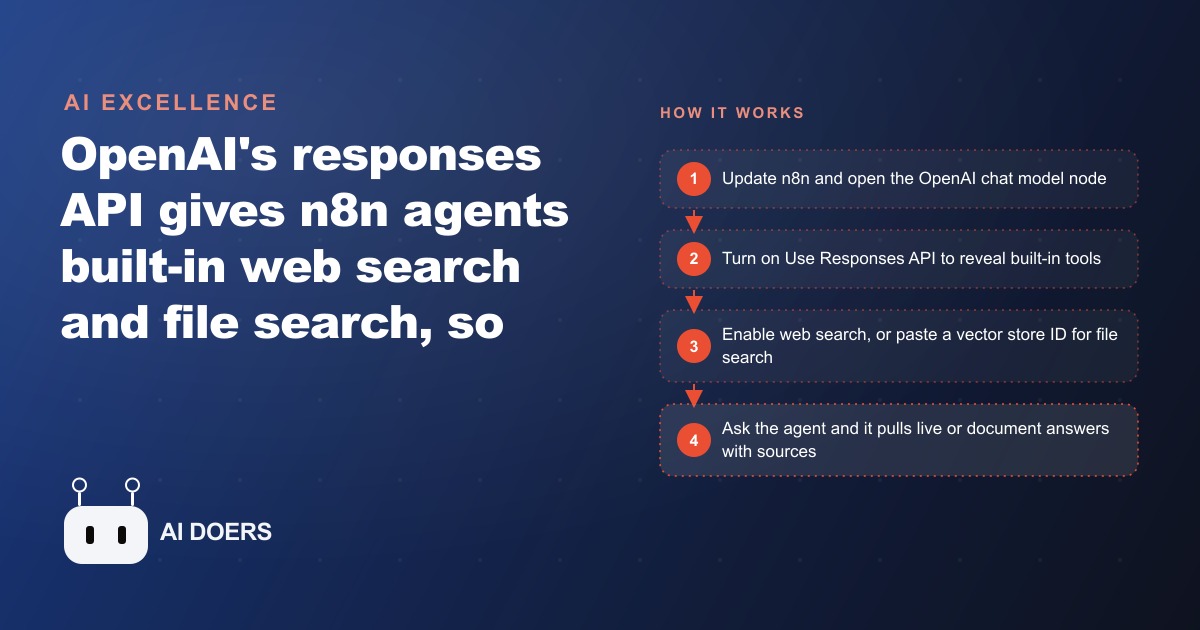
For as long as people have built AI agents in n8n, the recipe was the same: one node for the brain, another node for web search, another for a vector store, and a tangle of wires connecting them. OpenAI's responses API just deleted most of that diagram. I am Madhuranjan Kumar, and the demo that makes it land is almost unfair. Two agents get the same question. One has a web search tool and a vector store bolted on. The other has nothing connected, no tools, no system prompt. Both return the same correct answer, because the second agent is running web search and file search built directly into its OpenAI brain. Here are the eight things worth knowing before you flip this on in your own workflows.
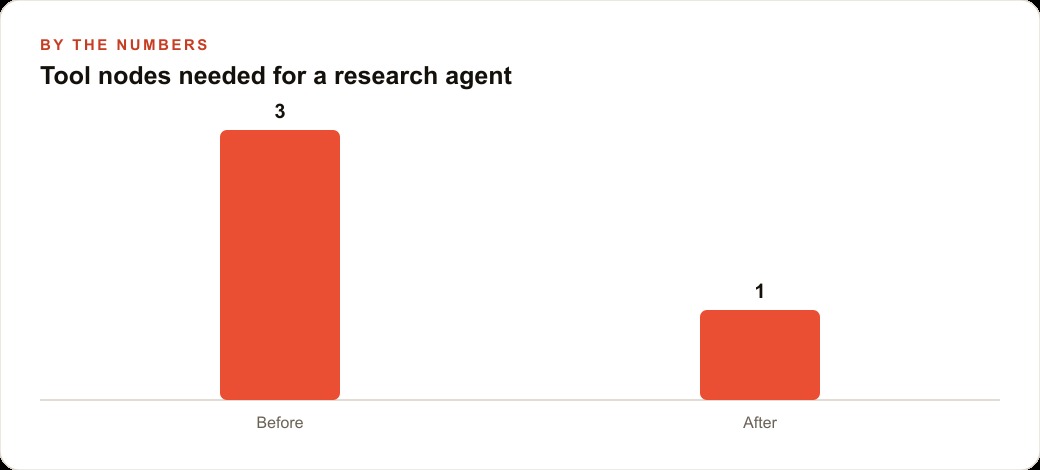
1. One node now does the work of three
The headline shift is consolidation. Previously, an agent that could both search the live internet and read your own documents needed a separate web search service and a separate vector store node, each with its own credential and its own failure point. The responses API folds those abilities into the model itself. You are no longer wiring an agent together out of parts. You are switching on capabilities that already live inside the model. Fewer nodes means fewer things to break, fewer credentials to rotate, and a workflow a non-technical teammate can actually read. For a small team, that simplicity is not a nicety. It is the difference between an automation you maintain and one you quietly abandon.
2. You must be on chat model node version 1.3, or the option is invisible
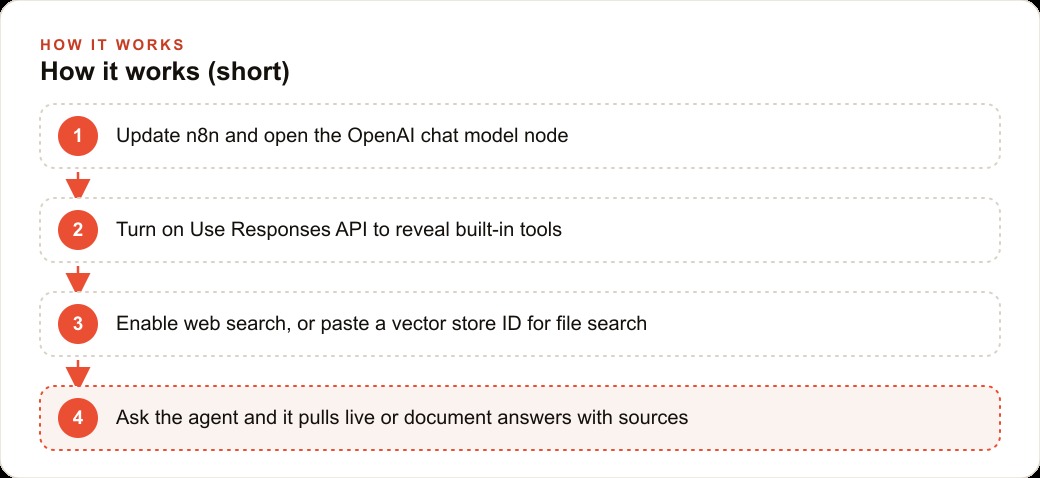
This is the first place people get stuck, and it looks like a bug when it is really a version problem. The responses API toggle only appears on the newer OpenAI chat model node, version 1.3 in the node settings. If you are on an older n8n install, you will open the node, hunt for the option everyone is talking about, and find nothing. Update n8n first, confirm the node reports 1.3, and the toggle appears. You also need an API key from platform.openai.com with billing set up, pasted into the credential. No billing, no calls.
3. The whole feature hides behind one switch called Use Responses API
Once you are on the right version, the unlock is a single toggle inside the chat model node labeled Use Responses API. Flipping it reveals three built-in tools at once: web search, file search, and a code interpreter. There is no separate installation, no marketplace, no extra credential for the tools themselves. This is worth internalizing because it changes how you think about building agents. Instead of asking which tool nodes do I need to attach, you ask which built-in capabilities do I want to switch on. The mental model moves from assembly to configuration.
4. Web search reads the live internet and shows its receipts
Turn on web search and the model looks up current information before it answers, then lists the websites it used. The cleanest way to prove it to yourself is to turn the toggle off and ask who won a recent championship. The model tells you it has no data past its training cutoff. Turn web search back on, ask again, and it searches the internet, returns the right answer, and cites the sources. Those citations matter for any business that cannot afford a confident guess. When the agent shows you where a fact came from, a human can verify it in one click instead of trusting a black box. For anything tied to prices, schedules, regulations, or news, that live lookup is the feature that keeps an assistant from going stale the day after you build it.
5. You can aim the search by location, effort, and domain
Web search is not all-or-nothing. You can set context size to low, medium, or high, trading speed and cost against depth. You can restrict the search to a city or country so a local business is not pulling answers from the wrong side of the world. And you can limit it to a list of allowed domains, so the agent only reads sources you trust. One catch surfaces the moment you try that last one: domain filtering does not work on older models like GPT-4.1. Switch to something like GPT-5 mini and it behaves. This tuning is what separates a toy from a tool. An unfiltered agent wanders. A domain-restricted, location-aware agent stays inside the lane you drew for it.
6. File search runs on OpenAI vector stores, and it needs a filter or it errors
For your own documents, you create a vector store on the OpenAI platform, drop in your files, and OpenAI handles the embedding, indexing, and storage for you. You copy the vector store ID into the node as an array. The non-obvious part, the thing that will cost you twenty minutes if nobody warns you, is that the node also requires a filter. Leave the filter out and it errors, even though the interface does not make that requirement clear. Add it and the agent starts answering from your documents. One more thing to know: by default the answers do not cite the exact section they came from, though prompting can push it to be more specific. This is the feature that lets an agent speak from your manuals, policies, and contracts without leaking that knowledge onto the open internet.
7. The daily storage fee is the cost nobody mentions in the demos
Here is the line item that surprises people after the excitement wears off. OpenAI charges a daily fee per gigabyte of stored vectors, and it charges even when the store is idle. A large document library that nobody queried all week still costs money that week. For a small set of policies and product sheets, this is trivial. For a heavy library of thousands of documents, that ongoing rent is worth weighing against alternatives before you commit. The point is not that the fee is unfair. The point is to know it exists so it does not show up as a mystery charge later, and so you can decide up front whether a giant always-on store belongs at OpenAI or somewhere cheaper.
8. Chat memory can live at OpenAI instead of a separate node
The responses API also adds a conversation ID option, which lets OpenAI hold the chat memory for you rather than running a separate memory node inside n8n. That is one more piece of the classic agent diagram that disappears. Whether you want your conversation history living at OpenAI is a judgment call about data control, but the option is there, and for a simple assistant it removes yet another node from the canvas.
9. The same toggle exposes a code interpreter you may not have asked for
When you flip on Use Responses API, web search and file search are not the only things that appear. A code interpreter comes along too. For most business assistants you will leave it off, but it is worth knowing it is there, because it quietly widens what a single agent can do. A code interpreter lets the model run small calculations and data transformations rather than guessing at math it is bad at. If you ever ask an agent to add up a column, compute a percentage change, or reshape a messy list, that tool is what turns an unreliable estimate into an actual computed answer. Treat it as an advanced option: ignore it for a straightforward question-and-answer assistant, and reach for it the day your workflow needs the agent to crunch numbers instead of narrate them.
A worked example: one assistant for a busy veterinary clinic
Let me put numbers on it. Picture a clinic where the front desk fields the same questions all day, and the vet techs constantly need both the clinic's own protocols and current outside information. Today they interrupt each other, dig through binders, and occasionally give a slightly wrong answer under pressure.
Here is how I would build the fix. First, I create a vector store on the OpenAI platform and upload the clinic's documents: vaccination schedules, common medication dosing sheets, post-surgery care handouts, and boarding policies. OpenAI embeds and indexes them automatically. In n8n I add an OpenAI chat model node, confirm it is on version 1.3, turn on Use Responses API, and enable file search with that vector store ID and the required filter. Now a tech can ask, what is our post-neuter care handout for a small dog, and the agent answers straight from the clinic's own document instead of a half-remembered version.
Then I enable web search on the same agent so it can pull current information, like a recent pet food recall or a regional outbreak alert, and cite where it found it. I restrict that web search to trusted veterinary and government domains so it never wanders into a random forum. The result is one assistant the staff can ask anything: it answers from clinic documents when the question is internal, and from the live web when it is about the wider world, with sources attached either way. Nobody has to remember which tool to use, because both live behind the same node. And because the whole thing is one node instead of three, the office manager can actually understand the workflow well enough to tweak it later, rather than calling for help every time a policy document changes. Say the clinic uploads about half a gigabyte of documents. At OpenAI's per-gigabyte daily storage rate, that idle store might cost only a few dollars a month, a rounding error against the staff time it saves. If the assistant reclaims even 30 minutes a day of a front-desk person answering repeat questions, that is around 10 hours a month handed back to booking appointments and following up on treatment plans, which is where the revenue actually lives.
Where this sits in a real business, and how to start
The reason this matters beyond n8n hobbyists is that grounding is what makes an AI assistant trustworthy. Web search keeps it current, and file search keeps it accurate to your own paperwork. Together they cover the two most common ways an assistant embarrasses you: being out of date, and confidently making something up. That reliability is also why the same document foundation you build here tends to pay off elsewhere. Once your policies, FAQs, and product details are written down cleanly enough for an agent to read, that same clean content strengthens your SEO and organic search and gives your CRM and website stack something solid to draw from when it answers customers on your site. And a grounded assistant that captures a question well can hand a warm lead straight into follow-up, which is exactly the kind of loop that makes Facebook and Instagram ad campaigns convert better, because the person who clicked gets an accurate answer instead of a canned one.
To set it up yourself: update n8n, add an OpenAI credential with billing, and confirm the chat model node shows version 1.3. Flip on Use Responses API. Enable web search and tune the context size, location, and allowed domains, remembering the domain filter wants a newer model. For documents, create a vector store, upload your files, copy the ID into the node as an array, and add the filter so it does not error. Keep one eye on the daily storage fee if your library is large, and prompt the agent explicitly if you want clearer source citations. Start with a narrow, boring use case, one department's documents and one type of live lookup, prove it answers correctly, and only then widen it. The teams that get value from this are the ones who scope it small, verify it against real questions, and grow it once they trust what it says. Build it that way and you end up with an assistant that is both current and accurate, running on one clean node instead of a fragile web of connections.
That is exactly what we do at AI DOERS. Book a private 30-minute call with Madhuranjan Kumar and we will map the fastest path to it for your specific business.
Book your call →
Madhuranjan Kumar
Madhuranjan Kumar brings 20 years of performance-marketing experience and has managed over $200 million in Facebook ad spend for brands across the United States and beyond. His expertise spans the full modern marketing stack: Meta, Google Ads, TikTok, email automation, CRM, and the websites that hold it together. At AI DOERS he turns that track record into lead-generation systems for businesses across every industry.