
n8n 2.0 Is Here: What Actually Changed and What to Watch For
The 2.0 release keeps the familiar foundation while refreshing the interface, replacing the active toggle with real publishing, and letting sub workflows return approval data to the main agent.

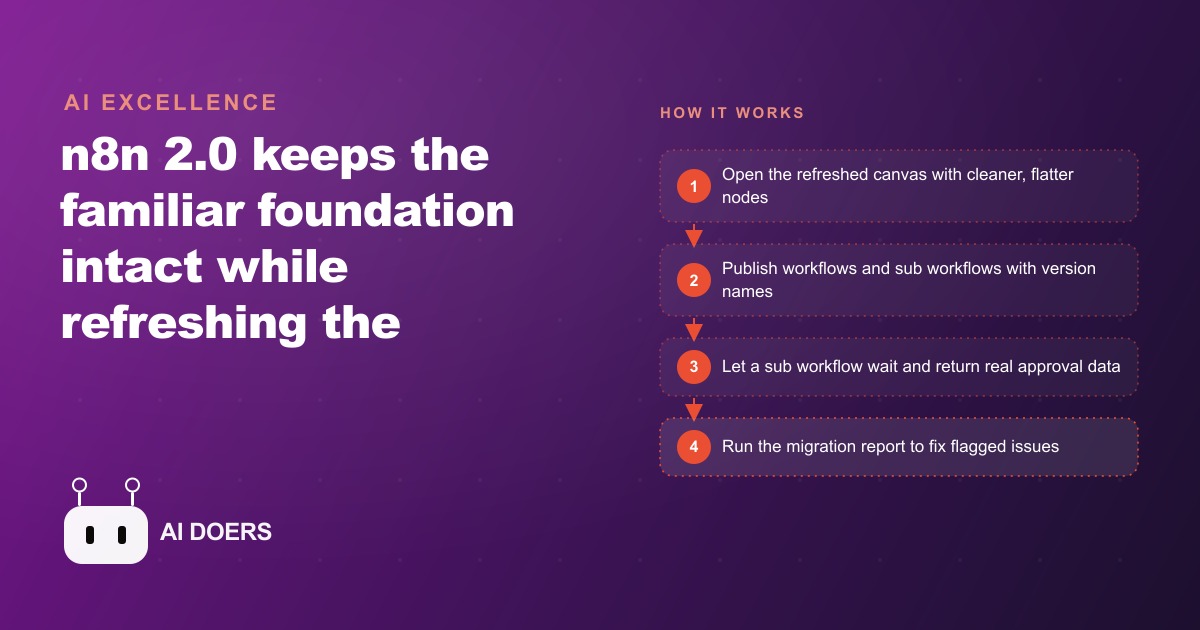
n8n 2.0 shipped and the most important fact about it is what it did not break: the underlying workflow structure that defines every node, connection, and execution path stayed the same. Existing automations port cleanly, and the institutional knowledge your team built on the previous version is still valid. The changes that arrived are in the discipline layer above that foundation, specifically how workflows go live, how sub-workflows return real data to their callers, and how the interface supports editing complex configurations without losing track of the canvas.
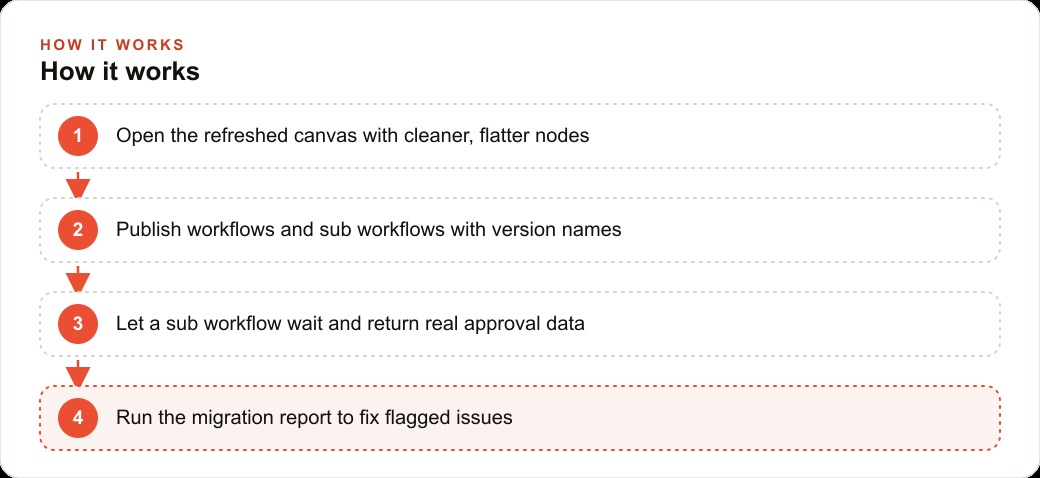
Run the Migration Report Before You Touch a Single Workflow
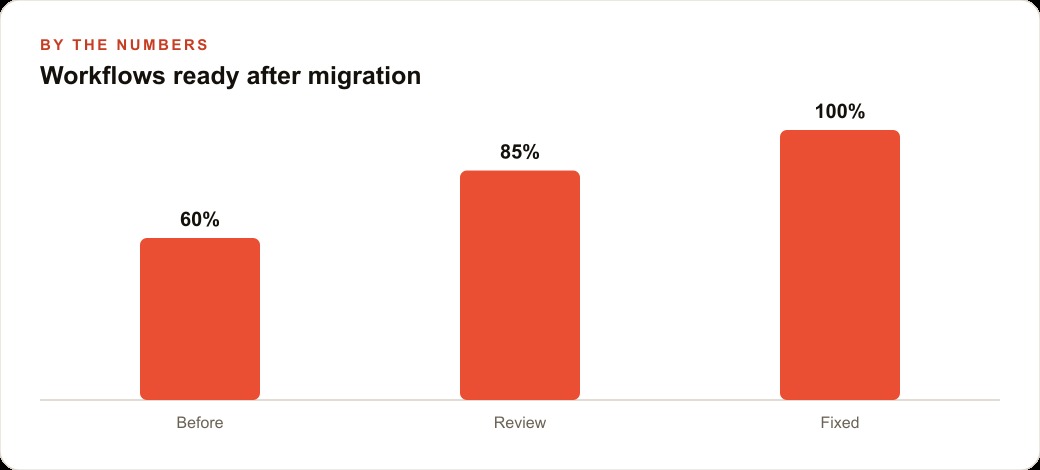
The migration report is in settings and it tells you three things: how many of your workflows are already compatible, what needs attention in the ones that are not, and an urgency score for each flagged issue with linked documentation for fixing it.
Run this report before you upgrade anything else. The reason is not that the migration is difficult. It is that the report gives you an ordered priority list, and working through a priority list is faster and less error-prone than discovering problems unexpectedly in a live workflow at an inconvenient time.
The report will almost certainly show that most of your workflows are already compatible, because the core structure did not change. The flagged items will be edge cases: workflows that relied on behaviors 2.0 changed, typically around how sub-workflows were being called or how certain node types handled specific inputs.
Work through the flagged items from highest urgency to lowest. For each one, read the linked documentation before changing anything. The documentation is specific to the error type and describes both why the old behavior changed and exactly what to replace it with. A flagged item that looks alarming in the report usually resolves in minutes once you understand what changed.
The one class of issues worth prioritizing above the urgency score is any workflow that serves a customer-facing function. A billing automation that sends confirmation emails, a booking workflow that responds to new reservations, a support routing flow that handles incoming requests: these are the workflows where unexpected behavior causes a real problem for a real person. Get those reviewed and verified before you cut over, even if the migration report scores them as lower urgency than something internal.
The migration report also functions as documentation. Once you have worked through the flagged items, the report reflects the current state of your workflow library, which is useful context for onboarding new team members or for revisiting workflows months later when you may not remember why a specific change was made.
Publish Sub-Workflows as a First Step, or Every Caller Will Break
The most important behavioral change in 2.0 is the one most likely to cause quiet failures if you miss it: sub-workflows must now be published before another workflow can call them. In the old version, an inactive sub-workflow could still be triggered from a parent workflow. In 2.0, only published workflows can be called.
This change exists for sound reasons. It enforces a clear separation between a workflow that is under development and one that is in production. It also makes the publish state meaningful: a published workflow is one that has been explicitly approved to run in its current form, not just one that happens to be accessible.
The practical consequence is that any workflow in your system that calls a sub-workflow needs that sub-workflow to be published before the caller will work correctly. Go through your workflow list and identify every sub-workflow: the ones designed to be called from other workflows rather than triggered directly. For each one, review its current state, confirm it does what you expect, and publish it with a clear version name.
Do this step before you test any parent workflows after the upgrade. A parent workflow that calls an unpublished sub-workflow will fail at that call step, and the failure message may not immediately make the cause obvious. Doing the publication pass first eliminates that entire class of failure before you encounter it.
The version naming convention is worth establishing now while you have the context. A version name like "approved-2026-06-27" or "v2-quote-logic-updated" is more useful than the default numbering because it tells you at a glance when a workflow was last reviewed and approved. When something breaks in production and you need to know which version of a sub-workflow was running at the time, a version name with a date or a meaningful label is a significant practical advantage over a sequential number.
Wire Human Approval as a Real Feedback Loop, Not a Dead End
The approval return capability is the most functionally significant new behavior in 2.0. In the previous version, a sub-workflow that was meant to pause and wait for human approval could not return the result of that approval back to the calling workflow. The parent workflow had no way to know whether the human approved or rejected, which made human-in-the-loop patterns either fragile or dependent on workarounds through external state storage.
In 2.0, a sub-workflow can wait for a human action and return the actual result: approved, rejected, or approved with modifications. The parent workflow receives that result and can branch on it. This is the change that makes human approval a real feedback loop rather than a dead end.
The design pattern that works is straightforward. The parent workflow identifies a step that needs human review and calls a sub-workflow with the relevant data. The sub-workflow sends the reviewer a message with an approve or reject action. The reviewer acts. The sub-workflow captures the result and returns it to the parent. The parent checks the returned value and routes accordingly: approved means proceed, rejected means route to a correction or a notification step.
The key discipline is making the approval message specific and actionable. The reviewer needs to understand what they are approving, why it needs their review, and what happens if they approve versus reject. A vague "please review this item" message generates slower responses and less reliable decisions than one that says "this customer quote is above our standard threshold. Approve to send, reject to route to the manager for revision."
When designing approval sub-workflows, test the rejection path as carefully as the approval path. The approval path is easy to test because it is the path you designed first. The rejection path is where unintended behaviors hide: a rejection that triggers nothing, a rejection message that goes to the wrong recipient, a rejection loop that can cycle indefinitely without a resolution step. Test both paths on real data before the workflow goes into production.
Name Each Published Version Before Anything Goes Live
Version naming is a discipline that pays compound returns over the life of a workflow system. The investment at publication time is thirty seconds: typing a meaningful name before clicking publish. The return is an audit trail that tells anyone who needs to understand a workflow's history exactly when each version was reviewed, what it was intended to do, and what changed between versions.
The practical value becomes clear in a specific scenario: something breaks in a live workflow and you need to determine whether the breakage is in the workflow logic or in the data flowing through it, and whether it was present before or introduced recently. Without version names, the investigation starts from a blank slate. With version names, you can identify the last version you know was working, compare it to the current version, and narrow the investigation immediately.
Establish a naming convention before you start publishing and apply it consistently. A useful convention includes enough information to identify the purpose of the version, the date of publication, and any significant change from the previous version. The convention does not need to be elaborate. It needs to be consistent enough that anyone reading the version history can understand it without asking the person who created it.
Version names are also useful in client communication. When a client asks whether their automation has been updated since they last reviewed it, you can point to the version history and show them exactly what changed and when. That transparency builds confidence in a way that a verbal reassurance cannot.
Use the Focus Panel to Tune Long Prompts Without Losing the Canvas
The focus panel is a side panel that opens one node's parameters while keeping the full canvas visible behind it. For most node types, this is a modest convenience. For AI nodes with long system prompts, it is a meaningful productivity improvement.
Before the focus panel, tuning a long prompt meant opening the node's full configuration view, which filled the screen and replaced the canvas context. You could not see what the node was connected to, what came before it, or what came after it. You were editing the prompt in isolation. If the prompt referred to data fields from previous nodes, you had to remember or guess the field names rather than seeing them in context.
With the focus panel, the prompt editor opens to the side while the canvas stays visible. You can see the node's upstream connections, check field names from previous steps, and maintain context about where the prompt sits in the overall flow. For long prompts that reference multiple input fields and need careful tuning, this makes the editing process noticeably faster and reduces the error rate on field name references.
Use the focus panel whenever you are working on an AI node with a system prompt longer than a paragraph. The canvas context is most valuable when the prompt is complex, because complex prompts are the ones where seeing the surrounding flow changes what you write.
Test the Critical Paths on a Non-Production Clone Before Cutting Over
The final step before moving any workflow to 2.0 in production is testing the critical paths on a clone. The critical paths are the sequences that touch customers, move money, or make decisions that are hard to reverse.
A non-production clone runs the workflow against test inputs rather than real ones. If your setup supports environment separation, use it. If not, create copies of the critical workflows, name them clearly as test versions, and run them manually against a curated set of inputs that cover the edge cases.
The edge cases to test are the ones that have previously caused problems in similar workflows, the ones where input data is ambiguous or unusual, and the ones where the expected output varies by input in non-obvious ways. For an approval workflow, the edge cases include inputs that arrive before the reviewer can respond, inputs that are rejected and need to be corrected and resubmitted, and inputs that arrive in an unexpected format from the upstream trigger.
Here is what this looks like in practice. A landscaping company was running two critical operations through n8n: custom quote approvals and weather-driven schedule rescheduling. The quote approval flow sent a draft quote to the owner for approval before it went to the customer. The reschedule flow confirmed a new day with the crew lead before any customer text went out. Both relied on waiting for a human response before proceeding.
Before 2.0, these flows required workarounds to handle the approval response. The sub-workflow that sent the approval request had no clean way to return the owner's decision to the parent workflow. The solution involved a combination of webhook callbacks and manual status checks that worked most of the time but occasionally left a workflow in an uncertain state, with no clear record of whether an approval had been received.
After migrating to 2.0 and building the approval sub-workflows to return their result directly, the quote approval flow worked cleanly for the first time. The owner received the draft quote, approved or requested changes, and the decision flowed back to the parent workflow, which sent the quote to the customer or routed it for revision. The testing phase on the clone caught one edge case: a rejection with a comment field containing special characters corrupted the returned data. That was fixed on the clone before the workflow went live, and it never caused a problem in production.
The company's average quote-to-customer-send time dropped from roughly two days to roughly four hours after the native approval routing replaced the workaround. The owner eliminated about three back-and-forth email chains per week on reschedule decisions, because the crew lead's response now flowed directly back into the workflow rather than arriving in a separate email thread that needed manual reconciliation. These numbers are illustrative of the kind of improvement the approval return capability makes possible, and the direction is consistent: native approval routing is faster and more reliable than workarounds, and the improvement shows up in every operation that depends on it.
Test the critical paths, catch the edge cases on the clone, and cut over with confidence. 2.0 does not require learning a new platform. It requires understanding two behavioral changes and taking two disciplined steps before going live. The migration report handles the diagnostic work. The testing clone handles the risk. Everything else is the same platform you have been building on.
That is exactly what we do at AI DOERS. Book a private 30-minute call with Madhuranjan Kumar and we will map the fastest path to it for your specific business.
Book your call →
Madhuranjan Kumar
Madhuranjan Kumar brings 20 years of performance-marketing experience and has managed over $200 million in Facebook ad spend for brands across the United States and beyond. His expertise spans the full modern marketing stack: Meta, Google Ads, TikTok, email automation, CRM, and the websites that hold it together. At AI DOERS he turns that track record into lead-generation systems for businesses across every industry.