
Is Google Firebase Studio Worth It? An Honest Verdict
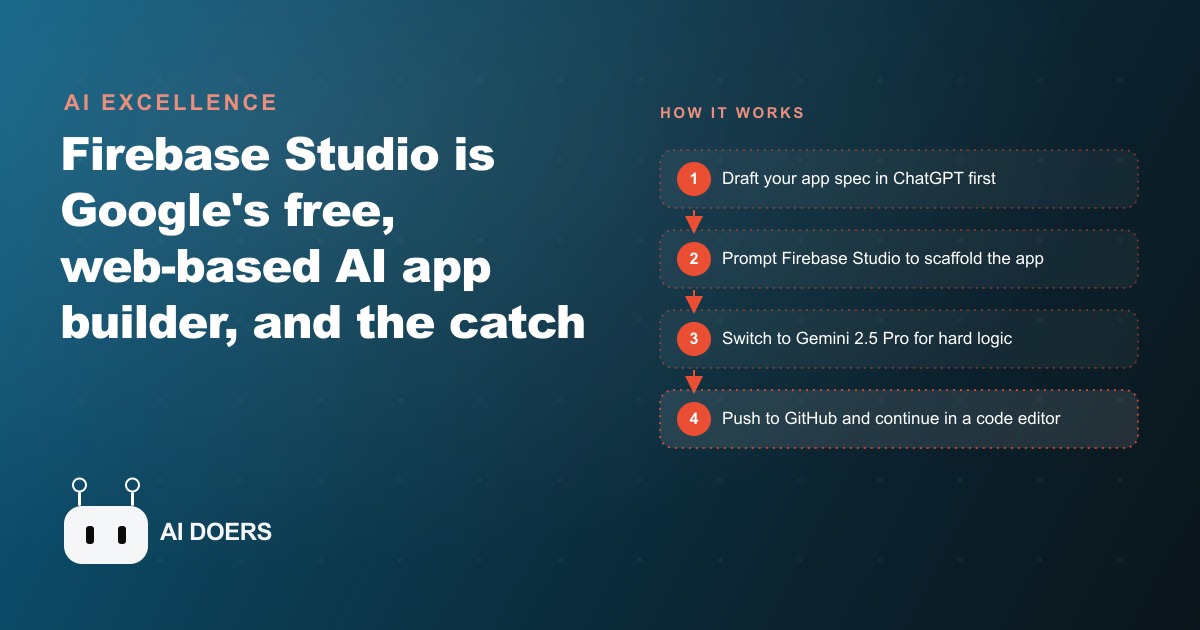
Firebase Studio is a free, web-based AI app builder from Google that scaffolds a working app in minutes and ships a full in-browser code editor. The honest catch is that it will not wire up the Firebase backend it sits on, which is exactly where non-coders get stuck.

I, Madhuranjan Kumar, want to make a case that Firebase Studio is an excellent tool being widely misunderstood because it has been positioned for the wrong user, and that mismatch is generating both unfair criticism and overconfident praise in roughly equal measure.
The people who are frustrated with Firebase Studio are mostly people who expected it to be a Lovable competitor: a point-and-click tool that builds a complete app including a wired-up database without requiring the user to understand anything technical. The people who are enthusiastic about Firebase Studio are mostly people who already know how to use Firebase and find the AI scaffolding layer genuinely useful on top of a backend they understand. Both groups are right about their experience. Neither group is describing what the product actually is at its most useful.
Firebase Studio Is a Replit Competitor, Not a Lovable Competitor
The meaningful distinction here is between tools that abstract away all technical complexity and tools that accelerate people who have some technical foundation. Lovable, at its best, targets the former. Replit targets the latter. Firebase Studio is clearly in the Replit category, and being honest about that changes how you evaluate it.
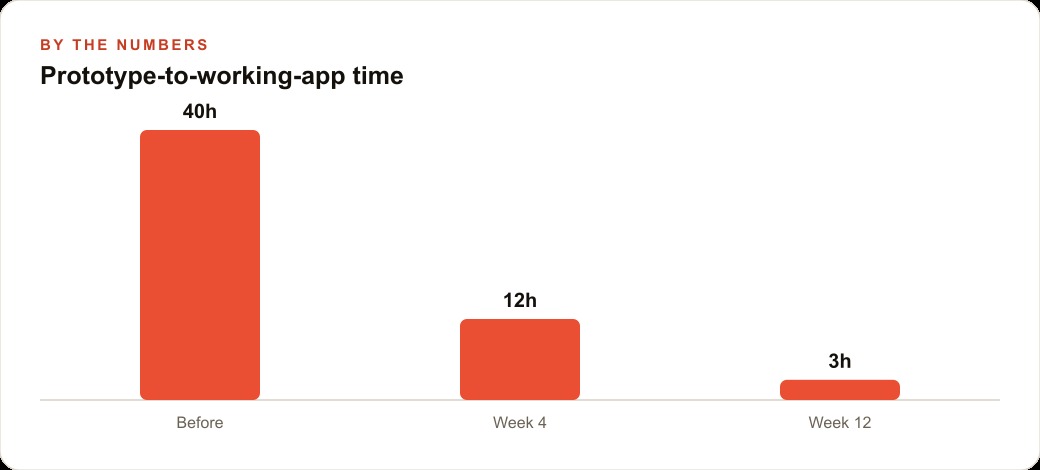
What Firebase Studio does well is compress the early scaffolding phase of a software project. From a detailed text prompt and a rough mockup image, the tool uses Gemini 2.0 Flash to produce a working, runnable application structure in roughly three minutes. That is a genuine speed advantage. A working starting point that takes three minutes to produce rather than three hours of manual setup fundamentally changes the economics of prototype exploration. You can afford to spin up a concept, test it on your phone with a generated QR code, decide it is not the right direction, and try a different concept without feeling like you have lost a meaningful amount of time.
The editing experience is also genuinely good and worth describing specifically. A select button lets you click any element in the live preview and describe a change in plain language without knowing which component or file the element lives in. An annotate tool lets you scribble directly on the preview image to mark what you want changed, which is a faster and more natural input than describing a layout change in text. A full VS Code editor lives inside the browser environment, so you can work entirely in the no-code interface and then drop directly into the code files the moment you need to do something more precise. That graduation from no-code to code within the same environment is something Replit does well and Firebase Studio now does too.
The QR code preview feature deserves a specific mention because it removes a friction point that discourages mobile testing during development. Make the preview public, scan the generated QR code with your phone camera, and you immediately see the mobile version of your app without configuring any build pipeline or device connection. For business owners building tools their customers will use on phones, seeing the mobile version in 30 seconds rather than after a deployment cycle is a meaningful quality improvement.
Where Firebase Studio diverges from Lovable most sharply is the ceiling of what it can do autonomously for a non-technical user. Lovable is designed to hold the non-technical user's hand through the backend as well as the frontend. Firebase Studio is designed to give a semi-technical operator a fast path to a working front-end scaffold with a route to real Firebase infrastructure, but that backend route requires the user to understand what Firestore is, why it matters, and how to configure it in the Google Cloud console. For someone who has that context, Firebase Studio is excellent. For someone who does not, it is the point where the magic stops.
The Backend Wall Is Not a Bug Being Fixed; It Is the Actual Product Boundary
This is the contrarian position I want to stake clearly: the fact that Firebase Studio will not configure your Firestore database autonomously is not a temporary limitation that will be patched in a coming update. It is evidence of where the actual product boundary sits.
Every AI builder runs into the backend wall eventually. Lovable hits it for more complex auth and real-time data scenarios. Bolt hits it when users need a production-grade database rather than a local storage approximation. Firebase Studio hits it at the Firestore configuration step, which is earlier in the process than it should be given that Firestore is literally the product's foundation. That specific placement of the wall, before the database is wired up, not after, tells you something important about the assumptions baked into the product design.
The implicit assumption in Firebase Studio's design is that the user understands enough to set up a Firebase project in the Google Cloud console. That is a reasonable assumption for a developer or a technically-oriented operator who has built on Firebase before. It is not a reasonable assumption for the business owner who saw a YouTube video about AI app builders and concluded they could build their own product without any technical knowledge.
Google has no clear incentive to remove this wall entirely. Firebase is a product designed for developers, and its console, its security rules, its database configuration options, and its authentication setup all assume a user who can reason about software architecture. Building an AI layer on top of Firebase that requires no understanding of Firebase to use is a significantly harder and more expensive product problem to solve than building an AI layer that helps knowledgeable users work faster. The wall is not where Google made a mistake. The wall is where the product was designed to hand off to the developer.
Bad reviews of Firebase Studio are almost uniformly written by people who hit this wall unprepared. They were expecting the backend to wire itself up the way the frontend scaffolded itself. When it did not, they concluded the product was broken or incomplete. Enthusiastic reviews are almost uniformly written by people who already knew how to configure Firestore and found the AI scaffolding layer on top of that knowledge extremely useful. The disagreement is not about the tool's quality. It is about the assumption that the user brings Firebase knowledge to the experience.
The Prototype-First Workflow Is the Honest Use Case
Once you understand that Firebase Studio is a semi-technical tool rather than a zero-technical-knowledge tool, the correct workflow becomes clear: use it to prototype and validate, not to deliver a production application.
The prototype-first workflow looks like this. Before opening Firebase Studio, spend time in a planning tool writing a thorough product requirements document. Describe every screen the app needs, every user interaction, every data type the app will store, and every edge case you can anticipate. That planning investment produces a materially better first build in Firebase Studio because the AI is scaffolding against a clear specification rather than interpreting a vague description.
From that specification plus a rough wireframe image, Firebase Studio scaffolds a working prototype that you can click through, test on your phone, and show to stakeholders within an afternoon. That prototype is valuable not because it is production-ready but because it makes the concept real enough to test. A gym owner who wants to build a class check-in app for members can have a working prototype that a trainer can click through by the end of the day, without spending money on a developer before validating that the concept will actually be used.
As an illustrative example, consider a gym with 200 members across three class types per day. The owner has been tracking attendance manually on a clipboard that the front desk transcribes into a spreadsheet every evening. A digital check-in app would give the owner real-time attendance data, send automated reminders before classes, and flag members who have not visited in two weeks for a re-engagement message. Building and commissioning that app from a developer before testing whether the trainers and members will actually use it is a common and expensive mistake. Building a prototype in an afternoon with Firebase Studio and testing it for two weeks costs essentially nothing. If the trainers actually use it, the prototype validates the investment in a properly built production version. If they do not, the learning came cheaply.
For businesses exploring custom lead-capture apps or tools that supplement Google Ads landing pages, the same prototype-first logic applies. Before spending development budget on a custom landing page with integrated lead tracking, prototype it in Firebase Studio, test it with a small paid campaign, and validate the conversion behavior before committing to the full build. A prototype that validates a concept and gets thrown away afterward is a cheaper learning investment than a fully built application that solves the wrong problem.
The Danger Is in the Marketing, Not the Tool Itself
If Firebase Studio were marketed primarily to developers and semi-technical operators as a fast prototyping environment with a real code layer, it would get consistently positive reviews and would fill a clearly understood niche in the AI builder landscape. The frustration and confusion it generates come almost entirely from users whose expectations were set by positioning that did not accurately represent the product's actual target user.
That positioning problem is worth naming directly because it has real consequences for business owners who invest time and sometimes money in setting up a Firebase Studio project before hitting the backend wall. A business owner who spends a weekend trying to build a class check-in app, successfully produces a front-end that looks right, and then cannot figure out why the data is not actually persisting to a database, has experienced a failure that was not caused by the tool's technical quality. It was caused by a mismatch between what the marketing suggested the tool could do for them and what the tool actually requires the user to bring.
The comparison to Lovable is the specific place where the positioning does the most damage. Lovable has invested heavily in removing backend complexity from the user experience. A non-technical user who has successfully built something functional in Lovable and then tries Firebase Studio expecting the same experience will hit the Firestore configuration step and conclude that Firebase Studio is worse. In the domain of non-technical user experience, it is. In the domain of semi-technical operator with a real code layer, it is competitive with or better than Lovable in several respects.
The honest marketing for Firebase Studio would lean into the Replit comparison, emphasize the in-browser VS Code environment as a differentiating feature, be explicit that Firebase knowledge is a prerequisite for production use, and position the product as the fastest path from a product idea to a testable prototype for someone with enough technical context to configure a database. That positioning would attract the right users and set expectations the product reliably meets.
For Meta lead generation campaigns or similar situations where a business wants a custom tool built quickly to capture and route leads, Firebase Studio is genuinely useful if the person building it understands how to wire up the backend. A custom lead form with Firebase as the data layer, built in an afternoon with Firebase Studio and pushed to GitHub for a developer to finish, is a faster and cheaper path to a working lead-capture tool than building from scratch. But that use case requires a developer at the end of the Firebase Studio phase, not instead of one.
What Semi-Technical Operators Should Actually Do
Given everything above, the practical guidance for a business owner or semi-technical operator evaluating Firebase Studio is specific and actionable.
First, be honest with yourself about your technical level. If you have never opened a database console, written a database query, or deployed a web application to a production environment, Firebase Studio will get you to a working front-end prototype and then stop being useful when you ask it to persist real data. Plan for that wall from the beginning rather than being surprised by it.
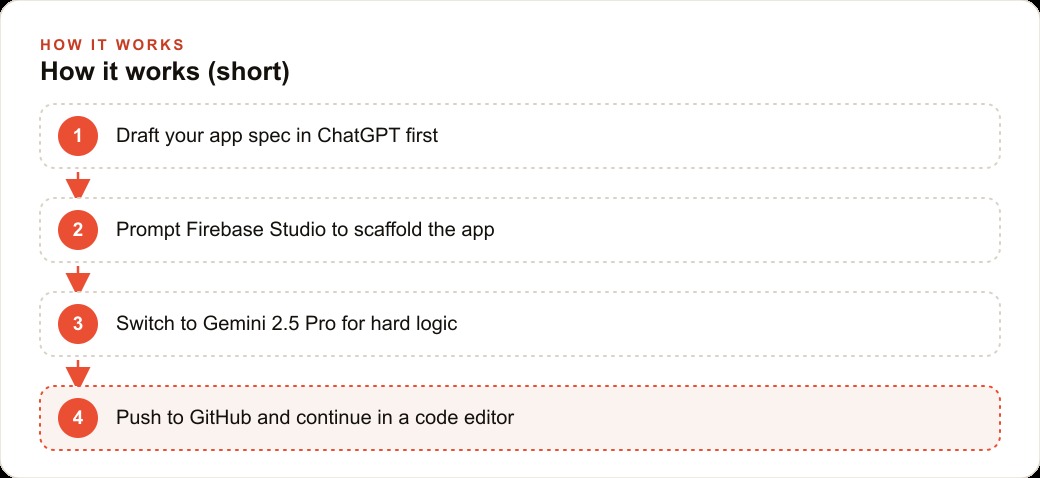
Second, use Firebase Studio specifically for the prototype-and-validate phase. Build the concept quickly, make it clickable, test it with real users, and validate that the idea is worth the investment in a properly built production version. If the concept validates, push the Firebase Studio project to GitHub and bring in a developer to finish the backend configuration, production-quality error handling, and security rules. That handoff workflow is what Firebase Studio is designed to support, and the exported code is the right foundation for a developer to continue from.
Third, switch from Gemini 2.0 Flash to Gemini 2.5 Pro the moment the logic gets complex. The default model is fast and handles initial scaffolding well. It makes shallow decisions on complex logic. Gemini 2.5 Pro is a thinking model that reasons through problems rather than pattern-matching solutions, and it produces materially better results on debugging, feature planning, and architecture decisions that require holding multiple constraints in mind at once. The model switch costs nothing and the quality improvement is significant enough to matter.
Fourth, do not use Firebase Studio as a final production environment without a code review. The generated code is real, it is in real files, and it works. But AI-generated code benefits from review before it handles real users, real data, and especially real payment or authentication flows. Push to GitHub, review the structure, and continue in a proper development environment before launching anything that processes sensitive information.
The honest verdict on Firebase Studio is something between a five and a six out of seven: genuinely useful for the right user, clearly overpromised for the wrong one, and on a trajectory toward becoming substantially better as the AI layer matures. The path to getting value from it is to understand which user you actually are and build your workflow around that reality rather than the marketing.
That is exactly what we do at AI DOERS. Book a private 30-minute call with Madhuranjan Kumar and we will map the fastest path to it for your specific business.
Book your call →
Madhuranjan Kumar
Madhuranjan Kumar brings 20 years of performance-marketing experience and has managed over $200 million in Facebook ad spend for brands across the United States and beyond. His expertise spans the full modern marketing stack: Meta, Google Ads, TikTok, email automation, CRM, and the websites that hold it together. At AI DOERS he turns that track record into lead-generation systems for businesses across every industry.