
Hyper-Specific Apps: The AI Workflow That Replaces Your Subscriptions
Instead of renting software that almost fits, you can use AI-assisted coding to build a tool that fits your business exactly, often for ten or twenty dollars total. Here is the five-step way I approach it.

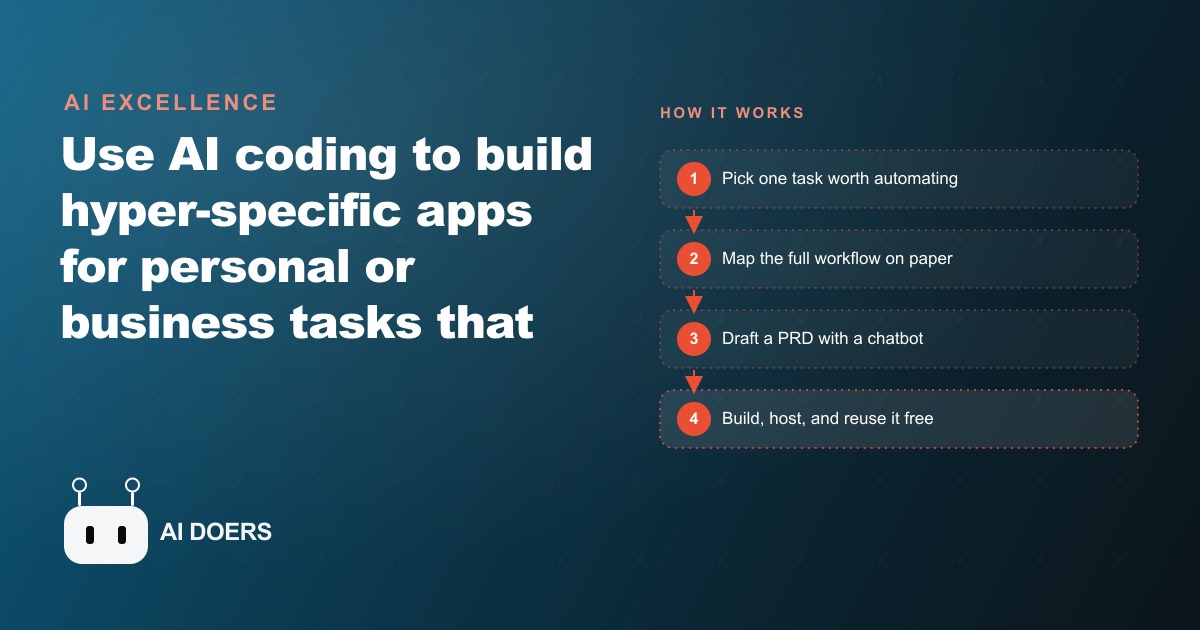
Every small business reaches the same decision point at some moment: continue paying for software that handles 80 percent of the job, or build something that handles exactly the job. I am Madhuranjan Kumar, and I want to walk through what that decision looks like in practice by following one business through the whole process from the problem to the tool to four months of running it daily. The business is a small accounting firm. The detail in this example is real, and the pattern it illustrates applies to nearly any business that pays for software that almost fits.
A firm closing books for forty clients and the tool problem underneath the work
The firm closes monthly books for approximately forty clients. The clients are spread across different industries, each with their own chart of accounts, their own bank format exports, and their own rules about how to categorize edge cases. Most of the clients have been on their particular setup for years, and changing it to match a software product's assumptions is not a realistic option.
The firm's solution before this project was three tools running in parallel. The first handled the bulk of clean imports for clients whose accounts mapped neatly to a standard structure. The second handled multi-currency clients. The third was a spreadsheet that acted as a clearing house for everything the first two tools could not process on their own. At the end of each month close, a staff member spent significant time in that spreadsheet doing manual reconciliation, re-keying totals from one format to another, and checking that the three outputs aligned before the final ledger went to the client.
The staff member who did most of that work could do it. The issue was not competence. The issue was that it was the same task, with the same decision tree, repeated forty times a month with minor variations per client. The cognitive cost of context-switching between forty different client configurations, and the error rate that comes with doing it manually under time pressure at month end, were both problems the three-tool setup had not solved. They had just distributed the problem across three bills.
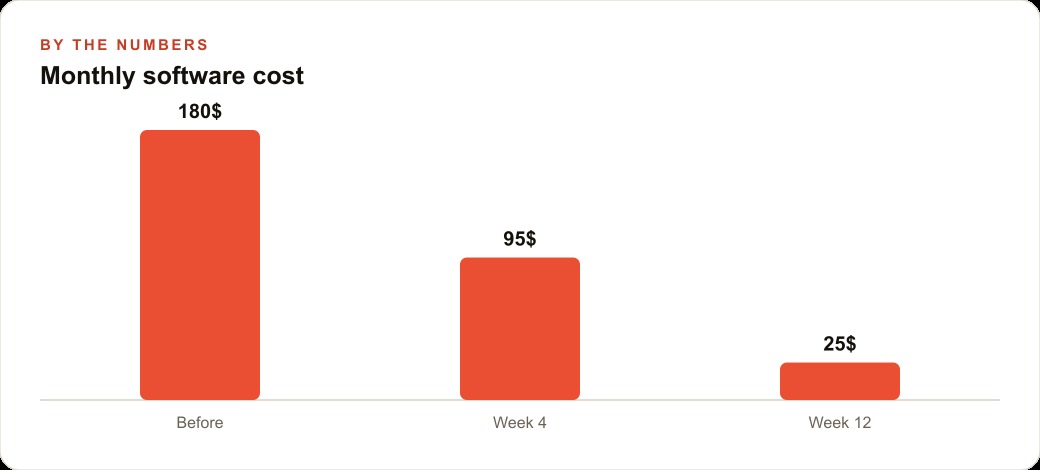
The calculation was straightforward. The three tools together cost the firm roughly sixty-five dollars per month. Add a reasonable estimate for the staff hours spent on manual reconciliation at a modest billing rate, and the real monthly cost of the current setup was several times the software spend. The firm was not looking to save sixty-five dollars a month. It was looking to recover the time.
Mapping the close process before writing a single line of requirements
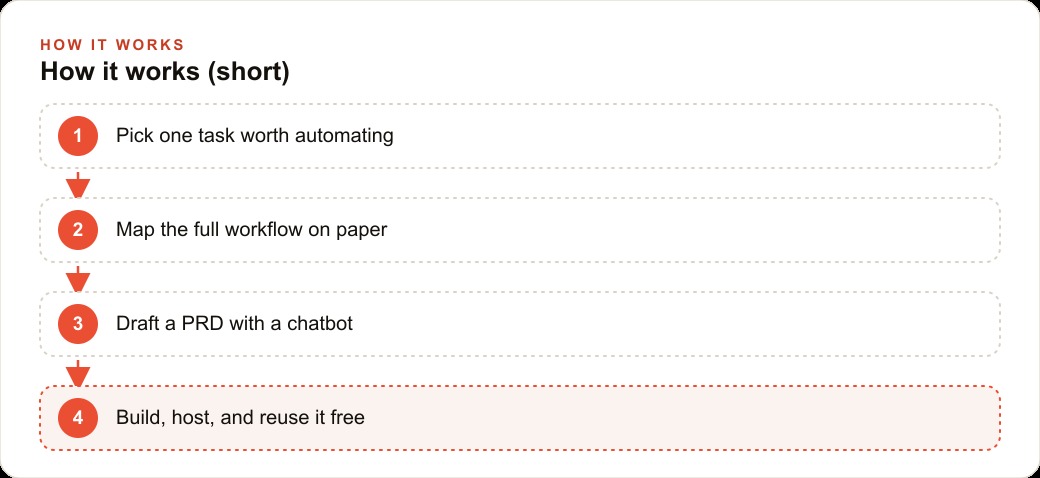
The first move was a process map, done on paper before anyone opened a coding tool. A process map at this level of specificity is not a flowchart. It is a numbered list of every discrete step in the close, every input each step requires, every rule that governs how the step works, and every exception the staff member already knows how to handle from experience. The goal is to make the implicit explicit, because a coding tool cannot automate a process that has not been fully described.
The close turned out to have eleven steps. Four of them were pure mechanical repetition: ingest the bank export file, convert it to a standard format, apply the client's categorization rules, and produce a clean output ready for the ledger. The remaining seven steps involved judgment: reviewing flagged transactions that fell outside the client's usual pattern, deciding how to categorize an unusual vendor, contacting the client about a transaction that needed clarification before it could be recorded, and producing the final signed-off ledger.
The distinction mattered because the design principle for this kind of tool is direct: automate the repetitive steps, leave the judgment steps to the human. A tool that tries to automate judgment makes errors that an accountant has to find and correct, which costs more time than doing it manually in the first place. A tool that automates the preparation and flags the exceptions reliably is one that a professional can trust, because it narrows their attention to the cases that actually require it.
The map also surfaced something that had not been fully explicit before: three of the forty clients had rule sets that were genuinely complex, with layered categorization logic and multiple exception types. The other thirty-seven were actually straightforward once their format was handled correctly. That discovery shaped the specification. The tool needed to handle the thirty-seven easily and handle the three complex ones correctly, which meant the client rule configuration had to be flexible enough to support layered logic, not just simple category mapping.
The build: what went into the product requirement document and why
The product requirement document was written with AI assistance before any code was started. A Claude or ChatGPT session works well for this: describe the business, describe the workflow, and ask the model to interview you about what the tool needs to do until no ambiguities remain. The interview format is important because the model asks follow-up questions that reveal gaps in the specification the person describing it did not notice they had. The PRD that comes out of a good interview session is significantly more complete than the one that comes out of a person writing it on their own.
The PRD for this project covered five components. The file importer handles the specific export formats the firm's bank partners produce, which meant the tool needed to recognize several format variants and normalize them into a single internal structure before any further processing. The client rule engine stored each client's categorization rules in a configuration file that could be edited without changing the core code, so adding a new client or updating an existing client's rules was a matter of editing a text file, not modifying the application. The exception flagging logic identified transactions that did not match any rule in the client's configuration and added them to a review queue rather than making a guess. The output formatter produced a clean ledger in the format the firm's clients expected, which varied by client and was therefore also configuration-driven. And the review interface showed the flagged transactions in a simple screen where the accountant could make a decision and record it before the final export.
The build itself used Claude Code with the PRD as the primary context file. The process followed a discipline that applies to any build of this kind: think through each feature completely before writing the first line of code, reuse existing libraries for anything with an off-the-shelf solution rather than writing custom logic, commit at each working checkpoint so a bad step can be reversed without losing the previous progress, and feed the tool rich context throughout, including example input files, example expected outputs, and descriptions of the specific edge cases that need to be handled. The more precisely the tool understands the real inputs and outputs, the fewer revision cycles the build requires.
Version one was functional but incomplete. The importer handled the two most common bank export formats correctly. The rule engine handled straightforward category mapping. The exception queue worked. The output formatter produced a clean ledger for a simple client. The three complex clients with layered rules did not work correctly in version one. That was expected. Version one was the first checkpoint, not the finished product. Version two addressed the layered rule logic. Version three added the ability to export in multiple output formats. By version three, the tool handled all forty clients correctly.
Four months later: what running your own tool is different from renting one
Four months after the tool went into regular use, the practical differences from the previous three-tool setup were concrete and measurable. The monthly close for the thirty-seven standard clients now took an afternoon instead of two days. The three complex clients still required more accountant time because of the judgment involved, but the preparation work before that judgment was automated, so the time went to the decisions that actually required professional attention rather than the re-keying that surrounded them.
The three previous subscriptions were cancelled. The tool's hosting cost on a small private server was a flat monthly fee a fraction of what the three tools together had cost. The staff member who had managed the manual reconciliation now spent that time on client communication and review, which is higher-value work and significantly less error-prone than manual data entry under month-end time pressure.
The privacy outcome was the one that produced the most direct client feedback. Because the tool runs on the firm's own server and processes all data locally, no client data passes through a third-party vendor's cloud. For several of the firm's clients in industries with strict data handling requirements, this was a meaningful assurance that had been difficult to provide when the workflow ran through three commercial platforms. Two clients specifically mentioned it as a factor in their decision to stay with the firm when they renewed.
The one thing that surprised the team was how much of the value came from the exception flagging rather than the automation itself. The tool's ability to identify the transactions that fell outside expected patterns and route them to a dedicated review queue meant that accountants spent their attention on exactly the cases that needed it. In the old setup, every transaction passed through human review because the human was the processor. In the new setup, the flagged transactions received more careful attention because they were pre-selected as the ones that warranted it. The quality of the review, not just the speed of the process, improved.
For any business that runs paid campaigns, the same principle applies in a different context. A firm running Meta ads for clients or for their own lead generation is already producing structured data every day: spend, leads, cost per lead, conversion rates by audience. A hyper-specific reporting tool that pulls that data, applies the firm's own rules for what counts as a qualified result, and flags any campaign where performance fell outside the expected band is the same pattern as the accounting tool. The repetitive data pull and formatting is automated. The judgment about what to do with an underperforming campaign stays with the person responsible for the account.
The same logic applies to any business with a Google Ads operation that currently exports data from the platform and works with it in a spreadsheet. The export, the formatting, the calculation of custom metrics the platform does not surface natively, and the comparison to prior periods are all mechanical steps that an AI-built tool can handle on a schedule, producing a ready-to-review output that arrives before the morning briefing. The person reviewing it is not faster because they moved quickly through manual steps. They are faster because the manual steps were already done when they sat down.
The accounting firm's tool now costs approximately fifteen dollars per month to run and has been modified three times since launch to accommodate two new clients and one change in how a major bank formats its export files. Each modification took under two hours. The skill the team built from the first build, the ability to write a precise specification and translate it into working software through an AI coding tool, is what made the modifications fast. The first build is always the slowest. Each subsequent build of anything in the same system runs faster because the team understands the structure and can describe what needs to change precisely.
Building a hyper-specific tool is an investment of a few hours to a full day the first time. It pays back in months, not years, for any business where the workflow it replaces runs monthly or more frequently. The firms and business owners who start building these tools now are accumulating both the tools themselves and the skill to build the next one, which is the compounding advantage that makes this approach more valuable over time than any subscription software that almost fits.
That is exactly what we do at AI DOERS. Book a private 30-minute call with Madhuranjan Kumar and we will map the fastest path to it for your specific business.
Book your call →
Madhuranjan Kumar
Madhuranjan Kumar brings 20 years of performance-marketing experience and has managed over $200 million in Facebook ad spend for brands across the United States and beyond. His expertise spans the full modern marketing stack: Meta, Google Ads, TikTok, email automation, CRM, and the websites that hold it together. At AI DOERS he turns that track record into lead-generation systems for businesses across every industry.