
How to Actually Use Nano Banana Pro for Real Business Images
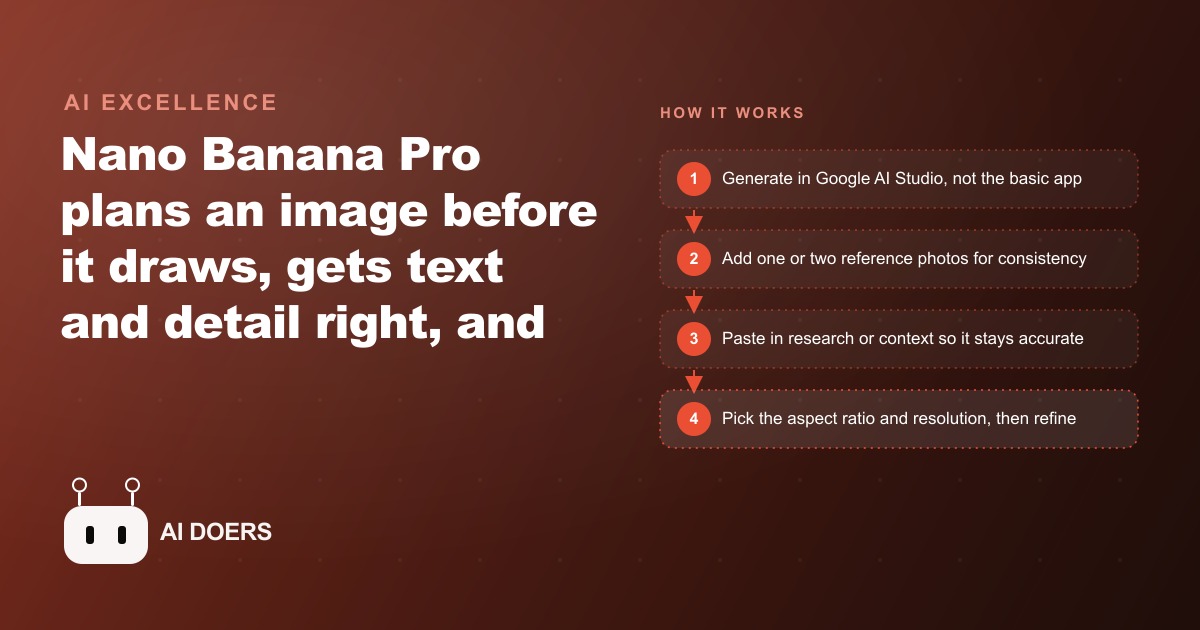
Nano Banana Pro plans a scene before it draws, nails text and detail, and keeps a subject consistent. Here is what that changes for a real business and how I would set it up for a client.

The Photography Budget Is Being Defended With Arguments That Are One Year Out of Date
I have been in enough marketing conversations to recognize the reflex. Someone brings up AI image generation and someone else says the same thing: it still cannot replace real photos. That objection was accurate for most of the past two years. It is not accurate now, and I think the businesses that keep protecting their photography budget without revisiting the assumption are paying for confidence that the data no longer supports.
Nano Banana Pro, Google's newest image model, does something its predecessors could not. It plans a scene before it draws. The model reasons for several seconds first, mapping out composition, lighting, scale, and subject placement, and only then generates the image. That hidden planning step is why older models smeared text, got hands wrong, and made a product look slightly different in every output. It is also why this model does not. The generation process now works more like a designer working through a brief than a random walk through pixel space, and the commercial consequences of that shift are bigger than most marketing teams have yet processed.
The businesses still treating AI image generation as a tool for blog hero images are missing what changed at the foundation. This is no longer a toy for illustration. It is an alternative production pipeline for a wide class of commercial images, and I think it is time to say that directly rather than hedge around it with qualifiers.
Legible Text and Accurate Detail Were the Genuine Blockers. They Are Gone.
The first hard requirement for any commercial image is that the text in the frame reads correctly. Price tags, promotional callouts, ad copy overlaid on a background, product labels, infographic text: all of it has to be right. Older models failed this test badly enough that they were genuinely unusable for any creative that put words inside the image. You could spot an AI-generated ad creative from across the room because the text looked almost right but was not quite, and in advertising almost right is the same as wrong.
Nano Banana Pro renders clean, readable text from a prompt. Diagrams hold their structure. Small labels stay legible. Infographic layouts do not collapse into decorative blur. I tested this with a product spec sheet concept, a layout that included a headline, three bulleted feature claims, a price point, and a simple product render in the frame. The output was something I would have handed to a designer for review rather than immediately discarded. That is a different category of tool.
That shift matters for every business that runs creative with copy inside the image. Promotional social posts, sale announcements, product feature callouts, comparison graphics, testimonial cards: these are among the most common formats in digital advertising, and they were all previously outside the practical range of AI image generation because the text requirement alone disqualified the output. That disqualification no longer applies, and a business that keeps treating this model the same way it treated the one from eighteen months ago is leaving a real production advantage on the table.
The fine detail accuracy extends beyond text. It shows up in product renders where the stitching on a garment, the label on a bottle, and the surface grain on a material all come out looking right. It shows up in architectural concepts where window proportions and structural relationships hold. It shows up in infographics where bars and lines actually correspond to the data in the prompt. The model's planning step is what drives this. It considers the scene as a whole before generating any of it, which means the parts relate to each other correctly instead of being assembled like a collage of plausible-looking elements.
Consistency Across a Campaign Was the Second Genuine Objection. Reference Photos Answered It.
The strongest legitimate objection to AI images for commercial use has always been consistency. A product needs to look like the same product across fifteen different placements. A founder or brand spokesperson needs to look like the same person across a six-image LinkedIn series. Traditional photography delivers this because the same physical object or person is in front of the lens every time. AI generation drifted noticeably, which is why teams that tried to run full campaigns from it ended up with something that felt subtly off when the images sat beside each other in a feed or on a page.
The reference photo feature changes this substantially. Drop one or two reference photos of a product or a person into the prompt and the model maintains that subject across new scenes without a custom training run. Custom model training used to take time, specialist tooling, and a meaningful library of source images. Most small businesses could not justify the investment, and the agencies that offered it charged accordingly for the setup. The reference photo approach requires two clean shots and a careful prompt. That is an accessible workflow for a solo marketer or a small team, and the consistency it produces is close enough to a polished campaign that the objection loses most of its practical force.
For physical product businesses, this changes the economics of seasonal creative. A candle brand that used to schedule a new shoot each quarter to refresh its imagery can now generate seasonal variants from two clean product reference photos. The candle in a summer garden setting, a cozy winter table, an autumn arrangement with warm side light, all from one session for the cost of API calls. The alternative is a photography retainer or a quarterly shoot fee. Both are real budget lines. The API cost for a month of creative generation through Google AI Studio is not comparable in magnitude, and that asymmetry is worth taking seriously.
The Real Comparison Is Not Image Quality. It Is Testing Volume and Speed.
The framing that keeps most businesses resistant to this shift is a quality comparison: does this look as good as a professional photograph? Sometimes it does. Sometimes it does not. That is the wrong question for most commercial use cases. The right question is: at what speed and cost can a business produce enough creative variation to run meaningful tests?
A business running paid ads on Meta or Google needs creative variety. The algorithm rewards novelty, audiences develop banner blindness after a few weeks with the same visual, and the only way to know which angle, which background, which product presentation converts best is to test them against each other. A business constrained to photography can realistically test three to five creative variants per campaign. A business using Nano Banana Pro through Google AI Studio can test thirty in the same time window for a fraction of the cost.
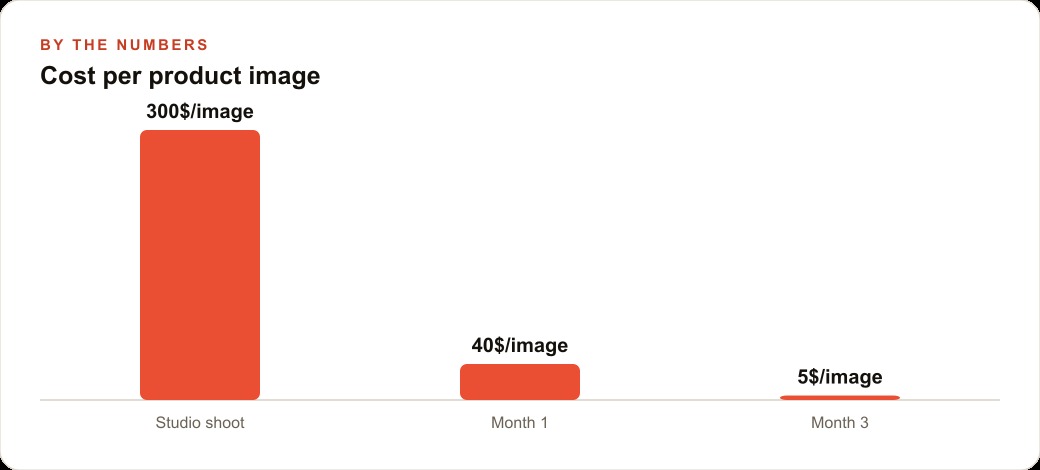
The winner from thirty tests almost always outperforms the winner from five, because the larger test surface finds the visual trigger or message framing that a small sample would statistically miss. This is not a marginal difference in outcomes. A specific example: a skincare brand running Meta ads shifted from a quarterly photography model, at roughly 1,400 dollars per shoot for twelve usable images, to a reference-photo-plus-AI workflow. Monthly creative output moved to around sixty usable images for under twenty dollars in API costs. The conversion improvement came not because any single AI image outperformed a photograph in a side-by-side comparison. It came because testing volume went up by a factor of five and the team found combinations they would never have discovered with twelve images rotating across a three-month window.
That is the actual argument for changing the budget allocation. Not that the images are photographically identical. That the volume and speed make the testing math different enough to change campaign outcomes. The businesses holding onto photography budgets justified by creative quality are often the same businesses running the same three ad creatives for eight weeks because they cannot afford to reshoot fast enough to stay fresh. The comparison they should be making is not quality per image. It is results per dollar spent on the creative production process.
Google AI Studio Is What Separates a Business Tool From a Consumer Experiment
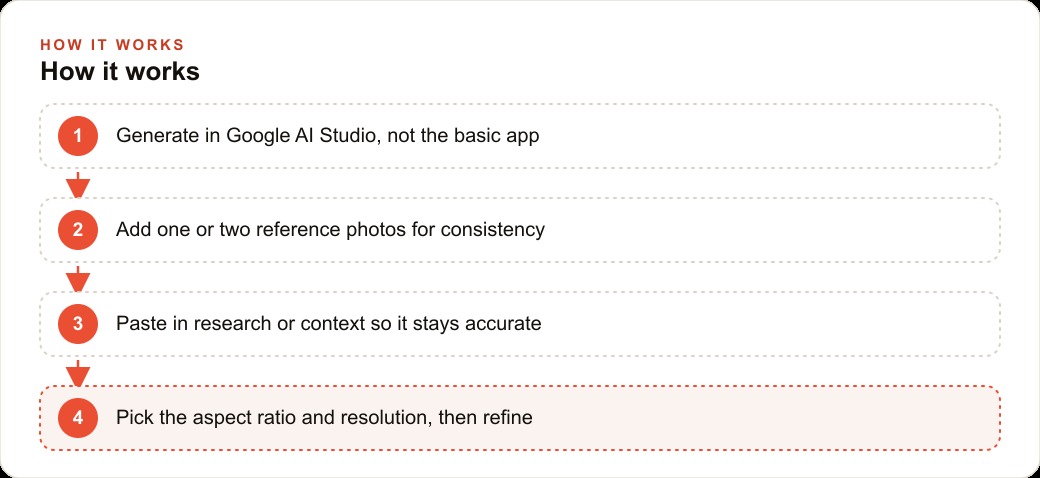
I want to be specific about where this workflow lives, because the free consumer app is not the right tool for what I am describing. The basic app adds a watermark, limits aspect ratios, and caps resolution in ways that make the output unsuitable for anything professional. Google AI Studio is the correct environment for business use. It gives you custom aspect ratios for every placement you need, resolution up to 4K, system instructions that define the model's behavior across a full session, and settings that let you control the output with real precision.
In practice, the difference is that you can brief the model the way you would brief a photographer before a shoot. You can define your brand's color references, your preferred composition style, your output constraints, and your target placements in a system prompt that applies across the entire session. Every generation runs against that brief rather than starting cold. The outputs are noticeably more on-brand and consistent than anything produced from a consumer interface where every prompt has no context from the last one.
Feed it your research as well. Paste in your product description, your target audience, the specific use case for the image, and what it needs to communicate. The model's planning step uses that context to focus on drawing rather than guessing facts, and the output is more accurate and commercially useful as a result. Context in this workflow is not setup overhead. It is the variable that most directly controls whether the output is ready to deploy or requires another round of refinement.
One practical habit worth building early is the session reset. After six or seven edits inside a single thread, the model drifts from the original reference, compounding small changes until the output no longer resembles the brief. The fix is simple: take the last version you were satisfied with, open a fresh session, use it as the new reference, and start from a clean brief. Treating each fresh session as a new shoot rather than an infinite edit chain keeps quality consistent and avoids the gradual degradation that makes long threads produce diminishing returns.
The Verification Step That Makes This Safe to Deploy at Commercial Standard
None of what I am describing means the output goes directly to publication. Because Nano Banana Pro's realism is high enough that mistakes are easy to trust by accident, the verification step has to be explicit and methodical rather than a quick glance. The places to check are exactly the ones the model handles least reliably: small text at the edge of the frame, the interior of reflective surfaces, complex materials like glass or moving water, hands and fingers in scenes where they appear, and any factual claim embedded in the image that the model had to reason about rather than read directly from a reference photo.
For a product image, that means verifying the label, the logo, the product color under the scene's lighting, and whether the product silhouette matches the reference or has drifted slightly in the generation. For a person-consistent series, it means checking that facial proportions match across images and that distinguishing features are maintained rather than averaged away between scenes. These checks take three minutes per image. A team that builds them into a review checklist and applies them before any image enters the creative rotation will rarely have a problem. A team that skips them because the output looks convincing will occasionally publish something that looks right at thumbnail size and wrong at full resolution, which is the exact kind of mistake that erodes credibility faster than any quality gap.
This verification habit is also what separates professional use from careless use, and it is the part of the argument that people who dismiss this category of tool most often ignore. The workflow is not generate and post. It is generate, verify, approve, post, with the middle two steps treated with the same attention as they would receive for any other commercial asset. Held to that standard, the output from this model is deployable for a wide range of commercial uses. The argument that photography budgets are untouchable becomes much harder to sustain from a position of current data rather than inherited assumption.
The businesses that will resist this longest are often those with a meaningful creative investment in traditional photography, agencies with established studio relationships, brands that have built their visual identity around a specific photographic style. That resistance is understandable. The relationship with a good photographer is genuinely valuable, and the visual consistency that comes from working with the same creative team over time is hard to replicate. The argument is not that those things have no value. It is that the portion of the production budget going toward images that will be used once in a seasonal campaign, that needed two rounds of reshooting to get right, that sat in a folder for three months before going stale, that portion is now competing with a workflow that produces more volume, more variation, and more testable creative for a fraction of the cost per asset. That is where the math changed, and waiting for it to change further before responding is itself a strategic choice with a cost attached to it.
That is exactly what we do at AI DOERS. Book a private 30-minute call with Madhuranjan Kumar and we will map the fastest path to it for your specific business.
Book your call →
Madhuranjan Kumar
Madhuranjan Kumar brings 20 years of performance-marketing experience and has managed over $200 million in Facebook ad spend for brands across the United States and beyond. His expertise spans the full modern marketing stack: Meta, Google Ads, TikTok, email automation, CRM, and the websites that hold it together. At AI DOERS he turns that track record into lead-generation systems for businesses across every industry.