
How to Turn Claude Code Into a Parallel UI Designer
Combine four Claude Code features, sub agents, a CLAUDE.md rules file, custom slash commands, and git worktrees, so one prompt forks several UI variations at once and you iterate only the one you like.

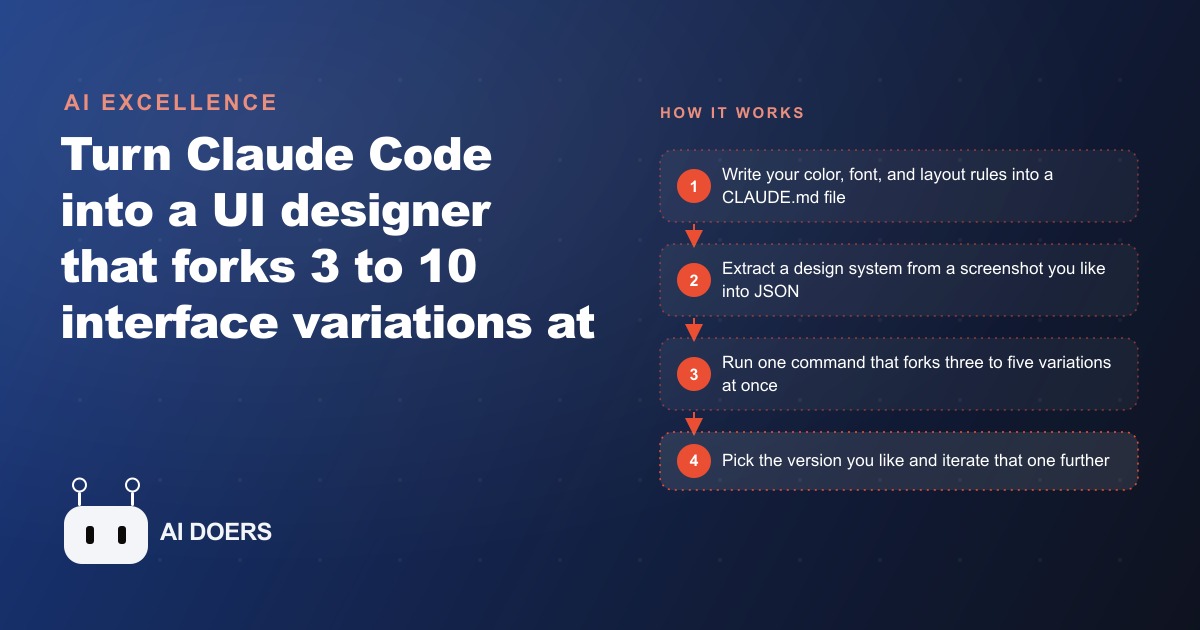
Claude Code can now run three to ten interface designers simultaneously on the same brief, each producing a distinct, fully coded variation, and the whole setup uses four native features that most developers already have available. The combination shipped without a single new tool or paid add-on: sub-agents that run in parallel, a CLAUDE.md file that acts as the design contract, custom slash commands in a .claude/commands folder that become reusable prompt templates, and git worktrees that give each agent a fully isolated branch of the production repository to work in.
I am Madhuranjan Kumar. This matters more than it sounds on first reading, and the reason is structural rather than just about speed. The traditional front-end design process is sequential: one concept gets produced, presented, discussed, revised, presented again. Each round of revision costs time and money. The parallel agent approach makes exploration cheap enough that the question of whether to look at more options before committing stops being a budget decision and becomes a default. Here is what shipped and what it changes.
Claude Code can now run as many as ten UI designers simultaneously on the same brief
The parallelism comes from sub-agents launched from a single parent prompt. When you ask Claude Code to produce three variations of a UI, it spawns three separate sub-agents that each receive the same brief and the same design constraints but produce genuinely different output because they run in independent contexts without seeing each other's work. The result is three complete, interactive HTML files you can open in a browser and compare side by side, not three variations of the same design with minor palette tweaks.
The design brief that keeps the variations distinct from each other while keeping them all within the same brand is the CLAUDE.md file. This file functions exactly like Cursor rules for Claude Code: it is read at the start of every session by every agent, and it defines the non-negotiable constraints. Color values, font choices, spacing units, component behavior, and technical requirements like outputting one self-contained HTML file per variation all live in CLAUDE.md. With those constraints in place, the agents produce genuinely different layouts, hierarchies, animation approaches, and visual treatments while all staying recognizably within the same brand. Without them, the variations are unpredictable and often unbranded.
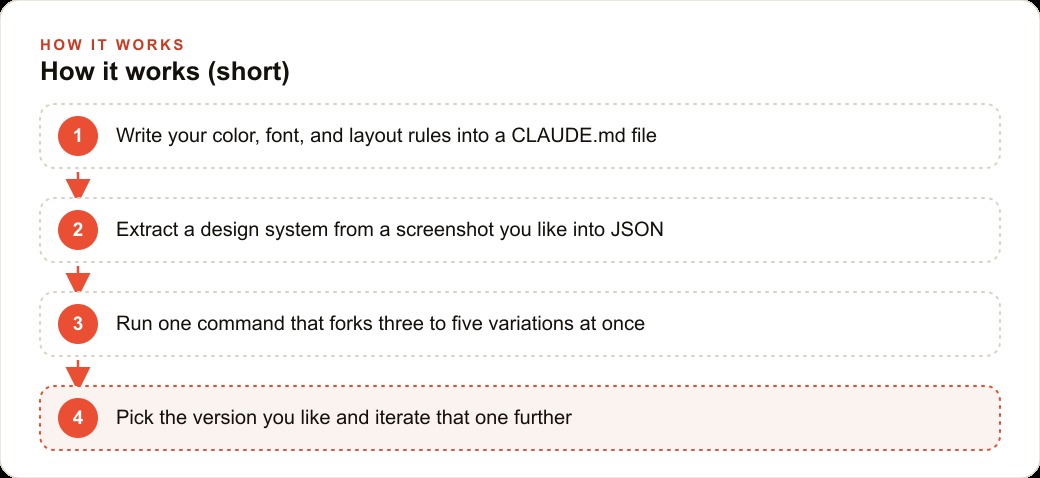
The first practical step in the workflow is extracting a design system from a reference you already like. A slash command takes an image URL or a screenshot of an interface you admire and sends it to Claude, which pulls out the color palette, typography, spacing patterns, and layout logic into a structured JSON file. Feeding that JSON to the iterate command produces much more reliable results than handing the agent a raw image and expecting it to read all the relevant details correctly. Structured data is unambiguous. An image is interpreted. The difference in output consistency is significant.
CLAUDE.md acts as the design contract that keeps all parallel agents inside your brand
The CLAUDE.md file is what separates a useful parallel design workflow from a chaotic one. Without it, ten agents produce ten things that have nothing to do with each other or with the actual business. With it, ten agents each interpret a shared brief in a different direction while staying within the boundaries that make the output usable. The file does not constrain creativity. It constrains the space within which creativity operates, which is exactly the relationship between a brand guide and a designer's work.
The most important rules to establish in CLAUDE.md before running any parallel session are the ones that would be hardest to fix after the fact. The color system needs to be precise: not just the primary brand color but the full palette including hover states, backgrounds, borders, and text hierarchy. Font choices need to specify the stack, the weights, and the size scale. Layout conventions like whether the navigation is horizontal or sidebar-based, whether cards have rounded corners, whether interactions use motion, all need to be explicit. Add the technical constraint that every variation must be one self-contained HTML file and the review process becomes as simple as opening a file in a browser, which is fast and requires no build environment.
The slash command for iterating is the second piece of the foundation. It reads the design system JSON extracted from the reference and spawns three to five sub-agents, each with instructions to produce a distinct interpretation. Within a few minutes there are three to five browser-ready HTML files sitting in separate UI folders. The iteration step is to pick the direction you prefer, note which specific qualities attracted you to it, and re-run the command on that specific version asking for further variations. The agent analyzes the chosen version and forks three new directions from it, branching off the one visual language that won the first round rather than starting fresh from the original brief.
Git worktrees are the missing piece that makes this safe for production Next.js and React apps
Single HTML prototypes are excellent for early design exploration but they are not the endpoint for a real product. A production Next.js or React application has components, shared state, routing logic, and a dependency tree that a single HTML file cannot represent. Moving the parallel design workflow into that codebase requires isolation so multiple agents can work simultaneously without overwriting each other's changes.
Git worktrees provide that isolation cleanly. A worktree is a separate directory that checks out a specific branch of the repository. Each directory has its own working copy of the files, its own node_modules, and its own dev server. An agent working in one worktree cannot affect an agent working in another, because they are operating on separate branches that share only the git history. One slash command handles the entire setup: it creates one worktree per requested variation, installs the dependencies in each, and launches a sub-agent on each branch. The agents build independently. You review each branch by running its dev server, comparing the implementations in the browser, and choosing the strongest one. The worktrees that did not win get deleted. The winning branch gets merged into the main development branch.
The storage implication of worktrees with full dependency installs is worth planning for. Each worktree with node_modules can consume several hundred megabytes to a few gigabytes depending on the project. Running three to five variations per iteration round across multiple rounds accumulates quickly. Building a cleanup habit into the workflow, deleting rejected worktrees immediately after the decision is made, keeps the disk usage manageable.
For any agency building landing pages, dashboards, or application features for clients, this workflow removes the longest part of the design-to-approval cycle. The owner or decision maker is no longer evaluating an abstract wireframe or a static mock. They are reviewing real, working implementations that they can click through, interact with, and respond to based on the actual experience rather than an approximation of it. That changes the feedback quality and compresses the number of revision cycles.
Firecrawl and Superdesign extend the workflow to external research and canvas-style iteration
Two additions to the workflow are worth calling out for specific use cases.
Firecrawl converts any website into clean, LLM-ready markdown through search and extract endpoints that handle pagination and authentication. For an agent that needs to research competitor interfaces, pull product information from a website, or understand how a reference UI is structured before designing an alternative, Firecrawl replaces the need to manually copy and paste content or write a custom scraper. A few lines of API give the agent direct access to structured, readable content from any public website. For a business building marketing pages that need to reference competitor positioning, or SEO and organic content tools that need to pull and process external data, this is the research layer that makes the agents useful on real-world tasks rather than just abstract design prompts.
Superdesign is an open-source extension built on the Claude Code SDK that adds a chat interface and a live canvas inside Cursor. The workflow it enables is somewhat different from the slash-command approach: you describe what you want, the agent generates a wireframe on the canvas, you can see it immediately and iterate on it directly, and the progression from rough wireframe to polished mockup to implementation happens in one place without switching tools. For designers who prefer to work inside an editor environment and want the visual feedback loop tighter than a separate browser review, Superdesign is a clean alternative to the command-line-based parallel workflow.
The choice between the two approaches is primarily about where in the workflow you want to spend most of your time. The slash-command parallel approach is faster at producing a wide spread of distinct options for comparison. The Superdesign canvas approach is better for iterating a single direction toward high fidelity in a continuous, visual conversation. Most real projects benefit from both: the parallel approach for early directional exploration and the canvas approach for refining the winning direction to final quality.
The implication: parallel design exploration is now cheaper than sequential single-direction iteration
The traditional design process is expensive because it is sequential. Each new direction explored requires restarting from scratch. The revision cycle is linear. Every round of feedback produces one revised version that either moves in the right direction or requires yet another round. Business owners who cannot easily visualize the intended result from a brief tend to approve work too early and then discover during implementation or after launch that it did not match what they actually wanted.
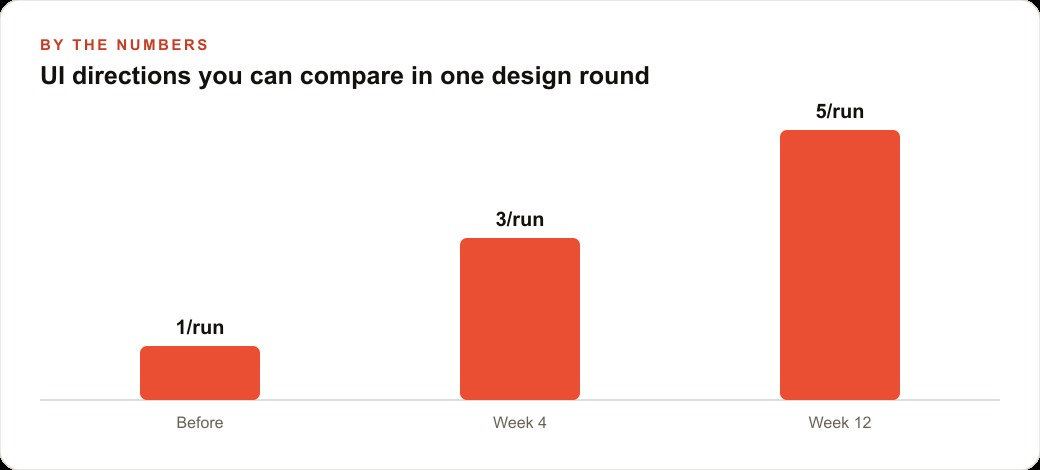
Parallel agent design inverts that cost structure. The first round produces three to ten distinct directions simultaneously. The business owner or client is choosing from real, working implementations rather than approving an abstract brief or a static mockup. The decision happens faster, with better information, and with less risk of discovering after the build is complete that the chosen direction was not the right one. The follow-up round branches off whichever direction won, exploring further variations of that specific language rather than starting over.
For a real estate agency building a new property listing page, a medical practice refreshing its patient intake flow, or a retail brand redesigning its checkout, the parallel approach means seeing three genuinely different takes on the problem in one afternoon rather than waiting a week between each single revision. The decision to go further in a given direction is based on seeing the actual implementation rather than imagining it from a description. That change in how design decisions get made tends to produce faster alignment and better outcomes, not because the agents are better designers than humans, but because comparing real options is a better way to make decisions than evaluating an approximation of one option.
The CRM and website stack that businesses actually ship to customers benefits directly from this workflow because the gap between what the client approved and what they actually wanted narrows when the approval is of a working version rather than a static concept. Fewer revision cycles after the build is live means lower total project cost and faster time to a page that converts. For any team regularly building front-end work for clients or for internal use, adding CLAUDE.md, the extract slash command, and the iterate slash command to the existing Claude Code setup is a weekend of configuration work that pays dividends on every project that follows.
The concrete starting point for any team that has not tried this yet is one CLAUDE.md file and one extract command. Write the brand color values, the font stack, the spacing rules, and the single-file output requirement into CLAUDE.md this week. Find one interface you admire, run the extract command on a screenshot of it, and inspect the JSON it produces. That JSON is the design vocabulary the agents will share when you run the first parallel iterate session. The entire parallel workflow becomes available from that foundation, and the first round of three concurrent variations can run within an hour of completing those two setup steps. The jump from one sequential design concept to three simultaneous ones is the whole shift, and it is available in an afternoon.
That is exactly what we do at AI DOERS. Book a private 30-minute call with Madhuranjan Kumar and we will map the fastest path to it for your specific business.
Book your call →
Madhuranjan Kumar
Madhuranjan Kumar brings 20 years of performance-marketing experience and has managed over $200 million in Facebook ad spend for brands across the United States and beyond. His expertise spans the full modern marketing stack: Meta, Google Ads, TikTok, email automation, CRM, and the websites that hold it together. At AI DOERS he turns that track record into lead-generation systems for businesses across every industry.