
How to Switch from ChatGPT to Gemini Without Losing Your Context
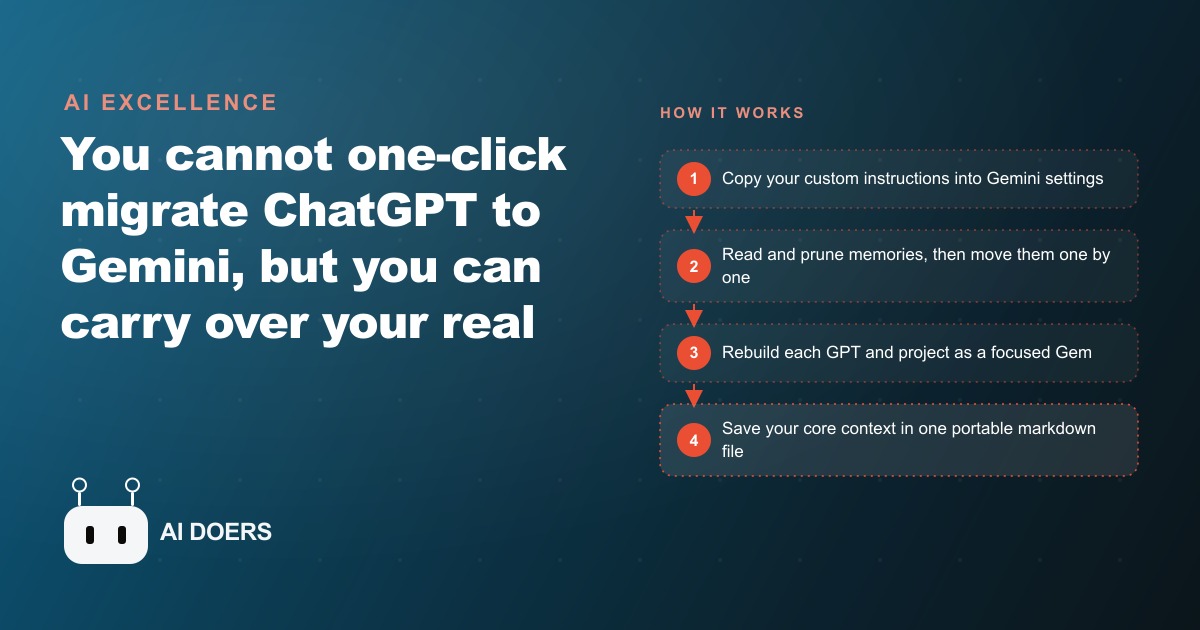
There is no one-click migration from ChatGPT to Gemini, but you can carry over what matters by copying your custom instructions and memories, rebuilding your GPTs and projects as Gems, and keeping your core context in a portable file.

Most people who try to switch from ChatGPT to Gemini begin by looking for an import button. There is no import button, and that absence turns out to be the most useful part of the entire exercise. I am Madhuranjan Kumar, and when clients ask me about moving between AI tools, the real question underneath is almost always the same: will I lose everything I spent months building? The answer is no. But the reason behind that answer matters more than the reassurance itself. Nothing you built was ever really inside ChatGPT. It was inside your context, and context is fully portable once you understand where it lives, what it consists of, and how to move it deliberately.
The instinct to treat old chat logs as the valuable asset is completely understandable. You spent months with the tool. Those conversations feel like a long record of accumulated work. But go back to any thread from six months ago and notice how little of it you would actually open again. A finished conversation is a finished transaction. What made those conversations productive was not the transcript but the layer beneath it: the instructions that shaped every response, the memories the tool held about your preferences and your business, the specialized setups you configured for recurring tasks. That layer took real time to develop. It makes every output measurably better. And it transfers completely, once you know what you are transferring and in what order to do it.
The migration is worth completing once even if you decide to stay on ChatGPT at the end. You built your context gradually across many sessions, adding small pieces without ever stepping back to look at the whole structure. The migration forces that review. You will find instructions written for a service you stopped offering without ever updating the context. You will find memories that logged a preference you changed eight months ago and never corrected. You will find a specialized setup built for a client engagement that wrapped up last year. The migration is not a tedious technical exercise. It is a scheduled audit of the most leveraged part of your workflow, the part that silently shapes every output you receive from AI going forward.
The second payoff is less obvious and more lasting. Once you have moved your context once, you understand it as something you own rather than a configuration you made inside someone else's platform. You stop relating to AI tools the way a tenant relates to an apartment building, accepting whatever the platform provides and trusting that the terms will not change. You start relating to them the way a capable operator relates to any supplier: clear on what you need, confident in your ability to take it to whoever is doing the best work right now. That shift does not fade when the migration is over. It changes how you evaluate every AI tool decision for the rest of the time you use these tools.
For businesses that have integrated AI into their SEO and organic search operations, their content calendar, or their client communication workflows, this matters because context accumulates fast and invisibly. A content team that has spent nine months teaching an AI their editorial voice, their internal linking patterns, their source preferences, and their audience rules has built something with real commercial value. That value should not be permanently housed inside a single vendor's application where a pricing change or a quiet policy edit can make it inaccessible with hours of notice.
The migration forces you to see what your context actually is
Context in an AI tool lives in four distinct layers, and they are not equally visible from the surface of the app.
The most visible layer is custom instructions. These are the persistent text fields you set to define how the AI responds across every session. Most tools surface one or two of these fields in settings. They are also the most straightforward layer to move: copy the text, paste it into the equivalent field in Gemini, and the baseline behavior transfers. The copy takes five minutes. The remaining three layers require more care.
Memories are subtler and more important to handle correctly. ChatGPT's memory feature logs facts about you over time, sometimes from things you stated explicitly and sometimes from inferences the model drew during conversations without announcing them. Before you move a single memory entry, open the memories manager and read through the complete list. This step surprises nearly everyone the first time. Some memories are accurate and still useful. Some recorded a preference or situation that no longer applies. Some were reasonable inferences that were never quite accurate. Carrying all of them unreviewed into a new setup means moving stale or incorrect context forward and rebuilding the same drift in a new application.
The right approach is to read every memory entry, delete anything that is no longer true, and then move the remaining ones individually rather than as a single pasted block. Moving memories one at a time matters more than it sounds at first. A memory that reads "prefers concise bullet-point summaries" and a memory that reads "uses a three-section format for weekly client reports every Friday" are two distinct pieces of context. When they are moved as a single block, the new tool often retrieves them together as one unit even when only one is relevant to the current session. The result is responses that blend context that should stay separate, and the precision loss is subtle enough that many people do not diagnose the cause for weeks.
Projects and GPTs are the third and fourth layers, and both become Gems in Gemini. That is the single most important structural difference to absorb before you begin. A ChatGPT project, which grouped related conversations and held attached files, becomes a Gem with uploaded knowledge documents and a focused instruction set. A custom GPT, which held a system prompt and a set of conversation starters, becomes a Gem with that system prompt intact and a brief how-to-open-a-session block added at the bottom of the instructions, since conversation starters in Gems work slightly differently. Gems also let you assign one default tool capability per Gem, and the options available include features like deep research and canvas that may actually expand what the original setup could do.
Here is what this looks like with real numbers. A marketing consultancy built a ChatGPT project for drafting new-client proposals over approximately ten months. The project held four documents: a brand voice guide, a current pricing framework, a bank of 26 common objection responses, and running notes from 21 past client engagements. A GPT attached to the project opened every session with five intake questions before producing any draft. The owner tracked the time savings informally and estimated the setup returned roughly 50 minutes per proposal. Across seven proposals per month, that was nearly six hours recovered monthly. At their effective hourly rate, that was over $900 worth of time returned each month, not from revenue but from the owner's capacity being freed for higher-value work.
During the migration, the owner downloaded all four documents and read each one before uploading them to the new Gem. Reading them took about 40 minutes. The pricing framework still listed rates from 14 months earlier, before a 20 percent increase that had gone into effect quietly. The brand voice guide referenced a service offering the firm had stopped selling 11 months prior. Neither document had been touched because the daily workflow was running well enough that the stale content was not noticeable inside individual conversations. The migration caught both gaps. The Gem launched with correct pricing and a current service list. The first proposal produced after the migration came in at the updated rates, not the old ones. The review built into the migration process had paid for itself on the first use, on a proposal worth substantially more than the 40 minutes spent reading old documents.
Moving the four layers in the right order
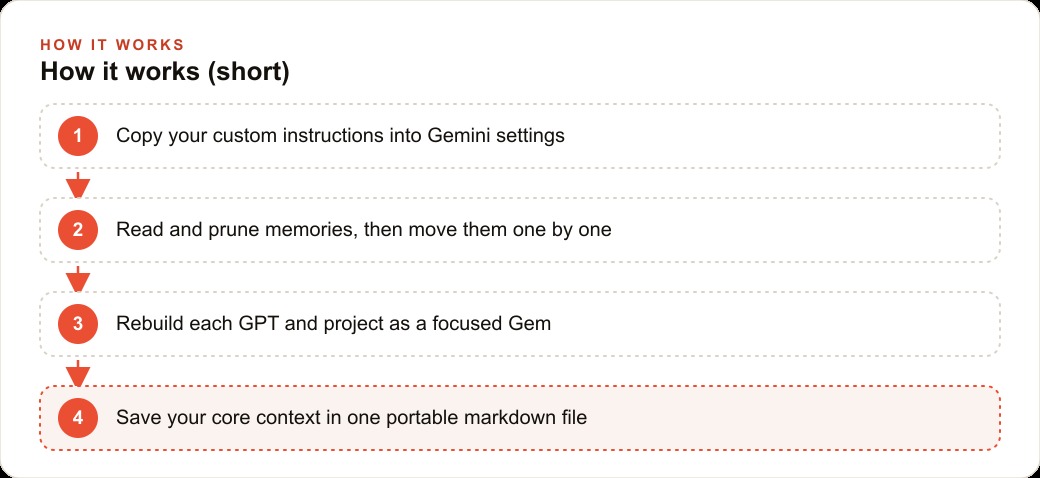
Order matters here because each layer establishes the foundation that the next one builds on.
Custom instructions come first. Once these are in Gemini, the overall tone, the format preferences, and the core operating rules are set. Every Gem you create and every conversation you start inherits these rules. Establish this foundation before building anything else, or your Gems will be built on inconsistent behavior that takes extra time to correct later.
Memories come second, after the pruning step described above. Move them one at a time, working from the most frequently relevant to the most granular and situational. The additional time compared to a bulk paste is real but modest, and the quality of context retrieval with separately lodged memories is noticeably better within the first week of regular use.
GPTs and projects come third and fourth. Before starting this phase, download all files from every ChatGPT project you plan to migrate. Read each file and update anything that has drifted from reality. For files that change on any regular schedule, a pricing sheet, a service list, a client onboarding guide, link a live Google Doc in the Gem's knowledge tab rather than uploading a static version. The Gem pulls from the live document every session. Update the document once and every subsequent session that uses the Gem stays current without touching the Gem's settings. This prevents the kind of silent drift that caused the consultancy above to quote outdated rates for over a year.
Chats stay behind, and that is the right call. Export your full ChatGPT archive so the record exists and is searchable if you ever need it. But do not spend hours trying to recreate old conversations in Gemini. The information that mattered from those conversations has already shaped your instructions and memories through months of accumulated use. The conversation itself is a closed transaction. For the rare thread you genuinely need to continue, paste the essential context from it into a fresh Gemini session and keep going. In practice, very few threads actually qualify.
The last step, and the one that compounds value the longest, is building a portable context file. Take your complete instructions, your pruned and current memories, and a brief description of each Gem, and save everything as a plain markdown file on your own machine. Not inside any AI platform. On your machine, in a folder you control, backed up to a location you own. This is your master context document.
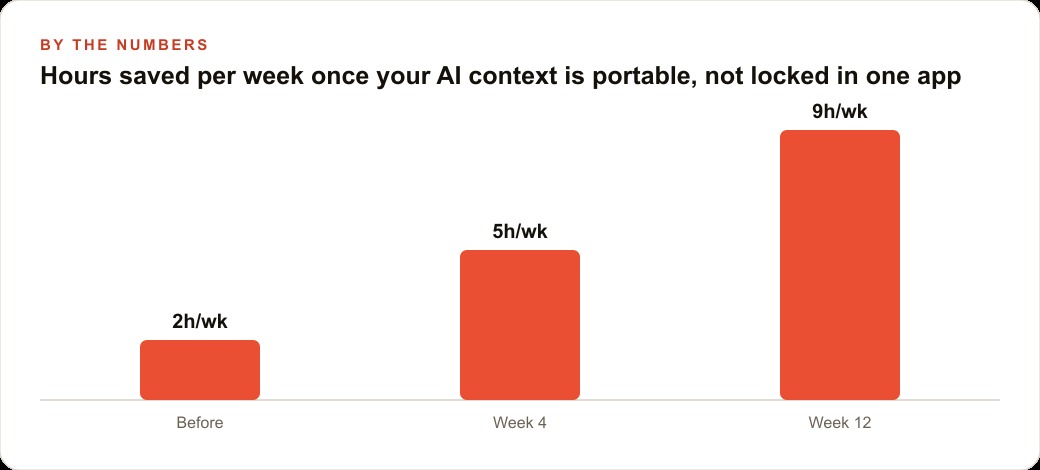
A portable context file changes the cost of evaluating any new AI tool from a month-long transition project to an afternoon experiment. Paste the file into the new tool, run a set of sample tasks from your real workflow, and compare the output quality directly against your current setup. You can evaluate seriously without committing, which makes experimenting with new tools nearly cost-free. It also means that a policy change, a pricing restructure, or a service disruption at your primary provider becomes a manageable inconvenience rather than an operational emergency. Businesses running paid campaigns through Meta ads or other paid channels with AI-assisted creative work accumulate context in exactly the same way. The portable file is how that context is protected regardless of what any one platform decides to change.
The time investment in this file is low. Building the initial version takes an afternoon. Keeping it accurate takes ten to fifteen minutes per month. The return is asymmetric in the way that most resilience investments are: most months you will not think about the file at all, and the one month when your primary provider changes something significant, you will recover in hours while others who have no portable context spend days rebuilding from memory.
The deepest lesson the migration teaches has nothing to do with which AI tool is currently better. It is about what you own versus what you rent. Every business that uses AI consistently is building intellectual infrastructure in the form of instructions, memories, and specialized setups. That infrastructure has real commercial value. The businesses that maintain it as a portable, documented asset are the ones that can evaluate tools on their merits, move when the timing is right, and keep their operations running smoothly through whatever any single platform chooses to change. Do this migration once and you will think about your AI context differently for as long as you use these tools.
That is exactly what we do at AI DOERS. Book a private 30-minute call with Madhuranjan Kumar and we will map the fastest path to it for your specific business.
Book your call →
Madhuranjan Kumar
Madhuranjan Kumar brings 20 years of performance-marketing experience and has managed over $200 million in Facebook ad spend for brands across the United States and beyond. His expertise spans the full modern marketing stack: Meta, Google Ads, TikTok, email automation, CRM, and the websites that hold it together. At AI DOERS he turns that track record into lead-generation systems for businesses across every industry.