
How To Set Up Hermes Agent As Your Personal AI Assistant
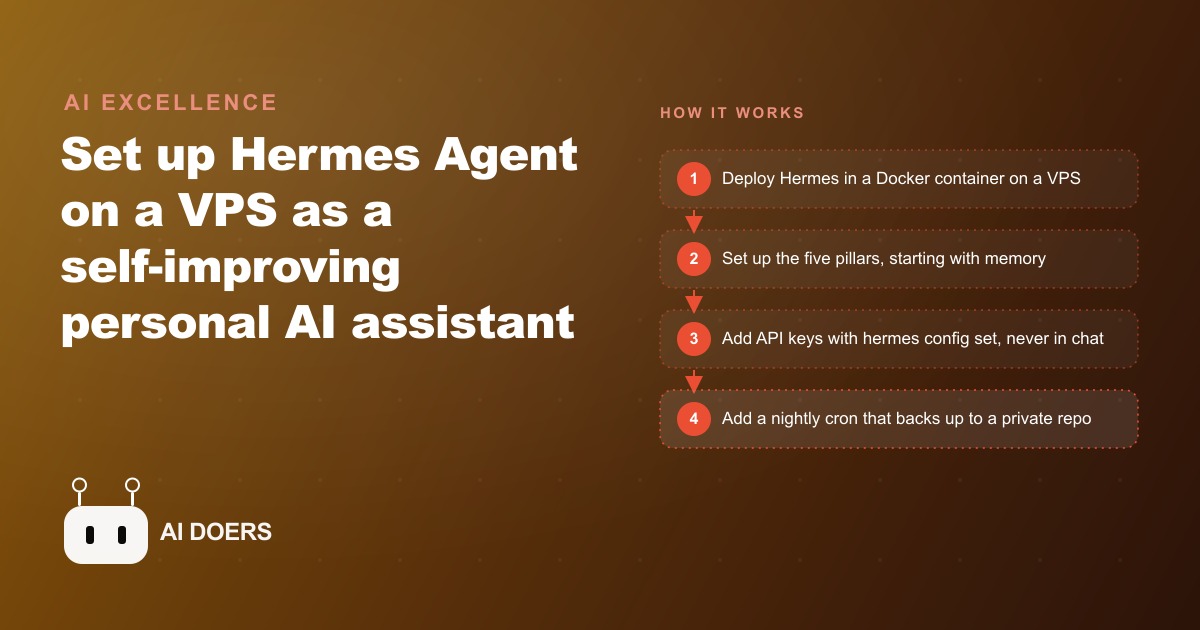
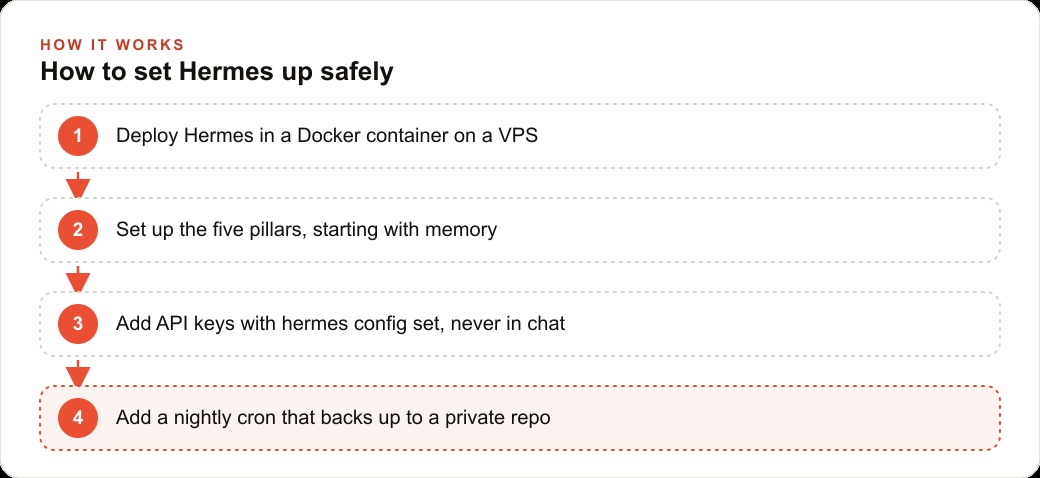
Deploy Hermes Agent on a VPS in a Docker container and configure it around five pillars, memory, skills, the soul, crons, and a self-improving loop, handling API keys through the .env and backing the agent up to a private GitHub repo nightly.

Nous Research released Hermes Agent as a fully open-source, MIT-licensed personal AI assistant, and the GitHub repository crossed 140,000 stars before most people in the mainstream AI conversation had even heard of it. That kind of organic traction for a self-hosted tool, one with no paid marketing and no enterprise sales team behind it, tells you something real about the problem it is solving. Most AI assistants are cloud-locked, stateless, and generic. Every session starts from zero. Anything you told the model last week has already been discarded, and you spend the first several minutes of every new conversation re-establishing context that you established the week before. Hermes is built on a fundamentally different assumption: the assistant should learn who you are, accumulate genuine knowledge about your projects, build reusable playbooks directly from your own processes, and run scheduled proactive tasks on a timer you set in plain English. You can run it on a Mac mini sitting on your desk, a spare laptop, a VPS in the cloud, or even an Android phone using Termux. The architecture is organized around five distinct pillars, and understanding each one concretely is the fastest way to decide whether the self-hosting trade-off is worth the setup time for your situation. The five pillars work together as a compounding system rather than five independent features, and that compounding is what makes Hermes genuinely different from the stack of cloud AI subscriptions most business owners are already running.
Pillar 1: Persistent Memory Loaded Into Every Session Before You Type a Word
The single most frustrating pattern in AI tool adoption is context loss. Every time you open a new conversation, the model has no idea who you are, what project is live, what decisions you made last month, or what conventions you have settled on over weeks of use. You rebuild the same mental model for the assistant every single session, which is time and energy that should go into the actual work. Hermes addresses this with two structured markdown files that load automatically at the start of every conversation.
The first file is user.md. It holds stable information about who you are: your professional background, what tools you use daily, how you prefer to receive information, whether you want explanations in depth or just the conclusion, and any standing preferences about tone or format. This file changes slowly. You update it when something fundamental shifts, such as when you add a new tool to your standard stack or decide you want shorter responses by default.
The second file is memory.md. This one holds dynamic context: active projects and their current state, clients you are working with, decisions you have made and the reasoning behind them, goals you are pursuing this quarter, and anything else that is true right now but might change over the coming weeks. Every time something significant happens, you note it in memory.md. Every time a session starts, that file is already in context before you ask your first question.
The practical difference this makes is larger than it sounds. Instead of spending the first five minutes of every conversation re-establishing the situation, you can go directly to the actual question. Over several months, memory.md becomes a compressed institutional record of your business decisions, project history, and working context. For someone running multiple client accounts or long-horizon initiatives, that accumulation is genuinely valuable. You can ask what reasoning led to a particular pricing decision six weeks ago and get a coherent answer because the reasoning was written to memory at the time. If you are managing CRM and website stack for several clients simultaneously, the ability to keep each client's context current in memory.md and have it available instantly in every session changes how useful the assistant is across the entire working day.
Pillar 2: A Skill Library That Converts Repeated Work Into One-Line Commands
Hermes ships with 91 built-in skill files, and the format is clean and simple to extend. Each skill is a markdown file with a YAML front matter block that specifies the skill's name, describes when it should be triggered, and provides a structured prompt template for the task. When you ask Hermes to do something that matches an existing skill, it loads the corresponding file and runs the structured template rather than improvising a response from scratch. The result is that common tasks stay consistent across sessions: a competitive research task always follows the same structure, a client brief always covers the same sections, a weekly review always surfaces the same categories of information.
Consistency is more valuable than it sounds when you are using an AI assistant for work that informs important decisions or goes to clients. A response generated from scratch each time drifts in format and depth depending on how you phrased the question. A skill file locks the structure so the output is predictable and usable without heavy editing.
The more interesting capability is that Hermes can author new skill files directly from your working sessions. If you walk through a process in conversation and it is useful enough to repeat, you tell Hermes to save it as a skill. It generates the YAML front matter, writes the template, and saves the file to your skill library. The next time you need that process, you invoke it by name and the assistant runs the full workflow without you reconstructing the steps. Over several months, your personal skill library starts to look like a set of precisely tuned tools for your specific workflows rather than a collection of generic defaults.
Any business owner doing SEO and organic search work on a recurring schedule will find that the skill system handles the repetitive structure of that work well. Standard audits, content briefs, keyword clustering tasks, and reporting templates are all good candidates for skill files because they have a consistent shape you want to reproduce reliably every time you run them.
Pillar 3: Soul Configuration That Determines How the Assistant Actually Communicates
The soul.md file is easy to dismiss as a cosmetic feature, something for people who want their AI to be more warm or more terse. The actual function is more substantive than that. Soul.md configures how Hermes handles the fundamental trade-off between brevity and explanation: whether the assistant gives you the conclusion first and the reasoning on request, or walks you through the logic before landing on a recommendation. It also configures how directly the assistant disagrees with you when it thinks you are wrong, and whether it volunteers caveats proactively or holds them back until you ask. These are not minor stylistic preferences. They determine whether the assistant's default behavior matches your mode of working or whether you are constantly fighting its outputs.
Soul.md is a plain text file you can edit directly, version-control, and port to a new machine if you migrate the server. You can configure it to be concise and direct for fast-moving sessions, then adjust it for work that requires more depth and explanation. You can set a default that matches how you work most of the time and override it for specific contexts.
The evolutionary aspect is what makes the soul system particularly interesting over time. When you give Hermes feedback about a response, noting that it was too long, too hedged, structured in a way that did not match what you needed, or that it missed the point you were asking about, that feedback can update soul.md. The personality drifts gradually toward what actually works for you rather than staying fixed at whatever the factory default assumed. For someone who shifts between detailed internal technical analysis and fast client-facing communication throughout the same day, having a configurable personality in a plain text file is meaningfully more flexible than a cloud tool that applies the same tone to everything regardless of context.
Pillar 4: Scheduled Automation You Define in Plain Language
This pillar is the one that changes the character of how you use an AI assistant most dramatically. Hermes lets you set up proactive scheduled tasks by describing them in plain English. You do not write cron expressions. You tell Hermes to run every morning at six and prepare a summary of your open tasks from memory.md with three prioritized action items for the day, and it creates the underlying cron job, schedules it, and runs it automatically without further input. Output is delivered through whatever channel you have connected. The most common setup for people running Hermes on a remote server is Telegram, which provides a lightweight mobile interface without requiring you to build anything custom or check a dashboard.
The range of useful scheduled tasks is significantly broader than a morning briefing. You can schedule a weekly review that checks your active projects against their stated goals and surfaces anything that has slipped. You can set up a Friday afternoon status summary that would otherwise require 20 minutes of manual context-gathering. You can trigger a cron that pulls recent changes to memory.md and creates a short briefing the evening before an important meeting. For anyone running recurring campaigns with weekly reporting cycles, including Facebook and Instagram ad campaigns where performance data needs to be reviewed and acted on regularly, a scheduled Hermes task can handle the context assembly and summarization automatically, delivering a structured update without requiring a manual trigger.
The non-negotiable infrastructure requirement for this pillar to work reliably is a host machine that stays on. A laptop that sleeps will not fire its scheduled tasks. A Mac mini that never powers down, or a VPS in the cloud, is the right choice for anyone who wants the scheduling pillar to be dependable rather than occasional. The Hostinger one-click Docker deploy makes getting Hermes onto a VPS faster than most people expect: the instance can be running in under an hour, and setting the first morning briefing cron takes another ten minutes.
Pillar 5: A Self-Improving Loop That Compounds the Longer You Run It
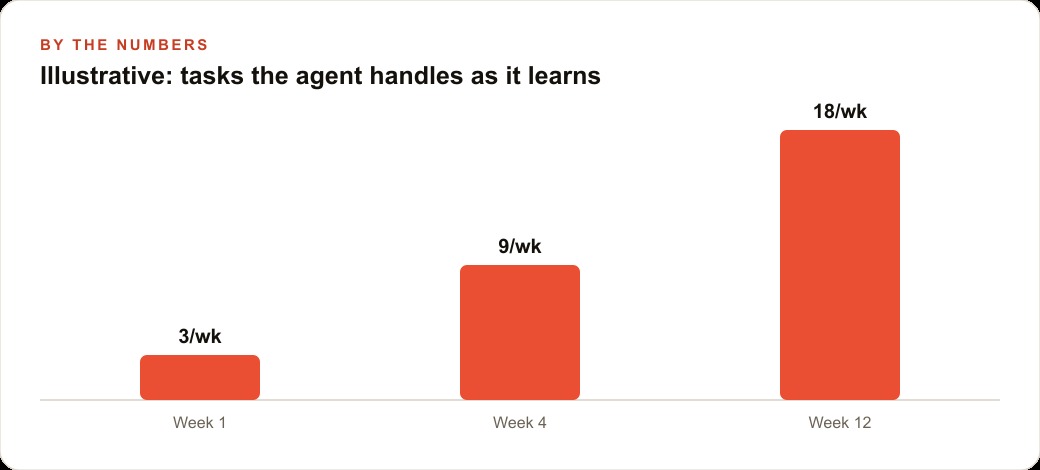
The fifth pillar is what ties everything together and is ultimately the reason the repository reached the star count it did. Hermes is designed to improve through active use rather than just accumulate data passively in the background. The loop works in a specific sequence. When you correct something the assistant got wrong, the correction goes into memory.md as a permanent fact that shapes all future sessions. When a process you walked through in conversation is worth repeating, it becomes a skill file. When you give feedback about communication style, soul.md updates to reflect it. Over several months of consistent use, the assistant you are working with is qualitatively different from what you started with on day one, not because the underlying model was retrained, but because the context layer around it accumulated specific knowledge about you, your work, and your preferences.
This compounding is what separates Hermes from tools that are genuinely useful for the first week and then plateau. A cloud assistant that discards memory with each session stays at the same capability level indefinitely. A Hermes instance that has been running for six months with a team actively maintaining memory.md and saving skill files from their best sessions is substantially better for that team's specific workflows than it was at the start. The gains are not global improvements to the underlying model. They are specific improvements to how the system handles your particular situation, and they cannot be replicated by someone else buying a better subscription.
The self-improving loop also has one infrastructure detail worth getting right from the beginning: Hermes recommends setting up a nightly GitHub backup cron that pushes memory.md, user.md, soul.md, and the full skill library to a private repository. This makes your accumulated context version-controlled, recoverable if the server encounters a problem, and fully portable if you migrate to different hardware. API keys are managed through the hermes config set command rather than pasted into conversation, which matters for anyone running Hermes on a machine where logs might be stored or where other people occasionally have access.
The decision of whether to self-host Hermes comes down to a few concrete factors. You need a machine that stays on, the discipline to treat memory.md as a living document and update it after significant decisions, and a clear picture of which scheduled tasks would save you meaningful time if they ran automatically without any human trigger. The comparison to something like Claude Code is worth being explicit about: Claude Code is the right tool for deep desk-bound coding work with a local codebase. Hermes is better suited to on-the-go use via Telegram, to cron-based automation that fires on a schedule rather than on demand, and to anyone who wants an assistant that accumulates real institutional knowledge about their business over time. The five pillars are not five separate features to evaluate independently. They are a system, and the value of that system is specifically in how the pillars reinforce each other: memory makes skills more accurate, skills make crons more useful, soul makes the output more usable, and the self-improving loop pushes all of them forward continuously.
That is exactly what we do at AI DOERS. Book a private 30-minute call with Madhuranjan Kumar and we will map the fastest path to it for your specific business.
Book your call →
Madhuranjan Kumar
Madhuranjan Kumar brings 20 years of performance-marketing experience and has managed over $200 million in Facebook ad spend for brands across the United States and beyond. His expertise spans the full modern marketing stack: Meta, Google Ads, TikTok, email automation, CRM, and the websites that hold it together. At AI DOERS he turns that track record into lead-generation systems for businesses across every industry.