
How to Run Your Own AI Model Locally: Private, Free, and Offline
A local AI model runs on your own computer with no fees, no limits, and no data leaving your device. Here is how Ollama, LM Studio, and quantization work, and how a small business should put them to use.

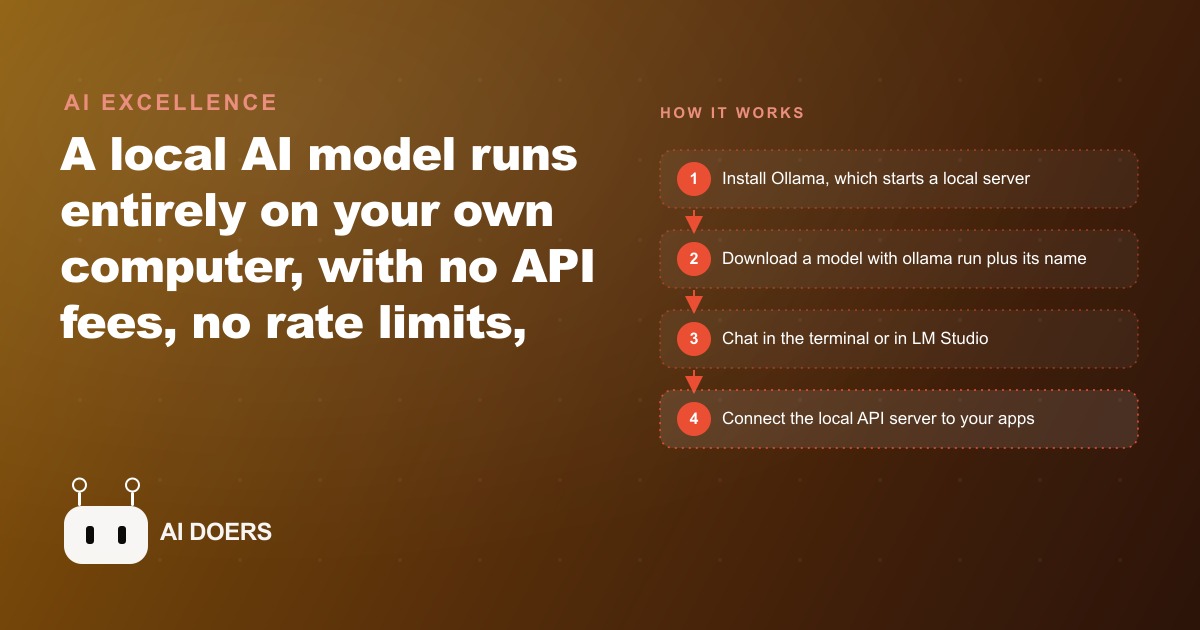
Running an AI model on your own computer used to mean an afternoon with a command line, a GPU driver headache, and a result that was technically impressive but practically weaker than the cloud alternative. That sentence is no longer accurate. Two tools changed the accessible threshold this year, and the quality of open models has crossed the point where this is a genuine business option, not a hobbyist project.
I am Madhuranjan Kumar. This is a close look at what actually changed, what the hardware requirements look like in plain language, and a specific example of how a small service business cut its AI subscription cost to zero while improving its privacy posture.
Ollama turned local AI from a configuration project into a one-command install
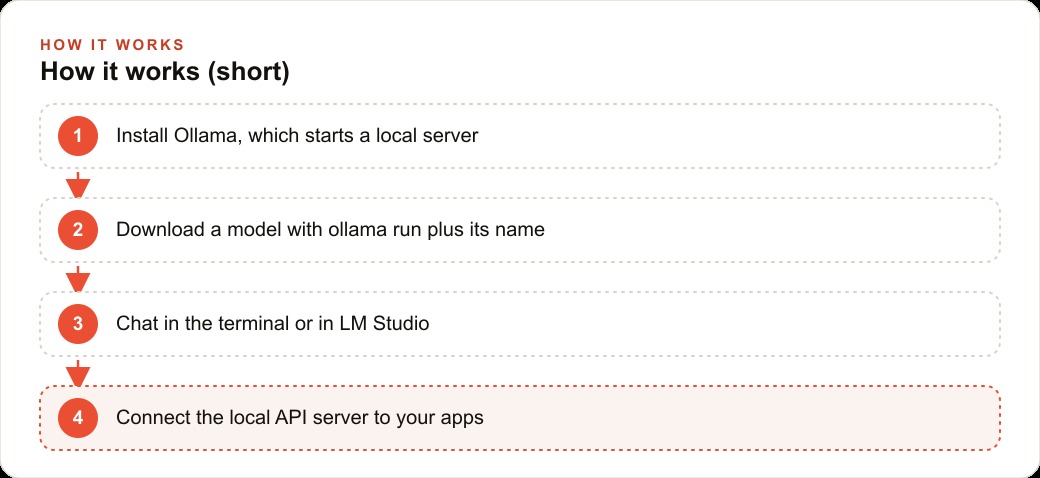
Ollama is a free, open-source tool that handles everything involved in running a language model locally: downloading the model, loading its billions of parameters into memory, and starting a server that other applications can connect to. The installation is a standard package install on Mac, Windows, and Linux. Once it is running, one terminal command downloads and starts a model.
The command is `ollama run` followed by the model name. Ollama downloads the model, loads it, and opens a conversation interface in the terminal. To see what is installed: `ollama list`. To remove an outdated model: `ollama rm` followed by the model name. That is the entire management workflow for most users.
What Ollama added that made this a genuine shift is the local API server. When Ollama is running, it exposes a local HTTP endpoint on your machine that other applications can send requests to, using the same format as popular cloud AI APIs. This means that any tool built to connect to an AI service can be pointed at a local Ollama server instead of a cloud provider with a configuration change that typically involves updating one URL. A coding editor that used to send your code to a cloud API can be configured to send it to your own machine. A writing assistant that billed per request can be pointed at a free local model. The external tool does not know the difference; it just receives responses.
For someone who prefers a graphical interface to a terminal, LM Studio provides the same capability in a familiar desktop application. It installs like any other consumer app and presents a chat interface similar to the cloud AI tools most people already know. You browse available models inside the app, click download, and start chatting. LM Studio also exposes a local server with the same API format as Ollama, for developers who want to connect other tools. You do not need to use the server feature to get value from it; the chat interface covers the majority of everyday use for most business users without any configuration.
The quality gap between open and cloud models closed this year on everyday writing tasks
The practical question is not whether open models score close to cloud models on benchmarks. It is whether someone working at a real task can tell the difference in the output.
For the tasks that make up the majority of business AI use, the answer has shifted noticeably this year. Drafting client emails, summarizing meeting notes, reformatting structured data, explaining a document in plain language, generating social captions or marketing copy for a specific channel: on these tasks, a well-chosen open model running locally produces output that a professional reviewer cannot reliably distinguish from a cloud model's output.
The tasks where cloud models still hold a meaningful lead are narrower than they were twelve months ago: very long documents that exceed what local hardware can hold in context, real-time web access, and the absolute frontier of creative and analytical reasoning. For a small business whose AI use is primarily operational writing and document handling, the everyday quality has crossed the useful threshold.
The practical implication is that the quality argument for defaulting to a cloud subscription is weaker than it was. The privacy argument for running locally is unchanged: your data does not leave your network. And the cost argument for running locally has strengthened, because the quality is now close enough that the cost savings are not offset by a meaningful quality penalty for most everyday tasks.
Quantization is the reason a capable model fits on your existing laptop
A language model in its full precision form is very large. A model with seven billion parameters, a common size for capable open models, requires roughly fourteen gigabytes of memory at standard floating-point precision. That exceeds what most laptops have available even before the operating system and other applications take their share.
Quantization is a compression technique that reduces the precision of the model's numerical weights, typically from sixteen-bit or thirty-two-bit numbers down to four-bit integers. This reduces the file size and the memory footprint by roughly half to three-quarters, with a reduction in output quality that is small and often imperceptible on everyday tasks. A seven-billion-parameter model that requires fourteen gigabytes at full precision can run at four-bit quantization in roughly four to five gigabytes, which fits on most modern laptops with memory available for other applications.
The practical hardware guide is straightforward. Count approximately two gigabytes of usable memory per billion model parameters at four-bit quantization. A laptop with sixteen gigabytes of RAM can run a model with six to seven billion parameters comfortably. A laptop with eight gigabytes is more constrained but can run a three-billion-parameter model reasonably well. On a Mac, the RAM is shared between the CPU and the GPU, which means the full memory is available to the model without a separate VRAM limit. On a Windows machine running a dedicated GPU, the binding constraint is the GPU's VRAM, not the total system RAM. Prompts run faster when the entire model fits in VRAM.
LM Studio handles quantization selection automatically. When you browse for a model in the app, it shows versions at different quantization levels and marks which one is recommended for your specific hardware. You do not need to understand the mathematics to make a good choice: follow the recommendation and the model will run at the best quality your hardware supports without manual configuration.
Who should switch now and who should wait
The case for switching to a local model now is strongest for businesses where two conditions are both true: the AI is used daily for writing and document tasks, and the content includes information the business would prefer not to send through a third-party cloud service. These two conditions together describe a large proportion of professional service businesses.
A legal practice that uses AI to draft client correspondence handles privileged information on every prompt. A financial advisor who uses AI to summarize client portfolios is working with personally identifiable financial data. A healthcare or wellness practice that uses AI to write patient communications is working with health information. A business development team that uses AI to draft proposal content is working with proprietary pricing and strategy. In each case, the practical privacy position of "the provider says they do not train on my data" is weaker than the verifiable privacy position of "the data never left the building."
For these businesses, switching to local AI is both a cost reduction and a risk reduction at the same time. The subscription cost drops to zero. The data-handling explanation to clients or compliance teams becomes simpler and more verifiable.
The businesses that should wait are those whose AI use is primarily real-time: web research, current-event summaries, live price queries. A local model has a training cutoff and no internet access. If your most valuable AI use case requires current information, a local model does not serve it. Similarly, businesses that regularly work with very long documents, complete legal agreements, comprehensive financial reports covering multiple years, or large sets of files that need to be synthesized together may find that current local hardware cannot hold enough context to be useful on those specific tasks. For those businesses, a cloud subscription remains correct for those particular use cases, even if a local model handles the daily writing work efficiently.
The move to make this week if privacy or cost is driving your decision
Here is what this looks like for a specific small business.
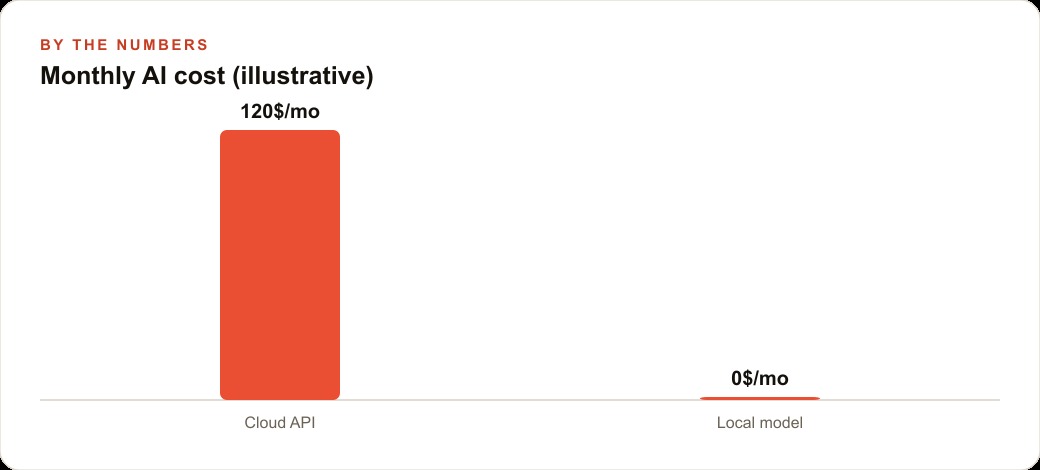
A dog grooming operation with two groomers and a busy front desk currently uses a cloud AI subscription primarily for writing. The uses are: drafting appointment confirmation emails, writing social media captions for the business's Instagram and Facebook, creating follow-up messages after appointments, and occasionally responding to reviews in a tone that fits the brand. The subscription costs one hundred and twenty dollars per month, billed annually.
The client data the business handles includes client names, pet names, phone numbers, and appointment histories. This is not highly regulated information, but it is personal information that clients shared with the business, and the owner would prefer to keep it inside the business's own systems rather than routing it through a third-party cloud service.
The switch to a local model works as follows. Install LM Studio on the business's desktop machine; the download is free. Browse for a six-billion-parameter model at the recommended quantization level for the available RAM. Download it inside the app. Test it for one week on the actual writing tasks the business uses it for: paste a real appointment scenario and prompt for the confirmation email, describe a grooming session and prompt for the caption, paste a review and prompt for the response. If the output quality is adequate for these tasks, which for a typical grooming business it will be, turn off the cloud subscription.
The monthly saving is one hundred and twenty dollars. Over a year that is fourteen hundred and forty dollars that stays in the business. The client data no longer touches a third-party server. The team uses the AI more freely because there is no cost per query creating an incentive to shorten prompts or skip the verification step.
The compound effect comes from building a prompt library over time. Every time someone writes a prompt that produces a strong, usable output, they save it in a shared document. Within six months, the business has a set of thirty or forty tested prompts for its most common writing tasks. A new hire does not need to learn how to prompt from scratch; they start with the library. The output quality is consistent because the prompts are already tuned to the business's specific tone and context. The time spent on each writing task keeps falling as the library grows, because retrieving and lightly adapting a tested prompt takes far less time than writing a new one from scratch.
That is the local AI setup that pays off not just in month one but in every subsequent month, scaling with usage rather than costing more as usage increases. It is the opposite of the cloud subscription model, where a higher usage month means a higher bill.
What to do when the model is too slow on your hardware
Speed is the most common frustration when starting with a local model on everyday business hardware. The model generates text more slowly than a cloud API, and for someone used to near-instant responses from a cloud tool, the difference is noticeable.
The first fix is model size. If responses are taking more than ten seconds per paragraph, the model is too large for the hardware. Drop down to the next smaller size and run the quality test again. A three-billion-parameter model runs noticeably faster than a seven-billion-parameter model on the same laptop, and the quality difference on everyday writing tasks is smaller than the speed difference. For most business writing use cases, the smaller model is the right choice on constrained hardware because the time saved on every query compounds across hundreds of uses.
The second fix is quantization level. LM Studio recommends a quantization level based on available RAM, but if speed is the priority, choosing a more aggressive quantization (lower bit depth) will produce faster responses at a small additional quality cost. Testing both options side by side with your actual tasks takes fifteen minutes and gives you a real comparison rather than a theoretical one.
The third fix is closing other applications. A local model competes with every other application for RAM and processor time. On a machine with sixteen gigabytes of RAM, closing the browser, the design tool, and this breakdown call application before running a large model frees up several gigabytes that the model can use, and the speed difference is often significant.
For the dog grooming business, the practical answer was to keep LM Studio running on the front desk machine during business hours and close it at the end of the day. The machine has other work to do when no one is prompting the model. During the hours when the team is actively drafting messages and captions, the model gets most of the machine's resources, and the speed is adequate for the task. That is the operational setup that makes local AI usable on a business computer rather than a dedicated AI workstation.
That is exactly what we do at AI DOERS. Book a private 30-minute call with Madhuranjan Kumar and we will map the fastest path to it for your specific business.
Book your call →
Madhuranjan Kumar
Madhuranjan Kumar brings 20 years of performance-marketing experience and has managed over $200 million in Facebook ad spend for brands across the United States and beyond. His expertise spans the full modern marketing stack: Meta, Google Ads, TikTok, email automation, CRM, and the websites that hold it together. At AI DOERS he turns that track record into lead-generation systems for businesses across every industry.