
How to Run DeepSeek On a Phone So Your AI App Costs Nothing Per Query
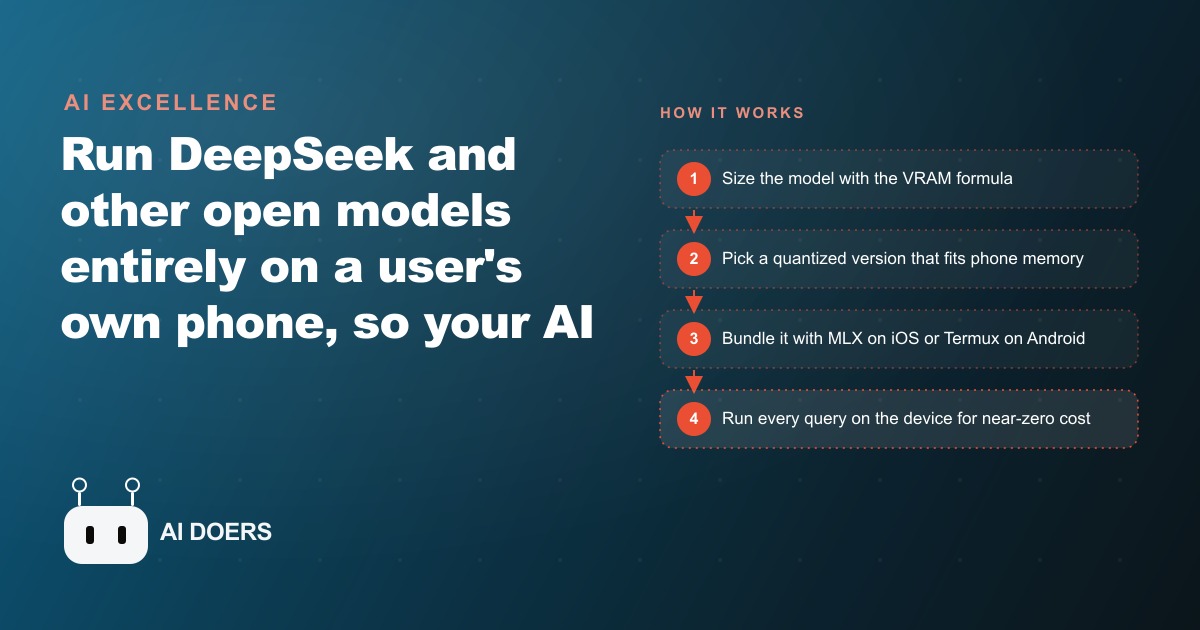
You run the model entirely on the customer's own device using Apple's MLX framework on iOS or Termux with Ollama on Android, which drops per-query cost to near zero and lets you offer flat or fully offline pricing instead of paying a hosted provider for every request.

One builder launched an AI companion app, pulled in users constantly, and still made no money, because between the language model and the text-to-speech he needed roughly 13 dollars per paid user just to break even. That single number is the whole reason on-device AI matters, and it is the reason I keep telling businesses that the hardest part of an AI feature is never the model, it is the bill. I am Madhuranjan Kumar, and when your model runs on a hosted server, every query is a charge, so your cost scales directly with the usage you actually want to encourage. Running the model on the customer's own phone flips that equation to near zero per query. Here are eight things to understand about doing it, in the order they matter.
1. On-device inference changes your pricing, not just your engineering
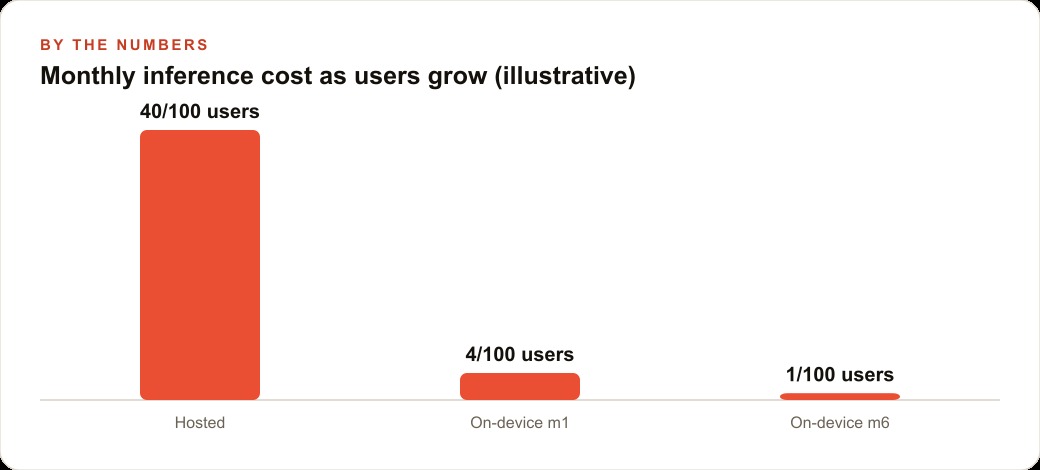
Start with the business consequence, because it is the point. When inference happens on the user's phone instead of your server, your marginal cost per query drops to almost nothing. That is not a minor saving. It rewrites what pricing you can offer. You can charge a flat subscription without watching a meter, run the feature inside a free tier, or ship a genuinely offline app with no recurring cost at all. Every one of those options is impossible when each query bills you. On-device is not primarily a performance choice. It is a pricing choice that happens to be implemented in code. Think about how much product design that frees up. When the cost per query is effectively zero, you stop rationing the feature. You can let users chat as much as they want, build the assistant into a no-subscription app, or make heavy usage a selling point instead of a liability. That freedom to design your pricing around what customers love, rather than around what the model bill allows, is the real prize, and it is invisible until you have felt a hosted invoice grow every time your app succeeds.
2. Hosted models quietly bleed money on exactly the usage you want
Understand the trap before you avoid it. Hosted models charge per query, which means the more your users engage, the more you pay. The companion-app builder proved it: constant usage, a free trial that pulled people in, and a per-paid-user cost near 13 dollars once the language model and text-to-speech were added up. The cruel part is that heavy engagement, the thing every product wants, is the thing that sinks you under this model. You end up rationing your own feature to survive, which makes it worse, which loses the users you spent money to acquire. On-device breaks that doom loop by removing the per-query charge entirely, so success stops being the thing that bankrupts you.
3. One formula tells you if a phone can even hold the model
Before you pick a model, you need to know whether a phone can physically store it. A model uses memory in two parts, storing its parameters and holding activation memory as it runs. A simple proxy for the requirement is the number of parameters times the precision, divided by 8, times 1.2. Run the math on a 13-billion-parameter model at 16-bit precision and you land around 31 gigabytes. A typical iPhone has roughly 8 gigabytes of RAM. That gap is your reality check. The formula is not academic. It is the first gate that tells you which models are even in the conversation for a phone. Skip it and you will waste days trying to force a model onto hardware that was never going to hold it, then blame the framework for a problem that was arithmetic all along.
4. Quantization is what makes a phone-sized model possible
The way you close that gap is quantization. Instead of full 32-bit weights, you run 16-bit, 8-bit, or 4-bit versions of the same model. The trade is a small drop in accuracy for an enormous drop in memory use, and that trade is exactly what turns an impossible 31-gigabyte model into something that fits comfortably on a handset. For most business assistant tasks, a well-chosen quantized model is indistinguishable in practice from the full-precision one, while using a fraction of the memory. Quantization is the single technique that makes this entire approach viable, so it is worth understanding as the lever it is: dial precision down until the model fits, then check the answers still hold up. In practice you rarely need the biggest model anyway. A focused assistant that answers questions about your menu, your policies, or your product catalog does not require frontier-level reasoning. It needs to be correct within a narrow domain, and a small quantized model handed the right context does that job comfortably on a phone.
5. Termux runs Ollama on Android, but it is a tinkering path, not a product
On Android, the route people reach for is Termux. You install it from the store, set up storage, build Ollama from source, start a local server, and run a small model like DeepSeek R1 1.5B with a single command. It genuinely works, and it is a great way to prove the concept to yourself on a phone you own. But here is the ceiling you need to know before you invest: you cannot package Ollama into a distributable app for the Play Store. The Termux path is for hobby use and experimentation. It never becomes a shippable product, so do not build a business plan on it. Use it to prove to yourself, and to a skeptical stakeholder, that a real language model can run entirely on a phone with no server behind it. Once that fact is undeniable, move to the path that can actually reach customers.
6. Apple's MLX framework is the actual path to a shipping app
For a real, distributable app, iOS and Apple's MLX framework are the answer. MLX is built to run large models locally on Apple Silicon and the device NPU, and it slots into a normal Xcode project as a Swift package. That means the output is an ordinary App Store app that happens to run its AI on the device. This is the difference between a demo and a product. If your goal is to ship something customers download and use, the iOS and MLX route is where you spend your effort, because it is the only one of the two that ends in a store listing.
7. Models pull straight from Hugging Face through a registry
Getting a model into an MLX app is easier than the setup implies. MLX has a model registry that pulls models like DeepSeek R1 directly from Hugging Face. Choosing a model is picking one from the registry, and adding a new one is registering its Hugging Face path and a name. You are not hand-assembling weights. You are pointing the app at a known model and letting it download. Many builders do this work in Cursor with the SweetPad extension, which surfaces Xcode build errors right in the terminal so they get fixed fast. That tight loop is what keeps an on-device build from becoming a slog, because on-device work lives or dies on how fast you can see and fix what broke.
8. Expect two specific bugs, and debug them with logs not guesses
Two real bugs show up often enough to warn you in advance. First, bigger models crash until you enable the increased memory limit capability in Xcode, a single setting that quietly unblocks a lot of frustration. Second, streaming output can repeat text until you discover the tokenizer is decoding overlapping sequences. Both of these are invisible until you add logging, which is the whole lesson: debug on-device AI with logs, not guesses, because the symptoms rarely point at the cause. Finish by building chat history in the model's prompt format, using the right header structure, so the assistant remembers your name and earlier answers across turns instead of treating every message as the first.
A worked example: a private menu assistant for a restaurant
Let me put numbers on why a business would bother. Picture a restaurant with a branded app where guests chat with an AI to ask about the menu, allergens, wine pairings, and tonight's specials. Now imagine that assistant calling a hosted model on every question during a busy Friday. If 200 guests each ask 5 questions, that is 1,000 queries in one night, and a hosted bill that climbs with every table. Run it a few busy nights a week and the cost becomes a real line item, precisely on the usage the restaurant wanted to encourage. The restaurant would face a bad choice: cap the assistant so it stops being helpful, or eat a bill that grows every time the dining room is full. Neither is a good outcome for a feature meant to make guests feel taken care of.
Running DeepSeek on-device flips it. The guest's own phone answers the questions, so the restaurant pays nothing per query no matter how many people ask. Those same 1,000 Friday-night queries cost zero. The app stays useful even with weak signal in a basement dining room, and the menu data can be refreshed locally. Here is how I would build it. Pick a small quantized DeepSeek model that fits comfortably in phone memory, using the formula to confirm it, bundle it with MLX in an iOS app, and feed it the restaurant's real menu and allergen list as context so it never invents a dish. As a bonus, the guest's data stays on their own phone, which is a genuine privacy selling point. The result is a premium guest experience with an operating cost that does not move when the dining room fills up.
Where this fits, and how to start
The rule for deciding is simple. If your value depends on people using the AI constantly, and a per-query charge would punish exactly that behavior, on-device is worth the engineering. If usage is rare and light, a hosted API may still be the easier choice. The candidates that fit best are the ones with heavy, repeated use: a fitness app with an in-pocket coach, a language tool that works offline on a flight, a retail app with a private shopping assistant, a field-service app that answers questions with no signal on a job site. In each, the usage you most want to encourage is the usage a hosted bill most punishes.
There is a marketing angle worth noticing too. An app that is free to run because it costs you nothing per query is an asset you can promote aggressively, since more usage does not mean more cost. That makes it easy to feature in Facebook and Instagram ad campaigns as a genuine differentiator, and the sign-ups it drives land in the CRM and website stack where follow-up can turn a curious downloader into a repeat customer. The privacy story, your data stays on your phone, is also real content that strengthens SEO and organic search for a business that wants to be found as the trustworthy option.
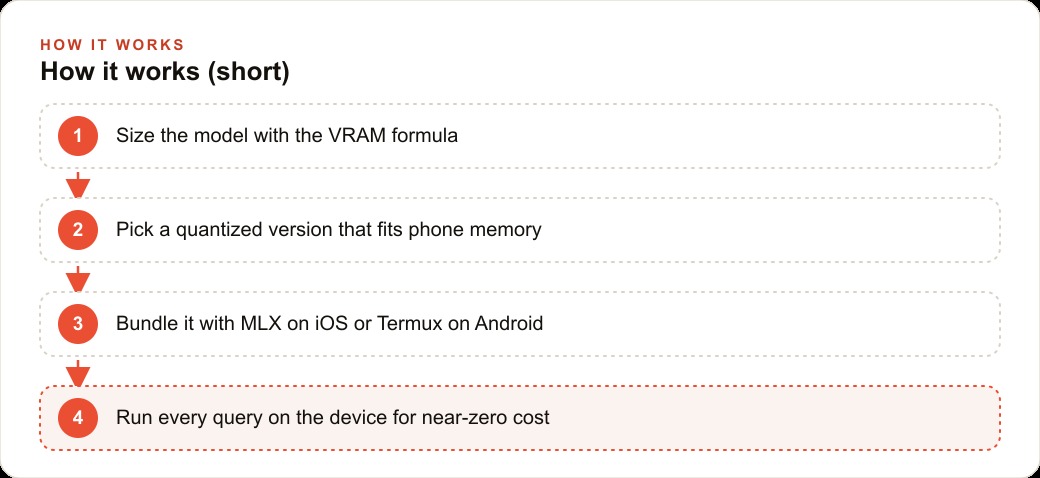
To set it up yourself: size the model with the formula, pick a quantized version that fits your target phone, and build the iOS app with MLX by adding the Swift examples package to an Xcode project and choosing a model from the registry. Expect the memory-limit and streaming bugs, and debug them with logs. Build chat history in the right prompt format so context carries across turns. This is doable on your own with an iOS developer and some patience. If you would rather skip the VRAM math, the quantization choices, and the streaming bugs and just get a shipped app that runs an open model on-device for free, that is the kind of build worth handing to someone who has already done it, so you spend your time on the guest experience rather than the tokenizer.
That is exactly what we do at AI DOERS. Book a private 30-minute call with Madhuranjan Kumar and we will map the fastest path to it for your specific business.
Book your call →
Madhuranjan Kumar
Madhuranjan Kumar brings 20 years of performance-marketing experience and has managed over $200 million in Facebook ad spend for brands across the United States and beyond. His expertise spans the full modern marketing stack: Meta, Google Ads, TikTok, email automation, CRM, and the websites that hold it together. At AI DOERS he turns that track record into lead-generation systems for businesses across every industry.