
How to Make Gemini 3 and Claude Perform 10x for Your Specific Use Case
You do not need a bigger model. A simple three-step loop, find the boring defaults, ask the model why it chose them, then give concrete alternatives, gets reasoning models like Gemini 3 and Claude to produce dramatically better output for your business.

Anthropic released its internal front-end design skill for Claude Code, a single carefully written prompt that pushes the model's default UI output from generic to genuinely strong. Around the same time, a detailed analysis of how Gemini 3 responds differently to different prompt structures confirmed the same principle: reasoning models behave in ways that require a different approach than the models that came before them. I am Madhuranjan Kumar, and what both releases make concrete is that you do not need a better model. You need a better prompting method for the model you already have.
What Anthropic's design skill release confirmed about reasoning models
The design skill Anthropic published is a single prompt addition that changes how Claude Code approaches front-end design tasks. The visible effect is significant: the same model generating the same type of output produces substantially better visual results with the skill present than without it. The mechanism it uses reveals something important about why default outputs from reasoning models tend toward the generic.
The skill explicitly bans the three most commonly used web fonts and replaces them with real pairing principles. It bans common layout defaults that produce cookie-cutter interfaces and specifies alternatives that produce more distinctive results. It does not add new capability to the model. It removes the safe choices that dominate the model's training data and substitutes specific alternatives the model would not have reached on its own. The model's default output is shaped by what appears most frequently in its training data. The most frequently appearing UI design choices are the safe, widely used ones. Banning the defaults and specifying better alternatives is how you push the output into territory the model would not have explored without direction.
This is the mechanism behind distributional convergence, the phenomenon where reasoning models consistently reach for the statistically safest answer rather than the best one for your specific context. For front-end design, the safest answer is the most common font stack, the most predictable layout grid, the most conservative color usage. For customer email copy, the safest answer is formal hedging language and generic closings. For sales content, the safest answer is every benefit statement that appears most often in sales training data. The convergent choice is not wrong in the way a hallucination is wrong. It is just the average of what everyone else does, which produces output that sounds or looks like everyone else rather than like you.
The three-step loop that finds and fixes any model's bad defaults
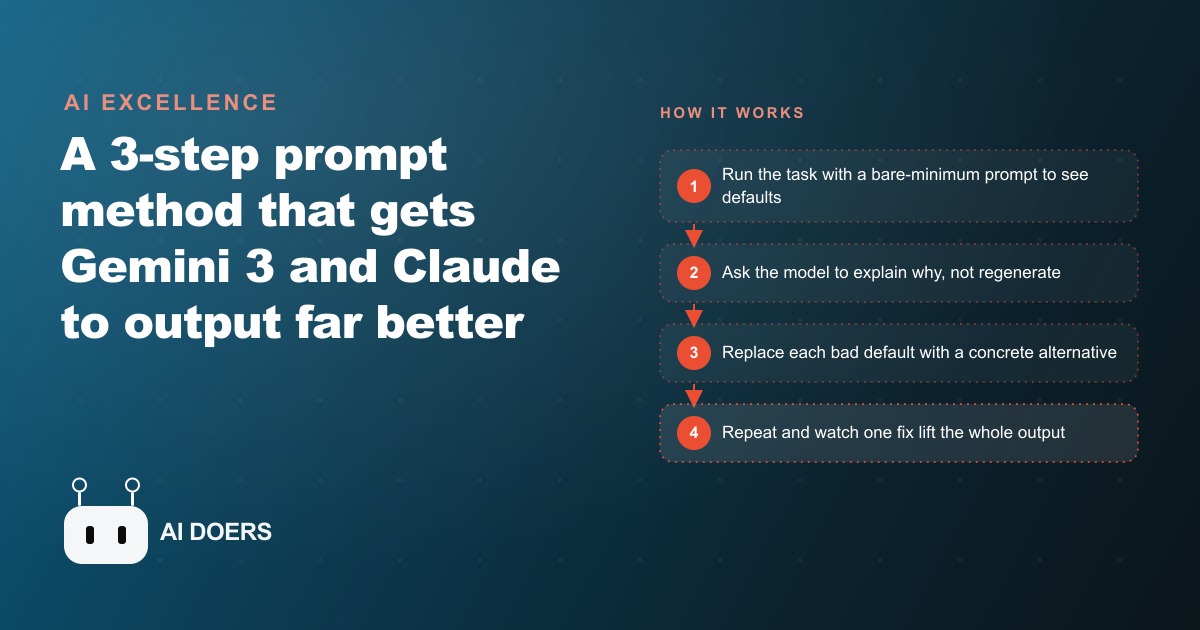
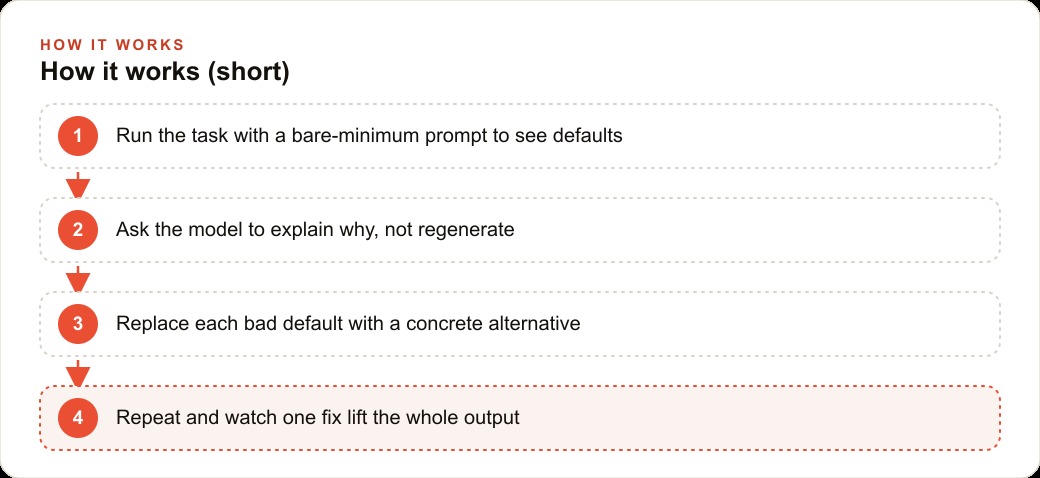
The method for improving any AI model's output on any specific task follows the same structure regardless of the task category. First, find the convergent defaults by running the task with a deliberately bare prompt and no system prompt, so you see the model's unguided behavior. Second, find the root cause by asking the model to explain why it made a specific choice without regenerating the output. Third, replace each bad default with a concrete, specific alternative.
The debug step is the one most people skip, and it is the one that makes the loop efficient. When an output is wrong, the instinct is to add more instructions and try again. That approach generates a better second output but does not identify what specific default caused the problem, which means the same default will cause the same problem in a different context later. The debug question, asking the model to explain its reasoning without regenerating, surfaces the root cause directly. In one documented case, the debug response revealed that a model had set a text width value to zero because it expected the containing element to handle auto-sizing, which was the root of a layout problem that adding more layout instructions would never have caught.
Concrete alternatives are what make the fix stick. Telling a model to "use better fonts" keeps it in convergent territory because "better" is not a specific instruction. The model picks the next safest option. Telling it specifically which fonts are banned and providing real pairing principles steers it out of the safe zone and into the territory that reflects an actual design opinion. Specificity is what the Anthropic skill demonstrates: every instruction in it is specific rather than directional, which is why it produces a specific result rather than a generic improvement.
Gemini 3 follows prompts more literally, and that changes the correct prompting strategy
Gemini 3 is a reasoning model, and reasoning models process instructions differently from prediction-based models. The documented behavior is that Gemini 3 performs better with shorter, more direct prompts than with long, densely specified ones. A prompt that packs in many constraints and conditions gives the model too many variables to optimize across simultaneously, which produces a result that technically follows every constraint but does not excel at any of them. A prompt that states a clear goal with one or two specific directives produces a result that achieves the goal well.
The corollary is that Gemini 3's high steerability works in your favor when you use it correctly. A single well-chosen keyword in a design prompt, "linear" or "editorial" or "dense" rather than a paragraph of layout descriptions, can dramatically shift the visual character of the output because the model interprets the single descriptive word as a strong signal about the target aesthetic and applies that interpretation broadly across the entire output. That responsiveness to concise direction is the opposite of what you expect from a model that needs everything spelled out, and using it well means writing prompts that are precise rather than comprehensive.
The instruction-following behavior change also has practical implications for prompts written for earlier model versions. A prompt that relied on the previous model inferring certain preferences from context may produce different results from Gemini 3, because Gemini 3 takes instructions more literally rather than filling gaps with inferred intent. Reviewing the prompts used most frequently in any workflow and making the intent explicit rather than implied is the preparation that prevents unexpected output shifts when the model version changes.
The altitude of instructions determines whether they generalize or break on edge cases
Writing instructions at the right altitude is the craft principle that makes the three-step loop produce durable improvements rather than narrow fixes that break on cases not anticipated when the instruction was written. A step-by-step instruction like "first do X, then do Y, then do Z" is brittle: it works for the case that was in mind when the steps were written and fails on the variation that was not anticipated. An instruction that states the goal and the reasoning behind it is robust: the model applies the intent intelligently across every variation rather than failing when the variation does not fit the prescribed sequence.
The difference is visible in the Anthropic design skill: it does not say "use this specific font" as a rigid rule. It says which fonts are banned and why font variety matters, which allows the model to make good choices across a wide range of design contexts rather than applying one fixed choice to every context regardless of fit. The instruction at the goal level generalizes. The instruction at the step level does not.
For businesses using AI to generate content at scale, whether for SEO and organic search, for Facebook and Instagram ad campaigns, or for Google Ads copy variations, the altitude principle applies to every recurring prompt type. A prompt that specifies the goal and the key principles produces better results across the full range of inputs than a prompt that specifies a rigid sequence of steps that was written for one specific input and has to be manually adjusted for every variation. The investment in writing higher-altitude prompts is a one-time cost that produces compounding returns across every use of that prompt type.
Applying the three-step loop to one high-volume task this week, finding the convergent default in that task, using the debug question to understand why the model chose it, and writing a concrete alternative that replaces it, is the practical entry point that produces visible improvement within one session. The improvement is reusable indefinitely once the prompt is written, which means the effort compounds rather than being re-spent each time the task runs.
That is exactly what we do at AI DOERS. Book a private 30-minute call with Madhuranjan Kumar and we will map the fastest path to it for your specific business.
Book your call →
Madhuranjan Kumar
Madhuranjan Kumar brings 20 years of performance-marketing experience and has managed over $200 million in Facebook ad spend for brands across the United States and beyond. His expertise spans the full modern marketing stack: Meta, Google Ads, TikTok, email automation, CRM, and the websites that hold it together. At AI DOERS he turns that track record into lead-generation systems for businesses across every industry.