
How to Build Real Apps with Google AntiGravity as a Non Coder
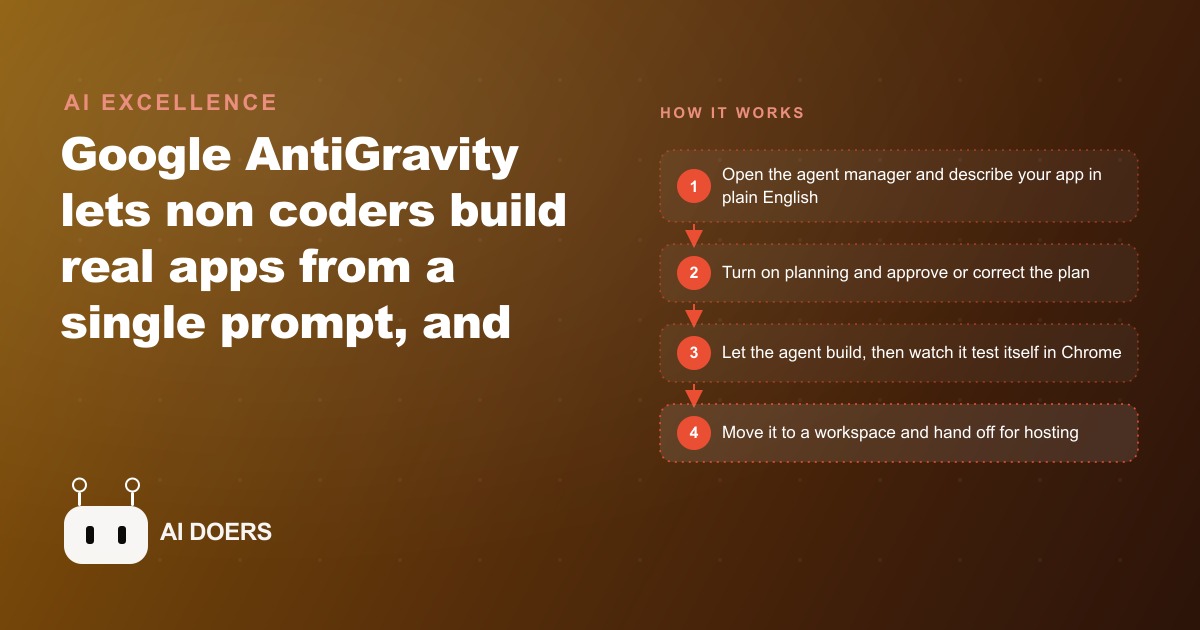
Google AntiGravity is a free desktop app that turns a plain English prompt into a working website or app. Here is how I set it up for clients so non coders get a real, shippable result instead of a broken demo.

For fifteen years, the gap between a business idea and working software was described as a technical problem, but the real obstacle was always language: most business owners could not describe what they wanted precisely enough for a developer to build it, and the translation between client intent and technical specification consumed more time than the build itself.
Google AntiGravity is a free desktop application for Mac and Windows that builds real websites and apps from a plain-English prompt. It connects to a built-in Chrome browser that tests the finished app by clicking through it automatically. It offers a choice of underlying models including Gemini 3 Pro, Claude Opus 4.5, and an open-source option. And it has made the language problem the only remaining problem, which is both a radical simplification and an honest one. The owners who get the best results from tools like this are not the ones with technical backgrounds. They are the ones who can describe most precisely what their customers need to do. That is not a coincidence. It is the whole shift.
Madhuranjan Kumar has been running AI-assisted builds for clients across several industries, and the consistent pattern is that describing clearly what you want determines ninety percent of the quality of what comes out. Everything else, the model choice, the tool settings, the deployment path, is secondary. If that framing seems disorienting, it is worth sitting with. The hard part was never technical.
The Hard Part Was Never the Code
A small business owner who wanted a property search page in 2020 had one realistic path: hire a developer and explain the project. The explanation step was harder than it sounds. Professional developers work from detailed specifications: user stories, wireframes, database schemas, API contracts. Most business owners do not produce those documents naturally. The translation layer that bridges the client's business intent and the developer's technical spec generated the majority of the delays, the scope changes, the revisions, and the budget overruns on most small business software projects. The problem was not that developers were bad at building. It was that the two parties rarely arrived at a shared precise understanding of what was being built before the building started.
AntiGravity removes that translation layer by accepting the business owner's description directly as the input. You describe the app in the same language you would use to explain it to a knowledgeable colleague, not a developer but someone who understands your business. The tool writes the implementation plan, shows every step it intends to take before touching a line of code, accepts corrections in the same plain language, and then produces a working codebase that a developer can read and extend later. The gap between intent and software has not been eliminated. It has been replaced by a direct conversation that happens in the language of the domain rather than the language of technology.
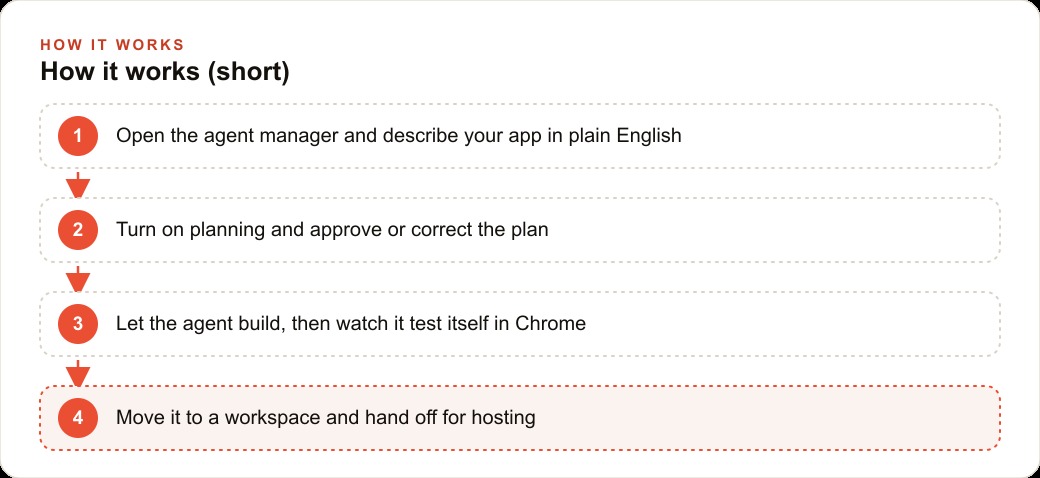
Planning mode is where this becomes concrete. Turning it on before any build causes the agent to write out its full implementation plan in plain language before producing any code. A real estate brokerage asking for a property search site with showing requests sees a plan that lists: a listings grid on the homepage, a filter bar for neighborhood and price range and bedroom count, a detail page per property with a photo gallery and written description, a showing request form, a routing rule that sends each request to the agent responsible for that neighborhood, and a confirmation email. The owner reads this in two minutes. She corrects the routing rule to specify the exact neighborhoods and the correct agent contacts for each one before approving. The agent then builds exactly what the corrected plan described. That correction cost two minutes of reading and one follow-up sentence. Without planning mode, the same correction might have required rebuilding the form's routing logic after the entire app was already structured around the wrong behavior.
The follow-up prompts to polish the result run the same way. Twenty to thirty short instructions, each producing a visible change: make the filter bar sticky so it stays visible as the user scrolls, change the showing request button label from submit to request a showing, match the brokerage's deep navy and warm white brand palette, make the mobile layout single-column with larger tap targets on the filter controls. Each instruction is plain language. Each result appears within seconds. The distance between describing a change and seeing it is seconds, not days waiting for a revision cycle.
The Real Estate Brokerage Build Shows What Finished Looks Like
A brokerage's property search site needs six things: a listings grid showing photo, address, price, and bedroom count per property; a filter bar that narrows results by neighborhood, price range, and bedrooms; a property detail page with a full photo gallery and written description; a showing request form that collects name, email, phone, and preferred showing time; a notification that routes to the correct agent based on the neighborhood of the requested property; and a confirmation page that tells the buyer what to expect next. That is the spec. It is written in business language. It is specific enough that the agent can build from it without guessing.
Writing that list before opening AntiGravity is the single most important step in the entire process. The time it takes is fifteen to thirty minutes. The time it saves is measured in entire rebuild cycles that do not happen because a wrong assumption was caught in the plan review rather than after construction.
The planning review then catches the thing that goes wrong most often on a first build: routing assumptions. The agent's default might be to send all showing requests to a single inbox. The plan reveals that assumption before any code exists. A one-sentence correction, specifying that each neighborhood maps to a specific agent by name and email, is made before the build begins. The agent then builds and self-tests in Chrome automatically: it clicks through the filter combinations, opens property detail pages, fills out the showing request form with test data, and checks that the email routing fires to the correct address. When it finishes, it flags anything it was uncertain about and waits for input before moving on.
From the tested first version, twenty to thirty follow-up prompts bring the design to a finished state. The mobile layout becomes single-column with larger tap targets. The property cards get a slight shadow to separate them from the background. The gallery on the detail page gets swipe support on mobile. The brand colors are applied across every element in a single pass after the palette is defined. None of this requires code knowledge. Each instruction is written in the language of someone describing what they see on screen and what should change.
The finished output is a real codebase in a folder on the computer, not something locked inside a proprietary platform. A developer can open it, read it, and extend it. A brokerage that wants to add a mortgage calculator or a neighborhood statistics section six months later is extending a working foundation rather than starting from scratch.
Describing Clearly Is Now the Only Skill That Matters
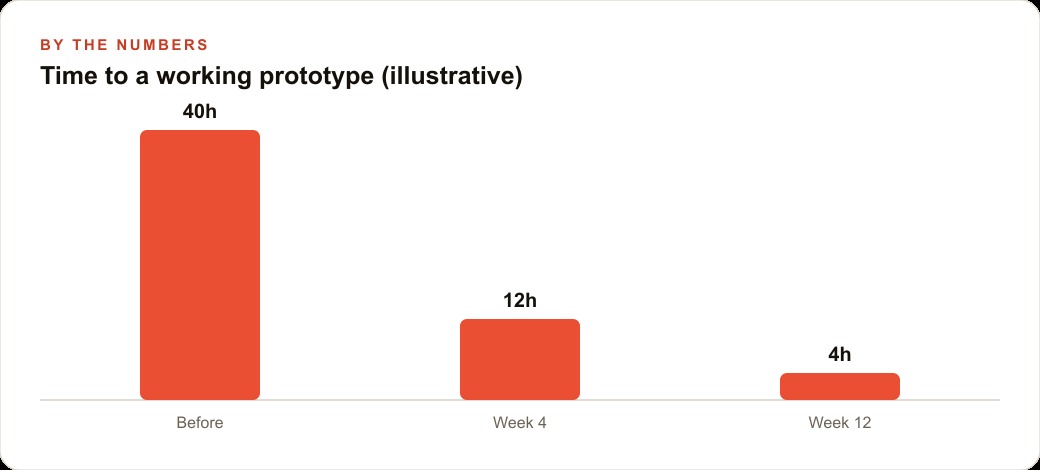
The cost comparison for the brokerage build is direct. A filtering and showing-request page from a freelance developer starts at one thousand dollars for the most basic version and runs to five thousand dollars or more for anything with custom routing, brand styling, and a polished mobile layout. With AntiGravity, the same feature set is reachable on the free tier in a focused afternoon. Even if a developer is brought in for the hosting setup, final polish, and any integrations that the brokerage needs later, the total cost is a fraction of the full freelance route. The brokerage that ships its own search page two months earlier than it otherwise would captures buyer inquiries during that window. Those inquiries are the real return.
The businesses that pull ahead using tools like this are not the ones that master every setting or understand how the models work under the hood. They are the ones that invest in describing their customers' experience as precisely as possible before the build starts. That investment is accessible to anyone. It requires sitting down and thinking through what a customer needs to do from the moment they land on the first screen to the moment they complete the action they came for, then writing that sequence out clearly.
Three habits produce the best results consistently. Write a complete feature list before starting any build, which takes fifteen to thirty minutes and saves several hours of rework. Review the planning document and correct wrong assumptions before the build begins, not after. Use screenshot annotations rather than paragraphs to describe visual problems, because a circled screenshot note communicates a layout issue faster and more accurately than any written description can.
One practical shortcut worth knowing: if writing the initial prompt does not come naturally, describe the app in plain conversational language to a general-purpose AI assistant in a separate tab, ask it to convert that description into a precise build prompt for AntiGravity, and paste the result directly in. Using one AI to write the input for another is a completely natural part of the workflow and produces more precise prompts than most people write without help. The more precise the prompt, the closer the first version comes to the actual goal.
The honest caveat on AntiGravity is the deployment step. Building is frictionless. Publishing requires a GitHub repository and a hosting service like Vercel, which involves some technical configuration. For businesses that want to deploy a public website with minimal setup, tools like Google AI Studio or Lovable offer a simpler path to a live URL. AntiGravity wins when ongoing costs need to stay low, when the app is meant to run locally or inside a private network, or when the plan is to hand the codebase to a developer for final deployment and extension. Knowing which path fits the project before starting saves the most time.
The deeper shift that AntiGravity represents is not just about building apps faster. It is about what the barrier to digital presence actually looks like for a small business today. The barrier used to be cost and technical complexity. Both dropped sharply. The remaining barrier is the quality of the business owner's description of what their customers need. That barrier is more equitable and more learnable than any of the ones it replaced. The businesses that recognize this and start describing clearly are the ones that will reach their customers with better tools, faster, at a fraction of what it would have cost two years ago.
There is a practical sequence for starting that is worth following. The first session should be small in scope. Pick one specific tool the business genuinely needs rather than trying to build a full website or a complex multi-feature product. A quote request form. A simple directory of services. A client intake page that routes information to the right person. Small scope means the first version finishes quickly, the feedback comes back fast, and the confidence to attempt something larger is built on a real result rather than a theory about how the tool works.
The second session should fix the one or two things the first version got wrong. That cycle, build, test with a real person, fix the gaps, is where the learning compounds. Each iteration takes far less time than the first build because the pattern is familiar and the prompt is more precise. By the third or fourth session, the instinct for what makes a good prompt is built into the workflow rather than something that requires deliberate effort each time. The cost of reaching that fluency is three or four focused afternoons. The business that invests those afternoons now is building a real, compounding capability its competitors who are still waiting to start simply do not yet have.
That is exactly what we do at AI DOERS. Book a private 30-minute call with Madhuranjan Kumar and we will map the fastest path to it for your specific business.
Book your call →
Madhuranjan Kumar
Madhuranjan Kumar brings 20 years of performance-marketing experience and has managed over $200 million in Facebook ad spend for brands across the United States and beyond. His expertise spans the full modern marketing stack: Meta, Google Ads, TikTok, email automation, CRM, and the websites that hold it together. At AI DOERS he turns that track record into lead-generation systems for businesses across every industry.