
How to Build an AI Operating System in Claude Code That Runs While You Sleep
An AI operating system is Claude Code wired with context, connections, capabilities, and cadence in that order, so it can read your business data, act through your real tools, and finish work overnight while your laptop is closed.

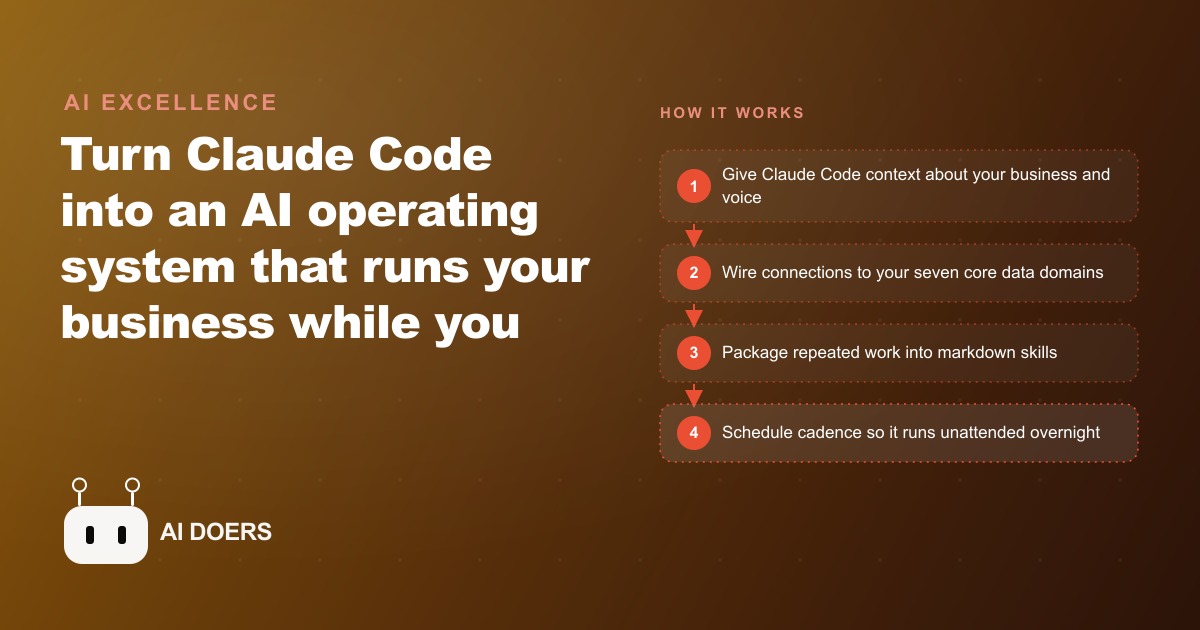
An AI operating system is Claude Code wired with context, connections, capabilities, and cadence in that specific order, so it can read your actual business data, act through your real tools, and finish work overnight while your laptop is closed. I am Madhuranjan Kumar, and this is the playbook for building one.
The framework has four phases that must be built in sequence. You cannot schedule autonomous cadence before you have reliable capabilities. You cannot build reliable capabilities without the right connections. And connections that lack context produce generic outputs that do not reflect how your business actually operates. The order is the architecture.
Phase 1: Build context before anything else
Context is the layer that determines whether the system answers like a teammate or like a stranger. When you skip it and go straight to wiring tools, you get a powerful system that does not know who it is working for. The outputs are technically correct and practically wrong.
Context means feeding the system everything a senior new hire would need to understand your business in their first week: your business model, your customers, your voice and tone in communications, your pricing structure, your current priorities, and the constraints that apply to everything the system produces. Write this as a text document saved in your project folder. Test it by asking a question about your business and evaluating whether the answer sounds like something your best team member would say.
For an HVAC company, context means the service area by city and ZIP, the brands installed and serviced, the pricing structure for common jobs, the seasonal priorities (heat calls in winter, AC calls in summer, maintenance contracts year-round), the communication tone (direct, residential, avoids technical jargon with homeowners but uses it correctly with property managers), and the current business priority (growing the maintenance contract base versus chasing one-off repairs). Once that file exists and the system has been tested against it, every subsequent workflow inherits the context without requiring re-briefing.
The mindset shift that matters at this phase is what some call the default-shift habit: before doing any task by hand, the question is not "can AI do this" but "to what extent can I use AI here, and what do I need to give it to do it correctly." Every task that crosses your desk is a candidate for either partial automation or full automation, and context is what determines whether the automation produces output you would actually use.
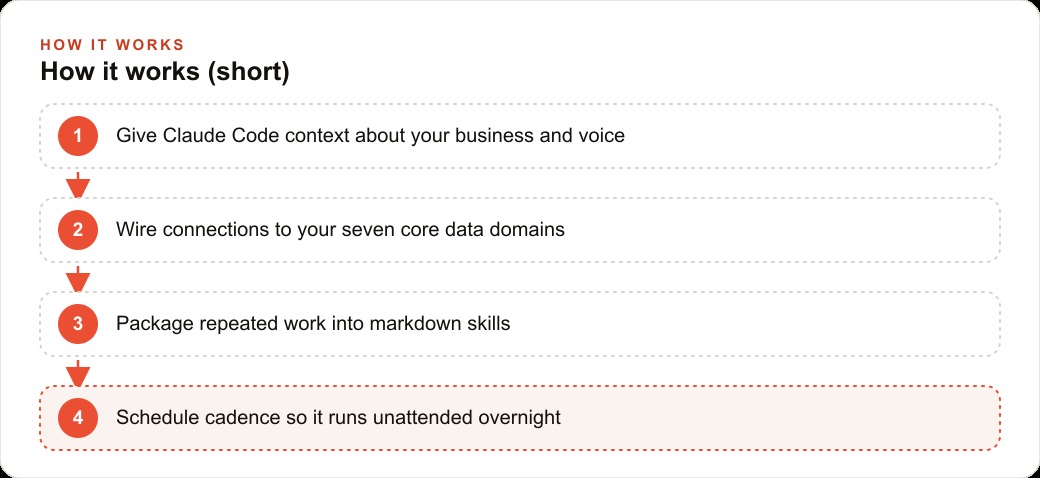
Phase 2: Map seven data domains and wire connections one at a time
Connections are what give the system access to real data rather than general knowledge. Claude Code without connections can only search the web and reason about information you paste into the conversation. With connections, it can read your CRM, pull from your calendar, check your inbox, and query your job history.
The mapping step comes before the wiring step. Draw seven circles on paper, one for each domain: revenue, customer, calendar, communications, tasks, meetings, and knowledge. For each circle, write down where that data actually lives in your current tools. Revenue might live in QuickBooks or a Google Sheet. Customer data might live in a CRM. Calendar data lives in Google Calendar. Communications live in Gmail or a texting app. Tasks live in a project management tool or a shared doc. Meetings might just be a list of recurring Zoom links with notes in a Google Doc. Knowledge might be a combination of Google Drive documents and saved email threads.
Once you have the map, wire connections in order of impact. For most businesses, communications and calendar data provide the most immediate benefit because they unlock the most common automation types: drafting replies, scheduling follow-ups, building daily briefings. The revenue and customer domain connections come next because they enable the business intelligence queries that surface which customers are overdue for a service visit or which jobs have the strongest margins.
For the wiring method, the preference is API endpoints over full MCP server connections. An MCP server loads every available function from a tool, most of which you will never use, and that breadth costs tokens and adds latency. A targeted API endpoint connection that covers only the five to ten operations the system actually needs is faster, cheaper, and easier to debug when something goes wrong. Have the system research the API documentation for a specific tool once and save a short markdown reference of the relevant endpoints. That reference becomes the connection documentation.
Keys go in a .env file with placeholder labels, never pasted into chat sessions. Create a separate account or API key specifically for the AI system so its permissions can be scoped narrowly: read access to what it needs, no write access to things it should not touch, no delete access to anything.
Phase 3: Build skills as reusable markdown recipes
A skill is a markdown file that packages a multi-step task into a single reusable command. Every task you do more than twice in a month is a candidate for a skill. Skills are the library of what your system knows how to do, and building them is the work that converts one-off prompts into reliable business infrastructure.
The anatomy of a useful skill: a one-sentence description of what the task produces, a list of the inputs required, a step-by-step description of the process, any constraints or standards that apply to the output, and an example of what good output looks like. The more specific the skill, the more reliably it produces correct output. A skill described as "draft a quote" produces inconsistent output. A skill described as "draft a residential repair estimate including: customer name, service address, technician name, date, line items with labor and materials separated, payment terms, and the standard warranty language saved in the context file" produces consistent output.
For an HVAC company, the highest-value skills are typically: convert job notes to a formatted quote, send a follow-up text 24 hours after a completed service call, draft a maintenance contract renewal reminder, build the next-day technician briefing from the scheduled jobs. Build the simplest skill first, test it on real inputs from the past month, refine the description until the output is consistently correct, and only then build the next one. A library of four reliably working skills is more valuable than a library of twelve skills where three of them produce inconsistent output.
Phase 4: Schedule cadence so the system runs while you sleep
Cadence is the phase where the system stops being a tool you use and starts being a system that runs. The overnight work slot, the sessions that happen while you sleep, is where the operational leverage actually materializes. A daily briefing prepared by 7 AM from the previous day's data, a batch of follow-up messages drafted before the work day starts, a weekly job summary compiled from the previous week's records without anyone requesting it: these are the outputs that change what your morning looks like.
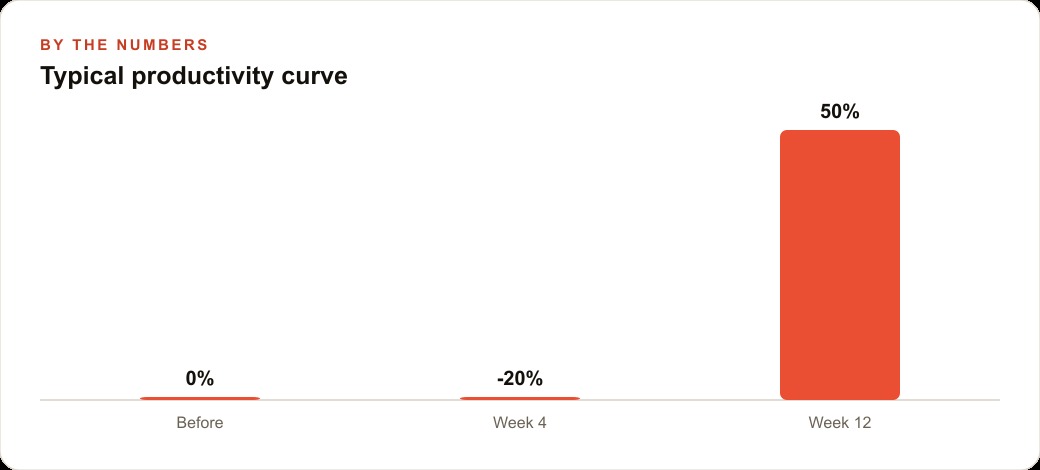
Expect a productivity dip when you first enable cadence. The system will produce some outputs that need correction, some that arrive in the wrong format, and some that reflect gaps in the context or skill files that only become visible when the system is running autonomously rather than interactively. The dip is not a signal that the setup is wrong. It is the feedback loop that tells you what to refine. Budget two to four weeks of active monitoring before the cadence runs reliably with only a light review step each morning.
The HVAC example runs like this in steady state: overnight, the system reads the next day's scheduled jobs from the calendar connection, matches each job to the customer record in the CRM, pulls the service history for each address, and drafts a briefing for each technician. It also scans the customer list for maintenance contracts coming up for renewal in the next thirty days and drafts the renewal messages. It pulls the previous day's completed job list and drafts the follow-up messages for each. By 7 AM, the office manager opens a queue of ready-to-review outputs rather than a blank inbox. The work that would have taken three hours to produce manually is already done, waiting for the ten-minute review that sends everything out. That is the cadence operating correctly.
The free unlock that most builders miss
The Google Workspace CLI is a free tool that gives Claude Code access to Gmail, Drive, Docs, Sheets, and Calendar through simple commands without requiring a full MCP server setup or complex OAuth configuration. For any business already running on Google Workspace, this is the single highest-value connection to wire first, because it unlocks all five of the most common data domains through one integration.
The most immediate use case is building the daily briefing. The system reads the calendar for the next day's appointments, cross-references the Gmail threads for each client, and produces a one-page briefing of who you are meeting, what the last communication said, and what open items exist. That briefing requires zero manual preparation. It exists because the system has the connections to produce it automatically.
What a realistic first week looks like
Day one is context. Write the context file and test it against five questions about your business. Adjust until the answers are correct and sound like your business. Day two is mapping. Draw the seven domain circles, write down where each type of data lives, and pick the one connection with the highest immediate impact to wire first. Day three is the first skill. Take the task that repeats most frequently and write the skill file for it. Test it on real inputs. Day four is the second skill. Day five is running both skills in sequence and evaluating whether the outputs are consistently good enough for the review step to take under two minutes per item.
The cadence phase starts in week two or three, after the context, connections, and skills are reliable enough that autonomous operation produces outputs you trust to review rather than outputs you need to rebuild. Starting cadence before the underlying skills are reliable means the overnight queue contains a lot of work that needs correction, which eliminates the time savings that motivated the setup.
This is a system you can absolutely build yourself over three to four weeks with consistent effort. If you would rather have someone stand it up correctly the first time so you skip the trial-and-error phase, that is a service I provide for businesses with the right foundation. Both paths reach the same outcome. The one that does not reach it is building the cadence before the context, connections, and skills are reliable enough to support it.
That is exactly what we do at AI DOERS. Book a private 30-minute call with Madhuranjan Kumar and we will map the fastest path to it for your specific business.
Book your call →
Madhuranjan Kumar
Madhuranjan Kumar brings 20 years of performance-marketing experience and has managed over $200 million in Facebook ad spend for brands across the United States and beyond. His expertise spans the full modern marketing stack: Meta, Google Ads, TikTok, email automation, CRM, and the websites that hold it together. At AI DOERS he turns that track record into lead-generation systems for businesses across every industry.