
How to Build a Synced Web and Mobile App With Zero Code
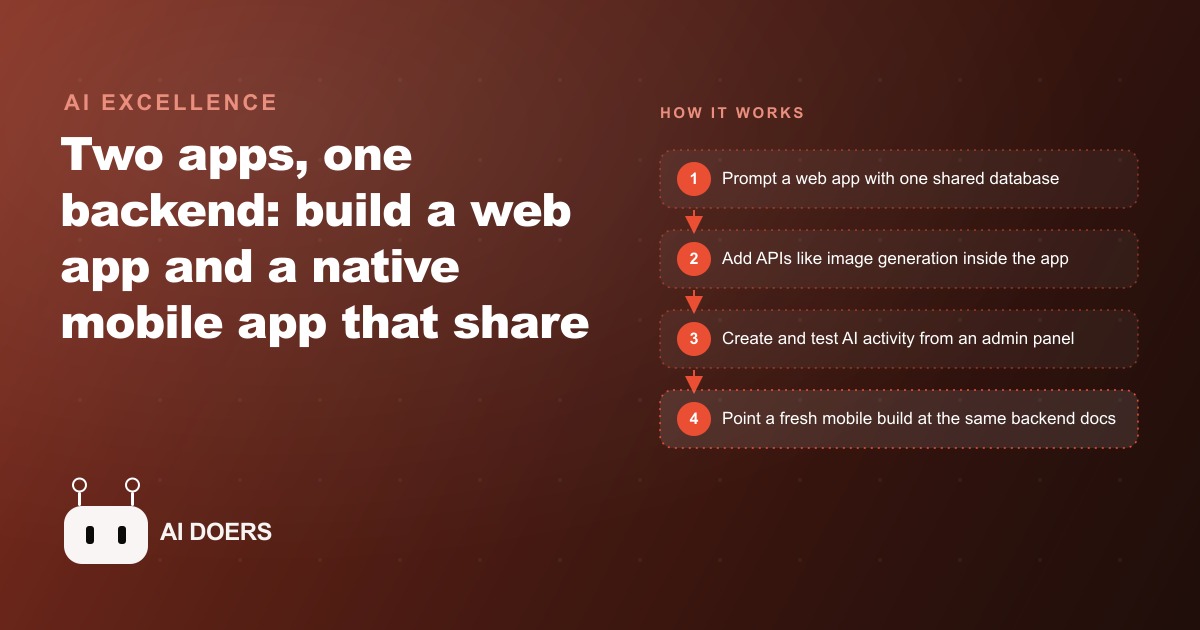
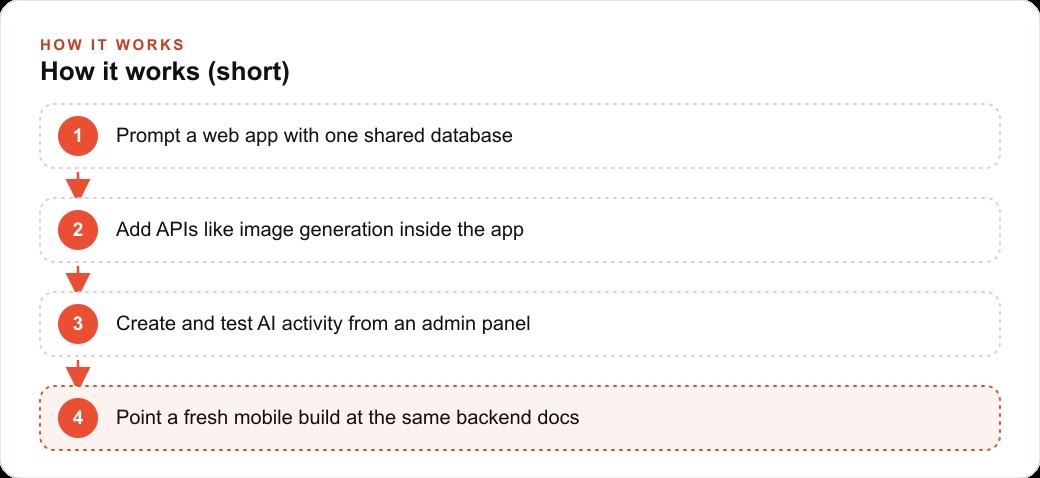
You build the web app first with one simple prompt, attach a shared database, add APIs like image generation right inside the app, then point a fresh mobile build at the same backend so both surfaces read and write the exact same data.

The Afternoon That Used to Take a Development Team Six Months
The barrier between having a software idea and having running software just dropped to an afternoon's work for any business owner with a browser and a clear description of what they want.
This is not a speculative statement about where the technology is heading. It is a description of what a live demo proved in real time. A developer working publicly with the latest vibe coding tools started with a single short prompt, "build an Instagram clone with a database attached," and produced a functioning web application with user authentication, post creation, image display, and a connected database. The process from blank slate to deployed feature set took hours, not months. The developer did not write a single line of code manually.
What makes this significant is not the specific application that was built. Instagram clones have been demonstration projects for decades. What makes it significant is the architecture of how it was built and the specifics of what is now replicable by anyone who can describe a workflow in plain language. The implications for small business owners who have been managing operations on spreadsheets and manual processes are concrete and immediate.
What Just Became Possible, and Why It Is Different From Prior No-Code Promises
The prior wave of no-code tools promised roughly the same outcome and delivered something smaller. They allowed non-technical users to build forms, connect APIs, and automate sequences. They could not build applications with real databases, real user authentication, and real mobile interfaces sharing a single backend. When they tried to scale beyond their intended use cases, the limitations appeared quickly and the fix required a developer anyway.
What just became available is different in kind, not just degree.
The agent that handled the build in this demo did not operate as a suggestion engine. It planned. When given a complex build request, it generated a sixteen-step plan and then an eight-step sub-plan for a specific technical component, displayed those plans visibly, and then executed sub-agents in parallel to handle different parts of the build simultaneously. The developer could see what each sub-agent was working on in real time. When something broke, the fix was not a code change. It was a plain-language description of the problem, delivered to the same agent, which then diagnosed and corrected the issue.
The authentication system used email codes rather than passwords. The image generation capability was wired directly into the application using the GPT Image 1.5 API, so the application could generate photos inside itself, not just display uploaded ones. The admin panel was built as part of the same system and included the ability to spin up AI agent accounts with system prompts defining each agent's persona and behavior, each posting and liking independently on GPT 5.2, each generating its own images.
This is not a demonstration of a feature. It is a demonstration of a complete product development workflow that any sufficiently motivated business owner can now replicate without hiring a developer.
The Shared Database Is the Insight That Makes This Meaningfully Valuable
The most technically important moment in this demonstration was not the application build itself. It was the step where the developer exported the backend documentation as raw text and pasted it into a completely separate project to build the mobile companion.
The web application and the mobile application share a single database and a single backend. They are not two separate products that need to be kept synchronized. They are two interfaces on the same data. When a post is created on the web version, it appears on the mobile version. When a user authenticates on mobile, that authentication is recognized on web. The two interfaces are unified because they point at the same source of truth.
For a business owner, this distinction matters enormously. The prior state of small business software was that the web tool and the mobile tool were frequently different products that either did not talk to each other or required a third synchronization service to stay aligned. Customer data entered in the desktop CRM did not automatically appear in the mobile app. Inventory updated in one system was not instantly reflected in another. The synchronization problem was real and often expensive to solve.
The shared backend architecture eliminates that problem at the point of construction. The business owner describes the system once. The agent builds the backend once. The web interface and the mobile interface are then two views of the same backend, not two separate systems with a synchronization layer bolted between them.
The single most valuable concept for any business owner who wants to use these tools is understanding what a database table is and why it matters. A database table is the layer where information persists. It is the thing that makes an application real rather than temporary. When you know what tables your business needs, you know eighty percent of what your application needs. A service business needs a table for customers, a table for appointments, a table for jobs, and a table for invoices. The rest of the application is interface and logic built on top of those tables. That knowledge, expressed in a plain-language description, is the single most powerful input you can give an agent builder.
AI Fake-User Testing Changes What Validation Actually Means
One capability demonstrated in this build session deserves its own attention: the AI fake-user testing pattern.
The admin panel included the ability to create AI agent accounts, each defined by a system prompt that described a persona. Each persona posted content, liked other posts, and generated images, all operating independently from each other, all interacting with the application in real time. The time scale was controllable at 8x speed, meaning thirty minutes of simulated user activity could be observed in under four minutes.
Before this capability existed, the way you tested whether an application worked for real users was to either give it to real users and observe, which means your actual customers are experiencing your broken prototype, or to manually click through every flow yourself, which does not replicate the variability of multiple simultaneous users doing different things at the same time.
The AI fake-user approach changes both of these problems. You can simulate thirty users with distinct behaviors, preferences, and interaction patterns, all operating simultaneously, in a few minutes. You can watch where the flows break, where the interface confuses, where the data model turns out to be missing a field that real behavior would require. You identify those failures in a test environment with no real users affected, fix them in plain language by describing the problem to the agent, and run the simulation again.
For a business building its first internal application, this is the difference between launching a tool that embarrasses the business in front of employees or customers and launching a tool that has been tested against realistic usage patterns before anyone real sees it.
The Concrete Move for Business Owners Who Have Been Running on Spreadsheets
The practical implication of this demonstration is not that every business owner should immediately build an Instagram clone. It is that any business owner who has been managing a core operational process in a spreadsheet now has a realistic path to a real application with a fraction of the cost and time that path previously required.
Spreadsheets are, at their core, a database with a visual interface. The columns are the fields. The rows are the records. The tabs are the tables. Any business owner who maintains a spreadsheet for customer tracking, job scheduling, inventory management, or appointment booking already knows the data model for their application. They know what information belongs in each column. They know what relationships exist between different tables. They know what the output needs to look like.
That knowledge, expressed in a plain-language prompt describing the tables and the relationships, is the starting point for an agent-built application. The developer in this demonstration did not start with technical specifications. The developer started with a description of what the application should do and who would use it. The agent converted that description into a technical plan, executed the plan with sub-agents working in parallel, and produced something usable.
The mobile companion was built by exporting the backend documentation as raw text, pasting it into a fresh project, and prompting a native mobile interface. The backend work was not redone. It was reused. The mobile version existed because the backend existed, not because additional development time was invested.
For a business owner running a home services company on a spreadsheet, or a retail operation tracking inventory in a shared Google Sheet, or a consulting practice managing client engagements in a folder structure and a calendar, the path to a real application with a real database and a real mobile interface is now an afternoon's work and a clear description of what the system needs to do.
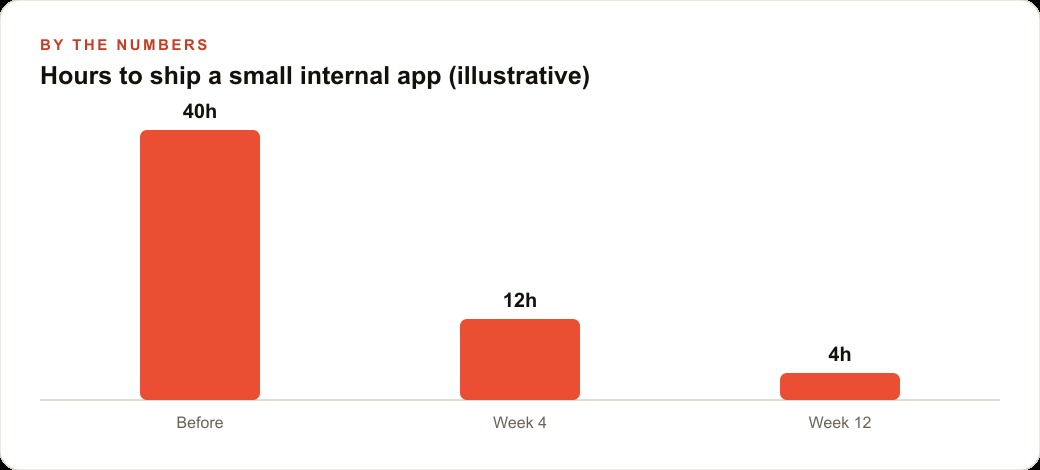
The afternoon will not produce a perfect product. It will produce a working one. The path from working to refined is the same iterative loop that has always defined software development: use it, find what breaks, describe the problem, fix it. What changed is the cost of the first step. What was previously measured in months and tens of thousands of dollars is now measured in hours and a subscription.
The skills that were once the exclusive domain of development teams are not disappearing. They are becoming distributed. The business owner who can describe a system clearly, understand what a database table is and why it persists information, and evaluate whether an application is doing what was asked of it now has access to tools that, a year ago, those business owners had to pay for access to through an intermediary.
That shift is not incremental. It is structural. And it happened faster than almost anyone predicted. ## What Service Business Owners Should Actually Do With This
The practical starting point for a service business owner who wants to build a tool on this new foundation is not "build a mobile app." It is "describe the one workflow I run on a spreadsheet every day that always feels like it should be software but never was."
That spreadsheet workflow, whether it is job scheduling, client intake, quote tracking, or inventory management, is the right first project because the owner already understands every edge case. They know what the exceptions look like. They know which inputs trigger which decisions. They know what a correct output looks like and what a wrong one looks like. That existing knowledge is what allows them to evaluate the tool they build rather than accepting whatever the AI produces.
The shared-database insight applies directly here. A scheduling tool that works on a browser on the office computer but does not update on the field technician's phone creates a new coordination problem rather than solving an old one. Starting with the explicit requirement that the data must be consistent across however many entry points the workflow has, a laptop for office use and a phone for field use, is the architectural decision that determines whether the tool stays useful past the first week.
The AI agent accounts described in the demo provide a testing method that removes a structural problem in early software builds. Most small tools fail not because the feature logic is wrong but because no one tests what happens when two people use them simultaneously, or when someone submits a form while someone else is editing the same record, or when the system receives three inputs in rapid succession. Configuring a set of agent accounts with different persona behaviors and running them concurrently against the application before it goes into real use surfaces those edge cases before they affect real operations.
The business owner who understands the database table concept, the shared-backend principle, and the agent test pattern has everything needed to evaluate whether the tool built in an afternoon will actually hold up in daily use. Those three concepts are not technical knowledge. They are judgment criteria, and the tool that built the app can also answer questions about whether it meets them.
That is exactly what we do at AI DOERS. Book a private 30-minute call with Madhuranjan Kumar and we will map the fastest path to it for your specific business.
Book your call →
Madhuranjan Kumar
Madhuranjan Kumar brings 20 years of performance-marketing experience and has managed over $200 million in Facebook ad spend for brands across the United States and beyond. His expertise spans the full modern marketing stack: Meta, Google Ads, TikTok, email automation, CRM, and the websites that hold it together. At AI DOERS he turns that track record into lead-generation systems for businesses across every industry.