
How to Build a Realistic Voice Sales Agent in 45 Minutes With Claude Code
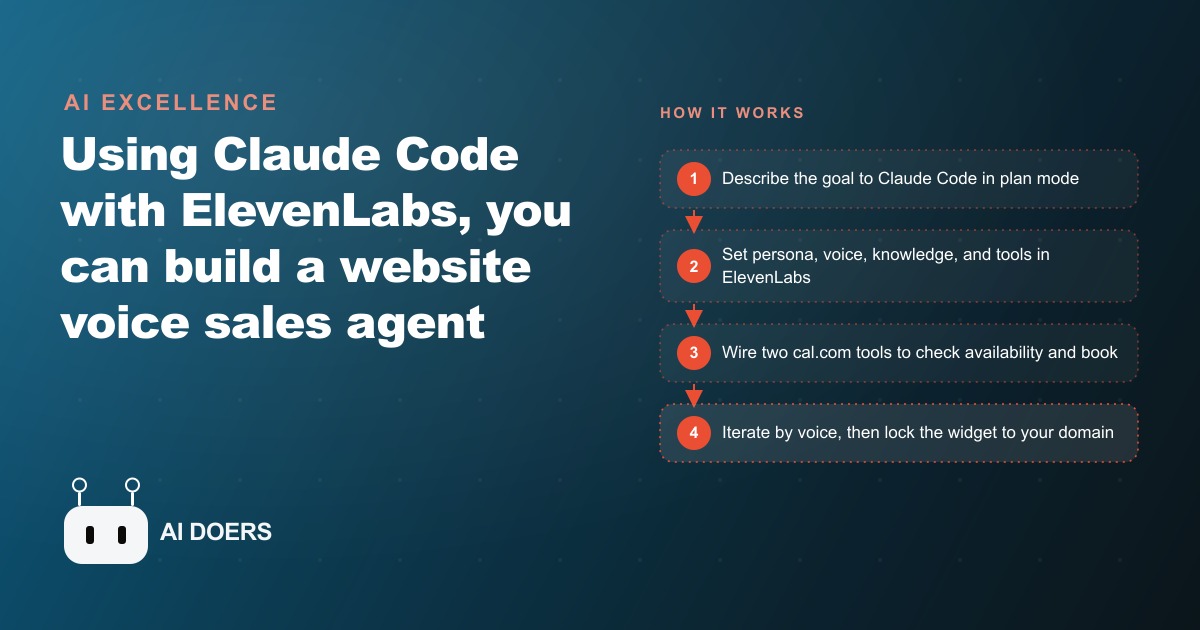
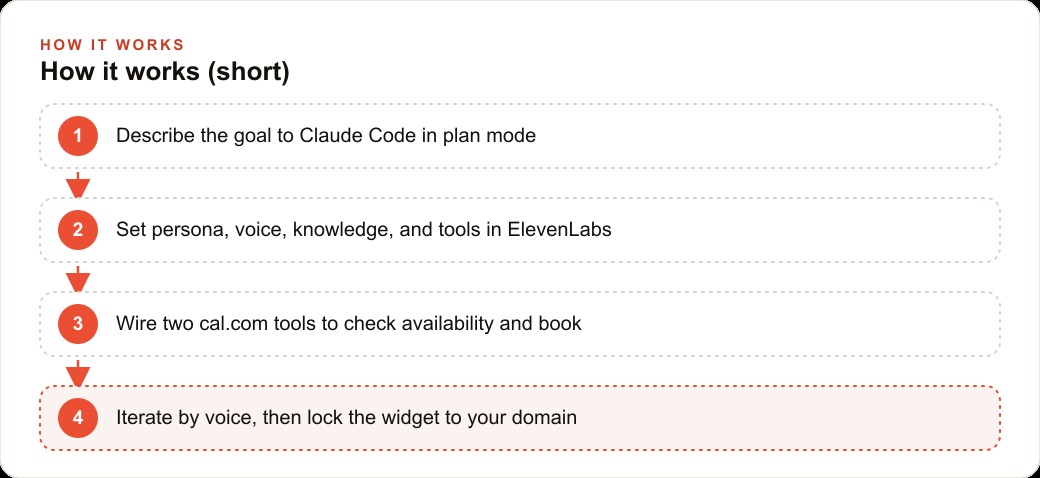
You describe the goal to Claude Code in plan mode, it asks clarifying questions, then wires ElevenLabs for the persona, voice, and knowledge plus two cal.com tools to check availability and book calls. The full build, including iteration, took about 45 minutes with no API docs read by hand.

9 steps that get a live voice sales agent on your website in one afternoon
I am Madhuranjan Kumar, and the voice agent I am going to walk through here is not a demo. It is a production-oriented process that takes roughly 45 minutes of focused work, answers calls, books meetings, and runs continuously without anyone managing it. Here are the nine steps that get there without reading a single line of API documentation.
Use plan mode first and answer every clarifying question before any code is written
Claude Code's plan mode asks clarifying questions before it writes a line of code. The questions seem tedious the first time you encounter them. They are not. Every question that gets answered in planning is a problem that would otherwise have surfaced as a broken feature mid-build.
The planning questions for a voice agent are specific and consequential: What is the current state of the ElevenLabs and calendar accounts? How exactly should a booking happen when the caller is ready? Should the widget appear in a corner or take up more screen real estate? What is the caller supposed to hear first? Which fields need to be captured before the agent can book? What should happen if the caller does not know the answer to a required field?
Each of these questions has an answer that shapes the code. A developer who skips planning and starts building without these answers will hit each of them as a rework moment, where existing code needs to be changed rather than new functionality being added. In a 45-minute build, rework is the thing that turns 45 minutes into three hours.
Spend the first 10 minutes of the build in plan mode. Answer every question. Then let the agent write.
Define the persona in the system prompt before you pick a voice
The system prompt defines who the agent is, not just what it does. The order matters: persona first, voice second. A voice that sounds energetic paired with a system prompt that says be concise and professional produces inconsistency that callers notice without being able to explain. The voice and the persona need to match.
The persona should answer: What is the agent's name? What is the agent's role relative to the business? What tone does the agent use with callers, warm, efficient, formal, conversational? What topics is the agent allowed to address? What topics should trigger a handoff to a human or a follow-up message? What should the agent say if it does not know the answer?
The last question is the most important. An agent with no instruction about handling unknown questions will generate an answer using general knowledge, which may be plausible but wrong. An agent instructed to say that is a great question, I do not have that detail with me right now, may I take your name and number and have someone follow up will handle the same situation correctly every time.
Seed the knowledge with documents that already exist
Every voice agent benefits from a knowledge base: real content the agent can draw on when answering questions. The instinct is to write new content specifically for the agent, organized around what you think callers will ask. This is slower and produces a thinner knowledge base than using the documents the business already has.
Service pages from the website, pricing sheets, FAQ documents, welcome packets for new clients, policy documents, and process descriptions are all direct inputs for the knowledge base. They already contain the answers callers are most likely to ask about, and they were written by people who know the business. Drop them in, let the agent index them, and ask a test question. In most cases, the agent draws the correct answer from the existing document without any additional content creation.
The documents to exclude are ones that contain information the agent should not communicate: internal pricing notes with confidential margin information, staff contact details that should not go to callers, or any content that is outdated and has not yet been updated. The agent uses what is in the knowledge base and cannot distinguish between information that should be shared and information that should not unless the system prompt specifies the restrictions.
Wire two tools to a real calendar, not a placeholder
A voice agent that cannot book is a voice assistant. The functionality that justifies the agent for a service business is the calendar connection: the agent checks availability and books a real appointment before the caller hangs up.
The two tools required are a check-availability function and a book-appointment function. Both connect directly to a scheduling service like cal.com without needing an automation layer in between. Claude Code reads the scheduling service's API documentation and configures both functions from the description in the build prompt.
The test for the tools before going live is specific: call the agent, ask for an appointment at a time that is available, and verify the appointment appears on the calendar. Then call again, ask for an appointment at a time that is not available, and verify the agent offers an alternative rather than confirming a phantom booking. Both tests must pass before the widget goes anywhere near a public URL.
Test the greeting first, before anything else
The first three seconds of a caller's experience with a voice agent determine whether they stay in the conversation or hang up. The greeting is therefore the highest-value component to tune, and the easiest to get wrong in a first build because the default greeting produced by the agent is typically functional and completely unremarkable.
Test the greeting in isolation before testing the full conversation flow. Call the agent and listen to how it opens. Does it sound like the business? Does it convey warmth and purpose in the first sentence? Does it leave the caller with a clear sense of what the agent can help with? Does it feel natural or stilted?
Refine the greeting by describing the problem to Claude Code in plain language: the opening sounds too formal, try something that feels more like a friendly front desk person who is glad the caller called. Or: the agent launches into the menu too fast, slow it down and give the caller a moment to orient themselves. These are natural descriptions, not technical instructions, and they produce better results than trying to edit the system prompt directly without understanding which clause produced the problematic behavior.
Read the conversation transcript when something goes wrong
When a live test produces a wrong result, the correct diagnostic tool is the conversation transcript, not the system prompt or the code. The transcript shows exactly what the caller said, exactly what the agent heard (the transcription), exactly what the agent responded, and exactly where in the conversation the error occurred.
A representative error that surfaces in most first builds: the agent books an appointment, but the time it confirms is wrong. The caller asked for a Tuesday afternoon slot and the agent confirmed a Wednesday morning slot. Reading the transcript, the wrong turn is visible: the agent checked availability for the correct time in the caller's local timezone, found it available, but then booked in UTC because the booking tool's time parameter was configured without a timezone. The fix is a one-line parameter change. The transcript made it findable in under five minutes. Without the transcript, the debugging process might have taken hours of testing different inputs to reproduce the failure.
Fix the timezone before the first live call
The timezone problem is common enough to deserve its own step. A voice agent deployed without explicit timezone configuration will handle availability checks and bookings in UTC by default. UTC is either four or five hours ahead of Eastern time, depending on daylight saving, and further ahead of western US time zones. A caller in Dallas asking for a 2 pm appointment will get confirmed for an 8 or 9 pm UTC slot, which corresponds to a completely different local time than intended.
Set the timezone as an explicit parameter in both the check-availability and book-appointment tool configurations before the first live call. Test by calling from the agent's deployment location and confirming that a requested time produces a booking at that exact local time on the calendar. The test takes three minutes. Finding the timezone error after it has affected real caller bookings takes significantly more time and requires contacting those callers to reschedule.
Lock the widget to your domain before it goes anywhere public
An ElevenLabs voice widget that is publicly accessible without domain restriction allows any caller from any source to trigger a call, which bills the account's usage credits for every call regardless of origin. Bots, scrapers, and people testing the widget who are not genuine leads will consume credits that the account paid for.
Before making the embed code available anywhere, configure three restrictions: restrict the widget to accept calls only from the intended domain, set a maximum call duration cap, and add a per-session or per-day rate limit. These three settings together prevent the vast majority of abusive access while leaving the widget fully functional for real callers on the real website.
Iterate by describing what you liked, not by editing settings directly
After the initial build and the core tests pass, the refinement phase improves the experience beyond basic function. The most effective method is to call the agent, note exactly what sounded right and what sounded wrong, and describe both to Claude Code in plain language before asking for the change.
This works better than editing the system prompt directly because the agent builds an edit that is consistent with the entire prompt rather than inserting a clause that may interact unexpectedly with existing instructions. I liked how the agent asked for the caller's name early in the conversation, but the follow-up question felt too abrupt, try a warmer transition between the qualification questions is a description Claude Code can act on correctly. Opening the system prompt and adding a few words between two existing instructions without understanding their relationship to the surrounding clauses often produces unintended behavior.
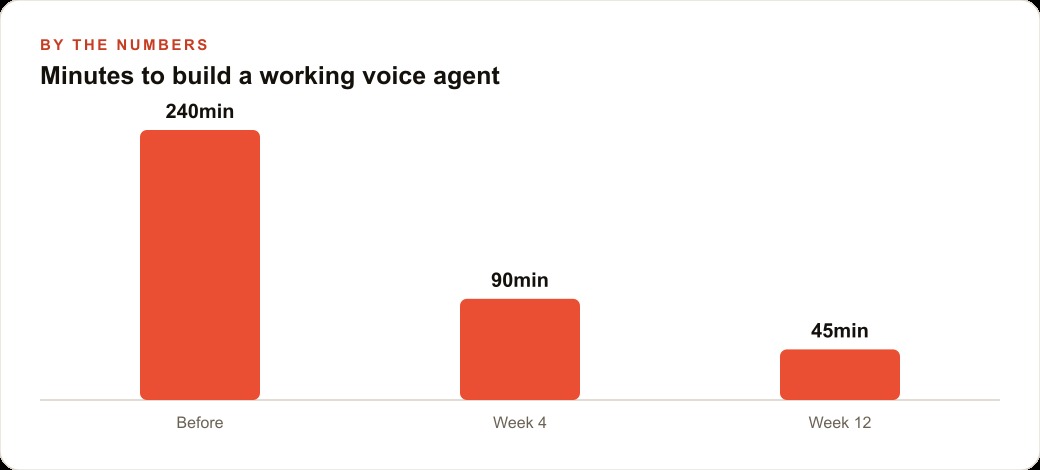
The build that follows all nine of these steps is deployable on a real website for a real business, handles real callers, and books real appointments on a real calendar. The 45-minute estimate is achievable for someone who has done this once before. For a first build following these steps precisely, allow 90 minutes and use the extra time to run every test step before declaring the agent live.
Step 10: Review the conversation transcripts weekly for patterns the single-call view misses
A single conversation transcript shows you what happened in one interaction. A review of 20 to 30 transcripts from the same week shows you what is happening systematically. The single-call view identifies individual failures. The weekly review identifies patterns.
Patterns worth looking for in the weekly review: questions that the agent consistently deflects to a human that should be answerable from the knowledge base; questions that the agent answers correctly but with a phrasing that callers consistently push back on; topics that appear repeatedly in conversations but are not yet well-represented in the knowledge base; and conversations that end without an appointment or lead capture when the caller's initial question suggests they were a qualified prospect.
Each pattern identified in the weekly review is an opportunity to improve the agent. A question the agent consistently deflects because the knowledge base does not cover it is addressed by adding that content to the knowledge base. A phrasing callers push back on is addressed by rewriting the relevant section of the system prompt with more natural language. A topic underrepresented in the knowledge base is addressed by adding the relevant documentation. A qualified prospect who leaves without converting is addressed by improving the agent's transition to appointment booking or lead capture.
The weekly review takes 30 minutes. The improvements it generates typically reduce the agent's error rate by 15 to 25 percent over the first three months of operation. After three months of consistent weekly review, the agent's performance plateau is significantly higher than it would have been without the review discipline, and the ongoing improvement from each subsequent review accelerates because the agent's baseline is already closer to optimal.
That is exactly what we do at AI DOERS. Book a private 30-minute call with Madhuranjan Kumar and we will map the fastest path to it for your specific business.
Book your call →
Madhuranjan Kumar
Madhuranjan Kumar brings 20 years of performance-marketing experience and has managed over $200 million in Facebook ad spend for brands across the United States and beyond. His expertise spans the full modern marketing stack: Meta, Google Ads, TikTok, email automation, CRM, and the websites that hold it together. At AI DOERS he turns that track record into lead-generation systems for businesses across every industry.