
How to Actually Use Gemini 3 and Nano Banana to Build Visual Apps Fast
Two new visual models turn one prompt into 3D apps, infographics, and landing pages. Start in a web studio for one-shot apps, move to an editor for real projects, and use the image model inside node workflows to batch clean graphics at volume.

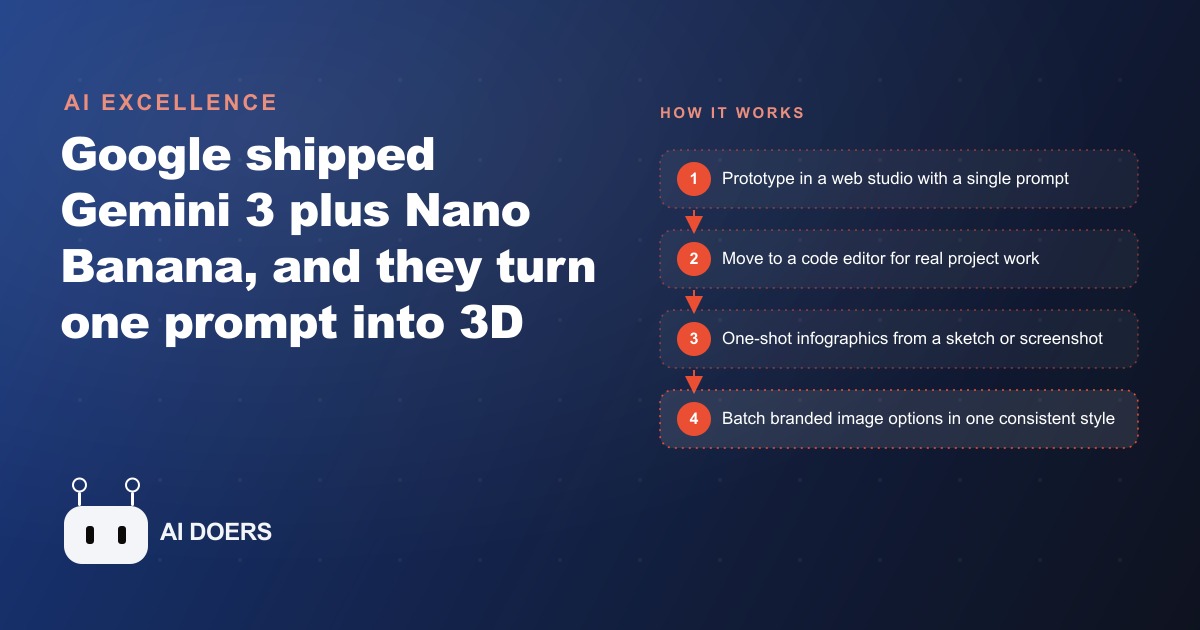
Google shipped two new models in a single week and the combined result is that a single prompt can now produce a rotating 3D app, a clean infographic from a rough sketch, and a rebuilt landing page with a fresh background image generated inline, all from the same toolset. Gemini 3 is the coding and visualization model, described by Google as their most powerful agentic vibe-coding model yet. Nano Banana Pro is the reasoning image model, one that thinks before it generates. Together they put Google back in front for multimodal work, a position it had not clearly held for several years.
I am Madhuranjan Kumar. The launch was notable enough that leaders at competing labs publicly congratulated the team, which is unusual in an industry that normally saves the compliments for after the news cycle. What matters for anyone who creates content, runs marketing, or builds apps is practical: the gap between an idea and a working visual product just got smaller, and these two models are among the most accessible ways to close it.
What Gemini 3 can one-shot that nothing else could manage before
The most striking demos from the launch were the 3D outputs. From a single prompt, builders produced a rotatable interactive globe simulator and a playable Lego builder, both rendered in real 3D with the model embedded directly in the output rather than linked externally. A short prompt also produced an interactive water-cycle simulation that stepped through evaporation, condensation, precipitation, and collection as a staged educational walkthrough. The user clicked through the stages and the visualization zoomed into the relevant part at each step.
This last demo points at something new: an interactive landing page or product explainer where the prospect learns by doing instead of reading. A static infographic explains a concept. An interactive simulation built from one prompt lets someone experience it. For anyone making content that needs to teach a concept clearly, that is a meaningfully different category of asset, and it now comes from the same single-prompt workflow as a text response.
The model is also strong on straight coding tasks. It grasps intent with less prompting than previous versions, which reduces the back-and-forth needed to get from a rough description to a working implementation. For a content creator or small business operator who uses AI to build small web tools, that reduction in iteration time adds up across dozens of projects.
Nano Banana Pro thinks before it generates, and that changes what it produces
Nano Banana Pro is a reasoning image model, which means it runs a thinking step before generating. That distinction matters because it is what allows the model to turn a rough sketch or a vague description into a clean, high-quality infographic in a single pass rather than requiring multiple rounds of regeneration to get something usable.
The most practically useful capability is rebuilding a landing page from a screenshot. Paste a screenshot of an existing page into the tool and the model rebuilds the page while simultaneously generating a fresh background image to replace any placeholder or outdated imagery. That collapses two separate steps, page redesign and image creation, into a single operation that runs in one pass. For any business that updates its landing pages seasonally or as promotions change, that is a significant time saving.
The infographic output is strong enough to replace a designer for many routine graphic needs. A treatment summary for a clinic, a step-by-step process diagram for a service business, a comparison chart for a product page, these are all things Nano Banana Pro can produce from a rough description or sketch in one generation. The output is clean enough to publish without additional editing in most cases.
AI Studio is the fastest entry point for prototypes and one-shot apps
For someone who wants to try Gemini 3 immediately, Google AI Studio is the starting point. Sign in, pick the Gemini 3 Pro preview, and describe what you want to build. The model produces a working app in a web-based interface with almost no setup. The experience is close to a lovable-style web IDE where you describe an app and watch it build in real time.
This entry point is best for prototypes and one-shot experiments. A small tool, an interactive calculator, a simple quiz, a data visualizer, these can be built and tested in minutes. The limitation is that AI Studio is not a full development environment, so projects that need to integrate with existing codebases, connect to external services, or be deployed as real production software benefit from a different workflow.
For SEO content and marketing teams that want to build small interactive tools to embed in articles or landing pages, this is the fastest path from idea to something you can actually test with real users. A working prototype in fifteen minutes beats a spec document that takes a week to produce.
Node workflows are where the real volume and consistency come from
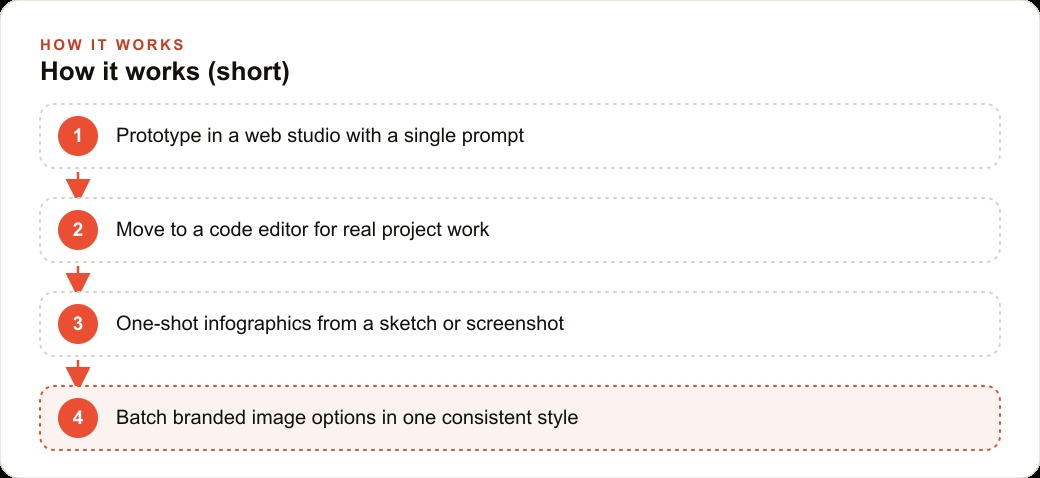
The step that changes creative output from artisanal to systematic is building a node-based workflow that locks a style and batches outputs. A node workflow lets you define your brand style once, then feed it different topics or product names and generate several on-brand options at once. Instead of one careful graphic at a time, you get a batch of options in a consistent style and pick the best.
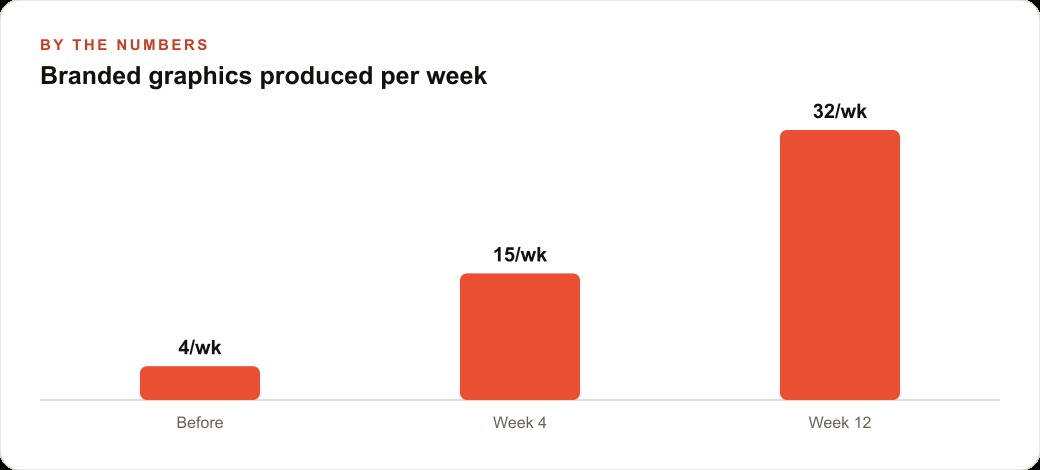
For a business running regular social content, a treatment infographic each week, a seasonal promotion graphic each month, the consistency a style-locked workflow provides is what keeps the visual identity coherent over time. A med spa that posts daily cannot afford for every graphic to look slightly different, and a single locked-style workflow solves that without a designer reviewing each asset. The same workflow that produces the static graphic can then chain to a video model that animates the best option with sound, producing a reel-ready asset from the same starting point.
For businesses running Facebook and Instagram ads, the node workflow approach means testing multiple creative variants is as simple as feeding different headlines or product names into the same workflow and generating a batch. What used to require a designer and a briefing cycle becomes a morning task. The speed of creative production when the style is already locked is what makes systematic testing of ad creative actually feasible for a small team.
Chaining a video model onto the best image result is now one extra step
The final capability worth understanding is the chain from image to video. Once a Nano Banana Pro output or a Gemini 3 app is ready, adding a step that feeds the best result into a video model produces a short animated clip with sound. For social media, that turns a static infographic into a reel. For a product page, it turns a screenshot into a short walkthrough. For an ad, it turns a still creative into a motion asset.
The tooling for this chain is available in node-based workflow builders that connect the image model to this breakdown model through a single pipeline. The rate limit warning is real: demand for these models is high enough that some generations fail on the first try. The fix is simply to retry. The quality when the generation succeeds is strong enough that a retry is usually worth it.
For any business that produces video content alongside static content, the ability to chain these two models means the gap between a static and a motion asset collapses to a single extra node in the workflow. The creative that works as a static post can become a motion ad without a separate production step, which matters for any business running Google Ads video campaigns or platform placements that require a mix of static and motion creative in the same campaign.
That is exactly what we do at AI DOERS. Book a private 30-minute call with Madhuranjan Kumar and we will map the fastest path to it for your specific business.
Book your call →
Madhuranjan Kumar
Madhuranjan Kumar brings 20 years of performance-marketing experience and has managed over $200 million in Facebook ad spend for brands across the United States and beyond. His expertise spans the full modern marketing stack: Meta, Google Ads, TikTok, email automation, CRM, and the websites that hold it together. At AI DOERS he turns that track record into lead-generation systems for businesses across every industry.