
How One Claude Code Agent Spawns Six More and Builds Apps in Parallel
A controller running Claude Code spawns child Claude Code instances inside tmux, hands each a precise piece of one goal, then reads the outputs, checks integration, and screenshots localhost to verify. A single goal becomes a finished app built in parallel.

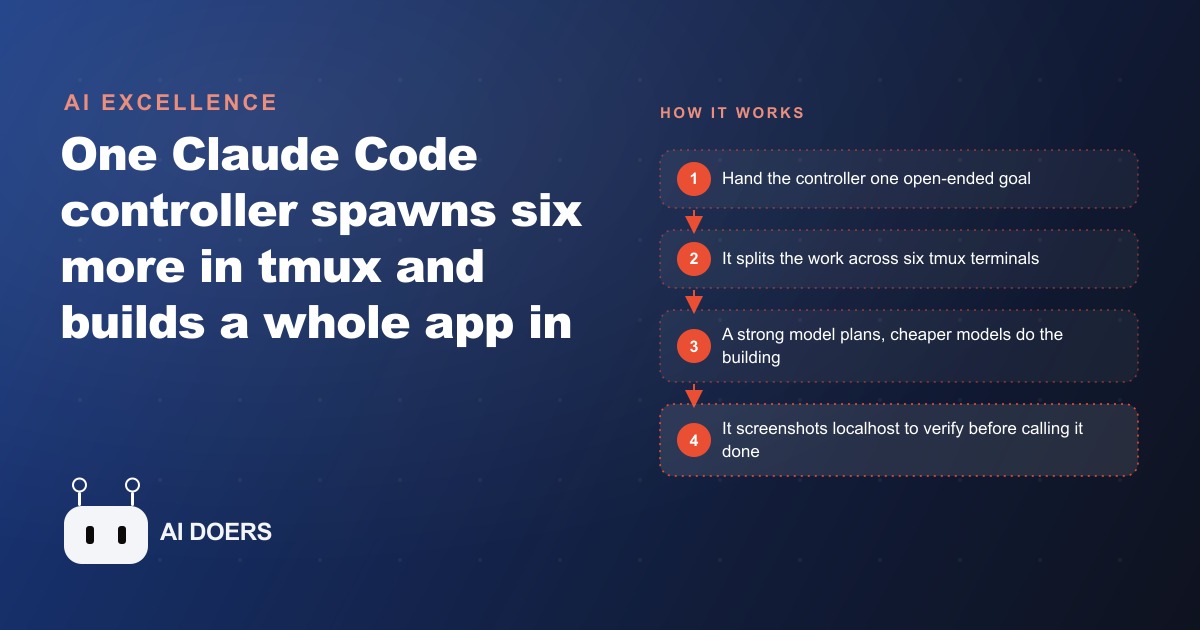
The fastest way to build a working internal tool is to stop writing prompts and start writing goals. Nested Claude Code takes that principle further than anything else available today: one controller instance spawns up to six child Claude Code instances inside tmux, assigns each a bounded piece of the work, reads their outputs, runs an integration check, and verifies the result with a Playwright screenshot before calling the build complete.
Define the Goal as One Precise, Bounded Sentence Before Spawning Anything
The controller's entire planning layer depends on the quality of the goal you hand it. A vague goal produces a vague plan, and a vague plan produces six child instances pulling in loosely connected directions. A precise, bounded goal produces a clean split and six instances that build pieces which actually fit together.
Precision here means two things. First, the goal names the exact output: not "a dashboard" but "a single-page web dashboard that reads from a JSON data file and filters by three named fields." Second, the goal states the boundary: what the tool does and, implicitly, what it does not. A goal that tries to describe every feature becomes a specification, not a directive. The controller handles the specification step itself. Your job is to hand it a direction specific enough to split cleanly.
Spend three to five minutes writing and rewriting the goal sentence before you run anything. Test it by asking whether a contractor who had never seen your business would know exactly what done looks like from reading it. If the answer is no, tighten it. That upfront investment pays back immediately: a well-defined goal produces a clean first-pass split, which means fewer integration issues and a shorter iteration loop.
For a real estate agency, the goal for a comparable sales tracker might read: build a single-page web tool that reads from a CSV of recent sales, shows each property on a table with address, price, bedrooms, and days on market, and filters by price range and bedroom count. That sentence is tight enough for the controller to split into a data layer, a table component, a filter UI, and a styling layer, and loose enough that the controller decides which pieces to parallelize and which to sequence.
Split the Goal Into Parallel Tracks That Cannot Block Each Other
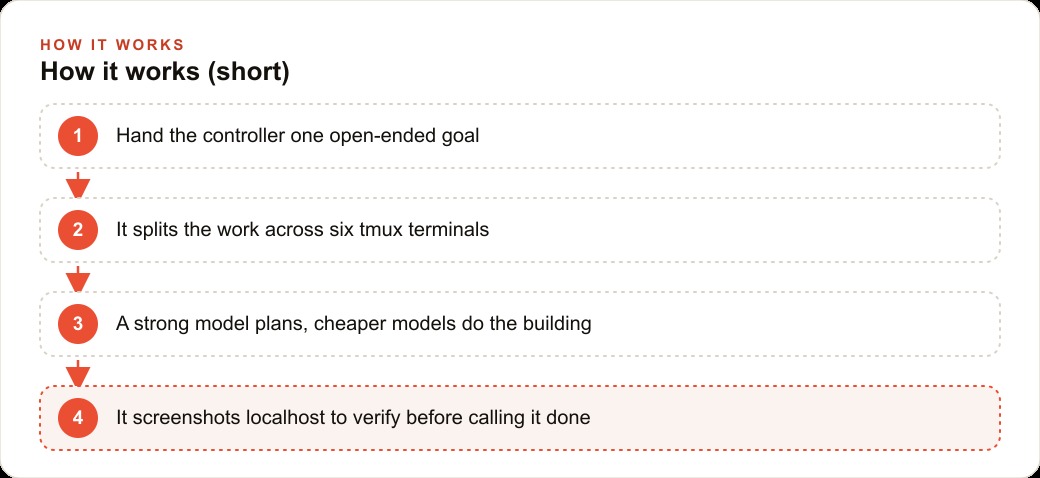
The controller splits your goal into parallel tracks, but the quality of that split depends on how the goal is framed. The controller looks for pieces of the work that can proceed simultaneously without waiting on each other, and it assigns each piece to a separate tmux pane.
A well-designed parallel split has one essential property: no child instance needs the output of another child instance to proceed. If the filter UI component needs the data layer to be complete before it can be built, those two tracks are not truly parallel. One of them will stall or make assumptions that break when the other finishes. The controller avoids these dependencies when the goal is written at the right level of abstraction, naming the output without over-specifying the internal sequence.
The galaxy build that demonstrates this system in its original form produced a never-ending procedural space environment in three.js from a single goal sentence. The controller split the work into a star field renderer, a nebula layer, a spacecraft with autopilot logic, space station placement, and a camera control system. None of those tracks depended on another being finished first. Each could proceed independently and the controller assembled the result after all six terminals reported completion.
For the real estate agency, the same logic applies. The data parsing layer, the table component, the filter state management, the map view, and the styling can all proceed independently. The controller assigns each to a separate terminal, writes each child a specific prompt, and reads the output from every pane before moving to the integration step.
Assign the Right Model to the Right Role in the Architecture
The controller runs on a strong planning model. The child instances run on a cheaper building model. That model split is not a cost optimization added after the fact. It is a load-bearing part of the architecture.
The controller's job is to plan the split, write precise per-terminal prompts, read the outputs, run the integration scan, and manage the verification loop. All of those tasks require strong reasoning. The controller needs to understand the goal well enough to break it into pieces that will fit together, write instructions detailed enough that a less capable model can follow them, and judge whether the output from six separate build sessions integrates correctly. A weaker model at the controller position produces loose plans and imprecise per-terminal prompts, and the children cannot compensate for that upstream weakness.
The children's job is to follow a specific, well-written prompt and produce code. A strong prompt from the controller removes most of the reasoning burden from the child. The child does not need to plan the overall architecture or understand the other panes' work. It needs to build its assigned piece correctly. That task is well within the capability of a cheaper, faster model, and running six child instances on the cheaper tier keeps the overall build cost manageable.
The practical implication is that you should not economize on the controller. The strong planning model at the controller position is what makes the system work. Downgrading it to save on API cost undermines the quality of every step that follows.
Write the Per-Terminal Prompts With Enough Detail That a Cheaper Model Can Follow Them
The controller writes the prompts that each child receives. The quality of those prompts determines the quality of the output from each terminal. Because the children run on a cheaper model, the prompts need to carry more of the specificity that the model itself might otherwise lack.
A good per-terminal prompt for a child instance specifies the output file or files the child should produce, the data shape or interface it should expect from the data layer, the visual or functional behavior the component should exhibit, and any constraints it must respect. It does not leave room for the child to make architectural decisions that would affect other panes.
This level of specificity sounds demanding, but it is exactly what a strong planning model produces when given a well-formed goal. The controller translates your goal into tight, specific prompts. The precision of those prompts is what makes the parallel build reliable rather than approximate.
For the real estate agency, the per-terminal prompt for the filter UI might specify: build a filter panel component that maintains price range and bedroom count as local state, exposes those values as props to the parent table component, and uses plain HTML and inline CSS with no external dependencies. The prompt for the table component would specify the data shape it expects and the column headers it should render. Neither prompt leaves room for the child to invent an architecture the other children cannot connect to.
Let the Controller Read the Terminal Output Instead of Trusting It
The controller does not assume the children are done. It reads the output from each tmux pane using tmux control commands and confirms that each child has completed its task before moving to the next step. This is the mechanism that makes the system self-supervising rather than self-reporting.
A child instance that silently fails, produces an error it cannot resolve, or reaches a point where it is waiting for input will not automatically surface that problem. If the controller simply waited for a fixed amount of time and then proceeded, the integration step would receive incomplete output from one or more panes and produce broken results. The controller's ability to read the actual terminal content avoids that failure mode entirely.
Reading the terminal output also gives the controller the information it needs to close panes cleanly. When the controller confirms that all six panes have reached a completion state, it closes them in sequence and proceeds to integration. That clean shutdown matters because orphaned terminal sessions can interfere with subsequent builds.
The read-before-proceed behavior is the mechanical equivalent of a manager who checks in with each team member rather than assuming the work is done because enough time has passed. It costs almost nothing in the context of the build, and it prevents the category of failure where the final integration step receives partial input without knowing it.
Run the Integration Scan Across All Separately Built Files Before the Screenshot
Six pieces built in parallel by six separate instances will have seams. The data shape that the table component expects may differ from the data shape the data layer exports. The filter state format that the filter UI exposes may differ from the format the table component reads. The naming conventions one child used may conflict with the naming conventions another child used independently. These seams are normal and expected in a parallel build. The integration scan is what catches them.
The controller runs the integration scan across all separately built files after the children complete and before the localhost server starts. The scan looks for the specific categories of mismatch that arise from parallel builds: inconsistent interfaces, missing imports, naming conflicts, and logic gaps between pieces built without direct knowledge of each other.
When the integration scan finds a problem, the controller fixes it directly or spawns a targeted prompt to the relevant pane to correct the specific mismatch. This repair step is faster than rerunning the whole build because the problem is isolated and specific. A missing export in one file, an incorrect prop name in another: these are one-line fixes when the scan surfaces them clearly.
The integration scan is the step that makes parallel builds reliable rather than merely fast. Without it, the parallel speedup produces faster-arriving broken code. With it, the parallel speedup produces faster-arriving integrated code, and the verification step that follows can focus on functional correctness rather than basic assembly problems.
Take the Localhost Screenshot and Check for Console Errors Before Declaring Done
The controller starts a server on localhost after the integration scan passes, then uses Playwright to take a screenshot of the running app and check for console errors. That screenshot is the verification step that proves the build is not just syntactically correct but actually runs.
A build that passes an integration scan can still fail to render, produce a blank screen, or generate a console error from a runtime dependency that static code analysis could not catch. The screenshot step catches those failures at the point where they are cheapest to fix: immediately after the build, with the controller still running and the children's context still available.
Console errors are treated as build failures. A build that produces a console error is not declared done regardless of how the screenshot looks. This is a stricter standard than most manual builds apply, and that strictness is what makes the output trustworthy enough to hand over without a lengthy debugging session.
For the real estate agency, the screenshot step proves that the filtering tool renders with real data, the table populates from the CSV, and the filter controls are functional. A blank screen or a console error sends the controller back into the iteration loop rather than letting the failure reach the end user.
Set the Iteration Count and Know When One Pass Is Not Enough
The iteration count tells the controller how many times to loop back through the build process after the first pass. After a completed build and verification, the controller re-reads the code, identifies what the first pass missed or handled imprecisely, and reruns the relevant sections. Each iteration is a chance to fix what the previous pass left incomplete.
One pass is not always enough. A first parallel build often produces code that meets the goal's requirements in the obvious cases but misses edge cases, applies inconsistent styling across components, or handles error states in a placeholder way. The iteration loop addresses these without requiring you to write a new goal or manually specify each gap.
Setting the iteration count to two or three for any non-trivial tool is the practical default. The additional cost in API time is small relative to the value of a more complete result. The marginal return on each iteration decreases: the second pass fixes most of what the first pass missed, and the third pass addresses what the second pass left. Beyond three iterations, the gains are typically small enough that a human review and a targeted follow-up prompt is more efficient than another automated loop.
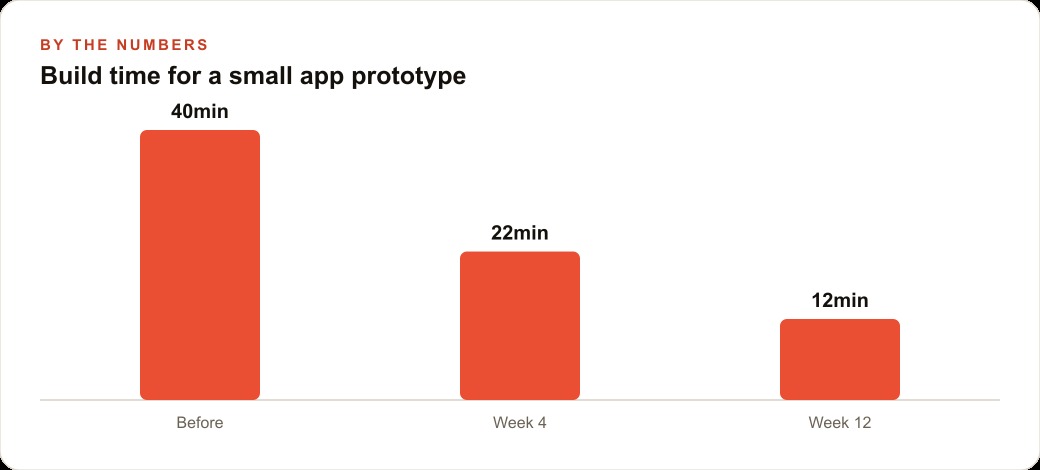
For a real estate agency building four to six internal tools per quarter, the numbers make the case clearly. A developer contractor at a day rate of $600 to $800 per day produces one small tool per engagement, typically across two to three days of scoping, building, and revision. That is $1,200 to $2,400 per tool for the faster engagements. Four tools per quarter at that rate costs $4,800 to $9,600 in contracting fees alone, plus the scheduling delay of each engagement start.
A parallel-build controller run on the same four tools costs a fraction of that in API calls, the bulk of which go to the cheaper child model tier. Each tool takes a few hours of build time rather than two days of contractor time. The agency owner reviews a working screenshot before accepting any tool, which is the same quality gate a contractor engagement would include. The quarterly contracting budget becomes a quarterly API budget that is an order of magnitude smaller, and the wait time between deciding to build a tool and having it in hand drops from weeks to hours.
An agency that builds four tools per quarter with an average contractor cost of $1,500 per tool spends $6,000 per quarter on contracting alone. The same four tools built with a parallel-build controller run at a realistic API cost of $10 to $30 per tool run, plus the monthly subscription for the planning model. The savings over a full year exceed the annual subscription cost many times over, and the delivery timeline for each tool drops from the typical one-to-two-week contractor cycle to a few hours from goal statement to verified screenshot.
Madhuranjan Kumar uses this approach for clients who need internal tools built fast and at low cost, with a verified working screenshot before delivery. The current architecture requires Mac OS and tmux. The tools it produces run on any platform once built. If that describes what your team needs, the pattern above is the path.
That is exactly what we do at AI DOERS. Book a private 30-minute call with Madhuranjan Kumar and we will map the fastest path to it for your specific business.
Book your call →
Madhuranjan Kumar
Madhuranjan Kumar brings 20 years of performance-marketing experience and has managed over $200 million in Facebook ad spend for brands across the United States and beyond. His expertise spans the full modern marketing stack: Meta, Google Ads, TikTok, email automation, CRM, and the websites that hold it together. At AI DOERS he turns that track record into lead-generation systems for businesses across every industry.