
How Close Is AI To Automating Content Creation? A Working Clip Pipeline
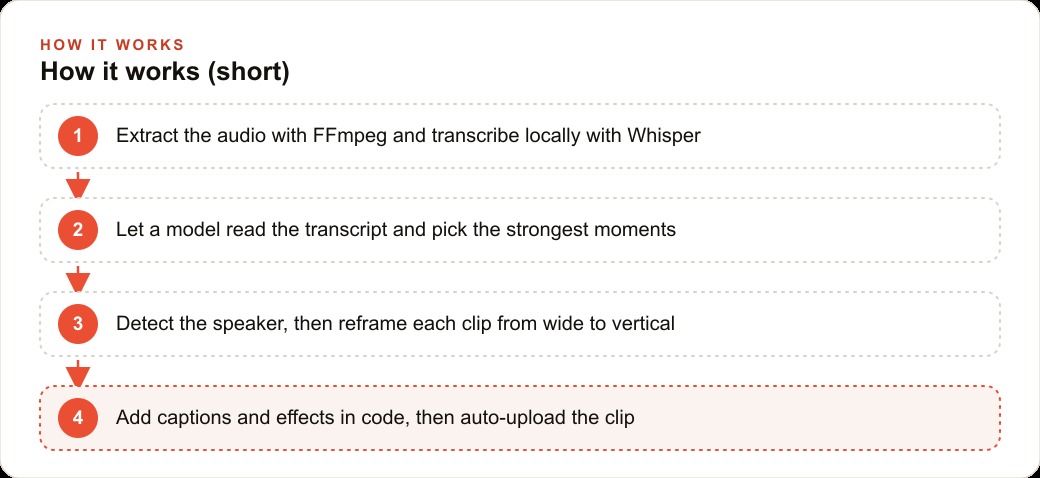
Close enough that a mostly hands-off pipeline can turn one long video into several finished vertical clips and even upload them. It chains FFmpeg, a local Whisper model, Claude Opus 4.7 for moment selection, YOLO and Light ASD for framing, and code-driven Remotion for editing.

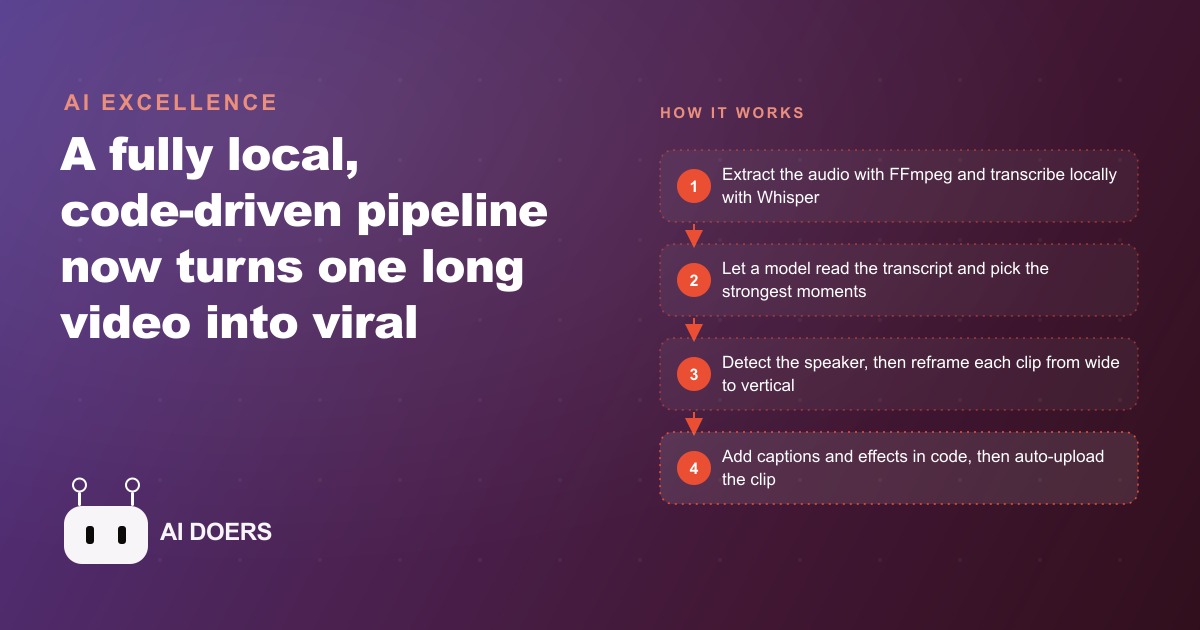
One long video can now become several finished vertical clips with almost no hands on the keyboard, and the whole chain runs locally for pennies. That is not a promise from a sales page. It is a working pipeline, built from tools that each do one job well, and the honest catch is that the clips still need to be posted before anyone can call them viral.
I am Madhuranjan Kumar, and I like this build precisely because it is not one giant model pretending to do everything. It is a sequence of small, specialized steps, and the handoffs between them are automatic. Here are the eleven parts of the chain, why each one is there, and what the whole thing means for a business sitting on hours of unused footage.
1. It starts with one long source video
The input is any long recording. Your own webinar, a recorded interview, a class you filmed, or a video someone sent you. Nothing about the pipeline cares where the footage came from. The starting point matters because most businesses already own this material and never use it twice. A single tour, talk, or Q and A call is the raw ore that the rest of the chain refines into a week of posts.
2. FFmpeg pulls the audio first
The first real step is FFmpeg extracting the audio track out of this breakdown. This is the cheap, fast move that makes everything downstream faster, because working from audio is far lighter than working from full frames. It costs nothing and takes seconds. Putting the fastest, cheapest step first is a small design choice that keeps the whole chain efficient, and it is the kind of decision that separates a pipeline that runs daily from one that stalls on the first heavy operation.
3. A local Whisper model transcribes it
The extracted audio goes into a Whisper model running locally on a Mac, which produces a transcript with timestamps. The word local is the point. Nothing gets uploaded, so there is no per minute transcription fee and no privacy question about sending client footage to a cloud service. You can transcribe an hour of audio for the cost of the electricity, and you can do it as many times as you want without a growing bill. This single choice is what makes the pipeline repeatable rather than a one off experiment.
4. Claude Opus 4.7 picks the viral moments
Now the timestamped transcript goes to Claude Opus 4.7, which reads the whole thing, hunts for the strongest moments, scores the candidates, and selects the clips worth cutting. This used to be the slowest, most human part of the job, a person scrubbing through an hour of footage looking for the good twenty seconds. It is now the quickest decision in the chain. The model is not guessing at random. It is reading what was actually said and choosing the lines with a hook, a payoff, or an honest opinion, which are the moments short form audiences reward.
5. YOLO detects the faces
Framing is where amateur automation usually falls apart, so two models handle it. The first is YOLO, a machine learning model that finds the faces in each clip. On its own that sounds minor, but it is the foundation for keeping the right person on screen. In podcast and interview footage, a clip is worthless if it crops to an empty chair or the listener instead of the talker, and YOLO is the step that makes sure the pipeline always knows where the faces are.
6. Light ASD finds who is actually speaking
YOLO knows where the faces are, but not which one is talking. Light ASD, an active speaker detection model, solves that. It works out which detected face is producing the speech at any given moment, so a two person interview can cut correctly between people. This is the difference between a clip that feels professionally edited and one that sits on a silent face while someone off frame talks. Getting the active speaker right is quietly the hardest part of automated vertical editing, and this is the model that earns its place in the chain.
7. The clip auto reframes to vertical
With the active speaker known, each clip reframes from wide 16:9 into vertical short form. The crop follows whoever is speaking instead of sitting still in the center of the frame. That dynamic crop is what makes an automated clip look like a human made editing choices, because the framing tracks the conversation. A static center crop would leave speakers half out of frame. A speaker aware crop keeps the person who matters centered the entire time.
8. Remotion adds the retention editing in code
Remotion is where the clip gets its polish, and the crucial detail is that it is driven by code rather than a manual timeline. It layers captions, zooms, flashes, and meme sound effects. Because it is programmatic, the same style applies to every clip automatically, which is exactly what you want in a pipeline. You define the look once and every future clip inherits it. Code based editing is repeatable in a way that a human dragging clips in a timeline never can be, and repeatability is the whole reason this pipeline scales.
9. Three finished clips in about ten minutes
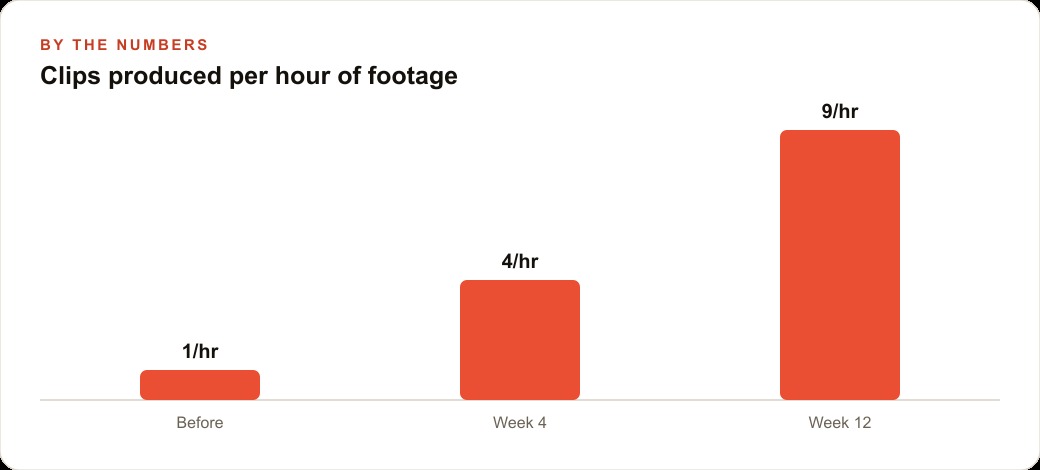
Here is the payoff, with the numbers from a real run. From an 89 minute podcast episode, the chain produced three finished clips in roughly five to ten minutes, styling and captions already baked in. Compare that to a human editor, who might spend an hour or more producing the same three clips by hand. The speed is not the impressive part on its own. The impressive part is that the speed comes with consistency, because every clip follows the same rules, so quality does not drift from the first clip to the tenth.
10. A Surf Agent uploads in the browser
The last step is delivery. Instead of a posting API, a Surf Agent drives an actual browser to set the title, mark this breakdown private, and hit save. It is a useful trick if you have a spare Mac mini sitting around to run it. I would keep this step on a short leash and upload as private drafts rather than straight to live, so a human can glance at each clip before it publishes. Automation earns trust one link at a time, and the upload is the link where a quick human check is worth the ten seconds it costs.
11. Six months of real, measurable progress
The person who built this runs the same test every six months, and the honest verdict is that Whisper plus YOLO plus ASD plus Remotion now works far better than it did before. That is the useful signal for any business owner deciding when to invest attention. The tooling improves on a visible cadence, so a pipeline that felt rough a year ago is genuinely usable now. The equally honest caveat is that he had not yet posted the clips to measure views, which means the pipeline is a proven production machine, not a proven audience machine. Those are two different claims, and confusing them is the fastest way to disappointment.
The honest limits, and why the design still wins
Before anyone treats this as a finished money machine, sit with the caveat the builder was careful to state. He had not posted the clips or measured views, which means the pipeline is proven as a production system and unproven as an audience system. Those are different claims, and the whole value collapses if you confuse them. A chain that reliably produces ten clips a day is worthless if the clips do not hold attention, so the model picking the moments and the captions driving retention are the two links where quality actually decides your results. Everything else is plumbing.
There are practical limits too. The framing models are good but not perfect, so a chaotic multi person scene can still confuse the active speaker detection, and a human glance before publishing catches the rare bad crop. The local Whisper step depends on decent audio, so a noisy recording produces a shaky transcript that then weakens the moment selection downstream. Garbage in still means garbage out, even in an automated chain. And the browser upload agent, clever as it is, is the most fragile link, because a site layout change can quietly break it, which is another reason to keep uploads as private drafts rather than trusting them to publish untouched.
None of this argues against the design. It argues for respecting it. The reason a chain of small specialized tools beats one giant model is that you can inspect, fix, and improve each link on its own. If the crops are off, you tune the framing step without touching transcription. If the clips underperform, you sharpen the selection prompt without rebuilding the editor. A monolithic tool gives you a single dial. This pipeline gives you eleven, and that is exactly why it keeps getting better every six months.
What this means for a business, with one worked example
For a real estate team, here is how the eleven steps turn into results with illustrative numbers. The team already creates long videos without thinking of them that way, listing walkthroughs, market update talks, and recorded buyer or seller calls. Most of that footage is used once and forgotten. Point FFmpeg and a local Whisper model at a ten minute property walkthrough and you get a timestamped transcript at no cost. The model reads it and picks the strongest twenty to forty second moments, the renovated kitchen, the school district, the honest take on the neighborhood. YOLO and Light ASD keep the agent framed, the clip reframes to vertical, and Remotion adds branded captions in the team's colors. From one ten minute tour, the team gets four or five ready to post clips, each tied to a real listing.
If the team publishes even four clips per listing across twenty listings a month, that is eighty short videos from footage they were already shooting, at a marginal cost near zero. That volume is what feeds the top of the funnel, and the leads those clips generate still need somewhere to land, so pairing this with a solid CRM and website stack is what turns views into booked showings. The same clip library also strengthens SEO and organic search when the videos are embedded on listing pages, and the best performing hooks become obvious ad creative once you are ready to put budget behind Facebook and Instagram ad campaigns. One tour now feeds a week of content instead of disappearing after the open house.
Build it the same way it was built, one link at a time. Install FFmpeg and a local Whisper model and run them on a single recording so you can see a timestamped transcript appear with no upload and no fee. Add the selection step next and cut those moments by hand at first so you trust the model's judgment. Add the framing models and Remotion only once selection earns your confidence, and keep the upload manual until the rest is solid. Always post and measure before you believe any clip is a winner, because a fast pipeline that produces unproven clips is still only half the job.
You can build this yourself link by link, and I would encourage any team sitting on long footage to start with the audio and transcript step this week. Even getting the first two links running will show you, in a single afternoon, exactly how much finished content is already trapped inside footage you have been sitting on and forgetting. If you would rather have someone wire the full chain to your own recordings, match the captions to your brand, and hand you a pipeline that works on the first run, that is the kind of build I do for clients, and you can bring me in to handle it.
That is exactly what we do at AI DOERS. Book a private 30-minute call with Madhuranjan Kumar and we will map the fastest path to it for your specific business.
Book your call →
Madhuranjan Kumar
Madhuranjan Kumar brings 20 years of performance-marketing experience and has managed over $200 million in Facebook ad spend for brands across the United States and beyond. His expertise spans the full modern marketing stack: Meta, Google Ads, TikTok, email automation, CRM, and the websites that hold it together. At AI DOERS he turns that track record into lead-generation systems for businesses across every industry.