
How Claude Code Learned to Paint in MS Paint With No Drawing Skills
An AI agent was handed one goal, a set of browser tools, and a way to grade its own work, then it taught itself to paint by trying until it passed. The same loop quietly automates a lot of real business tasks.

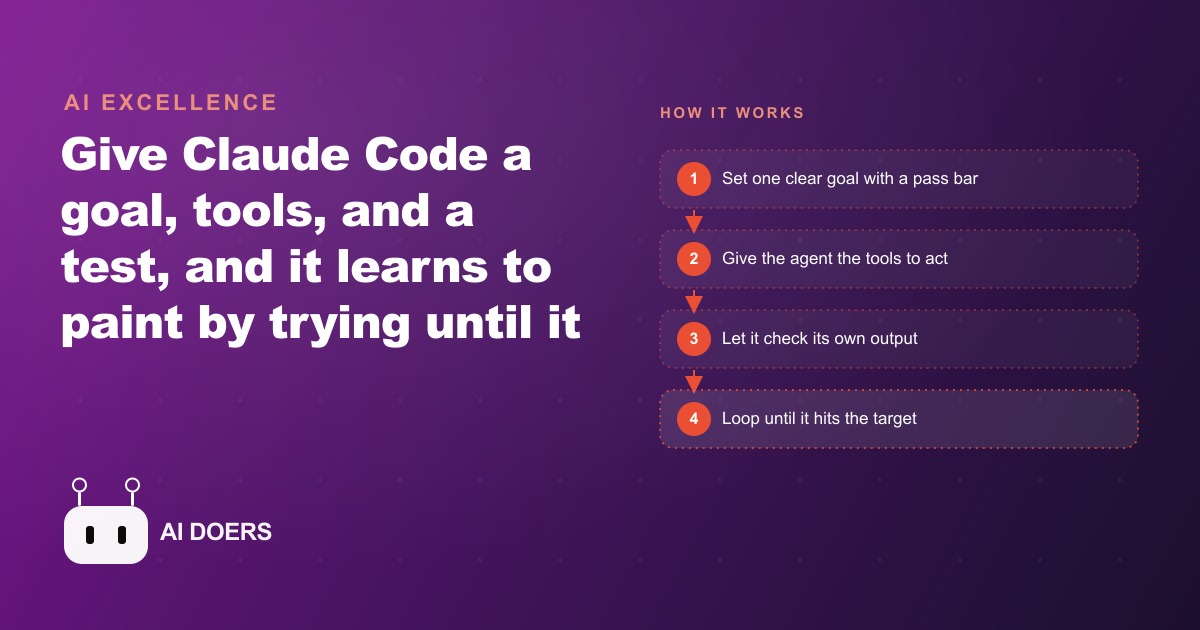
An AI agent that had never held a brush taught itself to paint inside a browser version of MS Paint, and it pulled it off without a single drawing lesson. Nobody showed it how to hold a stroke or where to place a line. It was handed one goal, a set of browser controls, and a way to grade its own work, and it clawed its way to the finish by trying, scoring itself, and trying again. I am Madhuranjan Kumar, and I want to hand you the exact loop behind that stunt, because the painting was never the point. The pattern underneath it quietly automates a large slice of the repetitive work sitting on your desk right now.
The loop has a name worth remembering: goal, tools, test. Give an agent a clear finish line, the ability to act on the world, and a cheap way to check itself, and it can improve on its own until it passes. That is the whole trick. What follows is a playbook you can run, stage by stage, on a real task in your own business.
Start with a finish line you can actually check
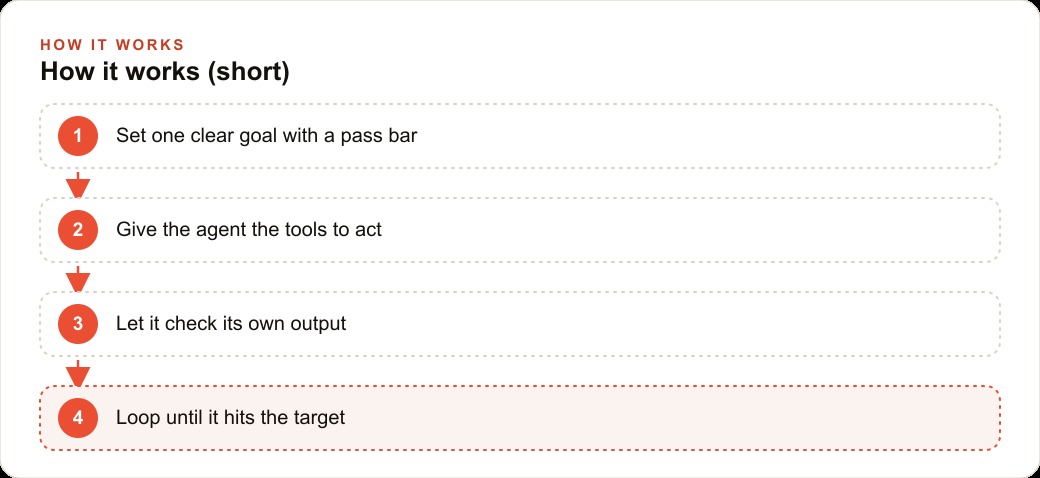
Every project that uses this loop lives or dies on the first decision, which is picking a task whose result you can score. In the paint experiment the goal was blunt and measurable: copy a reference image until the drawing matches it by 95 percent. That number matters more than it looks. A vague goal like make it look nice gives the agent nothing to push against, and it will either stop too early or wander forever.
So before you touch any software, write the finish line as a sentence a stranger could verify. The two reports reconcile to the penny. Every file in the folder is renamed to the date-and-client pattern. The invoice total matches the line items. Each of those has a clear right answer, which is exactly what makes it a candidate for this loop. If you cannot describe what done looks like in one plain sentence, the task is not ready yet, and no amount of clever prompting will rescue it.
Give the agent tools that act, not instructions that describe
The second stage is handing the agent real hands. In the experiment those hands were browser controls. Using a Chrome debugger connection, the agent could open the paint app, move the mouse on the canvas, and take screenshots of what it had drawn. Notice what did not happen. Nobody wrote a script that said draw a line from here to here. The agent was given the ability to act and left to discover the how on its own.
This is the mental flip most people miss. You are not writing step-by-step directions. You are granting access to the tool that does the work, whether that is a browser, an image editor, a spreadsheet, or your scheduling app, and then getting out of the way. The most striking part of the paint run was that the agent built the helper tools it lacked. It wrote a small script to move the mouse and paint, and later wrote a separate tool just to measure how similar two images were. When the loop needs a capability that is missing, a capable agent will construct it, which is why you focus on access and outcome rather than on choreography.
Build the test that scores every attempt
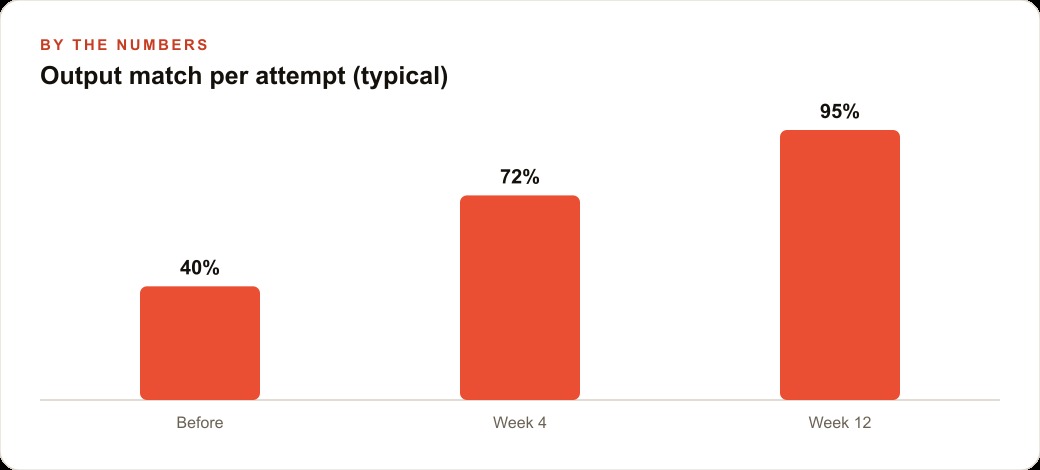
Here is the piece that separates a real self-improving agent from a fancy one-shot prompt. The agent has to be able to grade itself, automatically, without you in the chair. In the paint task the test was a screenshot comparison. The agent captured its own canvas, lined it up against the target image, and scored the match as a percentage. That single number was the signal that told it whether it was getting closer or drifting away.
Your test does not need to be sophisticated. It needs to be cheap and honest. For a reconciliation job the test is do the two totals match. For a file-formatting job the test is does the output match the saved template exactly. For a data cleanup job the test is are there any empty required fields. The magic only works when the check runs on its own, because the agent needs to loop dozens of times, and you cannot be the bottleneck grading every attempt by hand. Spend your energy making the test tight and trustworthy, because a loose test lets bad work slip through and a wrong test teaches the agent the wrong lesson.
Let it loop, and let it fail on the way
With a goal, tools, and a test in place, the fourth stage is simply stepping back and letting the loop run. This is where the payoff shows up, and it looks messy on purpose. The agent draws, screenshots, scores itself, sees it is at 60 percent, adjusts, and goes again. On the lettered image it noticed that an N had come out backwards and flipped it. When two letters overlapped, it cleaned them up. None of those specific corrections were programmed. They fell out of comparing the work to the goal and refusing to stop short of the bar.
Failure is not a bug in this stage, it is the engine. Each miss carries information the agent uses to steer the next attempt, the same way nature keeps whatever variation survives and discards the rest. Your job during this stage is to watch where it goes wrong and resist the urge to hand-hold. If it keeps failing the same way, the fix is almost never to script the step. The fix is to tighten the test or clarify the goal, then let it run again. Set a clear stop point too, like the 95 percent bar, so it knows when to quit instead of chasing perfection into the night.
It helps to know the failure modes before you hit them, because they are predictable. The first is a test that is too loose, where the agent passes with sloppy work because the check never noticed the gap. The second is a test that measures the wrong thing, so the agent optimizes toward a number that does not match what you actually wanted. The third is a missing tool, where the agent simply cannot reach the thing it needs to change and spins in place. When a run stalls, walk through those three before you touch anything else. Nine times out of ten the fix is in the goal or the test, not in the steps, and that is the discipline that keeps this loop from turning into old-fashioned scripting with extra words.
Freeze the winning run into a skill you can reuse
The final stage is the one that turns a neat demo into leverage. After the agent looped its way to a passing drawing, those runs hardened into a reusable skill. It could then be called on again to produce brand new art it had never seen a reference for, an abstract oil painting or a dog in the snow, generalizing well beyond the single image it first copied. The costly part, the trial and error, happens once. After that you have a repeatable ability you trigger on demand.
This is where the economics tip in your favor. The first run of any of these loops feels slow because the agent is figuring things out live. Once it works, you capture that working process and reuse it against fresh inputs for almost nothing. A task that ate an afternoon every week becomes a button you press. That is the difference between using an agent as a party trick and using it as a quiet member of the team.
There is one more shift in thinking that unlocks all of this, and it is worth saying plainly. Most people try to make an agent smarter by writing longer and longer instructions, adding rule after rule until the prompt reads like a legal contract. That is the wrong lever. The agent in the paint experiment did not succeed because someone described painting perfectly. It succeeded because it could see the gap between its work and the goal and close it on its own. So when a project underperforms, resist the instinct to add more rules. Sharpen the finish line, tighten the test, and give the loop room to run. The agent will find a path you never would have thought to write down, and that is precisely the point of handing it a goal instead of a script.
A worked example: a salon's Monday social posts
Let me ground the whole playbook in one concrete case, with illustrative numbers so the shape is clear. Picture a hair salon that spends every Monday turning the weekend's client photos into clean, on-brand social posts. Right now a staff member crops each photo, drops it into a template, adds the stylist name and the service, and exports the right size for each platform. Say that is 25 photos a week at roughly 6 minutes each, which is about two and a half hours of someone's Monday gone before the day really starts.
Now run the loop. The goal is a finished post that matches the brand template exactly, with the correct caption fields filled and the correct export size. The tools are an image editor the agent can drive plus the saved template file. The test is a comparison: is the logo in the right corner, are the text fields populated, is the output the right dimensions for the platform. The agent loads a raw photo, places it, adds the caption, exports it, screenshots the result, and grades itself against the template. If the text overflows or the logo lands in the wrong spot, it catches that and redoes the post before anyone sees it.
The first Monday is slow while the agent settles the pattern. By the second or third run it clears the folder in a handful of minutes with almost no human touch, and the staff member spends their reclaimed two hours booking clients and answering messages instead of nudging logos around. Those finished posts feed straight into the salon's Facebook and Instagram ad campaigns where fresh, consistent creative is what keeps the cost per booking down. The same content foundation also supports SEO and organic search with a steady stream of on-brand images, and the finished assets can drop into the CRM and website stack so the follow-up messages that go out after each appointment carry the same look. One loop, built once, pays the salon back every single week.
Where this playbook earns its keep
The reason to care about a painting agent is not painting. It is that the goal, tools, test loop fits an enormous amount of real work with a clear right answer. The classic software version is testing, where the agent keeps editing code until the tests pass. The back-office versions are less glamorous and more valuable: invoice matching where the test is the numbers reconcile, data cleanup where the test is no missing fields, document formatting where the test is match the template. Each one has a finish line you can describe in a sentence and check cheaply, which is the entire qualification.
Think honestly about a normal week and how much of it is spent on work that has an obvious right answer but still gets done by hand. Reconciling two reports until they agree. Renaming and sorting a folder into a fixed structure. Filling the same template again and again with different inputs. Those are the tasks hiding in plain sight, and every one of them is a loop waiting to be built.
You can absolutely build this yourself if you enjoy the tinkering, and the beauty of the loop is that a patient beginner can get real work out of it. The judgment that trips people up is choosing the right first task and writing a test tight enough to trust, which is where a weekend can vanish. If you would rather have someone map one of your repetitive jobs into a clean goal, tools, test setup that simply runs, that is worth a short conversation before you sink the time yourself.
That is exactly what we do at AI DOERS. Book a private 30-minute call with Madhuranjan Kumar and we will map the fastest path to it for your specific business.
Book your call →
Madhuranjan Kumar
Madhuranjan Kumar brings 20 years of performance-marketing experience and has managed over $200 million in Facebook ad spend for brands across the United States and beyond. His expertise spans the full modern marketing stack: Meta, Google Ads, TikTok, email automation, CRM, and the websites that hold it together. At AI DOERS he turns that track record into lead-generation systems for businesses across every industry.