
How Claude Code Builds Real Software, Even If You Are Not a Programmer
Claude Code wraps the best coding model in an agent that plans, builds, and tests software while you stay in charge. Here is how it works and how I would use it inside a dental practice.

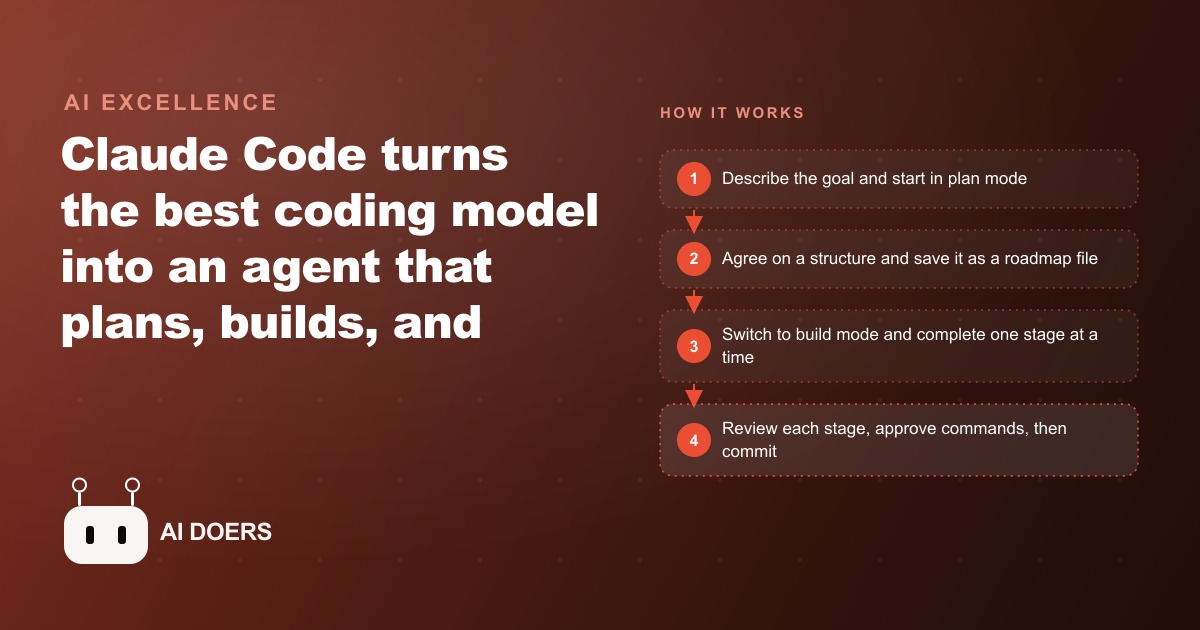
Most business owners who hear about Claude Code assume it is a tool for developers. The terminal interface, the references to codebases and build commands, the language of software engineering: all of it signals that this is a tool for people who already know how to write code. Madhuranjan Kumar's position is that this assumption is understandable and wrong. Claude Code is a coding agent that runs in the terminal, reads an entire project at once, and updates many files simultaneously to accomplish a real software task. The non-programmer's role in that process is not to write code. It is to act as the decision-maker: defining the goal, approving the approach, steering when the direction drifts, and testing whether the result actually works. A focused owner who follows the seven steps below can have a working internal tool built over a weekend, without prior programming experience.
Describe the tool in one sentence before the first prompt so the agent has a clear target
The quality of the software Claude Code produces is bounded by the clarity of the requirement that starts the session. Vague requirements produce vague software. A one-sentence description that states what goes in, what the tool does, and what comes out gives the agent a precise target to plan against.
A clear one-sentence requirement for a dental practice: an intake form that collects new patient details and a recall list that flags every patient whose last visit was more than six months ago, so the front desk can prioritize follow-up calls today.
A vague requirement for the same tool: something to help the front desk manage patients better.
Both statements start the same conversation but do not produce the same plan. The first describes a specific input (patient details at intake), a specific process (check each record against a six-month threshold), and a specific output (a prioritized call list). The second requires the agent to ask four clarifying questions before any useful planning can happen, and without specific answers to each, the resulting tool reflects the agent's assumptions about what a dental front desk needs rather than what this practice actually does.
Writing the one-sentence requirement before opening the terminal is the highest-leverage ten minutes in the whole build. It prevents the session from sprawling into features that were not requested. It sharpens the planning conversation that follows. And it gives the final tool a testable definition of done: when an intake submission appears on the recall list at the correct threshold, the tool works.
Start every new project in plan mode before the agent writes a single line of code
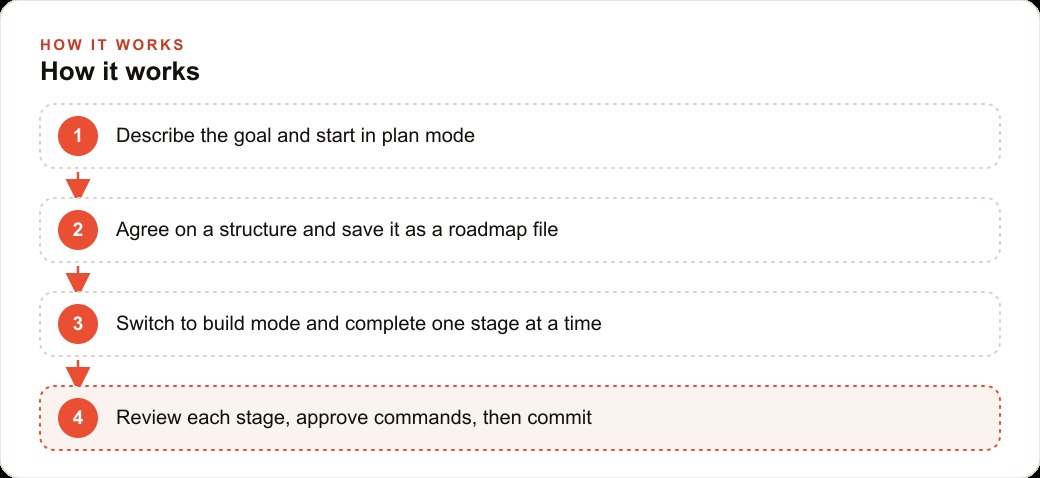
Claude Code has three modes. Default mode asks for approval before each new command. Auto-accept mode runs through a build without requesting approval at every step. Plan mode proposes the full approach, including structure, files, and sequence, before writing any code at all.
On a new project, always start in plan mode. The agent reads the one-sentence requirement, asks a small number of clarifying questions, and produces a proposal: which files it will create, how the data will be stored, how the interface will be organized, and in what order the stages will be built. This proposal is what the owner is reviewing and approving, not a single command.
Plan mode prevents the most expensive mistake in AI-assisted software building: discovering after several hours of work that the approach was fundamentally wrong for the actual use case. The plan makes the approach visible before any code is written. If the agent proposes storing patient data in a format that does not match how the practice currently captures it, that conversation takes thirty seconds during the planning phase and an hour of rework after the build if it is skipped.
Plan mode also produces better software. An agent that thinks through the architecture before building makes decisions that hold up across the full scope of the tool rather than decisions that made sense for the first feature but create problems when subsequent features are added. For non-programmers in particular, who cannot catch architectural problems by reading the code, the planning conversation is the only reliable opportunity to catch them before they become expensive.
Save the agreed plan as a roadmap file so the session never loses its direction
After the planning conversation produces an agreed approach, write that plan into a markdown file in the project folder and name it roadmap.md or build-plan.md. Ask the agent to write the roadmap file itself, since it is the one that produced the plan. The file should capture the agreed structure, the stage sequence, what gets built at each stage, and any specific decisions made during the planning conversation.
The roadmap file serves two practical functions. First, it preserves context across a build that may span multiple sessions. Claude Code has a context window, and on longer builds the early decisions can fade from the agent's awareness. When the agent can reread a clear roadmap file at the start of each session, it immediately knows which stage is current and what was decided about the stages ahead.
Second, it provides a checkpoint for the owner. Reviewing the roadmap before each session is a five-minute activity that ensures the work stays within the original scope rather than drifting toward features that were not requested. AI coding agents are capable of generating a lot of plausible-looking code that does things outside the original scope, and without a written reference to the agreed plan, it is easy to end up with a more complex tool than the one needed.
The roadmap file is also what makes the build resumable without losing ground. On a weekend build interrupted by other priorities, the roadmap tells both the owner and the agent exactly where to pick up the next morning, without needing to reconstruct the earlier context from memory.
Run init on any existing codebase to give the agent an instant understanding of the project
If the tool being built connects to an existing system, a current patient database, a website the practice uses, or another application the tool needs to read from or write to, the init command bridges the gap between what Claude Code knows about software in general and what it needs to know about this specific project.
Running init tells Claude Code to read through the existing codebase or project files, understand the structure, identify the naming conventions in use, and write a guide summarizing what it found. On a medium-sized project, this takes under a minute. The guide is stored in the project folder and serves as the agent's ongoing reference for anything related to the existing system.
For a non-programmer, the most important thing about init is that the agent never starts cold on an existing project. Every time the build session continues the next day or the next week, the agent rereads the guide it produced during init and immediately has the context it needs to continue without drifting from the established structure. This continuity is what separates a build that reaches completion from one that stalls because the agent starts producing code that contradicts what was built earlier.
Approve the harmless commands once for the project and review every file deletion manually
Claude Code asks for permission before running commands. At the start of a new project, after the plan is agreed, the agent will request permission to run a set of standard operations: installing required packages, reading existing files, starting a development server to test the output. These are harmless, and the right approach is to approve them for the full project at the beginning so the agent does not need to interrupt the build to ask again.
File deletions are different. The command to delete a file is irreversible without a backup, and the agent sometimes proposes deletions as part of cleanup or restructuring steps. Every file deletion request should be reviewed individually, not approved as part of the blanket project-level permissions. The practical rule is straightforward: approve reads and installs at the project level, review each file deletion manually.
This distinction does not slow the build meaningfully. The approval conversations for harmless operations take seconds, and the agent runs quickly enough that the interruptions are minimal. What the manual review of deletions protects against is the occasional case where the agent proposes deleting a file the owner actually needs, whether because the agent misjudged what was in scope or because the owner had not yet explained what the file was for. The cost of that mistake is high relative to the time the individual review takes, so the discipline is always worth it.
Learn what the agent builds by running a second window for explanations while it works
The tool being built is something the owner will need to maintain, update, and explain to other people over time. Understanding what was built is as important as having it built, and Claude Code enables learning during the build rather than after it.
While the agent is working in the primary window, run a second instance of Claude Code in a separate terminal window. Paste in the code the agent just wrote and ask it to explain what the code does in plain language and why this approach was chosen over alternatives. This explanation takes thirty seconds to read and produces a working understanding of each part of the tool without interrupting the build in the primary window.
Over the course of a weekend build, this practice produces an owner who understands their tool well enough to recognize when something looks wrong and to describe a specific problem clearly enough for the agent to fix it. That knowledge compounds: the second tool built with Claude Code goes faster because the owner needs fewer clarifying rounds, and the third faster still. By the fourth or fifth internal tool, the owner has built enough judgment to catch misalignments during the planning phase rather than during debugging.
The alternative, accepting finished code without understanding it, produces a tool that works until it does not, and then requires bringing in external help to fix something the owner cannot diagnose. The second window investment is thirty seconds per explanation during a session that would otherwise have idle periods anyway.
Build one stage at a time and commit the working code after each stage is tested
Multi-stage builds are safer and faster than attempting to build everything at once. Safer because each stage can be tested on realistic inputs before the next stage begins, and a problem found in stage two does not require rebuilding stages three and four. Faster because the agent's context stays focused on one clear objective rather than managing multiple interconnected features simultaneously.
The commit-after-each-stage practice provides a recovery safety net. After stage one is built and tested, commit the working code to version history. After stage two, commit again. If something in stage three causes a problem, rolling back to the last commit recovers the working state without losing the earlier stages.
For the dental practice example, the three stages are: intake form, recall list, and reminder message drafts.
Stage one: the intake form collects patient name, date of birth, contact information, insurance details, and chief concern. After stage one is complete, test it with a handful of realistic entries, including edge cases like a patient with no insurance or a date of birth far in the past. When the form handles these correctly, commit the code.
Stage two: the recall list reads the intake records and flags any patient whose last appointment date is more than six months in the past. Test against a mix of recent and overdue entries. When the list correctly identifies overdue patients and excludes recent ones, commit.
Stage three: the draft reminder messages, one per overdue patient, pre-populated with the patient's name and a suggested callback timeframe. Test against the recall list to confirm every overdue patient has a matching draft. When the full set is complete and each draft is coherent, commit.
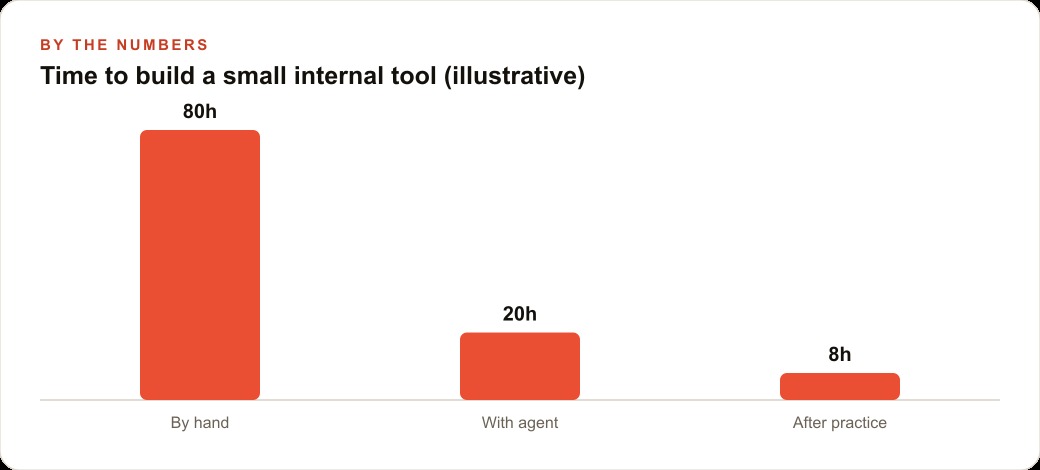
The completed tool recovers forty-five minutes per day that the front desk previously spent cross-referencing spreadsheets and writing individual messages from scratch. At $25 per hour fully loaded, forty-five minutes per day is eighteen hours per month, worth $450 in recovered staff time. The tool cost between $30 and $50 in API usage during a focused weekend build session. The payback is measured in days of recovered time, not months. The ratio by the end of the first year is well over a hundred to one on the initial build cost.
That is exactly what we do at AI DOERS. Book a private 30-minute call with Madhuranjan Kumar and we will map the fastest path to it for your specific business.
Book your call →
Madhuranjan Kumar
Madhuranjan Kumar brings 20 years of performance-marketing experience and has managed over $200 million in Facebook ad spend for brands across the United States and beyond. His expertise spans the full modern marketing stack: Meta, Google Ads, TikTok, email automation, CRM, and the websites that hold it together. At AI DOERS he turns that track record into lead-generation systems for businesses across every industry.