
How a Zero-Human Company Actually Runs on Paperclip
Paperclip is an open-source dashboard that runs teams of AI agents like a company, with you as the board of directors. Agents work around the clock on a server, and you see every task, decision, and dollar. Here is how a real business would use it.

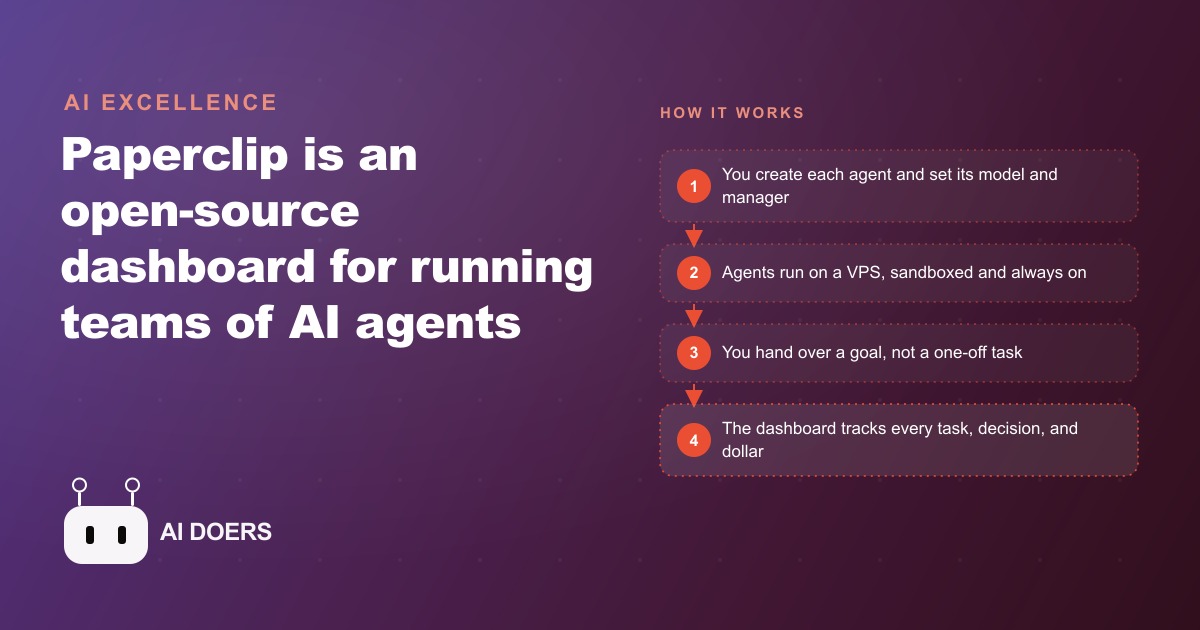
If one AI agent like Claude Code is an employee, Paperclip is the company you build around it. It is an open source dashboard for running a whole team of AI agents, and it went genuinely viral, passing 40,000 GitHub stars in roughly three weeks. The promise is real work happening while you sleep, with you sitting as the board of directors watching every task, every decision, and every dollar on one screen. But the promise only pays off if you set it up correctly, and most people who try it get the setup wrong in the same few ways. I am Madhuranjan Kumar, and this is the playbook for standing up a Paperclip operation that actually returns value, in the order I would build it.
The single most important idea before any step: your setup is the bottleneck, not the models. The models are already powerful enough. The reason most people do not get a return is that they do not know how to wire the pieces together, and they make a handful of predictable mistakes. Every stage below exists to get one of those decisions right, so read them as a sequence, not a menu.
Stage 1: Put it on a server, never on your laptop
Start with where it runs, because this is the mistake that quietly kills most attempts. People install Paperclip on their own laptop, and the moment they close the lid, every agent stops. That defeats the entire purpose, which was work continuing while you are not watching. The whole value proposition is agents operating around the clock, and a laptop that sleeps cannot deliver it.
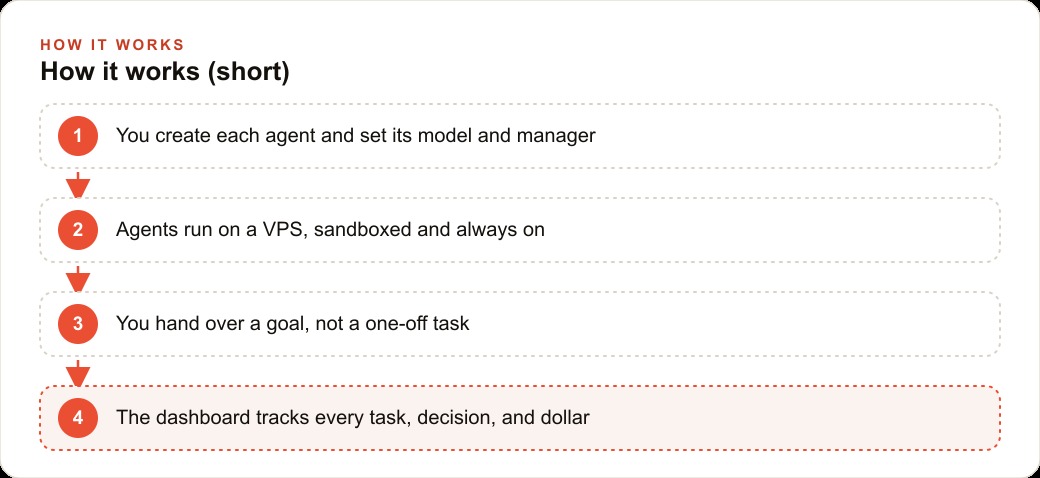
So the first stage is to rent a small VPS, a modest cloud server, and run Paperclip there. This does two jobs at once. It keeps the agents running twenty four hours a day on clear goals instead of stopping when your machine closes. And, just as important, it sandboxes them inside a separate system, so they cannot touch your local files, leak your data, or expose your keys. That isolation is not a nice to have. When you turn agents loose to act on their own, you want them operating in a walled space where a mistake stays contained. Get this stage right and everything else is built on solid ground. Skip it and you have an expensive toy that only works while you stare at it.
Stage 2: Design the org chart, with you as the board
With the server ready, the next stage is structure. Paperclip lets you organize the company however you want, and the framing that keeps it sane is a real org chart. You are the board of directors. A CEO agent manages the rest. Departments sit underneath, a research lead, a content lead, an analytics lead, or whatever your work actually needs. You can also run a completely flat org if the job is simple. The point of the structure is not bureaucracy for its own sake. It is so that when work flows, each agent knows its lane and who it answers to.
Understanding the vocabulary helps here, because Paperclip separates three things. Issues are the individual tasks. Projects are clusters of related tasks. Goals are the larger mission you hand over, the thing the AI cannot generate for itself because it has none of its own. You provide the goal and steer like a mentor. Design your org chart around the goals you actually have, not around an imaginary corporation, and keep it as small as the work allows.
Stage 3: Create every agent by hand
This stage is one specific rule, and it saves you real money: create each agent yourself. Do not let one agent hire the others. It is tempting, because it feels like the automated dream, but in practice it fails. In the demo, a CTO agent repeatedly failed to spin up new agents and burned tokens trying. Having an agent build your team is slower, less reliable, and more expensive than doing it directly.
So go into the dashboard and create each agent by hand, choosing its model, its thinking effort, and who it reports to. This takes a few minutes per agent and gives you a clean, predictable team instead of a pile of half created agents and a token bill for the failures. Match the model and thinking effort to the job. A research agent scanning sources does not need the same expensive high reasoning setting as an agent doing genuinely hard analysis. Being deliberate here is the difference between a team that runs efficiently and one that quietly overspends on every agent.
Stage 4: Turn on skip permissions and heartbeats
Now make the agents actually autonomous, which comes down to two settings. First, turn on skip permissions for every agent. Without it, an agent stops to ask before each action, which means it is not really autonomous and the whole point is lost. With it on, the agent acts on its own, which is what lets the work happen while you sleep. This is a deliberate tradeoff. You are granting real autonomy, which is exactly why stage one, the sandboxed server, had to come first.
Second, set heartbeats on an interval. A heartbeat lets an agent recheck its work on a schedule, for example a monitoring agent scanning every 300 seconds. This solves a real limitation, that an agent wakes up with no memory of the previous session. A heartbeat gives it a rhythm, a reason to return to its task and keep it moving rather than going idle after one pass. Together these two settings turn a collection of configured agents into a team that genuinely runs on its own between your check ins.
Stage 5: Set a token cap before anything runs
The last setup stage is a guardrail, and you install it before you hand over a single goal. On the costs page, set a monthly token cap. This matters because autonomous agents on high reasoning models spend real money fast. In the demo, two tasks on a high reasoning model ran up nearly seven dollars and millions of tokens. That is not a reason to avoid it. It is a reason to treat tokens as an investment for a return, not as free, and to cap the downside before you find out the hard way.
The right frame is simple. Tokens are the payroll of your agent company. You would not run a business without knowing your monthly labor cost, and you should not run agents without a cap and a habit of watching the dashboard, which shows the dollar cost of every task and lets you trace back every tool call. Set the cap, watch the spend for the first week, and adjust once you see what your real workload costs. This is the stage that keeps a promising experiment from becoming a surprise bill.
Stage 6: Hand over goals, not tasks, and steer like a mentor
With the infrastructure and guardrails in place, the last stage is about how you actually work with the team day to day, and it is a mindset shift more than a setting. Paperclip distinguishes issues, projects, and goals for a reason. Most people hand agents tasks, small specific instructions, and then feel like they are micromanaging a slow employee. The system is designed for something bigger. You hand over a goal, the larger mission, because the AI has none of its own, and then you steer it the way a mentor steers a promising junior, not the way a supervisor dictates every keystroke.
This is harder than it sounds, because it requires you to let go of the exact how and stay focused on the what and the why. When an agent takes an approach you would not have chosen but that still moves toward the goal, the instinct is to yank it back onto your path. Resist that when the outcome is on track, and correct firmly when it drifts. The dashboard makes this possible, because you can trace every decision and every tool call, so steering is informed rather than blind. Owners who master this stage get leverage. Owners who cannot let go of task level control never get past using a powerful system as a slow assistant, and they conclude, wrongly, that agents are not ready. The agents were ready. The management style was the bottleneck.
A worked example: an e-commerce store, with numbers
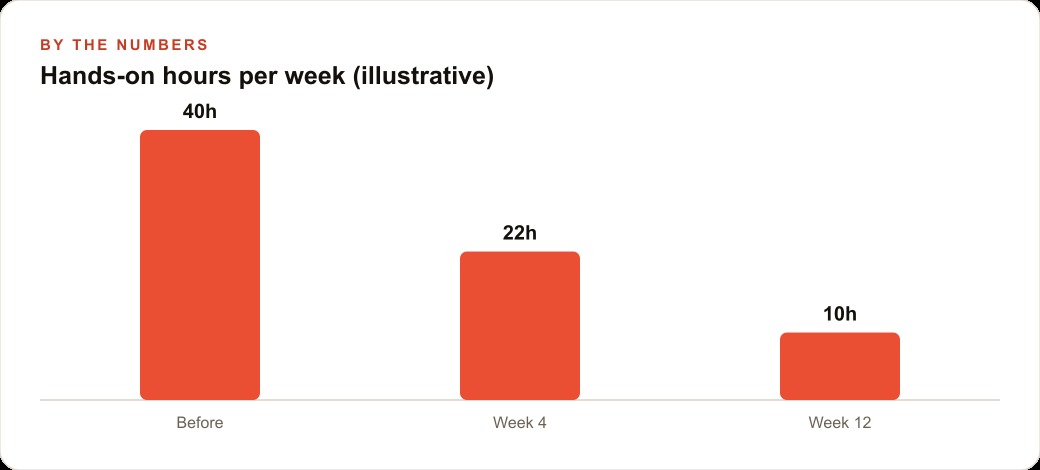
Let me put the stages together for an e-commerce store, using illustrative figures. The owner used to spend around forty hours a week hands on in the business. Following the playbook, everything runs on a VPS, so the store's catalog and customer data never touch the agents directly and the work continues overnight. The owner is the board. A CEO agent manages a small org created by hand: a research agent, a content agent, and an analytics agent, each on its own model and reporting line, each with skip permissions on and a heartbeat set.
The owner hands over a goal, not a task, something like grow repeat purchases this quarter. The research agent studies competitor product pages and reviews on a heartbeat. The content agent drafts and tests dozens of product descriptions and email subject lines, exactly the high variation work agents are strong at, the kind of testing that also sharpens Facebook and Instagram ad campaigns when the winning angles get reused. The analytics agent watches the numbers and flags what is moving. On the dashboard the owner sees every task, every decision, and the dollar cost of each, all capped at a set monthly budget. Over twelve weeks the owner's hands on time drops from around forty hours toward ten, because the mechanical research, drafting, and testing runs without them. The clean product and customer data the agents organize also feeds the CRM and website stack where follow up actually happens. These numbers are illustrative, not a promise, but the shape is what a correct setup produces.
What to watch on the dashboard in the first two weeks
Once the operation is running, the dashboard is not just a monitor, it is your management report, and the first two weeks are where you learn what your setup actually costs and produces. Watch three things. First, cost per task. The dashboard shows the dollars each task spent, and you want to spot the agents or tasks that burn far more than their output is worth. An agent on a high reasoning model doing simple work is quietly overpriced, and you fix it by dialing its model or thinking effort down. Second, watch for drift. Trace back the tool calls on a few tasks and check whether the agent is doing what you intended or wandering into busywork. Early drift caught early is cheap. Drift discovered a month later on the bill is not. Third, watch which agents actually produce useful output versus which ones churn. It is normal to discover that your org chart had one agent too many or one reporting line that made no sense, and the first two weeks are exactly when to prune.
This review habit is the human half of a system that is otherwise autonomous, and it is where the leverage compounds. Each week you tune the team a little, trim a cost here, redirect a goal there, promote what works, and the operation gets more efficient without getting more demanding of your time. The owners who treat the dashboard as a living management tool get better results every month. The ones who set it up once and never look get a bill and a shrug. Autonomy does not mean unattended forever. It means the work runs on its own between your informed check ins, and the check ins are what keep it pointed at a return.
The honest limit, and the move to make
Be clear eyed about what agents are good at. They excel at research, development, and running many variations to test, like generating and checking hundreds of email subject lines. They are weak at original strategy and pure copywriting. So point them at the first category, hand over a goal, and steer like a mentor rather than expecting finished creative genius. Used that way, the return is real. Used the other way, you will be disappointed and blame the tool when the problem was the assignment.
There is a business opportunity hiding in all of this worth naming. Because Paperclip companies export and import, you can build a clean org chart once and set it up for people who lack the time to learn it, an untapped service with almost no competition right now. Whether you build that service or just run your own operation, the five stages, server first, org chart, create agents by hand, skip permissions and heartbeats, and a token cap, are the difference between a viral demo and a working system.
You can learn all of this yourself, and it is genuinely rewarding to watch a team of agents run on its own. If you would rather have a clean org chart, the server, and the guardrails stood up for your specific business, that is exactly the kind of setup an expert can hand you ready to run.
That is exactly what we do at AI DOERS. Book a private 30-minute call with Madhuranjan Kumar and we will map the fastest path to it for your specific business.
Book your call →
Madhuranjan Kumar
Madhuranjan Kumar brings 20 years of performance-marketing experience and has managed over $200 million in Facebook ad spend for brands across the United States and beyond. His expertise spans the full modern marketing stack: Meta, Google Ads, TikTok, email automation, CRM, and the websites that hold it together. At AI DOERS he turns that track record into lead-generation systems for businesses across every industry.