
How a $4.8M App and Real iOS Payments Got Vibe Coded in One Session
Vibe Code runs Claude Code to build the app, Gemini 3 and Nano Banana power the AI features, and RevenueCat handles the entire App Store payment flow from sandbox test to live subscription, so a sellable MVP plus payments is now a single-session build.

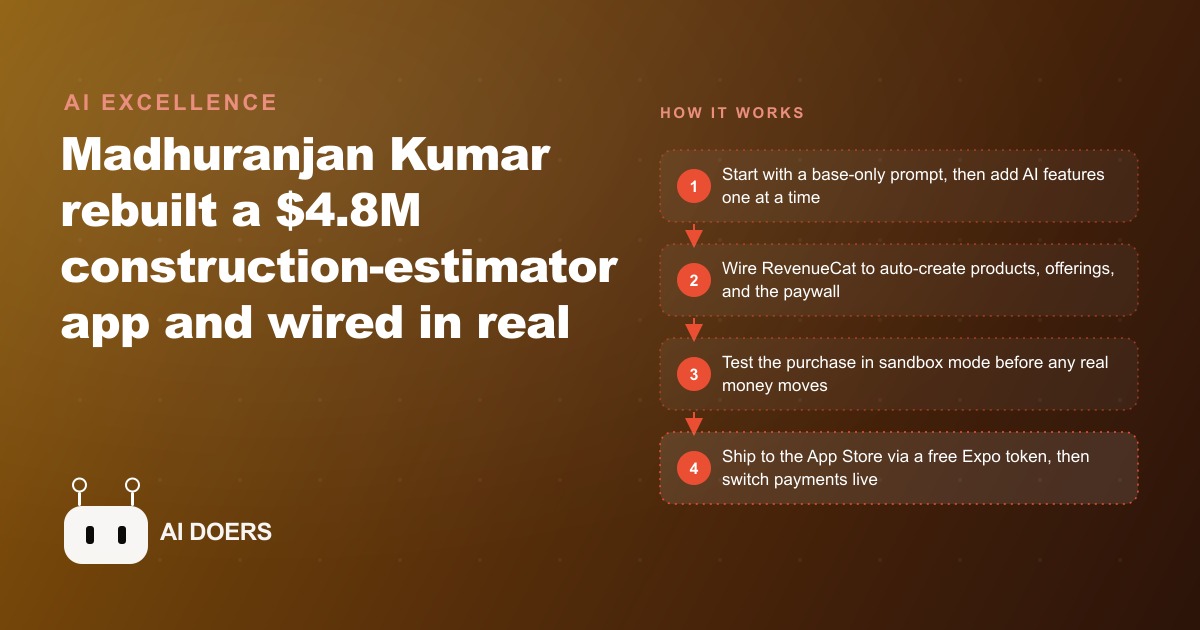
There is a construction estimation app generating roughly $4.8 million in annual revenue. Three prompts and one working session produced a functioning equivalent from a blank screen: subscription payments live, photo-to-estimate AI integrated, client-facing visualization rendering. The session was over before the day was.
I am Madhuranjan Kumar. What follows is the journey from blank screen to live App Store subscription app, told through the specific decisions and the specific sequence that got there. The business used as the lens for this walkthrough is a landscaping company that wanted to offer homeowners a tool for photo-based job estimation and visualization.
The problem: professional apps in any trade cost $3,000 to $15,000 and two to three months
The construction estimation app doing $4.8 million annually was built by a development team over a meaningful period of time. It has polished UI, robust error handling, edge case coverage, and years of user feedback baked into the product decisions. The people who commissioned it paid for that work, and the payment was not trivial: professional app development for a tool of that scope costs between $3,000 and $15,000 for a contractor or small studio, and the timeline from concept to App Store submission runs between eight and sixteen weeks in a typical engagement.
For a landscaping company owner, those numbers are not accessible. The margin on residential landscaping does not produce the capital surplus needed to commission a professional app and wait three months to see whether it generates enough subscription revenue to pay back the investment. Most owners in this position know that an app would be useful, know that customers would use it, and know that they cannot afford to find out whether they are right.
Vibe Code runs Claude Code directly, which means the session runs the same AI that writes professional-grade code used by developers across thousands of production applications. The difference is the interface: instead of a terminal and a text editor, the interaction is conversational. The prompts do not look like code. The output does include code, extensive and functional code, but the person writing the prompts does not need to read or modify it. The code runs, the app appears on screen, and the next prompt describes what should change.
The three-prompt approach I am going to describe reflects a specific discipline about sequencing that is easy to skip and expensive to ignore.
Base-first discipline: why the first prompt ignores every feature you actually want
The first prompt is about structure. It asks for the app shell: the navigation, the screens, the layout, the visual identity. It does not ask for AI features. It does not ask for payment integration. It does not ask for the photo upload or the estimation logic or the visualization rendering. It asks only for the foundation.
For the landscaping app, the first prompt produced: a clean home screen with a "Create New Job" call to action, a job list screen showing past estimates, a job detail screen with sections for site photos, estimate breakdown, and client notes, and a settings screen. The visual treatment was professional. The navigation worked. Buttons responded. Nothing was functional in the sense of producing real output, but the shell was complete and the structure was sound.
The reason to do it this way is that AI code generation is better at adding correct code to a correct structure than it is at producing a correct structure while simultaneously implementing complex features. When you ask for everything at once, the complexity compounds in ways that produce errors at multiple layers simultaneously, and debugging those errors requires understanding the interactions between the structural problems and the feature problems at the same time.
Starting with the shell means that when the second and third prompts add features, the features are being added to something that already works. The errors that appear are localized to the new feature being added, not distributed across the entire application. The debugging is faster, the progress is visible at each step, and the person directing the build has a clear picture of what exists and what needs to be added.
The first prompt, for the landscaping app, used Claude Opus for the structural work specifically. The reasoning is that the first pass sets architectural decisions that affect everything that follows. Getting the structure right is worth the slightly higher capability level, because the alternative is adding features to a structure that has subtle problems that will compound.
Layering the intelligence: Gemini reads the job site, after-image shows the client the finished look
The second prompt adds the AI that makes the app valuable: photo-to-estimate through Gemini.
The flow is this. The contractor takes a photo of the job site. The app sends the photo to Gemini with a structured prompt that asks it to analyze the image and produce an estimate in a specific format: a scope description, a labor cost estimate, a materials cost estimate, and a total. Gemini looks at the photo, reads the dimensions it can infer, identifies the type of work involved, and produces the structured output. The app parses that output and populates the estimate screen.
For a landscaping job, the prompt to Gemini identifies whether the work involves turf replacement, hardscaping, planting, irrigation, or some combination. It produces line items with estimates for each category. The estimates are approximate, not precise, but they are close enough to give the contractor a starting point and close enough to give the homeowner a meaningful number before a site visit.
The estimation step solves the first problem. The second feature solves a different problem: conversion. Homeowners who can see what their yard will look like after the work is done are more likely to approve the estimate than homeowners who are being asked to imagine it. The after-image feature sends the original photo to a generation model with a prompt describing the planned work, and the model produces a visualization of the completed project. While the render loads, the original photo is displayed. When the render is ready, it transitions in.
These two features are the product. The combination of "here is what it will cost" and "here is what it will look like" addresses the two questions that slow down the conversion from estimate to approved project. Both features were added in a single prompt session, built on top of the shell that the first prompt produced.
The payment plumbing session: RevenueCat, the one-time Apple friction, and sandbox testing
Revenue collection for a subscription app requires sitting between two parties who both have requirements: the App Store, which requires that in-app purchases use its payment infrastructure, and the developer, who needs to be able to manage subscription products, pricing, and entitlements without submitting a new app version every time something changes.
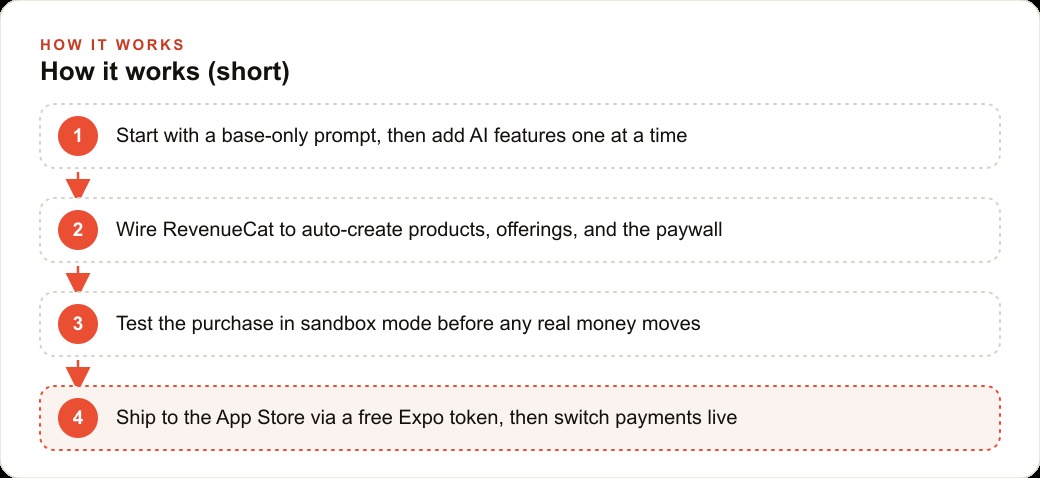
RevenueCat sits in the middle. It handles the relationship with the App Store's purchase infrastructure on one side and provides a clean API for the developer to manage products, offerings, and entitlements on the other. The third prompt in the session configured RevenueCat, set the subscription pricing, and specified where in the app the paywall appears.
For the landscaping app, the paywall was placed behind the "Create New Job" action. A user can see the app, navigate the screens, and understand what the tool does before being asked to subscribe. The subscription options that were set: $9.99 per month and $49.99 per year. The annual option represents roughly a 58 percent discount against the monthly price, which is the pricing structure used by most consumer subscription apps to encourage annual commitments.
The Apple side of this process involves a collection of credentials that have to be configured once: an in-app purchase key, an App Store Connect API key, an issuer ID, and a vendor number. The process for obtaining these is tedious and involves navigating several sections of the Apple developer portal that are not obviously organized. It does not require technical expertise, but it does require patience. Once it is done, it does not need to be done again for subsequent apps. RevenueCat can use the same credentials across multiple products, and it can push product configurations directly into App Store Connect without requiring manual entry through the portal.
Sandbox testing before any real payment is processed: RevenueCat provides a test environment where the full subscription flow runs with simulated payments. Testing covered the subscription prompt appearing correctly, the entitlement unlocking the Create New Job flow, the subscription state persisting across app sessions, and the restore purchases function recovering a valid subscription after the app was deleted and reinstalled. All four scenarios passed before the session moved to live configuration.
Live in the App Store: the Expo token, the TestFlight gate, and switching payments real
Expo is the framework that handles the build and submission process for React Native apps. A free Expo account provides an access token. The third prompt configured the token and initiated the build. The build process compiled the React Native code, packaged it for iOS, and submitted the binary to App Store Connect, all without requiring Xcode or manual intervention in the build pipeline. The total time from initiating the build to receiving the submission confirmation was approximately five minutes.
The App Store submission does not mean the app is immediately available for download. Apple reviews submissions before they appear in the store. For a new app without a review history, this process typically takes between 24 and 72 hours. While waiting for review, the app is available through TestFlight, Apple's beta testing platform. TestFlight gives up to 10,000 testers access to a build before it is public, and it serves as the gate between "I think this is working" and "this is in front of users."
The TestFlight phase for the landscaping app tested the complete user journey with real devices: download from TestFlight link, open app, see the subscription prompt, complete the subscription through the sandbox payment environment, access the job creation flow, photograph a yard, receive the Gemini estimate, request the after-image visualization, and share the estimate with a homeowner. The complete flow worked.
Switching from sandbox payments to live payments required updating a configuration flag in RevenueCat. The subscription products that had been configured in the sandbox environment were already configured correctly in App Store Connect from the earlier setup work. The switch was a single change, verified by completing one live transaction through a real device.
The live app was in the App Store within 72 hours of submission. The TestFlight access link was distributed to the first beta users immediately after the build completed, before the public review was finished.
What 200 subscribers at $9.99 per month looks like sixty days in
The landscaping company distributed the TestFlight link to their existing client base and their local contractor community before the app was publicly available. The framing was a preview for existing clients. That initial distribution generated the first fifty subscriptions. The conversion from someone who received the link to someone who subscribed was approximately 40 percent, which is substantially higher than the conversion rate for a cold audience encountering the app for the first time because the people receiving the link already had an established relationship with the company.
After public availability in the App Store, the company added a QR code linking to the app to their estimate documents and their job completion follow-up emails. Every client who received an estimate was offered the app as a tool to visualize options before approving the work. Every client who completed a job was offered the app as a tool for planning future projects. This embedded distribution generated additional subscriptions without advertising spend.
Sixty days after the App Store launch, the subscriber count was approximately 200. At $9.99 per month, that is $1,998 per month in recurring revenue against an infrastructure cost of roughly $80 per month: server costs, the RevenueCat subscription, and API costs for the Gemini estimation calls and after-image generation. The margin is strong.
The more significant number is not the $1,998. It is the direction. A subscriber base of 200 with a 90-day average subscription lifetime, which is a conservative estimate for an app that is actively used and embedded into a business relationship, generates compounding revenue. The company did not need to acquire 200 new subscribers next month; they needed to acquire net new subscribers above the churn rate, which at 90-day average lifetime and a base of 200 subscribers is a manageable number from the embedded distribution channels that were already producing.
The revenue from the app is not the reason to build it. The reason to build it is that the 200 subscribers are homeowners who have a stronger relationship with the company than the homeowners who received a paper estimate and called three other landscapers to compare. The app is a relationship asset that happens to also generate $1,998 per month.
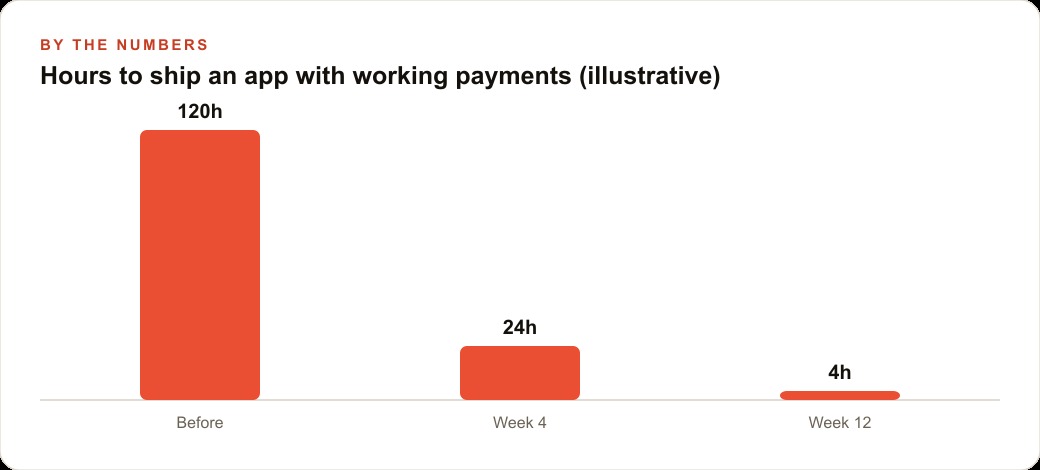
The three-prompt approach, the base-first discipline, the payment session, the TestFlight gate, the live switch: that is the entire path. Four hours of working session time from blank screen to submitted binary. One week from submission to live subscription revenue. The professional alternative was $3,000 to $15,000 and two to three months. The professional alternative would have produced something more polished. It would also have cost $3,000 to $15,000 and taken two to three months. The question for a landscaping company owner evaluating those two options in 2026 is not which one produces better code. It is which one they can actually afford to try.
That is exactly what we do at AI DOERS. Book a private 30-minute call with Madhuranjan Kumar and we will map the fastest path to it for your specific business.
Book your call →
Madhuranjan Kumar
Madhuranjan Kumar brings 20 years of performance-marketing experience and has managed over $200 million in Facebook ad spend for brands across the United States and beyond. His expertise spans the full modern marketing stack: Meta, Google Ads, TikTok, email automation, CRM, and the websites that hold it together. At AI DOERS he turns that track record into lead-generation systems for businesses across every industry.