
Granola AI: The Meeting Assistant That Never Joins Your Call
Granola transcribes and AI-enhances your meetings while running quietly in the background, so no bot ever joins the call, and it can plug into Claude or ChatGPT through MCP so you query every note from your normal chatbot.

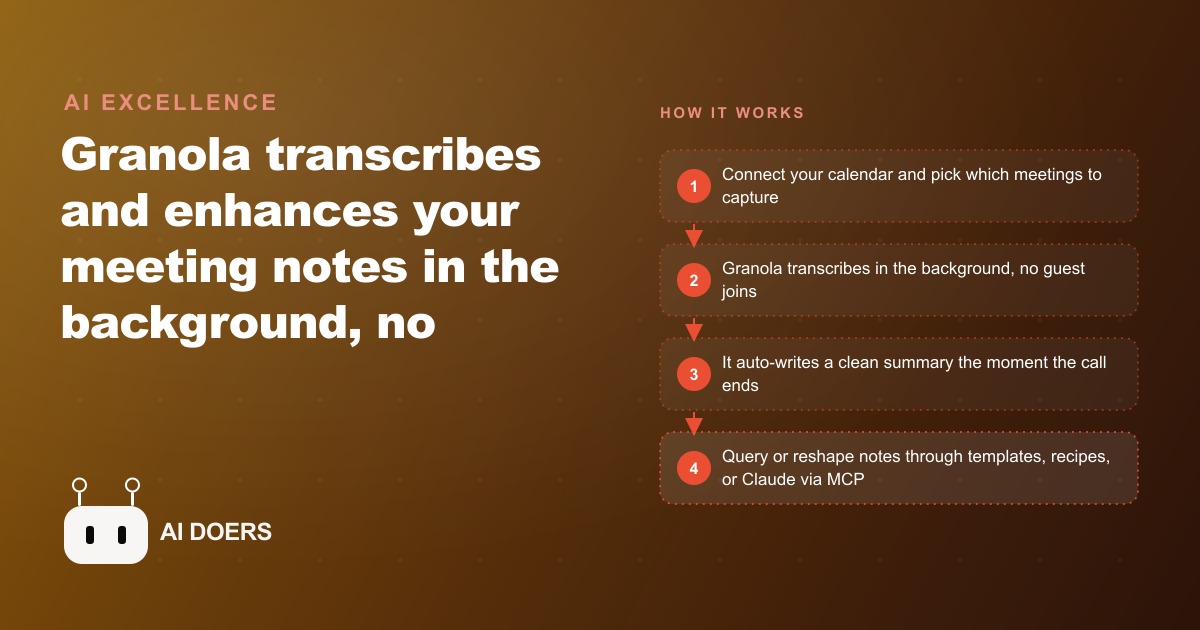
The most expensive thing in any client call is the detail that disappears between the end of the call and the time you sit down to write the follow-up.
I am Madhuranjan Kumar, and I want to walk you through exactly how I set up Granola AI and connected it to Claude through the MCP connector so that every meeting I have is captured, summarized, and queryable without a single bot joining the call. No awkward announcement that you are recording. No bot icon sitting in the participant list making the other person self-conscious. Just the meeting running normally, and a clean, structured summary waiting when it ends.
The reason I care about this setup enough to document it in detail is that I used to lose the thread between client calls. I would finish a conversation, make rough notes in the moment, get interrupted by something else, and by the time I sat down to write the follow-up the third or fourth point the client had made was gone. That gap between the call ending and the follow-up email arriving costs real money in delayed decisions, missed commitments, and the impression that you were not fully present during the conversation. Granola, set up correctly, eliminates the gap entirely.
Connect the calendar and choose which meetings get captured
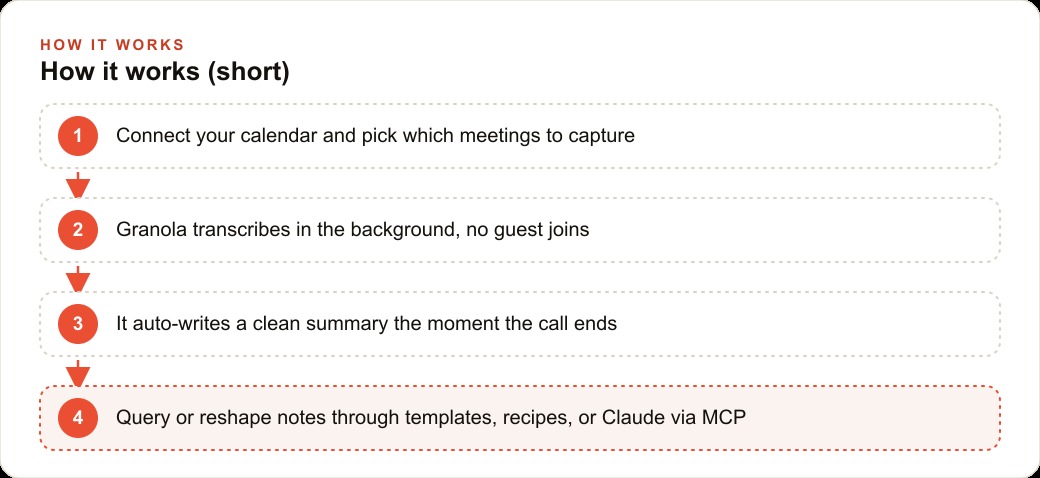
The first thing Granola asks after installing is to connect your calendar. This is where most people either give up or get confused, so I want to be precise about how it works. Granola reads your calendar to know when meetings are happening and which application the call is running in: Zoom, Google Meet, Teams, or any other platform. It does not join the meeting itself as a participant. It captures audio from your device using the Mac system audio layer, which means it hears everything on the call: your voice from the microphone and the remote participants' voices coming through your speakers or headphones.
The calendar connection is what makes capture automatic. Once it is connected, every meeting on your calendar becomes visible inside Granola before it starts. You open Granola before joining the call, click on the meeting, hit record, and from that point on Granola is capturing the audio in the background while you join the meeting normally. Nothing changes in the meeting itself. The other participants see and hear nothing different. The recording is entirely on your side.
The decision about which meetings to capture is worth a few deliberate minutes. Not every call needs a Granola summary. Quick internal syncs with a colleague where you both already know the outcome are probably not worth the capture. External client calls, sales conversations, onboarding sessions, strategy discussions, partner calls, and any meeting where deliverables or decisions are discussed absolutely are. I use a simple rule in my own practice: any call where I would normally be scrambling to take notes while also trying to listen is a Granola call. If I have ever regretted not having a better record of that type of meeting, it goes on the capture list.
Learn what the raw transcript and the AI summary each do before you trust either one
After a call ends, Granola produces two things: a raw transcript and an AI-generated summary. Most people open the summary, read it, and move on. I did exactly that for the first few weeks before I noticed that the summary was occasionally dropping a specific number, or reframing a client's exact words in a way that was close but not precise enough to quote from.
The raw transcript is the ground truth. It is a verbatim record of everything said during the call, timestamped, with speaker attribution where Granola can detect it. If a client names a specific budget, states a specific deadline, or describes a constraint in precise terms, those words are in the raw transcript exactly as spoken. The summary is an interpretation. It is more readable, faster to scan, and better for quickly recalling the shape of the conversation. But it involves compression, and compression means decisions about what to keep and what to abbreviate. Some of those decisions will occasionally abbreviate something that mattered.
My workflow after every meaningful call is to open the summary first to get the overall narrative, then scan the raw transcript for the three to five most important specifics: exact numbers, exact commitments, exact objections, exact questions the client raised that I need to answer. Those specifics go into my own follow-up notes copied exactly from the transcript, not paraphrased. The summary handles the story of the call. The transcript handles the precision. Use both layers for what each one is actually good at, and do not treat the summary as a substitute for the transcript when you need the exact words.
Apply a template to the meeting type you run most often
Granola lets you apply templates to meeting summaries so that the output lands in a consistent structure for a given category of meeting. This matters more than it sounds in practice. A free-form summary of a sales call looks different from a free-form summary of a project check-in, and both look different from a free-form summary of a strategy session. When every summary has a different shape, you spend mental energy reorienting to the structure before you can extract the content. After ten or fifteen meetings, that reorientation adds up to a real friction cost.
A template eliminates the friction. For a sales call, a useful template might have five sections: the prospect's stated problem, the specific objections raised during the call, the solution framing that resonated, the next step committed to on both sides, and the deadline for that next step. Every sales call summary comes out with those five sections filled in. You open it and the relevant information is already in the place you expect it to be.
Building the template takes about twenty minutes the first time. Think through the five to seven categories of information you actually need from every meeting of the type you run most often. Write those as sections in the template with brief descriptions of what each section should contain. Load it into Granola and assign it to that meeting type. From that point on, every meeting of that type produces a structured output you can act on immediately rather than a narrative you have to interpret before you can use it.
Build a recipe for the one follow-up output you produce after every call
A recipe in Granola is a saved prompt that generates a specific deliverable from the meeting notes. The most valuable recipe I have built is the client follow-up email. Every significant call ends and I need to send a message that summarizes what was discussed, confirms what was decided, and lists the next steps for both sides. Without Granola, writing that email from memory and rough notes takes fifteen to twenty minutes. With a recipe that runs against the meeting Granola just transcribed, a solid draft arrives in under a minute.
The recipe is a prompt you write once and save. Write it the way you would brief a writer who is going to work from the meeting notes: describe the output format you want, the tone, the length, and the specific information that must be present. A recipe I use regularly looks like this: take the meeting summary and produce a follow-up email to the client that opens with a one-sentence recap of the main decision, then lists the next steps for my side and the client's side separately, and closes with a confirmation of the next meeting date if one was set. Keep the total email under 200 words. Tone is direct and professional, no padding.
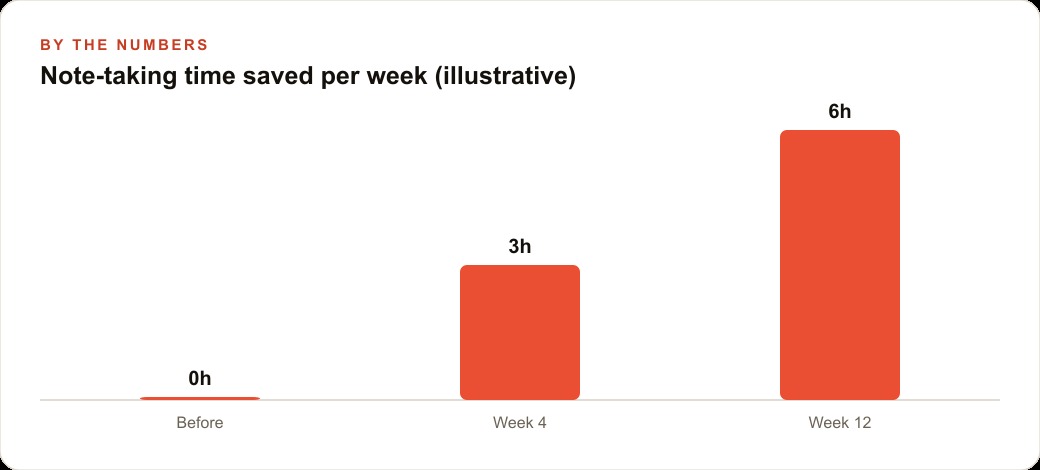
That recipe produces a draft that is eighty to ninety percent ready to send. I read it, adjust anything that needs a personal touch, add a specific reference if the client mentioned something I want to acknowledge directly, and send it. The structural work, the organizing, the sequencing, the initial phrasing, is already done. Ten minutes saved per follow-up across eight or ten calls per week is a meaningful recovery of time that was previously just grinding out administrative output.
Wire Granola into Claude through the MCP connector so your history is queryable
The MCP connector is the part of this setup that most people do not know about and that changes the value of the whole system. MCP stands for Model Context Protocol. It is a standard that allows Claude to connect to external tools and data sources, including your Granola meeting history. Once the connector is set up, you can open a Claude session and ask questions against your entire archive of past meetings.
The practical value of this is hard to overstate. A client might mention a constraint in a call in March that becomes directly relevant to a decision you are making in June. Without the MCP connector, surfacing that constraint requires remembering which call it came from, searching for that call, and skimming the transcript. With the connector active, you ask Claude a natural language question and it retrieves the relevant detail from the correct meeting. The institutional memory of your client relationships stops living entirely in your head and starts living in a queryable system.
Setting up the MCP connector requires installing the Granola MCP package and updating Claude's configuration file to point at it. Granola's documentation has current instructions, and the setup takes about fifteen minutes if you follow the steps in sequence without skipping the authentication step. Once it is running, every future meeting you capture extends the archive that Claude can search. The system grows in value with every call you record.
Set a fifteen-minute weekly habit to catch any summary that drifted
No transcription system is perfect. Granola's summaries are consistently good, but occasionally one will drop a key point, misattribute a comment to the wrong speaker, or describe a decision in a way that is technically accurate but contextually misleading. If you rely entirely on the automated output without reviewing it, those small drifts accumulate into an archive that is subtly wrong in ways that will eventually matter.
The fix is a brief weekly review. At the end of each week, spend fifteen minutes opening Granola and scanning the summaries from the past five days. You are not reading them in full. You are looking for anything that feels off: a missing commitment, a number that does not match what you remember, a client's stated position described in a way they would not recognize as their own. When you find one, correct it directly in the Granola note. That correction propagates through the archive so that future Claude queries return the corrected version rather than the original error.
The compounding benefit of this habit is that after a few months you have an archive that is both extensive and reliably accurate. The weekly review is what makes it reliable. Without it, the archive is extensive but increasingly unreliable, which is arguably worse than not having an archive at all because it breeds a false confidence that the record is complete.
A landscaping company owner I know was running three property-walk video calls every morning. By the third call of the day, the specifics from the first were already fading. He was quoting scope and measurements from memory in follow-up emails and occasionally getting a detail slightly wrong, which required corrections and revision conversations that damaged his credibility with clients. After setting up Granola for all three calls, he started sending follow-ups within thirty minutes of each call ending, quoting directly from the record. His clients noticed the precision. Proposal show rate improved over the following month. The entire improvement came from closing the gap between the call ending and the follow-up going out, and from quoting from the transcript rather than from a fading recollection.
What I have described here covers every piece of the setup in the order it should happen: calendar integration so capture is automatic, an understanding of what the transcript and summary each do and when to use each, a template for the meeting type you run most often, a recipe for the follow-up output you produce after every call, the MCP connector so Claude can query your full history, and a weekly review to keep the archive accurate. Each step is straightforward on its own. Together they turn every client call from a moment that produces value and then fades into a permanent, searchable, actionable record that compounds in usefulness over time.
That is exactly what we do at AI DOERS. Book a private 30-minute call with Madhuranjan Kumar and we will map the fastest path to it for your specific business.
Book your call →
Madhuranjan Kumar
Madhuranjan Kumar brings 20 years of performance-marketing experience and has managed over $200 million in Facebook ad spend for brands across the United States and beyond. His expertise spans the full modern marketing stack: Meta, Google Ads, TikTok, email automation, CRM, and the websites that hold it together. At AI DOERS he turns that track record into lead-generation systems for businesses across every industry.