
Turn Photos and Video Into Spoken Content With GPT-4 Vision and Text to Speech
How image understanding plus a voice model turns raw clips into narrated videos, and a worked example of an HVAC company using it to explain its work without an editor.

One platform update quietly turned raw phone clips into finished narrated video
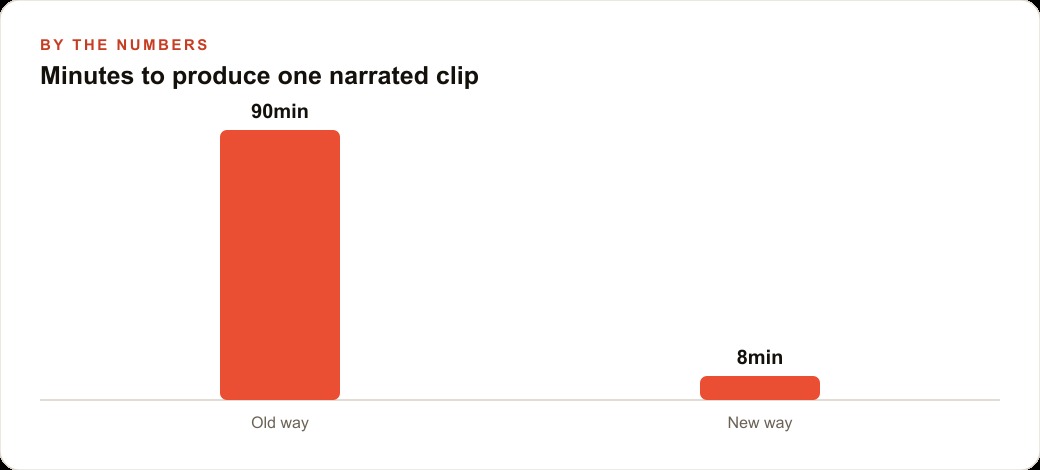
OpenAI shipped a release that, on paper, read like a list of incremental upgrades: cheaper and faster models, a bigger context window, image understanding, text to speech, and custom assistants, all in one drop. Taken separately, each item is a modest improvement. Taken together, they unlocked a product category that did not practically exist the week before, which is automatic narrated video generated from photos and clips with almost no editing. Within a day of the update, people were already building it. I am Madhuranjan Kumar, and the reason this matters to a local business is that the piece which used to require an editor now takes minutes and a few API calls.
The experiments that appeared within the first twenty four hours tell the story better than any spec sheet. Someone fed a screenshot of a website to the model and got back concrete suggestions for improving the page. Someone else turned rough sketches into working front end code. The one that caught my attention was automatic narration over a short clip, where the model watched the footage and produced a play by play voice over with no manual scripting. That is the capability worth understanding, because it converts something every business already produces, visual material, into shareable content on demand.
What actually became possible, and what did not
It is worth being precise about the change, because the hype around a release like this usually overshoots. The models did not suddenly gain the ability to shoot your video or judge your brand. What they gained is the ability to look across a set of images and describe what is happening in coherent language, and to read that language aloud in a natural sounding voice. Pairing those two abilities is the whole trick. Image understanding turns pictures into words software can act on, and text to speech turns those words into audio you can attach back to the footage.
The significance is not any single feature, it is that the features now sit cheap and fast enough in one place that a single person can assemble a real product in an afternoon. That is why so many small experiments surfaced almost immediately. The barrier that used to stop a non technical owner, needing a team and a budget to stitch these capabilities together, mostly fell away in one update.
The four step pipeline behind the demo
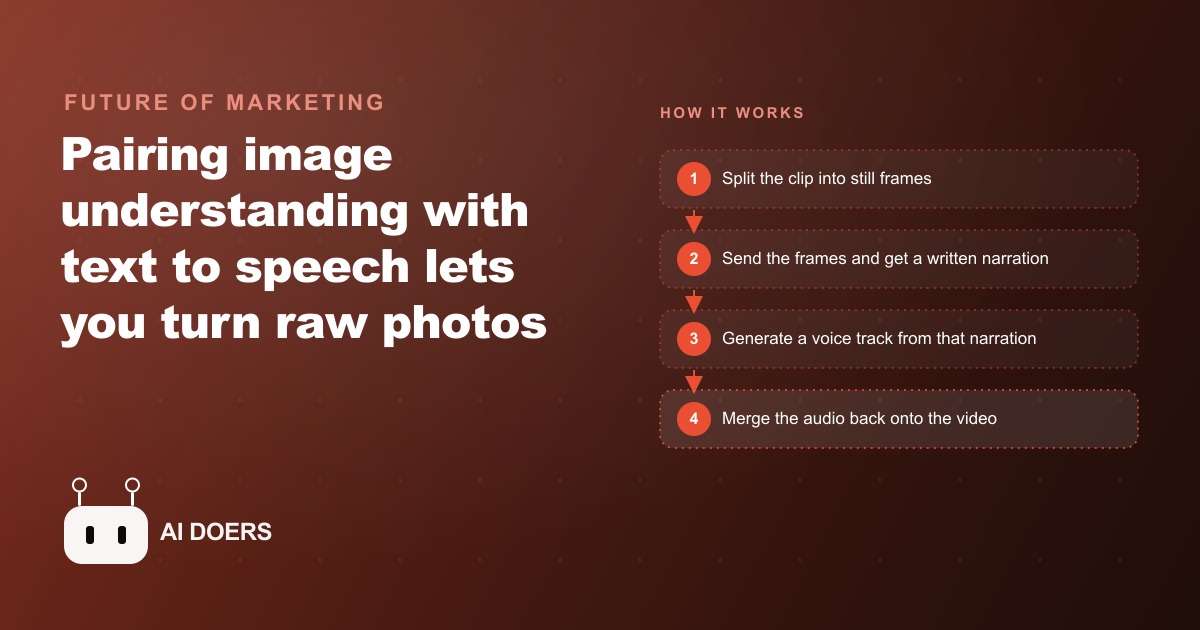
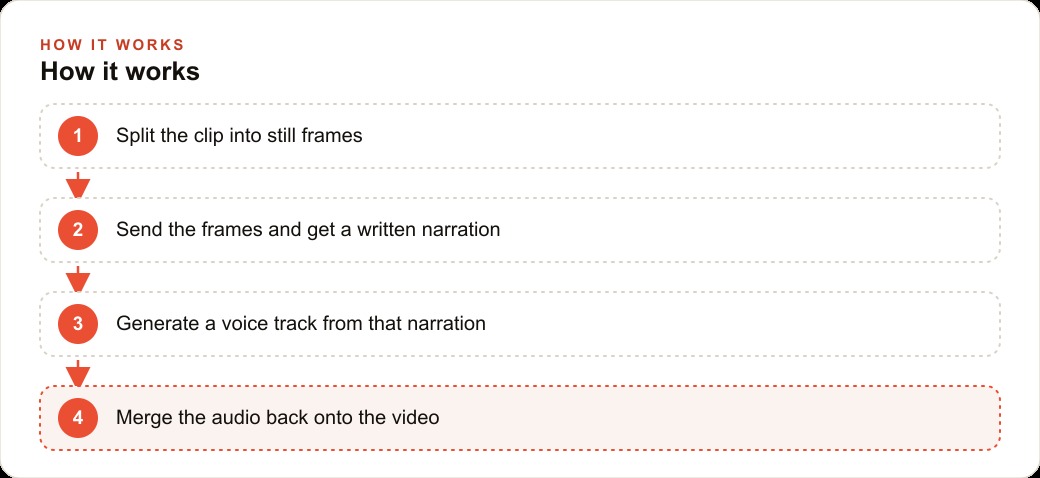
Underneath the polish, the process is four small steps stitched together. First, a clip is split into a series of still frames, because the model reads images rather than video directly. Second, all of those frames are sent in a single request to the vision model, which looks across them and writes a short narration describing what is happening. Measuring the length of this breakdown tells the model how many words to write, so the narration matches the footage instead of running too long or too short. Third, that written narration is handed to a text to speech model, which produces a natural sounding voice track. Fourth, the voice track is merged back onto the original clip, and you have a finished narrated video.
The striking part is how little custom code this takes. The entire thing is four functions wrapped in a simple interface: one that turns this breakdown into frames, one that sends those frames for a story, one that converts the story to speech, and one that merges the audio back. The intelligence lives inside the API calls, so you are mostly moving data from one step to the next. That is exactly what makes it realistic for a business owner or a small team rather than only a research lab. Because the frames go to the model together in one request, it sees the whole sequence at once and can describe the action as it unfolds rather than guessing from a single still.
Who this changes things for right now
Any business that takes photos or short videos of its work can use this, which is almost all of them. A retailer can narrate a product close up. A real estate agent can voice over a walkthrough. A restaurant can describe a dish from a few clips. A gym can turn a quick exercise demo into a narrated tip. The common thread is that you already capture visual material in the normal course of doing the job, and this converts that raw material into shareable, narrated content without hiring an editor for every piece.
It suits the trades especially well, because it also reads on screen text and explains diagrams, which is useful for any business that deals with equipment, panels, and labels. And the finished clips are not just posts. A steady stream of narrated video is the raw fuel for Facebook and Instagram ad campaigns, and the same content quietly supports SEO and organic search when it lands on your site and your channels. One pipeline feeds several parts of the marketing engine at once, which is a lot of return on an afternoon of setup.
A worked example: the HVAC company turning field clips into content
For an HVAC company, this turns quick phone clips from the field into polished explainer content. Here is how I would set it up for a client. A technician shoots a fifteen second clip of a dirty condenser coil, a clogged filter, or a finished install. That clip goes into the pipeline. The frames are sent to the vision model, which recognizes the components and writes a clear, plain language narration, something like a description of the dirty coil, why it hurts efficiency, and what the cleaning fixed. The voice model reads it, the audio is merged onto the clip, and within minutes there is a short narrated before and after ready to post or to text to the customer.
The value is speed and consistency. The owner does not need to write scripts, record a voice, or sit in editing software. A week of field clips becomes a week of social posts, each one explaining real work in friendly language. Customers see exactly what they paid for, which builds trust and drives reviews, and those interactions can flow back into the CRM and website stack where follow up keeps the relationship going. The same clips double as training material for new technicians, since the narration spells out what the camera is showing. There is a sales angle too. When a homeowner is weighing a repair against a full replacement, a thirty second narrated clip of their own dirty coil, explained in plain language, does more to justify the recommendation than a paragraph of text ever could.
The catch worth naming before you build it
None of this removes the need for judgment, and it is worth being honest about the limits so you set it up well rather than badly. The narration is only as good as the frames you feed it, so a shaky, poorly lit clip produces a vague voice over. The model can also describe something confidently and get a technical detail slightly wrong, which means anything going to a customer or used in a sales context deserves a quick human read before it ships. This is a tool that removes the editing labor, not the responsibility for what you publish.
Treat the first several outputs as drafts to tune rather than finished pieces to trust. Adjust the prompt so the narration sounds like your brand rather than a robot, keep clips short and the camera steady, and let the duration guide the script length so the voice fits the footage. Get those basics right and the failure modes mostly disappear.
The move to make this week
Start with one clip and one goal. Pick a single recurring job you want to explain, such as a coil cleaning or a thermostat swap. Capture a short, steady clip on a phone. Then use a tool or a small script that follows the four steps: splitting the clip into frames, sending them for a narration, generating a voice track, and merging it back. Plenty of no code and low code builders now wrap these API calls, so you do not have to write everything from scratch.
The broader takeaway from that update week is the one to hold onto. The building blocks for real content production are now cheap, fast, and assemblable by one person, which is why a stream of small products appeared within a day of the release. The businesses that notice early turn material they already capture into a content advantage while everyone else is still hiring editors piece by piece.
Why the single request detail matters more than it sounds
There is one design choice in this pipeline that quietly determines whether the output is good or useless, and it is worth understanding even if you never write the code. The frames from the clip are sent to the vision model together, in a single request, rather than one at a time. That sounds like a trivial technical decision, but it is the difference between narration that describes a story and narration that describes disconnected snapshots.
When the model sees the whole sequence at once, it can perceive change over time: the coil was dirty, then it was clean, and the narration can say so as a before and after. If you fed the frames one by one, the model would describe each still in isolation and have no sense of what happened between them, producing a flat list rather than a story. This is the kind of detail that separates a demo that feels magical from one that feels broken, and it is a good reminder that with these tools, how you feed the model the information often matters as much as which model you use.
Fitting narration into a real content routine
The last piece of getting value from this is fitting it into a rhythm you will actually keep. A pipeline that produces one brilliant clip and then sits unused is worth less than a modest one that runs every week. The businesses that win with this do not treat it as an occasional stunt, they build it into the normal flow of work, so capturing a short clip becomes as routine as taking a photo of a finished job already is.
The practical version looks like this: the team captures clips as part of the work they already do, the clips drop into the pipeline on a set day, and the narrated results feed a posting schedule that runs whether or not anyone is thinking about content that week. Consistency, not perfection, is what builds an audience and keeps a business visible, and this pipeline finally makes consistent narrated video cheap enough to sustain. That is the shift worth acting on: the material you already capture can become a steady content engine, and the only thing standing between you and that engine is a little setup.
It also compounds with everything else the business is already doing to get found. Each narrated clip is a small asset that can live on the website, anchor a social post, or become the hook in a paid promotion, which means one afternoon of setup keeps paying off across channels for months. A business that treats its field clips as raw content, rather than throwaway footage, ends up with a library that quietly works for it long after the setup is done, and that durable library is what separates a genuine content advantage from a one time burst of posts that fades in a week.
You can build this yourself in an afternoon if you are comfortable with a little setup, or you can have an expert wire the pipeline, brand the voice, and connect it to your posting schedule so field clips become finished content on autopilot. That is exactly the kind of build I do, and you can bring me in to handle it.
That is exactly what we do at AI DOERS. Book a private 30-minute call with Madhuranjan Kumar and we will map the fastest path to it for your specific business.
Book your call →
Madhuranjan Kumar
Madhuranjan Kumar brings 20 years of performance-marketing experience and has managed over $200 million in Facebook ad spend for brands across the United States and beyond. His expertise spans the full modern marketing stack: Meta, Google Ads, TikTok, email automation, CRM, and the websites that hold it together. At AI DOERS he turns that track record into lead-generation systems for businesses across every industry.