
GPT-5.4 Explained: One Model for Coding, Writing, and Agents
GPT-5.4 folds OpenAI's separate coding and writing models into a single flagship, adds a million-token context window and an upfront planning mode, and posts stronger knowledge-work scores, all at a higher price. Here is what it means for a real business.

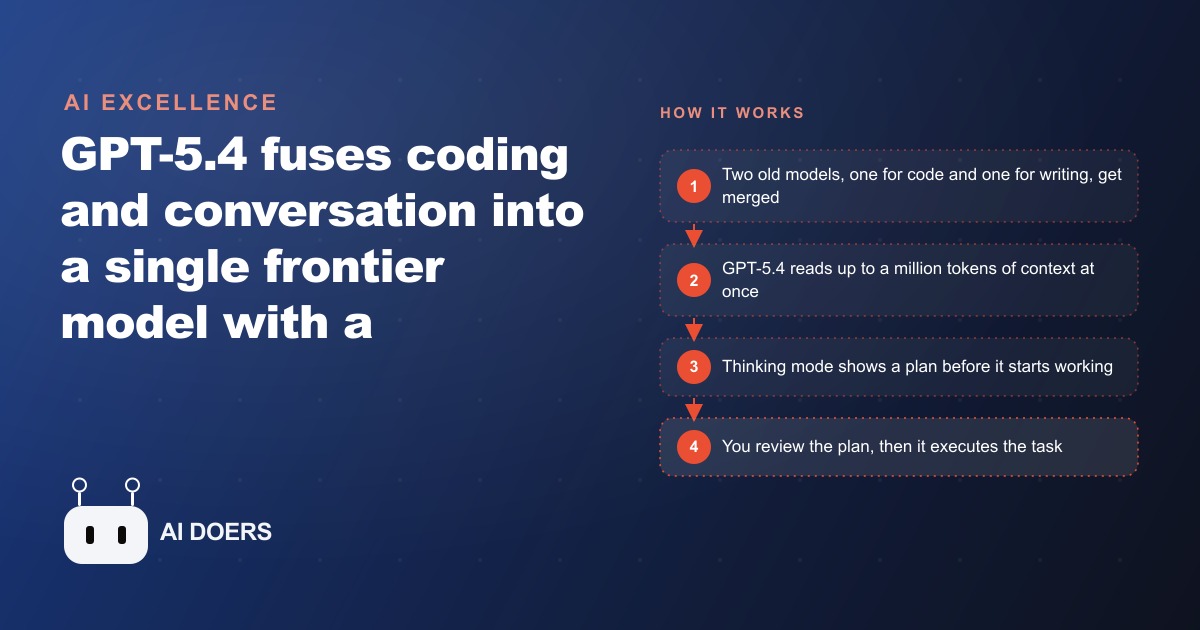
OpenAI just shipped GPT-5.4, and the headline is not a bigger benchmark number. It is that you no longer have to choose which model to open. For the last several releases you picked a side: the coding focused Codex model for anything technical, or the conversational model for writing and reasoning. GPT-5.4 folds both into one flagship that codes well, calls tools well, handles agentic work, and writes cleanly, the same consolidation Anthropic made with Opus. It also adds a million token context window, an upfront planning mode, and a real jump in efficiency. I am Madhuranjan Kumar, and this is the practical playbook for putting GPT-5.4 to work in a business, step by step, without getting distracted by launch day charts.
Before the steps, the one honest caveat: frontier intelligence is getting more expensive, not less. Input pricing rose to about 2.50 dollars per million tokens for 5.4 and 30 dollars for 5.4 Pro, and while caching input softens that, output stays pricey. So the goal of this playbook is not to use the most powerful setting everywhere. It is to get the value of the merge, the huge context, and the planning mode while keeping your spend under control. Every step below is written with that balance in mind.
Step 1: Retire your model picking habit and standardize on one
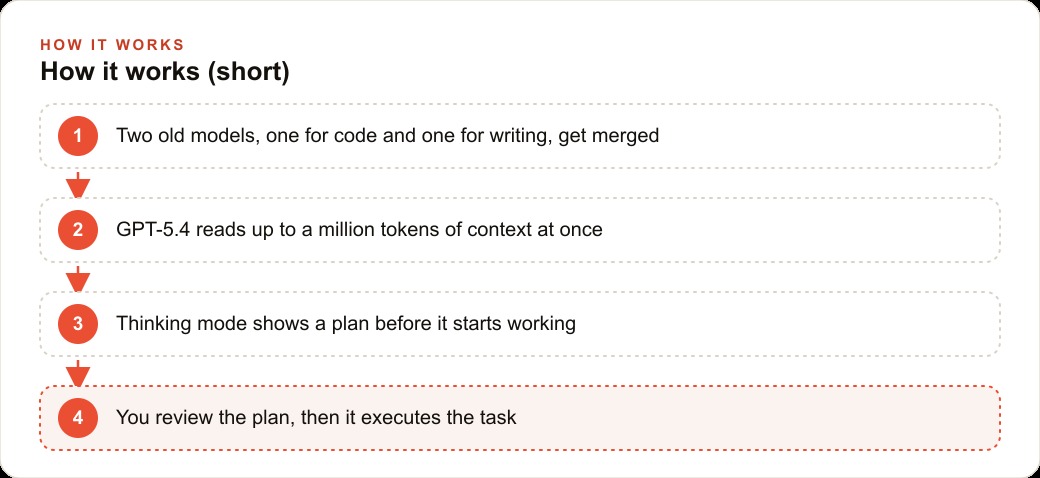
The first move is a mindset shift. Stop maintaining a mental rule of use the coding model for this and the writing model for that. That habit made sense a month ago and is now pure overhead. GPT-5.4 is designed so a single model handles the technical task and the written one in the same session. For a business owner, the practical version of the upgrade is short: you stop guessing which model to open, which means the people on your team who never learned the difference stop making the wrong choice.
So standardize. Pick GPT-5.4 as your default for real knowledge work and let it be the one your team reaches for. The value of consolidation is not just capability, it is that it removes a decision your staff kept getting wrong. A model that reads a PDF, drafts a document, builds a slide deck, and handles browser and computer use all in one place means fewer tools, fewer logins, and fewer moments where someone picks the weaker option by accident. This step costs nothing and simplifies everything that follows.
Step 2: Feed it the whole thing, because it can now hold it
The single most useful new capability for most businesses is the million token context window, which was the last major thing the Claude family had that OpenAI lacked. Practically, it means the model can hold a huge amount of material at once, a long contract, a full case file, a quarter of email, an entire project's documentation, without forgetting the beginning by the time it reaches the end.
The step here is to change how you prompt. The old habit was to chop a big document into pieces because the model could not hold it all, and then to stitch the answers back together yourself. Stop doing that. Hand it the whole file and ask your question of the complete thing. The quality difference is real, because the model can now see relationships across a long document that a chopped up version would miss, a clause on page two that contradicts one on page forty, a number in an early email that changes the meaning of a later one. When you evaluate GPT-5.4, test it specifically on a task that needs the whole picture at once. That is where the upgrade shows up most.
Step 3: Turn on plan first mode and use it as a cheap steering wheel
GPT-5.4 thinking can lay out a plan before it starts building. This is not a cosmetic feature. It is the single best cost control you have on an expensive model. Without it, you ask for something, the model charges ahead, and you discover an hour and a lot of tokens later that it misread the assignment. With plan first mode, it shows you the approach in ten seconds and you either confirm or correct before it spends anything meaningful.
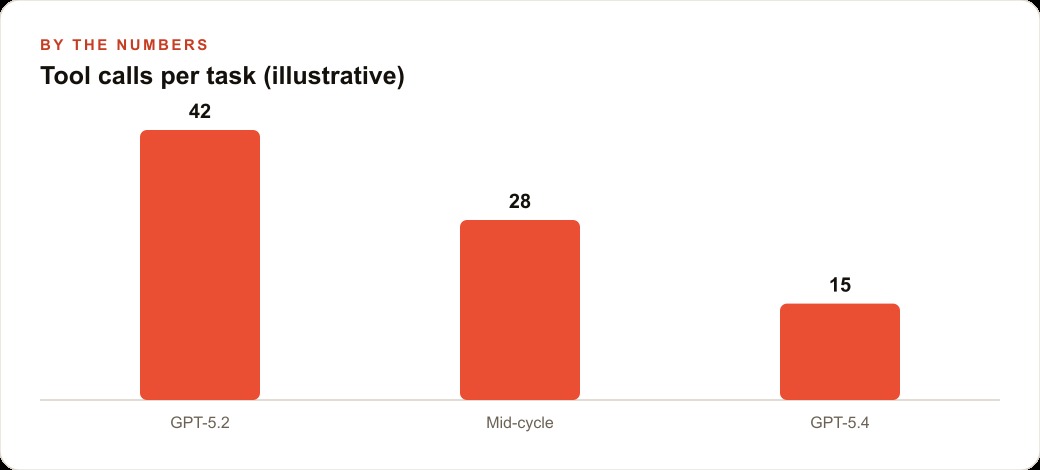
So make this a habit, not an occasional toggle. For any task longer than a quick question, turn on the planning mode, read the plan, and steer. Catching a wrong direction in ten seconds instead of after a long, costly run is exactly the kind of small discipline that keeps a pricier model affordable. The efficiency gains reinforce this. On the OS World computer use benchmark, GPT-5.4 reached its top accuracy in about fifteen tool calls where the older model needed forty two to reach a lower ceiling. Fewer tool calls is not a trivia number. It is the difference between an agent that is cheap to leave running and one that quietly drains your budget. Plan first mode plus that efficiency is what makes an automated workflow that used to be too costly to run finally pencil out.
Step 4: Keep two prompt sets, one for GPT-5.4 and one for Claude
Here is the rule that stays true across the whole ecosystem: prompt GPT-5.4 differently than you prompt Claude. OpenAI shipped a dedicated 5.4 prompting guide precisely because the two model families respond to different styles. A prompt tuned for one can underperform on the other. If your business uses both, and many should, keep two prompt sets rather than reusing one and wondering why the results feel uneven.
This step is easy to skip and expensive to skip. Teams that reuse a single prompt across families get inconsistent output and blame the model, when the real issue is the phrasing. Take your handful of most valuable prompts, the ones your team runs every week, and maintain a 5.4 version and a Claude version of each. It is a small library to keep, and it means whichever model you open, you get its best work. With both OpenAI and Anthropic shipping frontier models almost weekly, this discipline also makes you portable, because you can switch models without rewriting everything from scratch.
Step 5: Cache your input and pick your battles on cost
The last step is pure economics. Because output stays expensive and input rose too, treat token spend as something you manage, not something that happens to you. Cache your input tokens on long, repeated runs so you are not paying full price to re send the same context every time. Reserve GPT-5.4 Pro, at 30 dollars per million input tokens, for the rare research grade task that genuinely needs it, and run everyday work on standard 5.4. And use the planning mode from step three as your first line of defense against runaway costs.
The point is not to be stingy. It is to spend where the return is real. A million token analysis of a contract that would have taken a paralegal a full morning is worth the tokens. Burning Pro level pricing on a task standard 5.4 handles fine is waste. Being deliberate here is the difference between frontier intelligence that pays for itself and a bill that makes you turn the whole thing off.
A worked example: a small law firm's discovery workflow
Let me put these steps together with illustrative numbers. A small firm gets a long discovery request, the kind an associate would normally spend a full morning, call it four billable hours, drafting a first response to. Following the playbook, a paralegal hands GPT-5.4 the entire matter at once, the contract, the prior correspondence, and the relevant statutes, using the million token window instead of chopping the file into pieces. Because the model now handles both writing and structured tasks, the same session that drafts a clear response can also build a clause comparison table and a timeline of events.
Plan first mode is where the firm protects its time. When the associate asks for the first draft, 5.4 thinking shows its plan before writing a word. The associate confirms the approach in about thirty seconds, then lets it run, instead of discovering an hour later that it misread the assignment. What was a four hour mechanical first pass becomes a review of a solid draft in under an hour. The firm spends its expensive time on judgment and strategy, and every output still gets reviewed by a lawyer, because nothing here replaces that judgment. Multiply that across a dozen matters a month and the saved hours are substantial, all framed as illustration rather than a guarantee.
The same principle scales beyond the law firm. Any business that runs on documents and repeatable knowledge work benefits from the same three moves: hand it the whole context, plan before it runs, and verify the output. That reliability is also what makes these models safe to point at customer facing work, the copy behind Facebook and Instagram ad campaigns, the landing pages inside your CRM and website stack, or the long form pieces that drive SEO and organic search, as long as a human keeps the review step.
Why the efficiency gain quietly matters more than the intelligence gain
It is easy to fixate on the benchmark scores, the 83 percent on the GDP Val knowledge work measure, thirteen points above the prior coding model and five above Opus, and the lead on Frontier Math. Those are real, and they tell you the model is smart. But for a business, the number that changes your monthly bill is the efficiency one. Reaching top accuracy in about fifteen tool calls instead of forty two is not a bragging point, it is the line between an automation you can afford to leave running and one you cannot.
Think about what a tool call actually is in a running agent. Each one is a step, a token cost, and a moment where something can go wrong. An agent that needs forty two steps to finish a task is nearly three times as expensive to operate, and roughly three times as many opportunities to drift off course, as one that finishes in fifteen. When you multiply that across a workflow that runs many times a day, the difference is not a rounding error. It is the whole business case. A process that was too costly to automate under the old model might now clear the bar of worth it. This is why I tell owners to test the efficiency, not just the intelligence. Ask the model to complete a real multi step task and count the steps and the tokens it burns. That number, more than any leaderboard, tells you whether an automation will pay for itself once it is running unattended every day, all month.
The same logic explains why the plan first mode is more than a convenience. A plan you approve in ten seconds prevents a wrong run that would have cost you dozens of tool calls and the tokens to match. Efficiency and planning are two sides of the same coin, and together they are what make a pricier model financially sane to deploy at scale.
The posture to hold as models keep shipping
Early testers are already calling GPT-5.4 the best model available and reporting it one shotting features older models could not finish. That is encouraging, but the smart posture is not loyalty to any single model. Both OpenAI and Anthropic are shipping frontier models almost weekly, so the right stance is to keep testing on your own real tasks and stay ready to switch. The five steps above, standardize on one model, feed it the whole context, plan first, keep two prompt sets, and manage your token spend, are exactly what make you able to switch without pain when the next model lands.
You can do all of this yourself with an afternoon of patience and a few real tasks to test against. If you would rather have someone choose the right model, write the two prompt sets, wire the planning mode into your workflow, and set up the caching so the costs stay sane, that is exactly the kind of setup an expert can hand you ready to run.
That is exactly what we do at AI DOERS. Book a private 30-minute call with Madhuranjan Kumar and we will map the fastest path to it for your specific business.
Book your call →
Madhuranjan Kumar
Madhuranjan Kumar brings 20 years of performance-marketing experience and has managed over $200 million in Facebook ad spend for brands across the United States and beyond. His expertise spans the full modern marketing stack: Meta, Google Ads, TikTok, email automation, CRM, and the websites that hold it together. At AI DOERS he turns that track record into lead-generation systems for businesses across every industry.