
GPT 5.2 Review: OpenAI Finally Closes the Spreadsheet Gap
GPT 5.2 ties Claude on building real spreadsheets and matches Gemini on the hardest reasoning test, so one tool now covers the most ground. Here is what that means for a business and how an online store can use it.

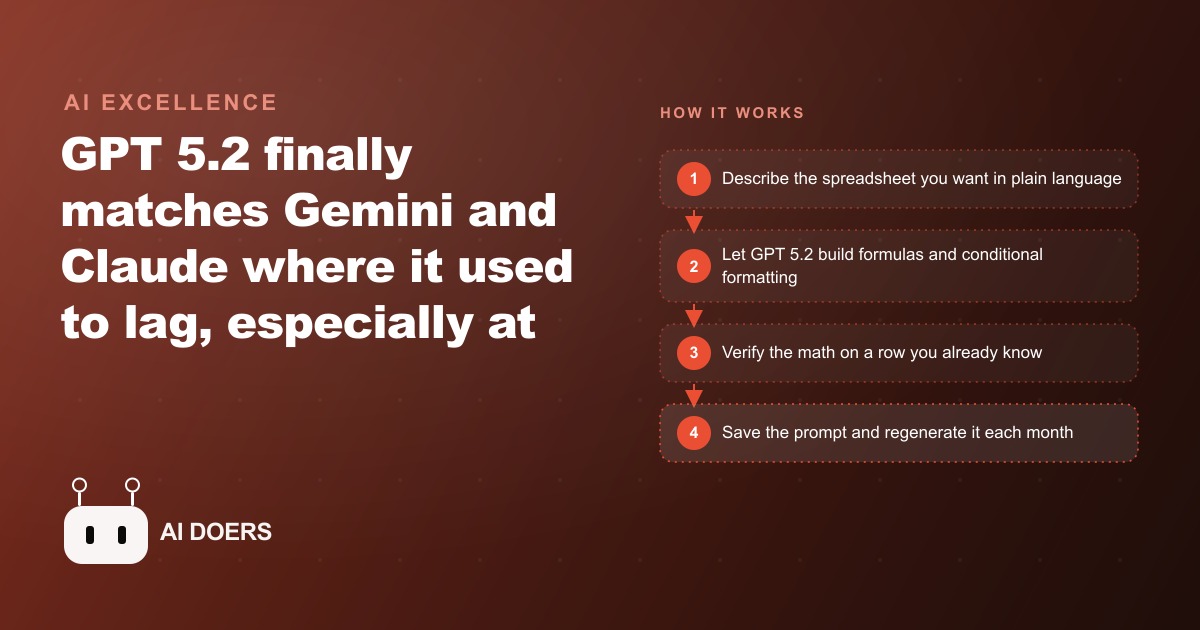
The spreadsheet gap between GPT and Claude was real, consistent, and annoying for anyone who relied on OpenAI tools for anything beyond text. I am Madhuranjan Kumar, and what I want to walk through is the specific journey of a small e-commerce store that hit that gap repeatedly, switched to testing GPT 5.2, and found the gap closed in the most practically useful way possible.
Chapter one: the spreadsheet problem that kept sending them back to Claude
The store owner ran the financial side of a seven-product direct-to-consumer business on a tangle of connected spreadsheets. Monthly profit-and-loss, per-product margin calculator, advertising cost tracker across channels, and a reorder sheet that was supposed to flag low stock but mostly just accumulated stale numbers. The store had been built on OpenAI's tools for writing and customer communication because the voice felt right. But every time a spreadsheet needed building or rebuilding, the owner would reluctantly open Claude to get the job done, because GPT could not reliably produce working formulas in a single shot.
This was not a corner case. It was a weekly friction point. A new advertising channel meant a new tracking column. A pricing change meant recalculating margins across the catalog. Each one required either switching tools or spending extra time debugging formulas that GPT produced confidently and incorrectly.
Chapter two: GPT 5.2 ships and the first test is the exact use case that kept failing
The test was a clean budget build: ten expense categories, a single monthly revenue input, totals and remaining balance that calculate automatically, and red conditional formatting on any category that runs over its planned amount. That specific combination, working autocalculation formulas plus conditional formatting, was where previous versions stumbled. Either the formulas broke on edge cases or the formatting did not apply correctly or both.
GPT 5.2 produced the budget sheet on the first prompt. Ten categories, a revenue input at the top, subtotals by category group, a net remaining balance formula that updated when any input changed, and red cell fills on the categories running over. The same prompt to Claude Opus 4.5 produced a matching result. The side-by-side test, which had previously shown a meaningful quality gap, came out even.
The detail about the Pro model matters here. The $200 per month Pro tier and the standard thinking model produced essentially identical spreadsheets on this test. There is no practical reason to pay for Pro if spreadsheet generation is the goal.
Chapter three: from one sheet to a full financial stack
With the initial confidence established, the owner ran three more sessions over the following week. First: a per-product margin calculator that takes cost, shipping, packaging, and target margin as inputs and outputs the minimum selling price and the recommended price at target margin. It also flags any product where the current list price is below minimum viable margin with a red cell.
Second: a scenario model comparing two advertising budget decisions. Raising paid social spend by 20 percent versus holding flat, with the downstream effect on projected monthly revenue at current conversion rates, total cost, and net margin. GPT 5.2 built the comparison as a side-by-side table with both scenarios visible simultaneously, the kind of layout that makes the decision obvious rather than requiring someone to read two separate outputs and hold the numbers in their head.
Third: a reorder sheet that takes current inventory count and weekly sales velocity as inputs and calculates days-of-stock-remaining, flagging any product below 21 days in orange and below 14 days in red. This is the sheet the owner had tried to build manually three times and abandoned each time because the conditional formatting never applied consistently across new rows. GPT 5.2 built it correctly on the first attempt.
Chapter four: comparing the model personalities on the same task
Asked to compare two loan options for a potential equipment purchase, GPT 5.2 defaulted to a clean comparative spreadsheet showing monthly payment, total interest, and total cost for each option at the given term lengths. Gemini built the same analysis as a structured table in text. Claude built a custom interactive tool where you could toggle between options and see the comparison update.
The same prompt, three different instincts. None of them is wrong, but they reflect different default orientations. GPT defaults to the spreadsheet format, which is often the right choice for financial analysis because the numbers are easy to review and verify. Claude defaults to the functional tool, which is often impressive but sometimes more than the situation needs. Gemini lands between them with clear structure that answers the question without additional interface.
For the e-commerce owner, this test clarified the tool rotation going forward. GPT 5.2 for all spreadsheet work and financial modeling, because it now does the job reliably and the output format matches how the work is actually used. Claude for any coding work on the store's backend, where it remains the strongest choice. Gemini for product image editing and creative work, where it continues to have an edge.
Chapter five: what the GPT 5.2 release tells us about model strategy
The observation that resonated most from this week was about the unified workflow. Unlike Gemini, which separates the deep-think mode from its canvas interface, ChatGPT lets you combine advanced thinking and canvas in one place. That combination matters for the kind of iterative work where you want to think through an analysis and simultaneously build the artifact that documents it. Switching between two separate interfaces breaks the thinking flow in a way that a combined environment does not.
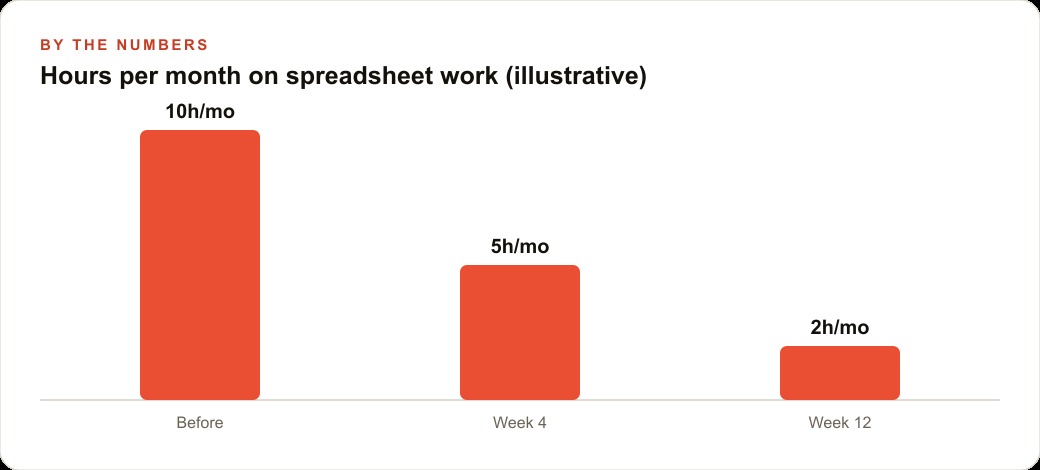
For the e-commerce store, the practical outcome from switching to GPT 5.2 for spreadsheet work was not dramatic in any single instance. It was the elimination of the constant small friction of switching tools for every financial task, and the compound effect of being able to stay in one environment for a broader range of work. The hours saved per month on spreadsheet building and debugging, across all the trackers and calculators the business actually runs on, is the kind of time that goes directly back into product decisions and customer experience.
The model rotation is still valid. Test the same prompt across the leading tools for tasks that matter, because each still has strengths that the others do not match. But for any business owner who has been sending financial and spreadsheet work to Claude simply because GPT could not do it, that specific reason is now gone. ## What the test results tell us about how to allocate AI tools going forward
The clearest takeaway from the GPT 5.2 release is not which model won on which benchmark. It is that the gap between the top three models has narrowed enough that the task type matters more than the model choice for most practical business work. A year ago, picking the right model for a given task type saved significant effort because the capability differences were large. Today, the differences are smaller, and the tool rotation principle, pick the right model for each task category, is more achievable because all of the leading models are genuinely capable across a broader range of tasks.
For the e-commerce store in the case study, the final tool rotation is: GPT 5.2 for all financial spreadsheets, scenario models, and reporting templates. Claude for any code work on the store's backend, because it remains the strongest choice for agentic development and is still preferred by most developers who use it regularly. Gemini for product image editing and any task that involves visual manipulation of existing images. All three for any task where the output quality matters enough to compare: a campaign brief, a complex email, a pricing decision summary. Run the prompt through all three and pick the best result.
This rotation works because all three have different default instincts on the same prompt. GPT 5.2 defaults to the spreadsheet. Claude defaults to the interactive tool. Gemini defaults to the structured text summary. When you need a spreadsheet, use GPT 5.2 and get it in one shot. When you need a tool someone can interact with, use Claude. When you need a cleanly formatted text comparison, use Gemini. Knowing these defaults in advance eliminates the time spent testing each one for every task.
The practical implication for businesses running Facebook and Instagram ad campaigns or Google Ads is that the financial modeling for campaign budgets, which previously required either a skilled analyst or significant iteration with the wrong model, is now a straightforward GPT 5.2 task. Enter the campaign parameters, ask for a budget scenario model with three spending levels and their projected outcomes, and receive a working spreadsheet with the math done correctly. The budget conversation with a client or a decision-maker becomes faster and more concrete when the analysis is already in a spreadsheet format they can interact with.
The subscription cost question resolves the same way. The standard thinking model, which is part of the ChatGPT Plus plan at $20 per month, matched the $200 Pro model on the spreadsheet test. For the vast majority of spreadsheet and financial modeling work that a small or medium business does, the $20 plan provides the same output quality as the $200 plan. The Pro plan is justified for heavy professional users who need maximum processing speed and the highest-effort reasoning on the most complex analytical tasks. For typical business use, the Plus plan now includes enough capability that the value proposition is clear: $20 per month for a model that reliably builds working spreadsheets and handles the full range of writing, analysis, and research tasks is a straightforward value calculation for any business that uses any of those capabilities more than occasionally.
The simplest summary of the GPT 5.2 review is this: the model that previously required a $200 monthly subscription to access reliably is now available at $20 and produces comparable output on the task type it handles best, which is structured financial modeling and spreadsheet construction. That specific shift has a concrete business implication: financial analysis that was previously delegated to a specialist or deferred because the tool cost was not justified is now a routine capability available to any business with a standard ChatGPT subscription. The spreadsheet that was going to take three hours to build takes fifteen minutes. That time is now available for the decision the spreadsheet was meant to support.
The final practical recommendation from the GPT 5.2 review is to re-evaluate any financial or analytical task you have been doing manually or with a less capable model. The specific test is to take one recurring report or analysis that you build every month, the budget tracker, the margin summary, the campaign performance comparison, whatever it is, and ask GPT 5.2 in standard thinking mode to build a version of it from a description of what you need. The result will surprise most people who have tried previous models on this type of task and found them unreliable. The improvement is sufficient that many tasks previously classified as too complex for AI assistance have moved back into the category of worth trying.
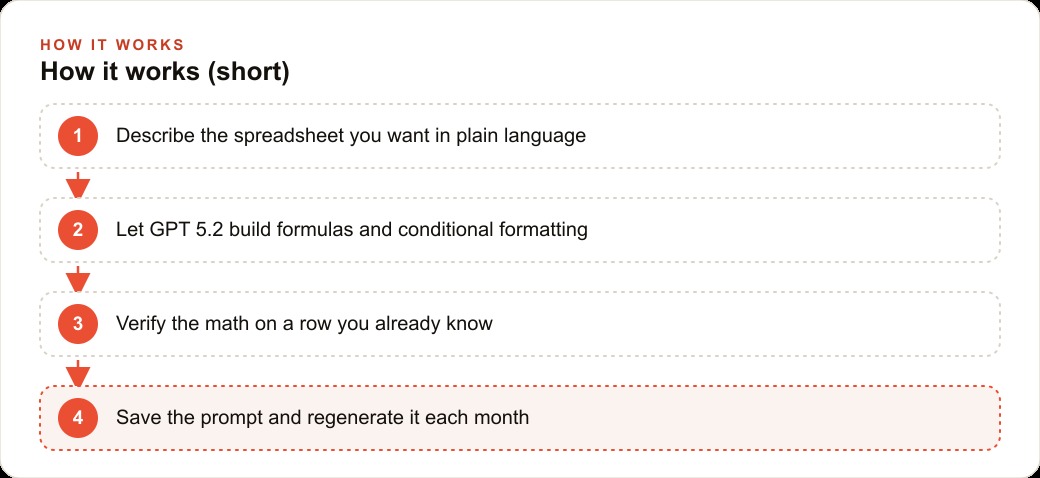
The follow-up from any successful version is to save the prompt that produced it. A prompt that reliably generates a working monthly budget tracker is a business asset that saves you or someone on your team thirty to sixty minutes every month. Thirty minutes per month for twelve months is six hours per year. At any reasonable hourly value, a saved prompt that eliminates six hours of manual recurring work has a return that makes finding it worth a meaningful amount of upfront testing time. Test the task, save the prompt, use it every month. That is the discipline that converts a product review into a recurring operational improvement. The practical takeaway from the GPT 5.2 evaluation is not that one model dominates everything. It is that the right model for your most common task type is now clear, the cost to access it is lower than it has ever been, and the time investment in finding the right prompt for your recurring work pays back every time you use it. Build the prompt library. Use the right model. Measure the time recovered. That is the full discipline.
That is exactly what we do at AI DOERS. Book a private 30-minute call with Madhuranjan Kumar and we will map the fastest path to it for your specific business.
Book your call →
Madhuranjan Kumar
Madhuranjan Kumar brings 20 years of performance-marketing experience and has managed over $200 million in Facebook ad spend for brands across the United States and beyond. His expertise spans the full modern marketing stack: Meta, Google Ads, TikTok, email automation, CRM, and the websites that hold it together. At AI DOERS he turns that track record into lead-generation systems for businesses across every industry.