
GPT-5.2 Is Built for Real Work: Spreadsheets, Reports, and Reliable Tool Use
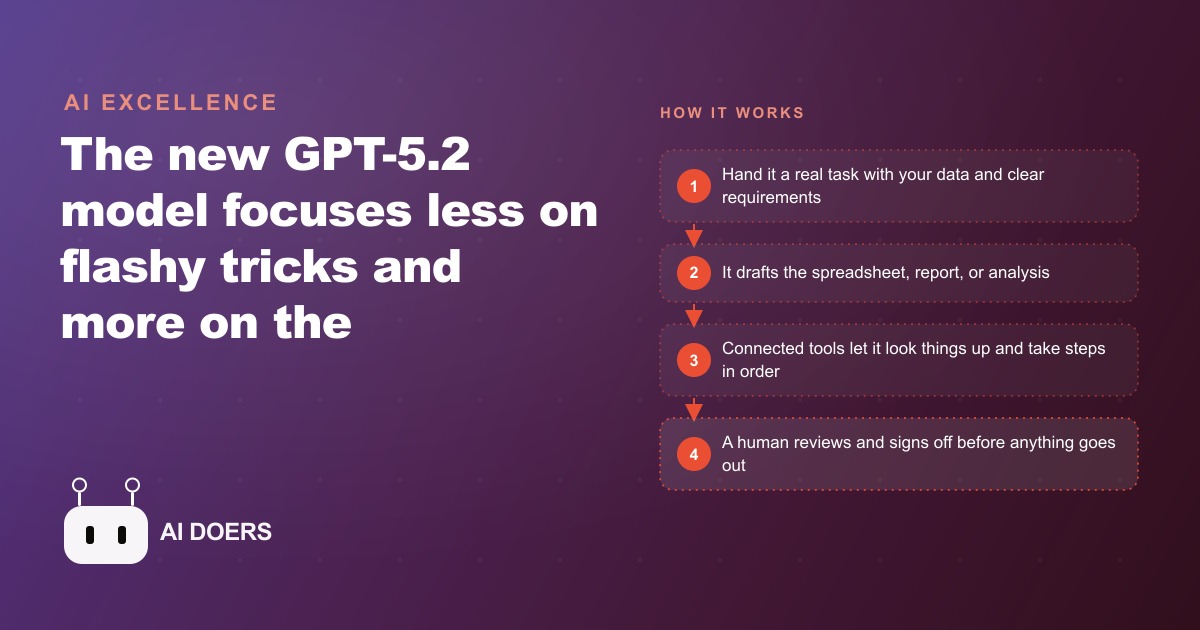
The new GPT-5.2 focuses less on flashy demos and more on the work a business actually needs: accurate spreadsheets, cleaner reports, sharper visual reasoning, and far more reliable multi-step tool use.

Most model upgrades are measured by exam scores that never touch a real workday. GPT-5.2 is different, and that is why I am paying attention to it. The release from OpenAI puts its weight on economically valuable work, the spreadsheets, reports, analysis, and multi-step tasks a business actually runs on, rather than on party tricks that impress in a demo and do nothing on a Tuesday. I am Madhuranjan Kumar, and the only benchmark I care about is whether a model can produce a correct financial spreadsheet, a clean report, and a customer-support sequence that finishes without falling apart. Below are the specific upgrades that make this version worth putting to work, each one a concrete capability you can point at a real task.
It finally gets the math right on a real spreadsheet
The upgrade that matters most for anyone who works with numbers is accuracy on formulas. In a direct side-by-side, the previous version was handed a financial spreadsheet and miscalculated the formulas, leaving rows blank and producing a wrong final figure. The new version got the same complex spreadsheet right. That is not a small polish. For anything involving money, correctness is the entire value, because a confident wrong number is worse than no number at all. A blank cell tells you to go check. A wrong total that looks plausible sails through and causes damage downstream. Moving from often-wrong to reliably-right on real financial calculations is the single change that makes this model usable for first-draft numbers work, with a human still approving the result.
It formats documents that a person can actually read
The second upgrade is presentation. Reports and spreadsheets come out formatted, structured, and easy to scan, rather than as a wall of raw output you have to clean up yourself. This sounds cosmetic and is not. In most businesses, the bottleneck is not producing data, it is turning data into something a client or a manager can absorb in two minutes. Same underlying numbers, far better presentation, means the model now does the tedious formatting step that used to eat an hour after the analysis was already done. A monthly report that arrives already laid out clearly is a report you can send after a quick review instead of rebuilding.
It reads charts, screens, and photos with roughly half the errors
The third upgrade is visual reasoning, and the improvement is large. The model cut error rates roughly in half on understanding charts and interfaces. In one test it looked at a photo of a circuit board and correctly identified far more of the parts than the prior version. In another it read a software dashboard much more accurately. For any business where the answer lives in an image or on a screen, this is a real unlock. A contractor photographing a site, an operator reading a dashboard, an office turning a scanned form into structured fields, all of these depend on the model actually seeing correctly. Halving the error rate on visual tasks is the difference between a tool you can trust with a photo and one you have to double-check every time.
It holds together across long chains of tool calls
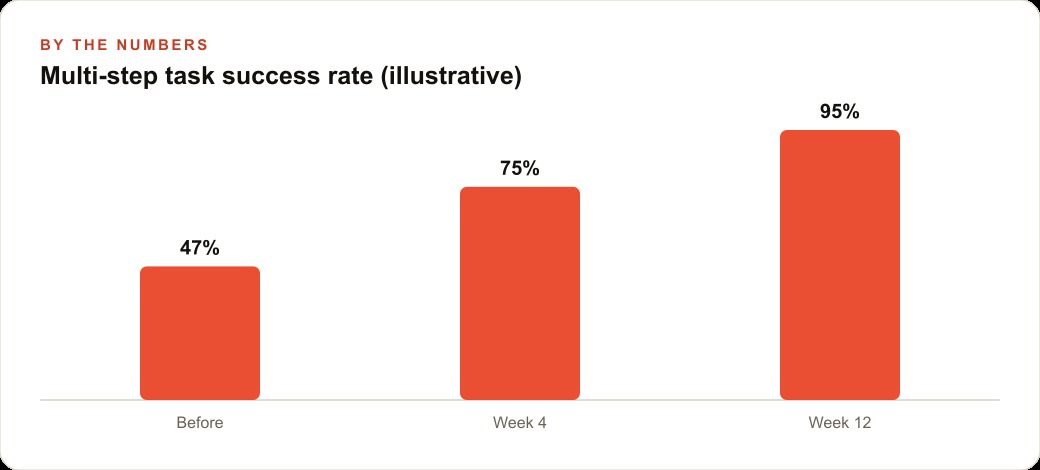
The fourth upgrade is reliability across multi-step sequences, and for automation it may be the most consequential of all. On a multi-step support scenario, the new version nearly doubled the success rate of the prior one. A long automated sequence looks like this: look something up, take an action, check a result, take the next action, and so on. The old failure mode was breaking somewhere in the middle, leaving a half-finished task and a mess to untangle. Nearly doubling the success rate means those long chains finally complete instead of stalling. This is what turns AI from a thing that answers a single question into a thing that runs an actual process, and reliable tool use is the foundation under any serious automation in a CRM and website stack, where a sequence that only finishes half the time is worse than no automation at all.
It makes fewer things up
The fifth upgrade is quieter and easy to underrate: hallucination rates dropped on real tasks. The model invents fewer false answers, which means you can trust more of what it produces without re-checking every single line. Every fabricated detail in an AI draft costs staff time to catch, and a tool that frequently makes things up can actually be slower than doing the work by hand, because verification eats the time savings. Cutting the rate of made-up answers is what makes the output genuinely useful rather than a draft you have to audit word by word. It does not remove the need for review on high-stakes work, but it changes review from hunting for lies to confirming facts.
It still needs a human to sign off, and that is correct
The sixth point is a limit, and naming it honestly is part of using the tool well. On high-stakes numbers, a person still reviews and approves the output. The model drafts, the human verifies. This is not a weakness to apologize for. It is the right division of labor. The model does the heavy lifting of building the spreadsheet, formatting the report, or running the sequence, and the human keeps the one job that matters most, which is accountability for what goes out the door. Any workflow you build around this model should have a clear sign-off step on anything involving money, compliance, or a client promise. The gain is speed on the draft, not the removal of judgment.
It costs a bit more but returns more per dollar
The final consideration is price. GPT-5.2 costs somewhat more per use than the prior version. Taken alone that sounds like a downside, but it is the wrong way to read it. The model does far more correctly, which means fewer re-runs, less time spent fixing wrong output, and more tasks that actually complete. The net is more reliable output for the money, not less value. When you evaluate a tool for real work, the price per call is a distraction. The number that matters is cost per correct, finished result, and on that measure the more capable model usually wins even at a higher sticker price.
What this looks like for an optometry practice
Let me put the whole list to work in an unnamed optometry practice, because it mixes documents, scheduling, visual records, and a steady stream of patient questions, which touches nearly every upgrade above.
Start at the front desk, where the same questions arrive all day. Do you take my insurance, how long does an exam take, can I reorder my contacts, what is the difference between these lens coatings. The reliable tool use means the model can now run a real sequence for a patient message: check the record, confirm coverage, propose appointment slots, and draft a reply, and actually finish that chain instead of stalling partway, which the prior version often did. Say the practice handles roughly 200 patient messages a week. If drafting and routing them reliably saves even a couple of minutes each, that is around six to seven hours a week returned to the front-desk staff, on a task that used to fragment their whole day.
On the back office, the spreadsheet and report accuracy earns its keep on the practice's numbers. The model drafts insurance reconciliation summaries and monthly performance reports that are formatted clearly and, crucially, calculated correctly, with the office manager reviewing and signing off before anything is filed. Because the math is now reliable, that review is a confirmation rather than a rebuild. The improved visual reasoning helps too. The model is better at reading charts and structured screens, so it can summarize the kind of dashboard data the practice tracks, or turn a scanned intake form into clean structured fields with far fewer mistakes. And because hallucinations dropped, fewer of those drafts come back with invented details that waste staff time to catch.
To be clear about the boundary, the doctor makes every clinical and prescribing decision. The AI handles the paperwork and the routine questions around the care, never the care itself. Let me put rough numbers on the back-office side too, because that is where the accuracy upgrade earns its keep. Suppose the office manager spends around six hours at each month end assembling insurance reconciliation and a performance summary, and historically a chunk of that time went into hunting down formula errors and reformatting a messy export into something readable. With the model drafting the spreadsheet correctly and formatting the report cleanly, that six hours can fall toward two, most of it now spent reviewing and signing off rather than building from scratch. Across a year that is dozens of hours returned, and more importantly the numbers that get filed are right the first time, which removes the quiet risk of a wrong figure slipping through unnoticed.
There is a second-order benefit worth naming. When the front desk answers faster and the back office closes cleaner, the whole practice has more slack, and that slack tends to flow into the things that actually grow a business, following up with patients who are due for an exam, keeping the reorder reminders going, staying responsive to reviews. The illustrative payoff is a front desk that answers faster and a back office that closes the month cleaner, with the optometrist and staff spending their attention on patients instead of retyping forms and chasing formula errors. The same clean patient communications and freed-up hours also make it easier to keep the practice's marketing consistent, from the copy behind Facebook and Instagram ad campaigns to the content that feeds SEO and organic search.
How to actually put these upgrades to work
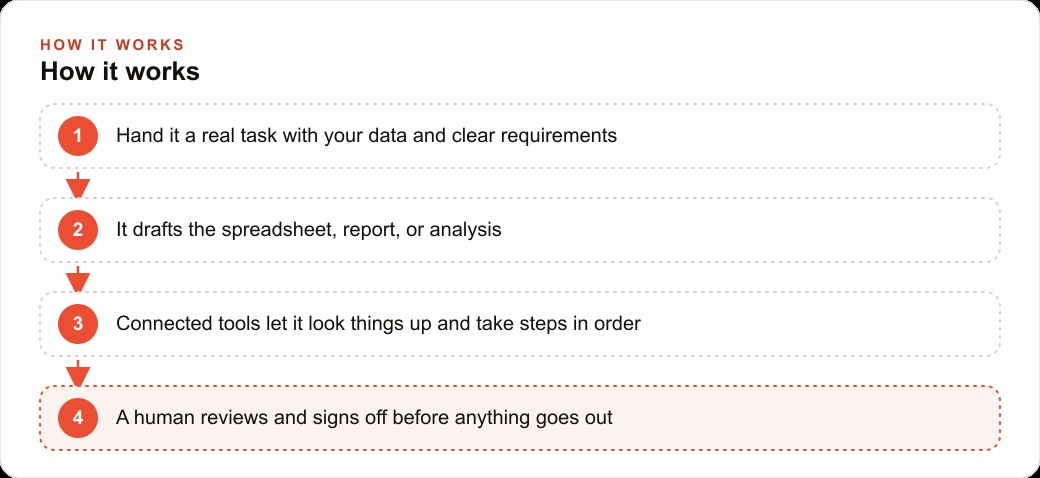
Pulling the list together into a way of working is straightforward. Hand the model a real task with your own data and clear requirements rather than a toy example, because the whole point of this version is that it performs on real work. Keep a human in the approval seat for anything high-stakes, which is where the sign-off limit above becomes a rule rather than a suggestion. Connect the tools it needs, your calendar and your records, so it can look things up and take steps in order instead of guessing, since the reliable tool use only helps if the tools are actually wired in. Build your repeatable tasks as templates, the monthly report, the standard patient reply, so you get the same correct result every time rather than reinventing the prompt on each run. And verify the numbers on the first several runs until you have earned trust in the setup, then let it run.
The honest takeaway across all of this is that the model is now reliable enough for real work, but the value comes from wiring it to your actual data and keeping a sensible review step. The capability shipped in the model. The results come from the setup around it. You can teach yourself this over a few focused sessions with your own spreadsheets and your own inbox. If you would rather have the spreadsheets, reports, and front-desk workflows built and verified around your own business so they simply run, that is the kind of setup you can hand to an expert and skip the trial and error. Either way, the point stands: this is the first model upgrade in a while that is measured by whether it survives a real workday, and on that test it earns its place. The flashy demos will keep coming and keep grabbing headlines, but the model that quietly builds a correct spreadsheet, formats a clean report, reads a chart without inventing details, and finishes a long automated sequence is the one that actually changes how a business operates. That is the whole reason this release deserves a serious look rather than a passing shrug from anyone who runs a real business.
That is exactly what we do at AI DOERS. Book a private 30-minute call with Madhuranjan Kumar and we will map the fastest path to it for your specific business.
Book your call →
Madhuranjan Kumar
Madhuranjan Kumar brings 20 years of performance-marketing experience and has managed over $200 million in Facebook ad spend for brands across the United States and beyond. His expertise spans the full modern marketing stack: Meta, Google Ads, TikTok, email automation, CRM, and the websites that hold it together. At AI DOERS he turns that track record into lead-generation systems for businesses across every industry.