
Google Stitch: How Vibe Design Turns a Conversation Into a Working Website
Google Stitch is an AI-native design canvas where you describe a site in plain words or by voice and watch a working, clickable version build itself in minutes, then export it to Figma, code, or a live link.

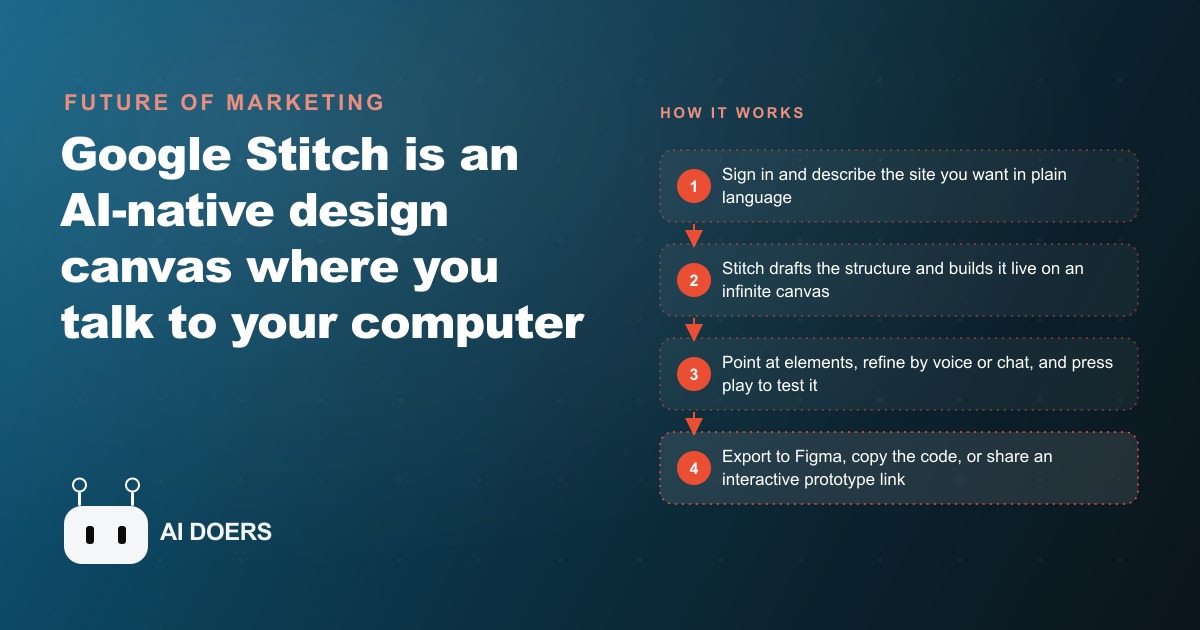
Two sentences and sixty seconds produced a full multi-page recipe site in the Google Stitch demo that circulated after the tool launched. That result is not a cherry-picked outlier. It is what Stitch does when you give it specific input, and the gap between a generic draft and something client-ready is almost entirely explained by the quality of that input.
I am Madhuranjan Kumar, and what I want to walk through here is the actual sequence of moves that gets you from a raw idea to a tested, exportable prototype in Stitch, not a tour of the interface but the practical path that works on real projects.
Write the brief before you open the canvas
The temptation with any AI design tool is to open it and start typing vaguely. That temptation is worth resisting. The quality of what Stitch produces is a direct function of how specific your input is, so the work worth doing before you touch the canvas is writing a brief that names every section, the single visitor action you want, and the tone the page should carry.
For a roofing company running a storm-damage campaign, a useful brief looks like this: a landing page for free post-storm roof inspections, hero section with urgency headline, a short explainer of the inspection scope, before-and-after photo grid for shingle and gutter damage, a list of services including shingle repair and insurance claim assistance, five short homeowner testimonials, and a prominent quote request form both at the top and the bottom of the page. That brief takes ninety seconds to write and produces a first draft that needs refinement rather than a rebuild.
Stitch uses a feature called Ideate to translate intent into structure. Give it a vague prompt and it produces a generic layout. Give it a specific brief and Ideate maps each section to what you described, in the order you described it. You are not saving time by being brief at the start. You are borrowing against revision cycles you will need to pay for later.
Let Ideate build while you watch
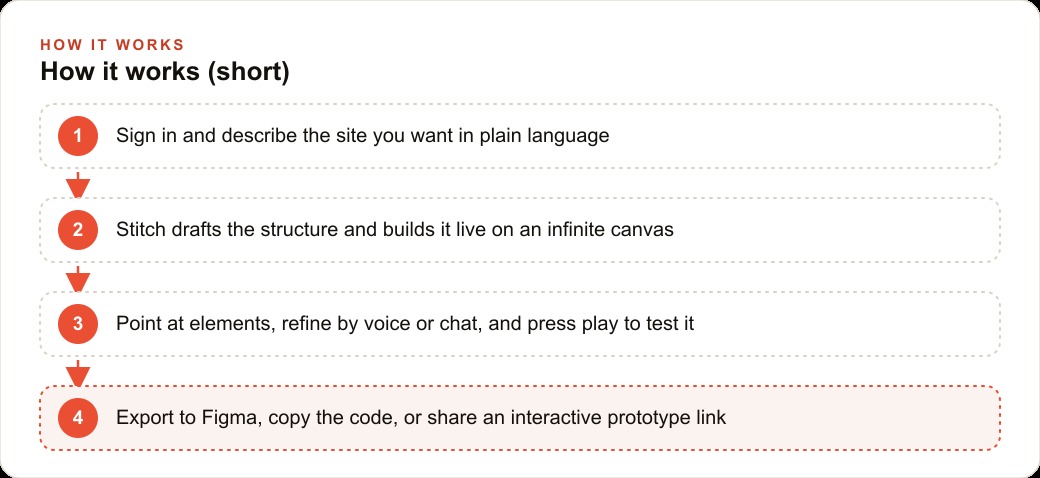
Once you submit the brief, Stitch builds the layout on the canvas in real time. You watch it construct section by section, which means you can catch anything going in the wrong direction before the draft is complete. Most of the time the first draft is close enough that the work from here is refinement rather than correction.
The live voice mode changes the experience meaningfully. Speak your instructions out loud and the canvas updates as you talk, the way you would brief a designer sitting next to you. For a multi-page site you can walk through the structure verbally while watching the canvas, and it handles natural follow-up without losing context. Saying something like "go ahead and build the whole thing" while you describe the sections produces a multi-page layout while you keep talking.
The infinite canvas is worth using deliberately. Build two versions of the same page side by side and compare them before committing to one direction. This is particularly useful when you are testing two conversion hypotheses for a landing page, where a small difference in the hero or the form placement can change cost per lead on Facebook and Instagram ad campaigns measurably across a campaign cycle. Building both versions costs an afternoon rather than two separate design retainers.
Point at elements to make precise changes
After the first draft is on the canvas, use the side panel to select the specific element you want to change before giving an instruction. This matters because vague edit instructions produce vague results. Saying "make the button bigger" when there are six buttons on the page is a guess. Selecting the specific button in the side panel and then saying "move this above the testimonials and increase the contrast" produces exactly the change you intended.
Direct edit mode is the tighter version of this. Select one element and change only that piece without regenerating the rest of the page. When a section is nearly right and one detail needs adjusting, direct edit keeps the rest stable while you fix the one thing.
Stitch also accepts input beyond text and voice. Drop in a screenshot of a page that converts well in your market and it builds in that visual direction. Upload a hand-drawn sketch and it produces a structured layout that matches the rough sketch. Add brand colors and font preferences in the style panel and they apply consistently across all sections. Each revision takes seconds rather than hours, so you are refining forward rather than rebuilding from scratch.
For businesses running Google Ads to dedicated landing pages, this changes the economics of testing creative concepts. You can build and compare multiple page versions in a single afternoon, which means you can maintain dedicated pages for different audience segments without waiting days for a designer to finish the first iteration.
Press play and walk the page as a visitor
Before calling a design done, press the play button and walk through the full user flow the way your target visitor would. Stitch's play mode converts the static design into a clickable prototype. Navigation links work, the back button returns to the previous page, and form fields activate on click. You experience the page as a visitor rather than reviewing it as a creator.
This step catches friction that is invisible in design view. A form that looks prominently placed in the static layout might feel buried when you are scrolling on a mobile screen. A call to action clear at a glance might feel ambiguous when you read it in the flow of the page rather than examining it in isolation. A section intended as a visual anchor can look like background noise when you move through the page at a visitor's pace.
The walkthrough should answer one question: can someone who knows nothing about this business get from the hero to a submitted form without pausing or backtracking? If anything slows that path, fix it before the next review. Landing pages with small amounts of friction in the conversion path cost real money in any paid channel, whether the traffic comes from paid social or search, and the few minutes of play-mode testing before sign-off is always worth the time.
Export for the next stage of the build
Stitch is the prototype stage, not a replacement for a developer or hosting environment. When the design is solid, choose the export path that fits what happens next.
Exporting to Figma produces native format a designer can refine or a developer can reference. Copying the code gives usable HTML and CSS a developer can take into a real hosting environment. A zip download includes all the visual assets. Building live through Google AI Studio is the fastest path to a shareable URL. A share link sends a stakeholder to an interactive prototype they can click through on any device without installing anything.
Every investment you make in the design and content during the prototype travels with you on export. None of it disappears if you move the project to a different tool or developer. That portability makes Stitch the right starting point for any site or landing page project, because you move quickly, validate the concept with real feedback, and carry the work forward into whatever technical environment the production site requires.
Prototype before commitment is the pattern worth building. A landing page concept that previously required a design retainer before you could validate it can now be prototyped in an afternoon and tested with a small ad budget before you spend real money on development. That sequence changes the risk profile of every new campaign idea.
A concrete morning for a home services company
The real test of any workflow is how it performs under a realistic constraint. Consider a home services company launching a summer campaign across three services: HVAC tune-ups, roof inspections, and window cleaning. Each service has a different audience, a different urgency, and a different call to action. Building three dedicated pages the traditional way requires three design briefs, three rounds of revisions, and three development deployments. The company either builds one generic page and accepts lower conversion, or waits two weeks and misses the early-summer search peak.
With Stitch, the morning starts with three canvas sessions, one per service. Each session gets a specific brief written around what that particular audience is thinking at this point in the season. The HVAC brief leads with cooling efficiency and summer comfort. The roof brief leads with storm season and inspection urgency. The window brief leads with curb appeal before summer events. Each brief takes about five minutes because the thinking about the audience happens before the canvas opens.
By midday, three first drafts exist. Play mode on each one reveals that the HVAC page's form is buried below a long testimonials block. One voice instruction moves it. The roof page uses a call to action that asks for a quote when the offer is actually a free inspection. Direct edit fixes the copy in thirty seconds. The window page is close enough after one headline adjustment.
By early afternoon, three tested prototypes are ready for client review. The client walks through each one on a phone, notes two copy changes, and approves the direction. The developer builds and deploys the next day. The campaign launches that week rather than two weeks later.
In a seasonal services business, that timing matters. Search intent concentrates at specific moments, and a page ready when demand peaks rather than after it fades changes the outcome of a campaign. The same logic applies to any business that needs to respond quickly when a competitor moves, a seasonal window opens, or a new offer needs its own landing page.
Good SEO and organic search performance depends partly on page architecture, headline structure, and the clarity of section flow. A Stitch prototype forces you to make those structural decisions before a developer touches the project, which means the page has a better foundation when it goes live than it would if those decisions were made under deadline pressure in code. The brief-first, prototype-first discipline pays in organic results over time as well as in campaign performance in the near term.
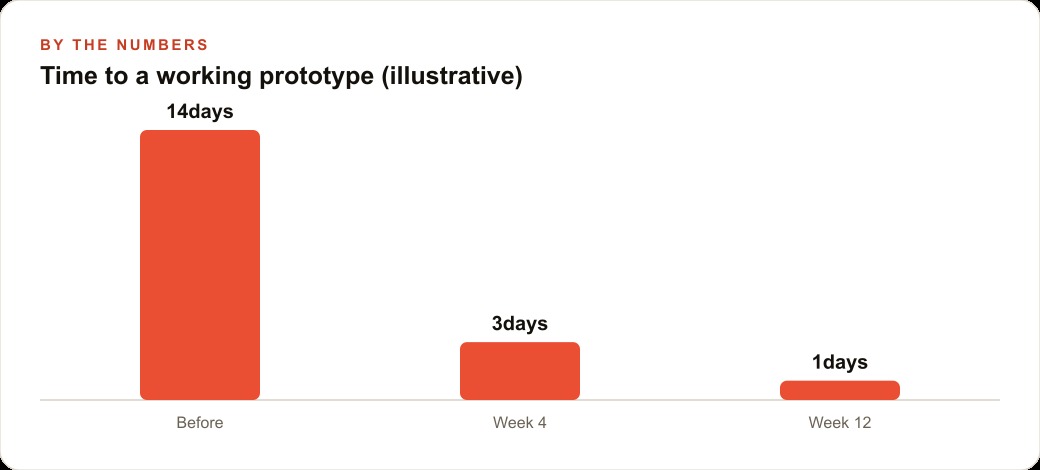
The summary is simple: Stitch closes the gap between an idea and a tested prototype from days to hours. The skill that makes it work is specificity at the brief stage, and that skill takes ten minutes to develop and pays for itself on the first use.
That is exactly what we do at AI DOERS. Book a private 30-minute call with Madhuranjan Kumar and we will map the fastest path to it for your specific business.
Book your call →
Madhuranjan Kumar
Madhuranjan Kumar brings 20 years of performance-marketing experience and has managed over $200 million in Facebook ad spend for brands across the United States and beyond. His expertise spans the full modern marketing stack: Meta, Google Ads, TikTok, email automation, CRM, and the websites that hold it together. At AI DOERS he turns that track record into lead-generation systems for businesses across every industry.