
50 Things You Can Do with Google's Free AI Image Editor That Used to Require Photoshop
Google's Gemini Flash 2.5 image model, widely called Nano Banana, handles object removal, style transfer, headshot generation, character consistency, and space redesign at zero cost through Google AI Studio.

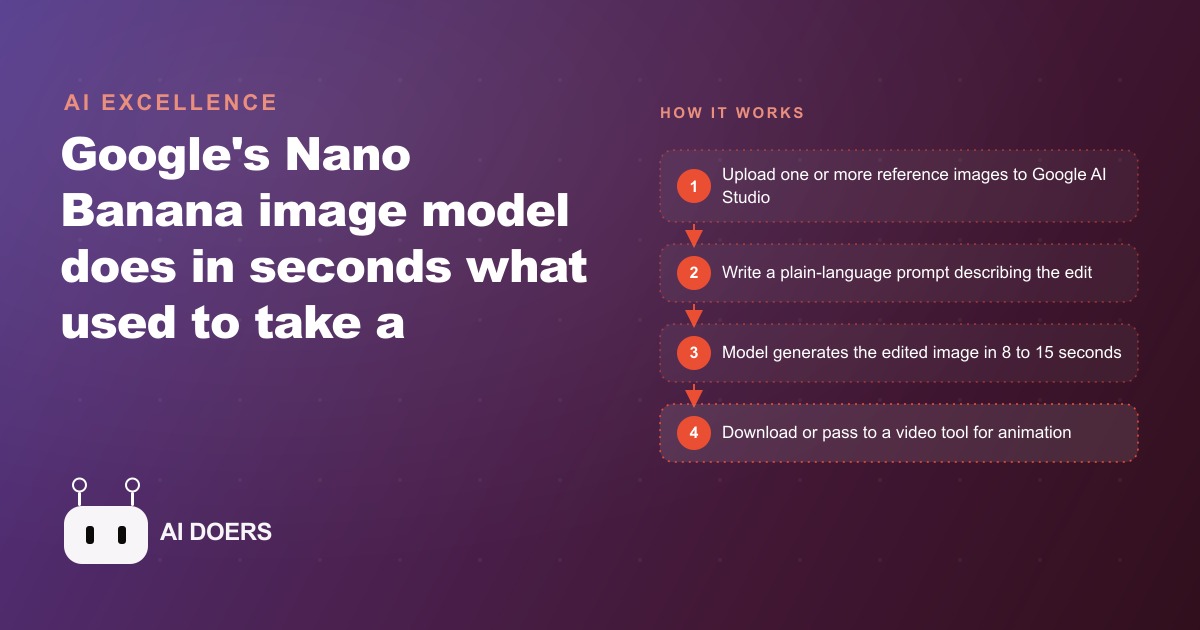
In May 2025 Google released a free image editing model that removes objects, generates studio headshots, tries outfits on a face, and maintains a character's appearance across hundreds of scenes, with no credit system, no subscription, and no Photoshop license required.
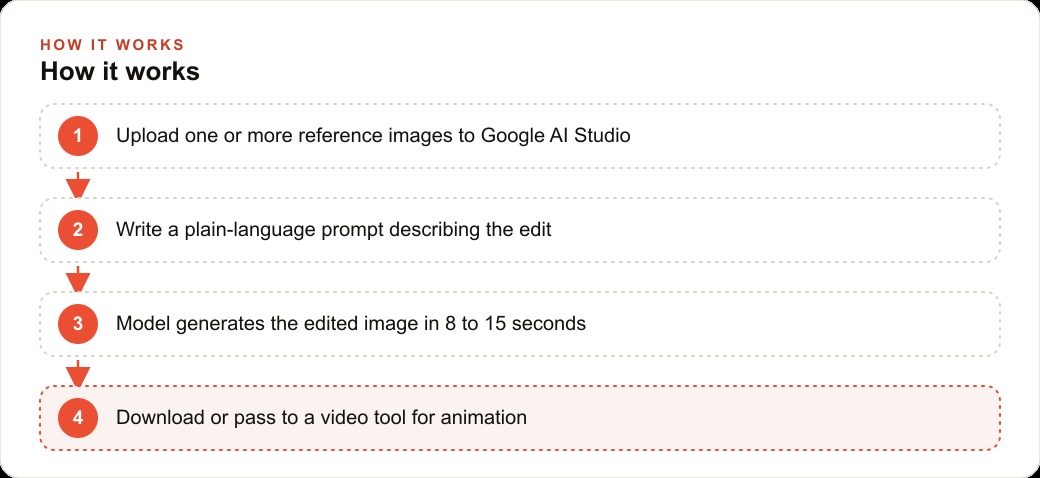
The model is called Gemini Flash 2.5 Image Preview. The community quickly started calling it Nano Banana after an early demonstration, and the nickname stuck. It lives inside Google AI Studio, accessible with any Google account at studio.google.com. You upload an image, write a plain-language instruction about what you want to change, and get the edited result back in roughly eight to fifteen seconds.
What distinguishes it from previous AI image tools is that it was built specifically for editing, not just generation. Earlier models were trained to create images from text descriptions. Nano Banana was trained to take an existing image and modify it from instructions. That distinction is what makes it immediately useful for businesses that already have photos and need professional-quality variations without paying a designer for each one.
I am Madhuranjan Kumar. I work with businesses that consistently spend money on design and photography work that this model can now do for free. The seven capabilities below are the ones where the gap between what required an expert six months ago and what a text prompt does today is widest.
Erase an unwanted object and let the model fill in the background as if it was never there
This is the capability that required the most skill in Photoshop. Removing an object from a scene requires selecting it precisely, then filling the gap with background content that is consistent with surrounding texture, lighting, and depth. Photoshop's Content-Aware Fill does this adequately on simple backgrounds. On complex backgrounds, it historically required manual cloning and healing by someone who knew what they were doing.
Nano Banana handles this with a text prompt. Upload an image, describe what to remove, and the model fills the gap. A road photo with a traffic cone and a construction sign can be returned as the same road with no obstructions, the background filled so naturally that it is difficult to spot the difference. A group photo with an unwanted person in the frame becomes a photo of just the people you want, with the background reconstructed behind where the person was standing.
For businesses this has immediate use in product photography. A shot taken in a real location often has distracting elements in the frame. Removing them previously meant reshooting or paying a designer to retouch. Now it is a text prompt and fifteen seconds.
Turn a casual webcam shot into a usable studio headshot in under thirty seconds
Studio headshots cost between fifty and three hundred dollars per person when commissioned through a photographer. For a team of eight, that is a recurring expense every time someone new joins or an existing headshot becomes outdated. The quality gap between a phone camera shot and a professional headshot has historically been significant enough that using the phone photo looked unprofessional.
Nano Banana closes most of that gap. Upload a casual photo and prompt the model for a professional studio quality headshot. The model adjusts lighting to match a studio setup, sharpens and clarifies the background or replaces it, and produces something suitable for a LinkedIn profile or a company website team page.
The output is not identical to a studio session with professional lighting and a DSLR. But it is substantially better than the original phone photo, and for most business applications, it is suitable for professional use. For a small business where six staff members each need a headshot updated this year, the saving in photography fees is direct and meaningful.
Preview an outfit on your own face before you step into a store or commit to a purchase
Fashion retailers have spent years and significant development budget trying to solve virtual try-on. Most solutions required a specialized app, a calibrated camera setup, or a custom-trained model built specifically for the retailer's clothing catalog. Nano Banana handles this in general terms with a reference image.
Upload a photo of yourself alongside a photo of the outfit or hairstyle you want to preview. The model places you in the look. The result is accurate enough to make a meaningful judgment about whether the style works before committing to the purchase or appointment.
For a retailer, this capability is a direct fit for product pages and social ads. A potential buyer on the fence about a dress does not need to imagine themselves in it. They can generate a preview. The same mechanic works for hairstyles at a salon, glasses at an eyewear retailer, or furniture in a room. The try-before-you-buy experience, previously limited to apps with large development budgets, is now a feature any business can point customers toward through a free Google tool.
Keep one character looking identical across unlimited different scenes and poses
Character consistency has been the most persistent pain point in AI image generation since the field went mainstream. Models are good at generating individual images but tend to drift when you ask for the same character in a new scene. The hair changes. The face structure shifts. The clothing color changes shade. Building a consistent visual identity for a mascot or a recurring character required either an illustrator doing each image by hand or a specialized fine-tuning workflow that took days to set up.
Nano Banana handles this through reference images. Upload the same reference photo of the character at the start of each prompt, and the model maintains the character's appearance across unlimited scenes. The same character riding a bike, shooting a basketball, holding hands with someone, sitting at a desk, and taking a selfie can all come from separate prompts, all anchored to the same reference, and all maintaining the same face, build, and styling.
For businesses running /meta-ads campaigns with a recurring brand character, this is a production workflow change. Previously, each new ad creative featuring the mascot required a design session to keep the character consistent. Now it is a prompt referencing the same image every time. The production cost of maintaining a visual identity across a long campaign drops substantially.
Redesign a room, yard, or storefront from a photo and a sentence
Interior designers and architects have used rendering software for decades to show clients what a space could look like after a renovation. That software required training to use and licensing fees to access. Photorealistic rendering from a description required either high-end 3D modeling software or a specialist who could produce it.
Nano Banana accepts a photo of any existing space and produces a realistic preview of what it would look like after changes described in a text prompt. Change the furniture style to Scandinavian minimalist. Add a stone fireplace to the far wall. Replace the outdoor patio furniture with a built-in bench. Each of these prompts produces a visual preview in seconds.
For real estate, this means listing photos of an empty or dated space can be shown alongside redesign previews that help buyers see the potential. For a retail business, it means storefront redesign concepts can be generated without commissioning architectural drawings. For local businesses producing /seo-content that includes location photography, the ability to generate aspirational versions of the space creates visual content options that were previously out of reach without significant production budget.
Generate a product mockup on a t-shirt, bottle, or card directly from a logo file
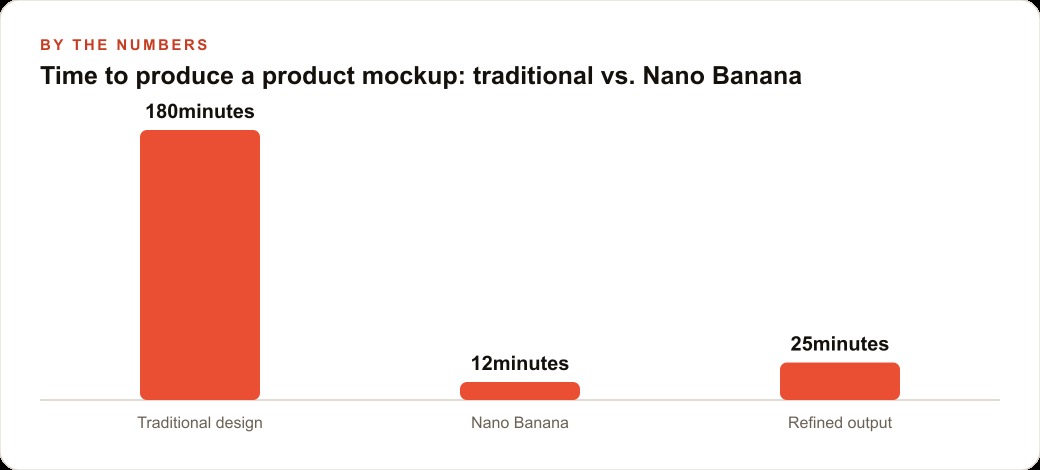
Product mockups are a persistent need in branding and marketing work. A business launching a branded merchandise line, a sponsor preparing presentation materials, or a startup putting together a pitch deck all need to show the logo on physical objects: t-shirts, mugs, bottles, business cards, packaging. Commissioning mockups from a designer typically costs between twenty and eighty dollars per item and takes a day or two of turnaround.
Nano Banana generates these from a logo file directly. Upload the logo and prompt the model to place it on a t-shirt, a glass bottle, a business card, or a banner. The output is a near-production-quality mockup in under ten seconds. For a product line with ten SKUs that each need three mockup variations for the website, that is thirty mockups that would cost between six hundred and twenty-four hundred dollars from a designer and arrive in a week, generated in under an hour for free.
The quality ceiling matters here. Nano Banana mockups are good enough for most website and ad use cases. They are not always good enough for high-resolution print production or for luxury brand contexts where every detail of the packaging render needs to be exact. Knowing which use case you are in determines whether the free output is sufficient or whether you need a final polish pass.
Convert any photograph into an isometric illustration or a coloring-page outline
Style transfer in Photoshop required either a skilled artist who understood how to manually restructure a photograph into an illustration or a specialist who had built and trained their own Photoshop actions for a specific style. Getting a realistic photo of a building into a clean isometric illustration took multiple hours of expert manual work.
A single prompt handles this in Nano Banana. Upload a photo of a building, a product, a character, or a scene, and prompt the model to render it as an isometric illustration, a game-style graphic, a Studio Ghibli scene, a 1940s black-and-white photograph, or a coloring-page outline. The transformation is complete in seconds.
For businesses, the most immediate use is brand content diversification. A realistic product photo can become an illustration for a different context without a second photoshoot or a design session. A coloring-page version of a product can be turned into a downloadable asset for a kids-oriented campaign or a print marketing piece. For any business managing a /web-crm that sends email campaigns, having visual variety across formats without paying a designer for each style version makes the content program sustainable at a higher volume.
The practical limit worth knowing is that text within images remains inconsistent in style transfer outputs. If the original image contains words or logos that need to transfer cleanly into the new style, a finishing step in a design tool is usually faster than prompting for precision text handling. For every other element of a scene, Nano Banana's style transfer is reliable enough for production use in most business contexts.
Across all seven of these capabilities, the underlying shift is the same. Design and photography tasks that once required either specialist skill or specialist tools have moved to a text prompt available in a free browser tab. The bottleneck is no longer access or budget. It is knowing which prompts produce the results you need, and that knowledge is built in an afternoon of testing rather than a semester of software training.
For any business that has been working around the cost of professional imagery by using lower-quality alternatives, the practical step is to go to studio.google.com, select Gemini 2.5 Flash Image Preview, upload one real photo from your business, and ask it to do something you currently pay someone else to do. The result will tell you more than any article can about how much of your current design spend this tool can absorb. The cost of the test is zero. The cost of not testing it is continuing to pay for work that a text prompt now handles in fifteen seconds.
Google published an official prompting guide specifically for Nano Banana covering the most common editing tasks. Reading through it before your first session saves significant trial-and-error time, because the prompt structures that produce reliable results for object removal, style transfer, and person replacement are specific enough that improvised instructions regularly miss. Twenty minutes with that guide is worth more than an hour of undirected experimentation. The tool is free. The knowledge of how to use it well is the only investment the capability actually requires.
That is exactly what we do at AI DOERS. Book a private 30-minute call with Madhuranjan Kumar and we will map the fastest path to it for your specific business.
Book your call →
Madhuranjan Kumar
Madhuranjan Kumar brings 20 years of performance-marketing experience and has managed over $200 million in Facebook ad spend for brands across the United States and beyond. His expertise spans the full modern marketing stack: Meta, Google Ads, TikTok, email automation, CRM, and the websites that hold it together. At AI DOERS he turns that track record into lead-generation systems for businesses across every industry.