
Google Gemini Feature Guide: Everything From the Free Plan to the Advanced Tools That Save Business Hours Every Week
Most people use Google Gemini for simple chat. But the platform has a full suite of AI capabilities including deep research, document analysis, image understanding, and deep Google Workspace integration. Here is the complete picture and how to use it for real business work.

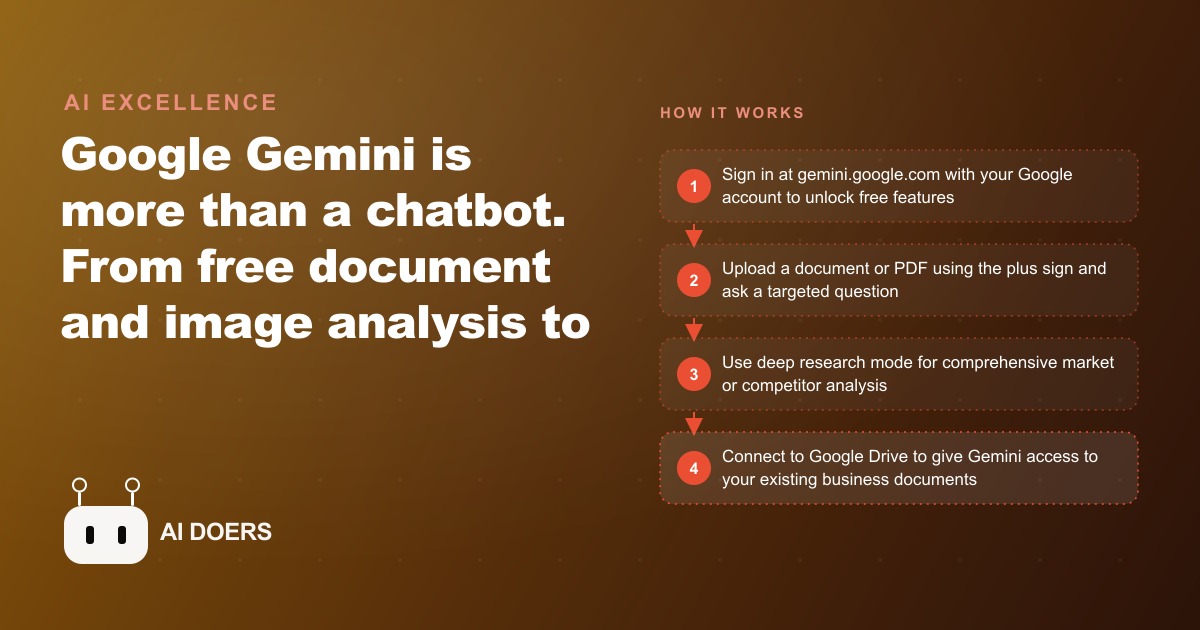
Most people who use Google Gemini every day are getting about 20 percent of what it can do, because they treat it like a chatbot that also happens to be made by Google. I, Madhuranjan Kumar, have worked through the full feature set carefully, and the right mental model is not a chatbot. It is an AI platform with a research engine, a document analyst, and a workspace co-pilot built in, and most people never leave the homepage to find any of them.
This matters practically because the value difference between the 20 percent use and the full use is large. It is not like getting most of the value with minimal effort. It is more like having a research assistant who is also a document analyst, also your Gmail co-writer, and also your spreadsheet helper, and never asking them to do anything but answer general questions. The capability is there. The limitation is behavioral, and behavioral limitations are the easiest kind to fix once you know where they are.
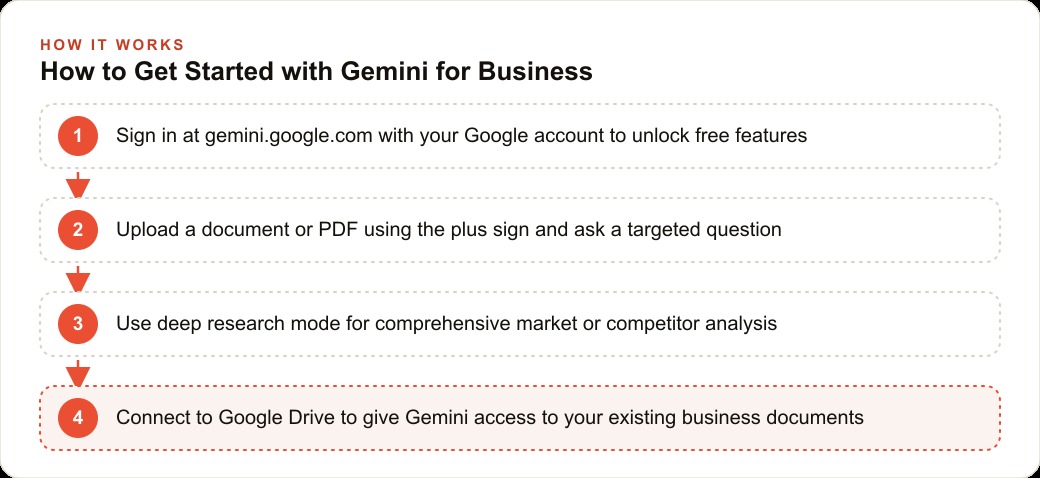
Signing in changes the platform you are using, not just your account
Anonymous use of gemini.google.com shows you a capable interface with a limited model behind it. Signing into your Google account does not just save your conversation history. It changes which model version you are running, and that change is not incremental. It is the difference between a version optimized for light-load anonymous queries and a version designed for serious use.
This sounds like a technicality, but the practical effect is that many people who tried Gemini without signing in and found it underwhelming were evaluating the wrong product. The version they encountered is the one Google maintains for unauthenticated access at scale. The version a signed-in user accesses reflects what the platform actually intends to deliver.
Beyond the model version, signing in also activates features unavailable anonymously: the ability to upload files that persist across a session, deeper integration options, and access to conversation history that lets you reference context from previous sessions when relevant. None of these are luxury features. They are the baseline for serious work.
The first move for anyone evaluating whether Gemini belongs in their workflow is to evaluate it signed in. That removes one of the most common reasons people dismiss the platform and then encounter it later in a demonstration and realize they were looking at a degraded version the whole time. The free signed-in tier is meaningfully more capable than anonymous access, and it costs nothing to try.
Deep research is not faster search; it is a different category of output
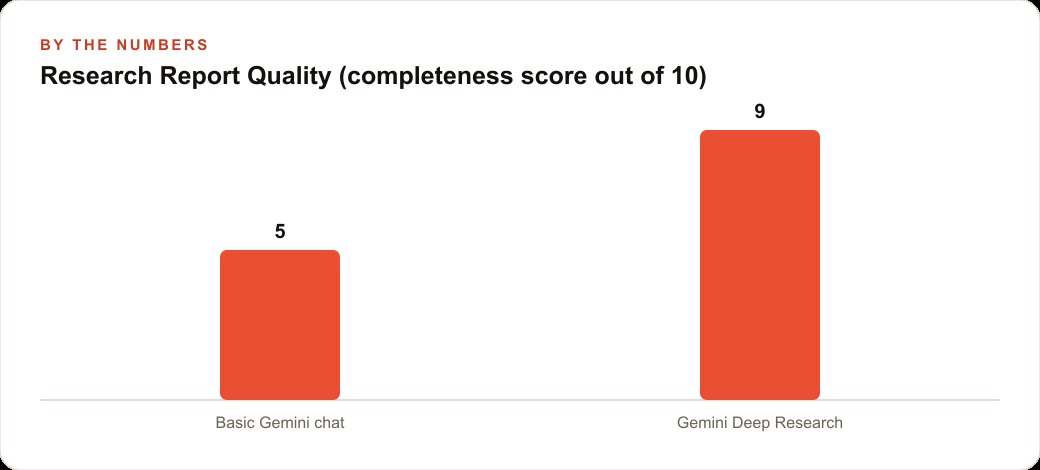
Standard Gemini chat produces an answer based on what the model knows plus a limited real-time search when relevant. The answer is usually accurate and useful for general questions. It is not sufficient for business decisions that require synthesizing information from many sources with traceable citations.
Deep research mode is a different product. When activated, it runs an extended search across dozens of web sources, synthesizes the findings, and produces a structured report with citations showing exactly where each claim came from. The process takes several minutes rather than seconds, and the output is not a chat response. It is a document with sections, findings, and source references that you can read, verify, and use as a foundation for a decision.
The practical difference is that general chat tells you what is commonly known about a topic. Deep research tells you what is actually happening on that topic right now, synthesized from the sources that are covering it. For market analysis, competitive research, regulatory research, or any task where you need to know what multiple credible sources say rather than what the model recalls, deep research is the appropriate tool and standard chat is not. Using chat where deep research is called for is like using a dictionary when you need a library.
Take a roofing contractor with five crews covering three adjacent counties. Building permit requirements, roofing material codes, and energy code specifications vary by county and update periodically, creating compliance risk and proposal errors when the specifications used are out of date. The project manager was spending about 3 hours per month manually browsing county building department websites, comparing requirements to standard specification sheets, and updating proposal templates.
With deep research mode, the project manager submits a monthly query covering current roofing material and installation requirements across the three counties. The model researches the relevant county publications, manufacturer certifications, and local code documents. It produces a synthesized report in about 8 minutes with the specific requirements and the source for each one. For individual proposals, the manager uploads the standard specification sheet and asks whether it meets requirements for the specific county and job type. The model reviews the document against the code requirements and flags any discrepancies.
Across a month with 12 proposals and monthly code research, the project manager saves approximately 8 hours. At a realistic rate for that role, that is more than the monthly cost of a Google AI Pro plan recovered in the first week of use. The deep research capability is what makes that math work. Standard chat would not produce a reliable answer on county-specific current code requirements.
The workspace integration that no competitor can copy
Every major AI platform can work with documents if you upload them. Only Gemini can work directly inside Gmail, Docs, Sheets, and Drive without requiring you to move content between applications.
This is the capability that competitors structurally cannot match. Other platforms can analyze documents you copy and paste into them. Gemini appears as a sidebar inside the Docs document you are already editing, reads the document in context, drafts a new section, improves existing paragraphs, or identifies inconsistencies, without you leaving the document. The same sidebar appears inside Gmail and reads your email thread before suggesting a draft reply that already knows what the thread covered.
For any business that runs primarily through Google Workspace, this is not a nice-to-have feature. It is the central productivity argument for Gemini over alternatives. The switching cost of moving content between applications is small per instance and significant per year. A team that drafts documents, writes emails, and maintains spreadsheets in Google tools loses five to ten minutes per AI interaction to moving content if they use a non-integrated tool. The same team using Gemini inside its existing tools loses none.
There is a subtler point here about what integration actually changes. When an AI tool requires you to copy content into it, you decide which content to share. That decision creates a selection bias: you share what you think is relevant, which is often not identical to what would produce the best answer. When the tool has access to the full document or the full email thread, it operates on complete information without your pre-selection. Answers built on complete context are more accurate and more useful than answers built on what you thought to include.
The model selector that most people skip, and why it shapes every answer
The model selector in the corner of the Gemini interface is a two-second decision that shapes every response, and most regular users ignore it entirely. They accept whichever model loaded by default and work from there, regardless of the task.
The practical distinction is between Flash and Pro. Flash is fast, efficient, and handles the large majority of common tasks well: summarizing a document, drafting a standard email, answering a factual question, generating a quick list. For these tasks, Flash is the right choice not just because it is faster but because the quality difference from Pro on simple tasks is small and the speed advantage is real.
Pro handles tasks that require multi-step reasoning, comparison across several inputs, nuanced judgment about ambiguous information, or synthesis of complex material into a coherent analysis. When the task has multiple layers, when the question requires setup and context to even express clearly, when the output needs to hold up to scrutiny on a real decision, Pro is the right choice and the quality difference from Flash is significant.
The practical test is simple: can you phrase the core question in one direct sentence? If yes, Flash handles it. If the question requires setup, context, and conditional reasoning to even express, Pro handles it better. Making this two-second decision before each session changes the quality distribution of outputs over time from roughly consistent mediocrity to a mix of fast-and-good and slow-and-excellent, each matched to the task.
How to turn the full platform into a daily habit rather than an occasional experiment
The full stack of Gemini capabilities, signed in, deep research, workspace integration, and model selection, is not a different tool from the one most people have tried. It is the same tool used the way it was designed to be used. The gap between those two experiences is larger than most people expect, and the only cost of bridging it is spending one afternoon working through each feature on a real task rather than a demo.
The habit that makes these capabilities stick is to assign each to a specific type of recurring work. Deep research is the mode for any task where you need to know what multiple sources say, not what the model remembers. The workspace integration is the mode for any task inside an existing document, email, or spreadsheet. Flash is the default for simple requests. Pro is the switch you flip when the question is genuinely complex. With those four assignments clear in your head, the tool decisions become automatic within a week.
The contractors, service businesses, and small operators who get the most from Gemini are the ones who made the same four-part shift and then stopped experimenting and started using. The experimenting phase is necessary but it is also a trap if it never ends. Pick the one task that consumes the most research or writing time in a typical week and use deep research on it this week. Pick the most frequently written type of email and draft it inside the Gmail sidebar this week. Those two concretions, run on real work rather than toy tasks, will show you what the platform is actually worth for your specific situation faster than any number of feature tours.
There is also a document upload habit worth forming alongside the others. Most users interact with Gemini through the text input alone. The upload button changes the category of possible task. Upload a vendor contract and ask which clauses expose the business to liability. Upload a month of customer feedback and ask for the three recurring themes the business is not addressing. Upload a competitor's proposal and ask how it differs from yours on scope, pricing structure, and risk allocation. Each of these is a question you could spend an hour answering manually that the model answers in under two minutes when the document is in front of it. The key instruction to apply consistently is to pair every upload with a specific, targeted question rather than an open-ended one. Tell me about this document produces a summary that mirrors the document structure and omits the analysis you actually needed. What are the three items in this document that require a decision in the next 30 days produces something immediately actionable. That precision in question design is the last skill worth developing on the platform, and it transfers across every feature, not just document analysis. Specific questions produce specific answers. On a platform with this many capabilities, a specific answer is almost always the one that saves time. The roofing contractor who asks Gemini to identify every line in a county code document that affects flashing requirements for a commercial flat roof gets a usable answer in two minutes. The same contractor who asks Gemini to tell them about roofing codes gets a paragraph they already knew. The question quality is the last variable in the system, and it is entirely within the user's control. Everything else, the model, the context window, the workspace integration, the research engine, is already in place and available. The only thing that changes the output from mediocre to genuinely useful is asking a better question.
That is exactly what we do at AI DOERS. Book a private 30-minute call with Madhuranjan Kumar and we will map the fastest path to it for your specific business.
Book your call →
Madhuranjan Kumar
Madhuranjan Kumar brings 20 years of performance-marketing experience and has managed over $200 million in Facebook ad spend for brands across the United States and beyond. His expertise spans the full modern marketing stack: Meta, Google Ads, TikTok, email automation, CRM, and the websites that hold it together. At AI DOERS he turns that track record into lead-generation systems for businesses across every industry.