
Give Your AI Infinite Local Memory That Stays Private
A small local model can hold all of your context on your own machine and hand only the right slices to ChatGPT or Claude. Here is what it does for a real business and how I would set it up.

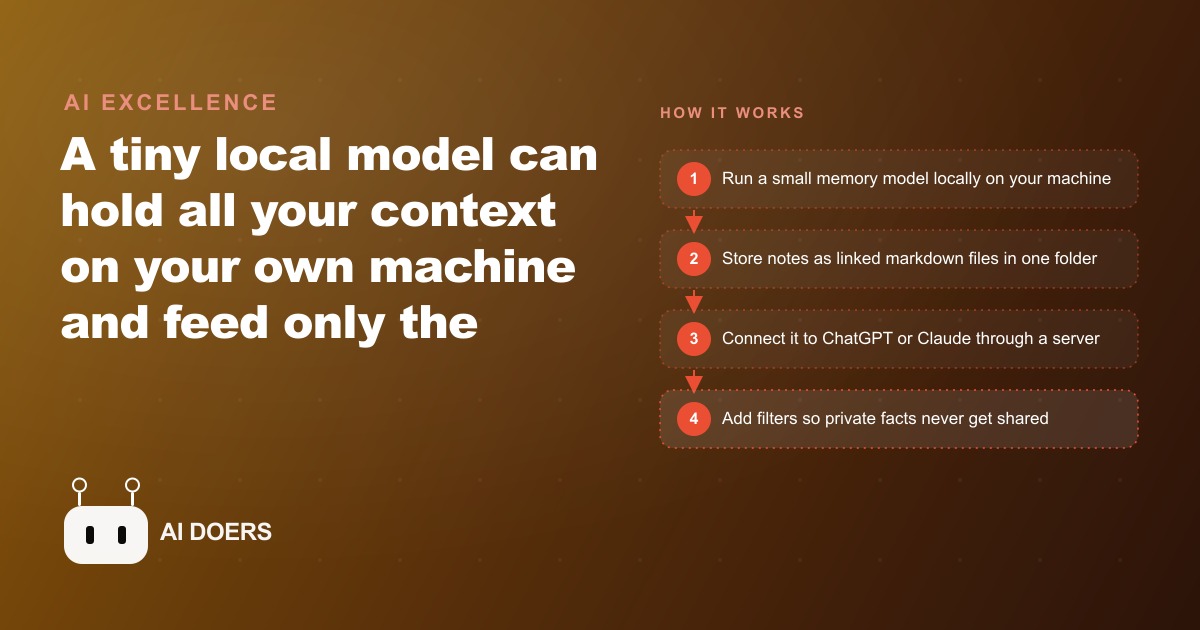
The AI adoption gap in business is not a capability gap. It is a privacy gap. I am Madhuranjan Kumar, and after working with dozens of service businesses on their AI integration, I keep running into the same split: some owners use ChatGPT or Claude freely because they have decided the risk is acceptable, while others barely touch AI at all because they cannot reconcile the data exposure with what they know about their clients, their pricing, or their own operations. What I want to explain here is that this split is a false choice, and the architecture that bridges it has been available and practical for a while now. It is called a local memory agent, and most businesses that should be using it have never heard of it.
The structural problem with cloud AI and private business data
Every time you paste a client record into ChatGPT or Claude and ask a question, you are making a decision about data custody that you may not even realize you are making. The most popular large language models are cloud services. The conversation, including everything you paste into it, travels over the internet, is processed on servers you do not control, and may or may not be used for further training depending on your account settings and the provider's current policies. For most casual use this does not matter much. For a business that handles medical records, financial figures, legal files, client pricing, or internal strategy documents, it matters considerably.
The standard workaround most people reach for is to abstract the data before sharing it. Instead of pasting the actual client record, you describe it in general terms. Instead of sharing the actual revenue figure, you give a range. The problem is that this abstraction strips out exactly the specificity that makes AI useful for business work. A vague description of a client situation gets a vague answer. A precise record with real context gets a useful, actionable response. You end up in a compromise where you are neither protecting the data properly nor getting the full value of the AI.
The second workaround is to use enterprise tiers of cloud AI that offer data protection agreements. These are genuinely better from a compliance standpoint, and I recommend them when appropriate. But they still involve your data leaving your machine, they carry subscription costs that add up across a team, and they still require you to manually paste context into every conversation because the model has no memory of your business between sessions. The core friction remains.
The architecture most people have not discovered yet
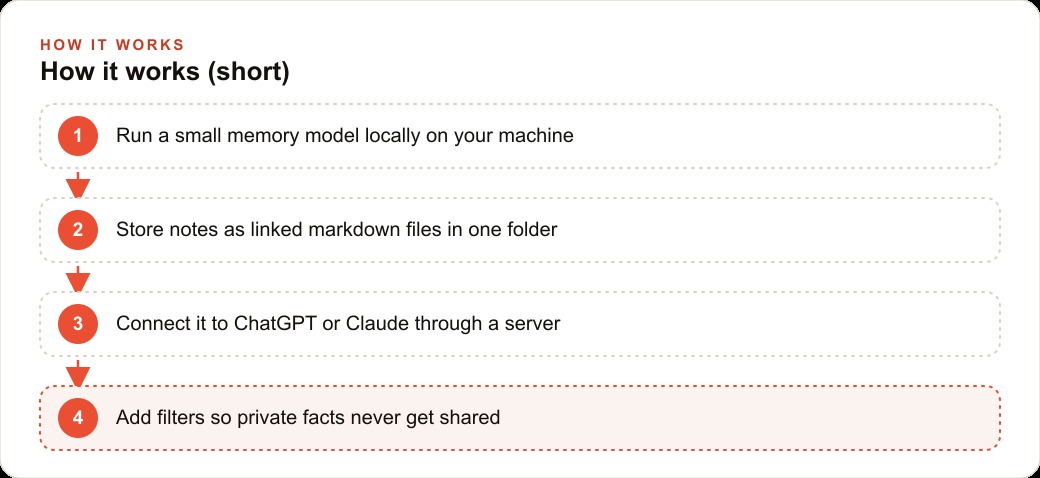
A local memory agent works differently from either of those approaches. The core idea is this: instead of sending your private data to the cloud AI, you run a small, specialized model on your own machine whose only job is to hold your knowledge and retrieve the right pieces on demand. When you ask a cloud AI a question, the request routes through the local memory layer first. The memory agent fetches the relevant context from your local files and passes only that specific slice to the cloud model. The cloud model sees a focused, relevant excerpt. It does not need the whole client file, the full revenue history, or the complete internal notes. It needs the two or three facts that are relevant to this particular question, and that is exactly what the memory agent provides.
This is not a theoretical architecture. The small model that drives this runs on roughly two gigabytes of storage in its quantized form, which means almost any laptop purchased in the last five years can run it without a dedicated GPU or extended setup. It does not need a server farm. It runs in the background while you work, and it connects to the cloud models you already use, whether that is ChatGPT, Claude, or another system, through a lightweight local server.
The files it manages are plain markdown. This is deliberate and important. Markdown is readable without any special software, editable with any text editor, and portable. Your knowledge base is not locked inside a proprietary format or a database you cannot open. You can inspect every file directly, add notes by hand, and move the whole thing to a different machine with a simple folder copy.
How entity files turn scattered notes into a coherent knowledge base
The way the memory is organized matters as much as the technology behind it. The local memory agent structures knowledge using entity files, which are individual markdown documents, one per meaningful subject in your business. Each client gets an entity file. Each active project gets an entity file. Key suppliers, recurring workflows, and important internal policies can each have their own file.
At the top of the file structure sits a main profile: a document that describes the business itself, its services, its pricing philosophy, its current priorities, and the key relationships that matter. Entity files link back to this main profile, and they link to each other where relationships exist. The result is less like a flat folder of notes and more like a lightweight knowledge graph where the connections between clients, projects, and decisions are part of the record itself.
When you ask a question, the memory agent parses what you are asking, identifies which entities are relevant, and fetches just those files. It does not dump your entire knowledge base into the conversation. A question about a specific client's project history pulls that client's file and the linked project file. A question about your pricing approach pulls the relevant section of your main profile. The cloud model receives focused, relevant context and returns a specific, useful answer instead of a generic one.
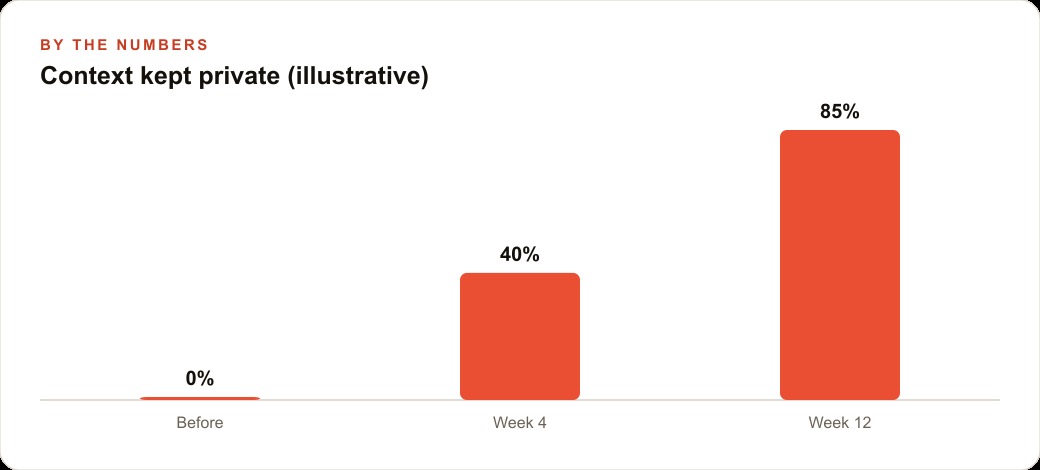
This selective loading also has a practical cost benefit. Cloud AI models bill by token, and pasting a large document into every conversation is expensive if you are working at scale. A well-structured local memory means each conversation starts lean. The cloud model receives a small, precise excerpt and answers from that. Teams doing multiple AI-assisted tasks per day see meaningful reductions in their token spend once the memory layer is handling retrieval.
Filters: the feature that makes sensitive businesses actually comfortable using AI
The filter system is what makes this approach suitable for businesses that handle genuinely sensitive information, not just inconveniently private information. You can specify, at the level of individual entity files or specific fields within a file, that certain facts should never be passed to a connected model regardless of what the question asks.
Consider a healthcare practice that wants to use AI to help draft patient follow-up communications, assist with scheduling logic, or answer administrative questions. The practice can store a full patient profile in the memory agent, including visit history, treatment notes, and insurance information, while setting filters that ensure identifiable patient details never leave the local machine. The cloud model receives the minimum context needed for the task and nothing more.
In practice, filters work with a bias toward caution. When the memory agent is uncertain whether a particular fact is sensitive, it withholds it. You can tune this over time as you learn what the system holds back that it does not need to, but starting conservative and relaxing gradually is substantially safer than starting open and tightening after something has already been shared. Most businesses that set this up find the defaults reasonable and spend only an hour or two refining the filters for their specific situation.
From a compliance standpoint, this architecture also produces a much cleaner data handling story. The answer to "where does client data go when your team uses AI?" becomes straightforward: it stays on the machine. The cloud models see only the filtered, relevant excerpts the memory agent chooses to share. That is an auditable, defensible answer that a vague "we use enterprise ChatGPT" cannot match.
A worked example: a legal practice using AI for client matter preparation
I want to walk through a specific scenario to make the mechanics concrete. Consider a solo attorney or small legal practice. The practice has ongoing matters for perhaps 30 to 50 active clients at any time. Each client has a file with case history, court dates, key documents, notes from client calls, opposing counsel information, and billing records. The attorney wants to use AI to help prepare for client calls, draft correspondence, and think through strategy.
Without local memory, using AI for this work means either pasting sensitive client information into a cloud chat, which creates data handling exposure, or describing matters vaguely and getting generic answers. Neither is acceptable for a professional with ethical obligations around client confidentiality.
With a local memory agent, the setup looks like this. Each active client is an entity file. The file contains case type, matter status, key dates, notes from the last three client interactions, and the strategic questions currently in play. The billing figures and identifying personal information are filtered and will not be passed to cloud models. The main profile contains the practice's areas of focus, preferred communication style, and standard workflow steps.
When the attorney prepares for a Monday morning call with a client, they open a chat with Claude or ChatGPT through the memory agent and ask: what are the current open items on the Henderson matter and what should I review before tomorrow's call? The memory agent fetches the client's entity file, filters the identifying details per the set rules, and passes the relevant case status, recent notes, and open questions to the cloud model. The response is a specific, actionable briefing drawn from real context, not a generic call-prep checklist.
The attorney spends 8 minutes preparing instead of 25. The client information stayed on the local machine. The cloud model contributed reasoning and synthesis without ever having access to the full client record. Over a week with 12 client calls and several draft communications, the time saving compounds to several hours. Over a month, it represents a meaningful recovery of billable capacity without any compromise on the confidentiality obligations that define the practice.
The memory also updates incrementally. After the call, the attorney adds a 90-second summary to the client's entity file. The next time they ask about that matter, the fresh context is already there. The knowledge base improves with every interaction rather than starting from scratch.
Connecting local memory across the tools you already use
One of the underappreciated advantages of this architecture is that the same local memory base can serve multiple cloud tools simultaneously. Because the local server exposes the memory through a standard protocol, you can connect it to your ChatGPT conversations, to Claude sessions, to writing tools, and to other applications that support the integration. You build the knowledge base once, and every tool you use draws from the same source.
This solves a friction point that plagues most business AI workflows: context fragmentation. Right now, most people maintain separate notes for different tools. What they told ChatGPT last week is not available when they open a Claude session. What they pasted into a document AI is not in the chat assistant when they need it. The local memory agent becomes a single source of truth that any connected tool can query, which means the context you build up over time actually compounds rather than sitting siloed in one application.
For teams, the memory can be structured so that shared entity files live in a shared folder while personal context stays in individual spaces. A client's file is available to everyone who works on that account. An individual's personal notes and working style preferences remain private. The granularity of access control is defined by the folder structure and filter rules you set, not by the vendor's account tier.
This matters particularly for businesses where AI-assisted work on client accounts spans multiple people. If you are running Meta ads for a client, the campaign notes, audience insights, and performance context built up over months should be available to everyone working on that account, not just the person who happened to have the last ChatGPT conversation. A shared memory layer makes institutional knowledge actually institutional instead of scattered across individuals' chat histories.
The real cost of not having local memory (and what it calculates to)
I want to be direct about what the absence of this architecture actually costs, because most businesses have not done the calculation. Every time a team member re-explains business context to a cloud AI because the model does not remember last week's conversation, that is time spent. Every time someone decides not to use AI for a sensitive task because they are uncomfortable with the exposure, that is a capability left unused. Every time a cloud AI gives a generic answer because the context it received was deliberately abstracted to protect privacy, the advice is worse than it would have been.
For a business doing 10 to 20 AI-assisted tasks per day across a small team, the context-setting overhead alone is often 30 to 60 minutes of total time per day. Across a work month of 22 days, that is 11 to 22 hours spent re-explaining things the AI could have remembered. At a conservative cost of $30 per hour for staff time, that is $330 to $660 per month in friction that a local memory layer eliminates.
The privacy-avoidance cost is harder to quantify but more significant. Businesses that run Google Ads campaigns, manage client SEO content programs, or operate any web CRM system deal with data that deserves careful handling. When staff avoid AI tools for the tasks that matter most because those tasks involve sensitive data, the business captures only a fraction of the productivity gains that AI could provide. The local memory architecture is specifically what allows you to use AI on the full scope of your work rather than only the parts that feel safe enough to share with a cloud service.
The five decisions to make before you build this
Setting up a local memory agent well requires a few upfront decisions that determine how useful it becomes. Getting these right at the start saves significant reconfiguration work later.
The first decision is the folder structure. Before you create a single entity file, sketch out the categories of knowledge your business deals with: clients, projects, suppliers, internal policies, recurring workflows. The folder structure you choose shapes how the memory agent organizes and retrieves information. A flat structure with one folder of entity files works for small, simple operations. A nested structure with separate folders for active and archived clients, for different service lines, or for different team members is better for larger operations. Design the structure for where your business will be in a year, not just where it is today.
The second decision is what the main profile contains. This document is the foundation of the memory. It should describe your business at enough depth that a cloud model reading only this file would understand what you do, who you serve, your pricing approach, and your current strategic priorities. Most businesses underinvest in this document during setup and then wonder why the AI answers are still generic. A strong main profile is the single highest-leverage thing you can write in this entire system.
The third decision is which facts get filtered. List the categories of information that must not leave the local machine under any circumstances: client names if you serve regulated industries, specific revenue figures, contract terms, personal addresses, sensitive health or legal information. Write these filters before you create the entity files, not after. The habit of setting protective rules first and relaxing them gradually is much safer than the reverse.
The fourth decision is how the memory will be updated. A local memory is only as useful as it is current. Assign a clear owner for each category of entity file, build a short update ritual into the end of each client interaction or work session, and treat the maintenance habit as seriously as you treat backing up other critical business data. A memory that drifts stale over two months becomes a liability: the AI answers from outdated context and the team stops trusting the output.
The fifth decision is which cloud models to connect. The local memory layer is model-agnostic, which means you can connect ChatGPT, Claude, or other tools through the same server. Most businesses are better served by connecting one model at first, building the workflow around it, and adding others later once the memory structure is proven. Trying to optimize for multiple models simultaneously at the start adds complexity without proportional benefit.
Building local memory is a one-time project with compound returns
Unlike a software subscription that costs the same every month regardless of how much value you extract, a local memory agent is a one-time build with compounding returns. The entity files you create this month contain the context that makes AI useful next month. The filters you set now protect data you have not even generated yet. The main profile you write today becomes the foundation that every future conversation draws from. The investment front-loads and the benefit accumulates.
For most service businesses, the setup takes one to two focused days: a few hours for the folder structure and main profile, an afternoon for the first batch of entity files for the most important clients or projects, and an hour or two for filter configuration and connection testing. After that, the ongoing maintenance is incremental, a few minutes per client interaction rather than a project.
The businesses that get the most from this are the ones that treat the memory build as infrastructure rather than a tool to try. It is more analogous to setting up your CRM than to trying a new chatbot. The upfront work is modest but real, and the return is not a one-time time saving but a permanent change in how AI integrates with your private knowledge. Once the memory is working, you stop being a brilliant stranger to your AI tools. They know your clients, your context, and your constraints, and they answer accordingly. That is the difference between AI as an occasional curiosity and AI as something that actually changes how much your team can get done.
That is exactly what we do at AI DOERS. Book a private 30-minute call with Madhuranjan Kumar and we will map the fastest path to it for your specific business.
Book your call →
Madhuranjan Kumar
Madhuranjan Kumar brings 20 years of performance-marketing experience and has managed over $200 million in Facebook ad spend for brands across the United States and beyond. His expertise spans the full modern marketing stack: Meta, Google Ads, TikTok, email automation, CRM, and the websites that hold it together. At AI DOERS he turns that track record into lead-generation systems for businesses across every industry.